

Microsoft’s relationship with open source software has changed considerably over the years. Once openly hostile to Linux and free software, the company now contributes to open source projects and supports Linux across parts of its ecosystem. Nevertheless, much of Microsoft’s software portfolio remains proprietary.
This series looks at the best free and open source alternatives to products and services offered by Microsoft.
 Microsoft Phone Link connects a Windows PC with an Android phone or iPhone. It lets users read and reply to messages, manage phone notifications, make and receive calls, and access recent photos from the desktop. With supported Android devices, additional features include using mobile apps, sharing clipboard content and transferring files.
Phone Link is proprietary software and is not available for Linux. There is no exact open source replacement covering every feature, but there are some excellent alternatives.
1. KDE Connect
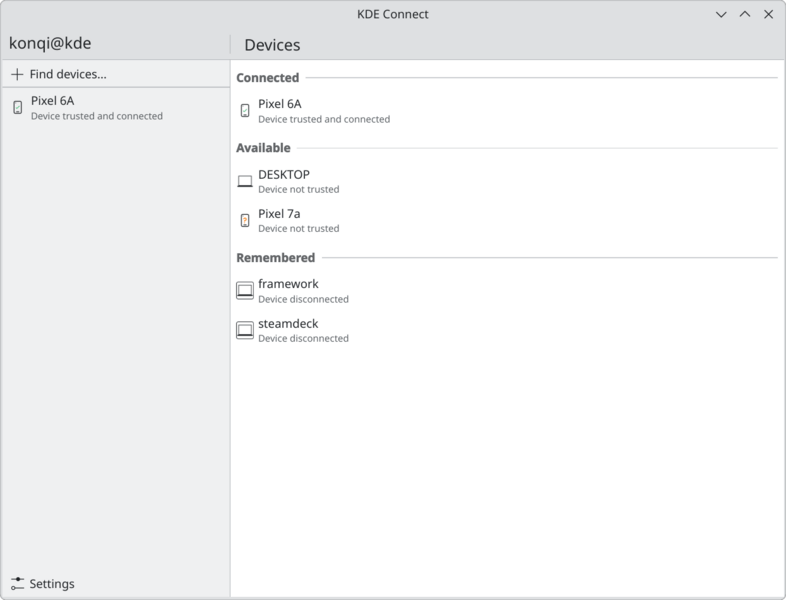
KDE Connect is the closest overall open source alternative to Microsoft Phone Link. It connects computers and mobile devices over the local network and offers extensive integration between them.
You can synchronize notifications, read and reply to SMS and MMS messages, share files and URLs, synchronize clipboard contents and control media players. Your phone can also function as a remote keyboard, touchpad and presentation controller.
KDE Connect supports Linux, Android, iOS, Windows and other platforms, although the feature set varies between operating systems. Communication between paired devices is encrypted.
For Linux users with an Android phone, this is the obvious place to start.
2. GSConnect
GSConnect implements the KDE Connect protocol specifically for GNOME Shell. It does not require the KDE Connect desktop application and integrates directly with the GNOME desktop.
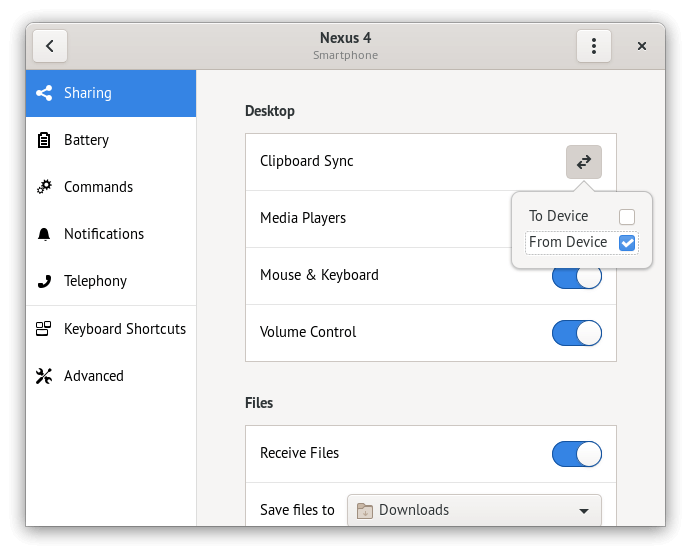
It can synchronize notifications, contacts and clipboard contents, send and receive messages, share files, links and text, control media players and system volume, and execute predefined commands.
Integration with Nautilus and web browsers makes GSConnect particularly attractive to GNOME users. Android devices can connect using the KDE Connect mobile application.
GSConnect is community maintained rather than having dedicated developers, but development remains active and recent releases support current GNOME Shell versions.
3. Valent
Valent is another implementation of the KDE Connect protocol, built with GNOME platform libraries.
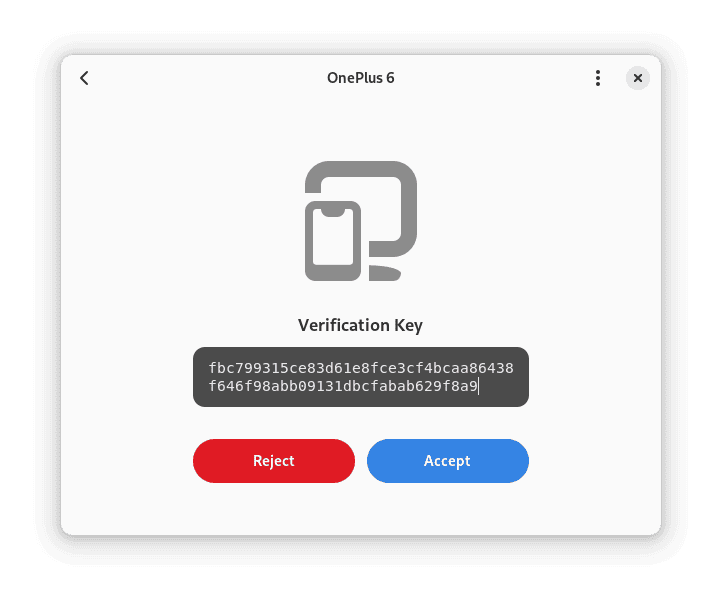
It provides notification, contact and clipboard synchronization, file and link sharing, media controls, a virtual keyboard and touchpad, call and text notifications, and support for custom commands.
Valent aims to provide this functionality as a native GNOME application rather than a GNOME Shell extension. That makes it an interesting alternative to GSConnect for users who want strong desktop integration without placing the implementation inside the shell itself.
Like KDE Connect and GSConnect, most of its useful phone integration is aimed at Android devices.
4. scrcpy
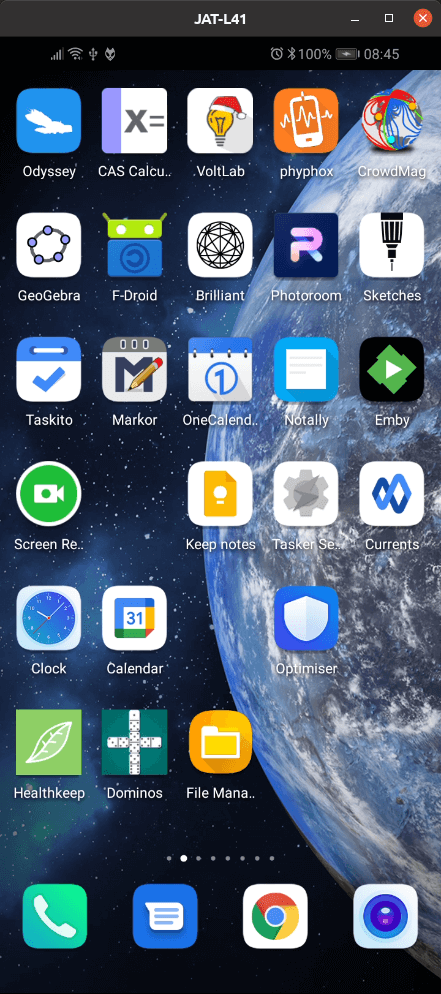
scrcpy takes a different approach. Instead of synchronizing selected phone functions with the desktop, it mirrors an Android device and lets you control it directly using the computer’s keyboard and mouse.
Connections can be made over USB or TCP/IP. scrcpy supports video and audio forwarding, clipboard synchronization, recording, keyboard and mouse control, and high-resolution display with very low latency. It does not require root access or permanently install software on the Android device.
It lacks the integrated notification, messaging and contact features offered by KDE Connect, but it is considerably more capable when the requirement is to view and operate Android applications themselves from a Linux desktop.
All articles in this series:
| Alternatives to Microsoft's Products and Services | |
|---|---|
 | Authenticator is a mobile authentication app for Android and iOS. It can generate one-time passwords for two-factor authentication and also supports Microsoft’s own passwordless and approval-based sign-in mechanisms. |
 | Bing offers search services, including web, video, image and map search products. It's developed using ASP.NET. |
 | Calculator is a simple yet powerful calculator that includes standard, scientific, programmer, and graphing calculator functionality, as well as a set of converters between various units of measurement and currencies. |
 | Calendar is a personal calendar application which offers synchronization with various calendar services. |
 | Character Map is used to view the characters in any installed font, to check what keyboard input is used to enter those characters, and to copy characters to the clipboard in lieu of typing them. |
 | Clipchamp is non-linear editing software that allows users to import, edit, and export audiovisual material in an Internet browser window. |
 | Clock is a time management app offering alarms, world clocks, timers, a stopwatch, and focus sessions. |
 | Disk Cleanup is a computer maintenance utility included in Microsoft Windows designed to free up disk space. |
 | Dynamics 365 is a product line of enterprise resource planning and customer relationship management intelligent business applications. |
 | Edge is a cross-platform web browser. It is a Chromium-based browser with Blink and V8 engines. |
 | Entra ID is a cloud-based identity and access management service. It provides centralised management of users, groups and applications together with single sign-on, multifactor and passwordless authentication, application federation and access policies. |
 | Exchange Server is a mail server and calendaring server. Exchange uses a single building block architecture. |
 | File Explorer is a file manager application and default desktop environment. It provides a graphical user interface for accessing the file systems, as well as user interface elements such as the taskbar and desktop. |
 | Forms is a web-based application that lets you design and analyse online forms, surveys, quizzes, and polls. |
 | GitHub is a distributed version control and source code management functionality service. It includes non-Git elements. |
 | Hyper-V is a Type 1 hypervisor; it can create virtual machines on x86-64 systems running Windows. |
 | Internet Information Services is a web server for Windows. It is used to host websites, web applications and services, and provides features including HTTP and HTTPS serving, authentication, logging, compression and application hosting. |
 | Journal is a note-taking application that allows users to create and organize handwritten notes and drawings and save them. |
 | Loop is an online collaborative workspace offering a variety of features to help users gather, organize, and build notes, ideas, and projects. |
 | Magnifier is a screen magnifier app intended for visually impaired people to use when running Windows. |
 | Media Player is a video and audio player that's a built-in Windows component. |
 | Minesweeper is a fun game where the object is to find the location of the mines hidden in the minefield and to mark their location by placing a warning flag. |
 | MSN Weather gets you the very latest weather forecast, including temperature, humidity, precipitation for your location. |
 | Narrator is a screen reader that’s included with every copy of Microsoft Windows. |
 | Notepad is a simple text editor for Windows; it creates and edits plain text documents. |
 | Office is a family of client software, server software, and services. Microsoft has promoted Office 365 as the primary means of obtaining Office. |
 | OneDrive is a file hosting service and synchronization service. Users can upload Microsoft Office documents to OneDrive. |
 | OneNote is a note-taking program for free-form information gathering and collaboration. It gathers users’ notes, drawings, screen clippings, and audio commentaries. |
 | Outlook is a personal information manager that's primarily an email client. It includes calendaring, task managing, contact managing, note-taking, journal logging, and web browsing. |
 | Paint is a simple raster graphics editor that has been included with all versions of Microsoft Windows. |
 | Photos is an image viewer and image organizer. It was first released with Windows 8 and remains under active development. |
 | Planner lets users create Kanban boards using content-rich tasks with features including files, checklists, and labels. |
 | Power BI is a collection of software services, apps, and connectors that work together to turn your unrelated sources of data into coherent, visually immersive, and interactive insights. |
 | PowerPoint is a powerful slide show presentation program. It is a standard component of the company's Microsoft Office suite software. |
 | Process Explorer is a task manager and system monitor. It provides the functionality of Windows Task Manager along with features for collecting information about processes running on the user’s system. |
 | Project lets you develop schedules, assign resources, track progress, manage budget, and more. It's part of the Microsoft Office enterprise project management product. |
 | Publisher is a desktop publishing application with focus on page layout and design. Use text, photos and links to make professional publications personal. |
 | Remote Desktop lets you connect from afar. Through RDC, you can remotely access multiple computers over the same network, whether they’re at home or at your office. |
 | SharePoint is a web-based collaborative platform that’s often used as a document management and storage system. |
 | Skype is software for VoIP-based videotelephony, videoconferencing and voice calls. The software also provides instant messaging, file transfer, debit-based calls to landline and mobile telephones (over traditional telephone networks), and more. |
 | Snipping Tool is a screenshot utility. It can take still screenshots of an open window, rectangular areas, a free-form area, or the entire screen. |
 | Sound Recorder (previously known as Voice Recorder) is an app for recording lectures, conversations, and other sounds. |
 | Sticky Notes is software to create notes, type, ink or add a picture, add text formatting, stick them to the desktop, move them around there freely, close them to the Notes list, and sync them across devices and apps. |
 | SwiftKey is a virtual keyboard app for Android. SwiftKey learns from previous typed text and outputs predictions based on currently inputted text and what it has learned. |
 | SQL Server is a relational database management system designed for storing, processing and securing structured data. |
 | Teams is a business communication platform. The service integrates with the company’s Office 365 subscription office productivity suite. |
 | Terminal is billed as “a modern, fast, efficient, powerful, and productive terminal application for users of command-line tools and shells like Command Prompt, PowerShell, and WSL”. It offers multiple tabs, panes, Unicode and UTF-8 character support, a GPU accelerated text rendering engine, and custom themes, styles, and configurations. |
 | To Do is a cloud-based task management application. It allows users to manage their tasks from a smartphone, tablet and computer. |
 | Visio is a diagramming and vector graphics application. Database modeling in Visio revolves around a Database Model Diagram (DMD). |
 | Visual Studio is an integrated development environment. It is used to develop computer programs, as well as websites, web apps, web services and mobile apps. |
 | Whiteboard provides a freeform, intelligent canvas where you and your team can create, and collaborate visually via the cloud. Designed for touch, type, and pen, it lets you write or draw as smoothly as you would with ink. |
 | Yammer is a social-networking platform for organizations. It’s a closed platform sometimes described as Facebook for businesses. |
Please read our Comment Policy before commenting.