
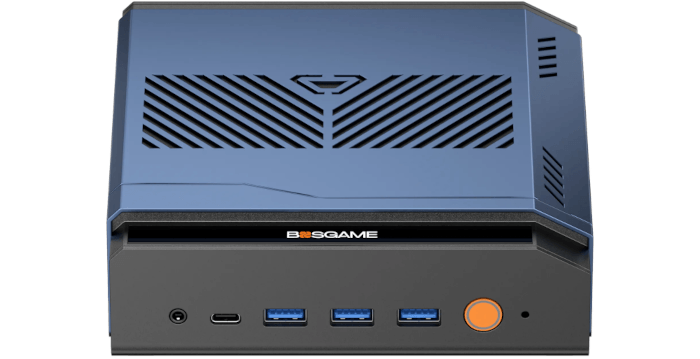
This is a new series looking at the Bosgame M7 Core Ultra 9 285H mini PC running Linux. In this series, I’ll put this mini PC through its paces from a Linux perspective, comparing it with other systems, including desktops, to show how it really stacks up.
The Bosgame M7 Core Ultra 9 285H is the latest addition to Bosgame’s wide range of mini PCs. This mini PC is based on the Intel Core Ultra 9 285H processor with integrated Intel Arc 140T graphics. The processor has 16 cores and 16 threads with a CPU Mark of 34,311. The machine comes with 32GB of DDR5 5600MHz RAM and a 1TB PCIe 4.0 SSD, which should be sufficient for most use cases. The machine currently retails for around £699.
What’s in the Box
- Mini PC.
- Power adapter with a UK plug. You can specify the appropriate plug for your region when ordering.
- HDMI cable.
- Instruction manual
Design
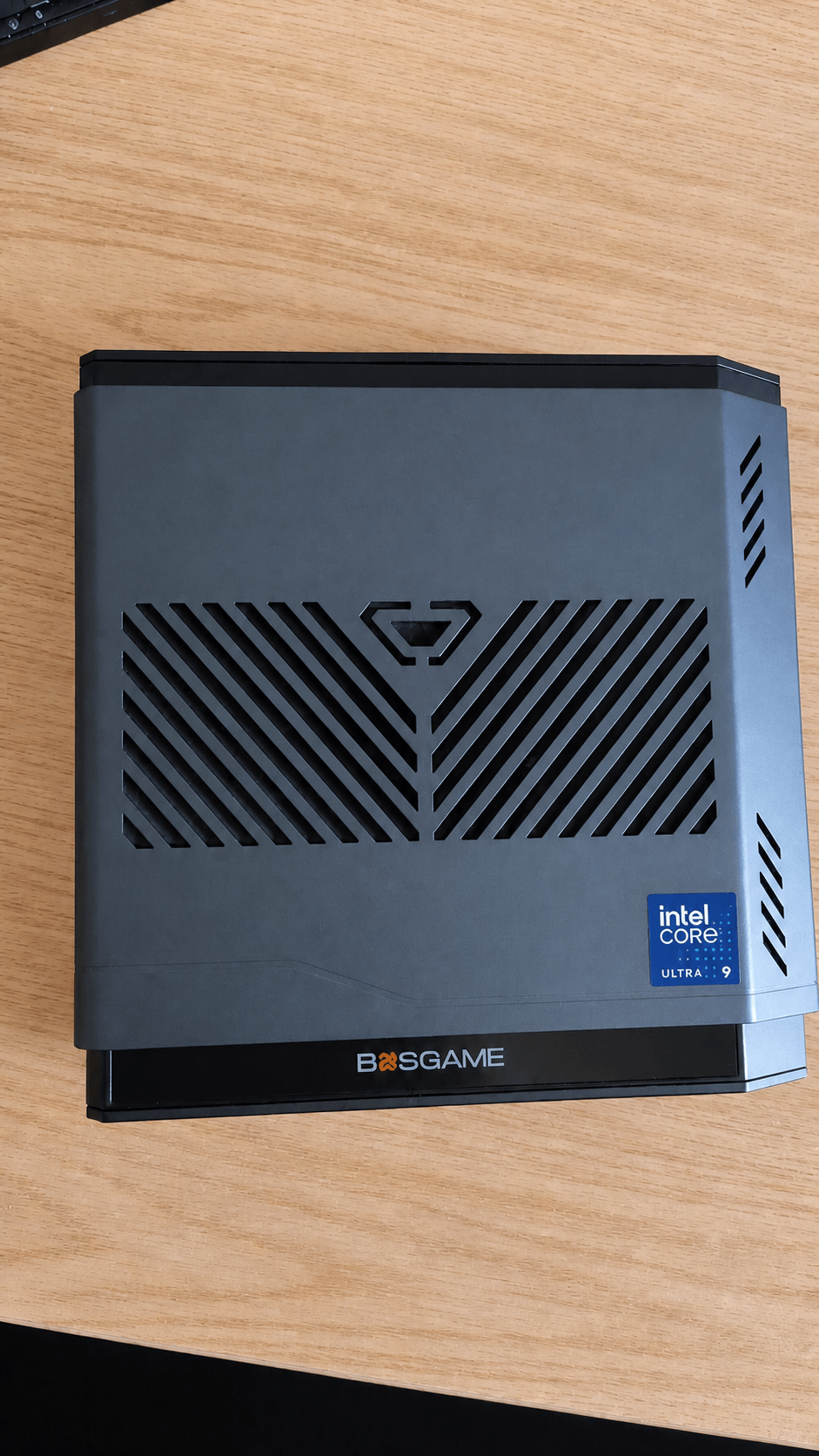
The Bosgame M7 has a distinctive design. Rather than adopting the traditional rectangular box shape used by most mini PCs, it features a novel metal body with a sloped side, although the base of the machine is plastic. It’s the same case used for the Bosgame M6 HX370, which I’ve previously reviewed.
The angular blue top shell, cut-out graphics, acrylic logo strip and orange power button make it look more like a gaming accessory than a sober workstation or office mini PC. That won’t matter under a desk, but on a desk it’s less discreet than many NUC-style systems. Personally, I think it’s quite elegant.
The case is covered with vents, a key part of the cooling design. Thankfully, they don’t come at the expense of noise, as the M7’s fans are exceptionally quiet except when the machine is under high load.
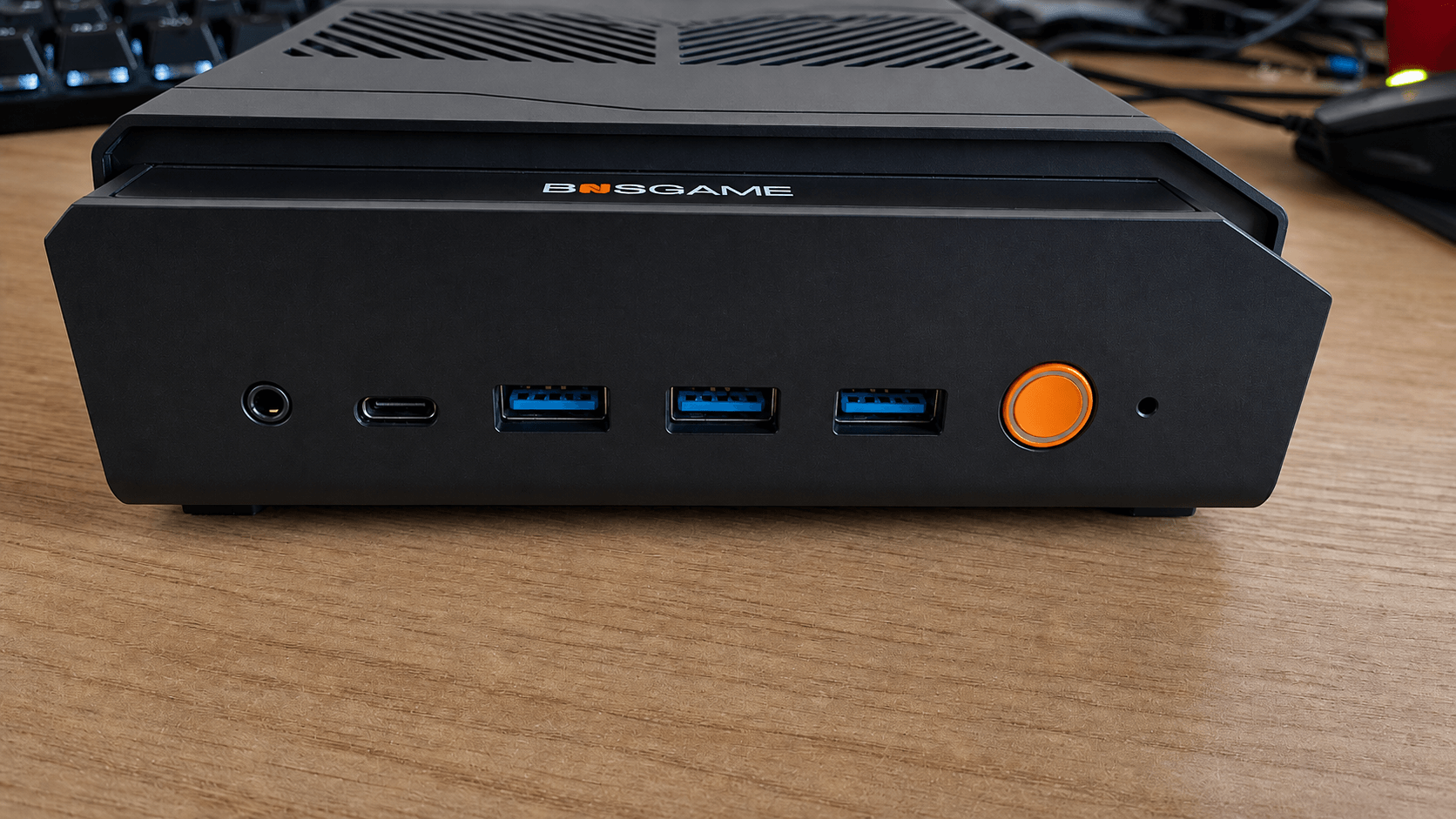
The front panel gives easy access to USB-C, three USB 3.2 ports, audio and power, which is practical.
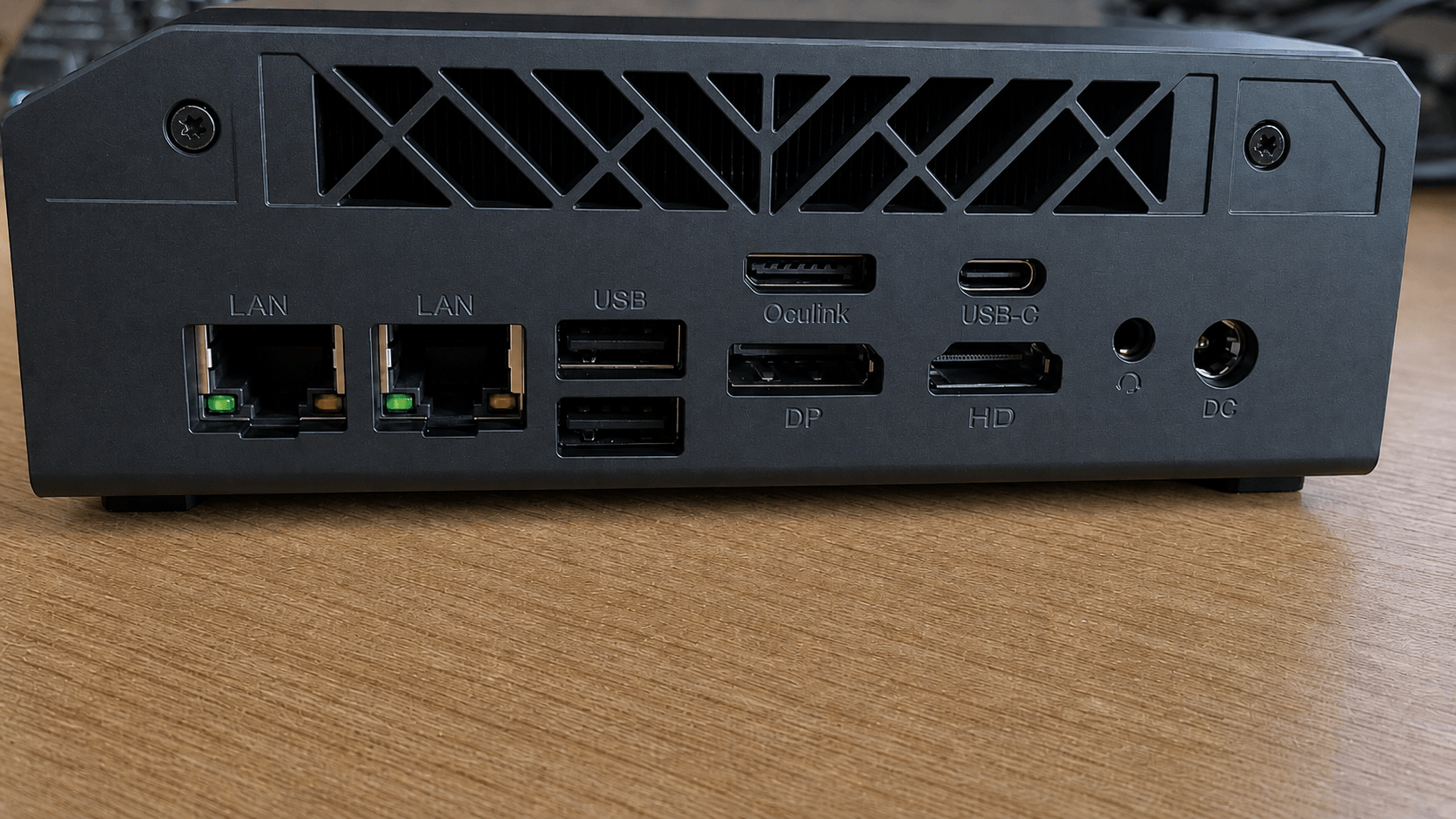
The rear is a bit crowded, with dual 2.5GbE LAN, OCuLink, HDMI 2.1, DisplayPort 1.4, Thunderbolt 4, USB 2.0, DC input and audio. That’s generous connectivity, but with an eGPU, multiple displays and Ethernet attached, cable management needs some attention.
Overall, the M7’s case is functional and ambitious, with good ventilation and excellent I/O. It prioritises cooling, ports and a gamer-like visual identity over a more traditional appearance.
It’s unusual to have an audio jack on both the front and rear of the machine, but some users may find that convenient.
I’ve connected 4K and lower resolution monitors to the machine’s HDMI and DisplayPort ports, as well as a few monitors to its USB-C ports, including portable and desktop monitors.
My machine came with a UK plug, but it’s also available with US, EU, JP, and AU plugs.
Next page: Page 2 – First Impressions running Linux with the CachyOS distribution
Pages in this article:
Page 1 – Introduction and Design
Page 2 – First Impressions running Linux
Page 3 – Interrogation of the System
Complete list of articles in this series:
| Bosgame M7 Core Ultra 9 285H Mini PC | |
|---|---|
| Introduction | Introduction to the series and interrogation of the machine |
| Benchmarks | Benchmarking the Bosgame M7 Core Ultra 9 285H Mini PC |
| Power | Testing and comparing the power consumption |
| BIOS | In the world of computing, BIOS, which stands for Basic Input/Output System, plays a crucial role |
| Cores | Benchmarking the Bosgame M7’s Core Ultra 9 285H on Linux, comparing P-cores, E-cores and LP E-cores with Crafty, Coremark and smallpt. |
| Intel processors | P-Cores, E-Cores and LP E-Cores Compared Across 4 Intel Processors |
| More articles will be published next week | |