
Interrogation of the System
I’ll use the inxi utility to examine the M7’s technical specifications in detail.
Processor
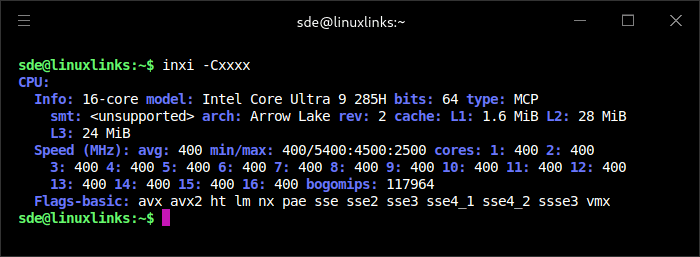
The M7 uses an Intel Core Ultra 9 285H, a 64-bit Arrow Lake processor with 16 cores. smt: means there’s no Hyper-Threading/SMT, so the CPU exposes 16 threads, not 32.
The cache layout is:
L1: 1.6 MiB
L2: 28 MiB
L3: 24 MiB
All cores are currently running at 400 MHz, which means the system is idle or lightly loaded. The reported frequency range shows a 400 MHz minimum and boost limits up to 5.4 GHz, with lower maximums for the efficiency-core groups.
bogomips is a kernel timing estimate, not a useful real-world benchmark.
The CPU supports common modern instruction sets including AVX, AVX2, SSE4.2, and VMX for hardware virtualisation. No AVX-512 is listed.
Graphics
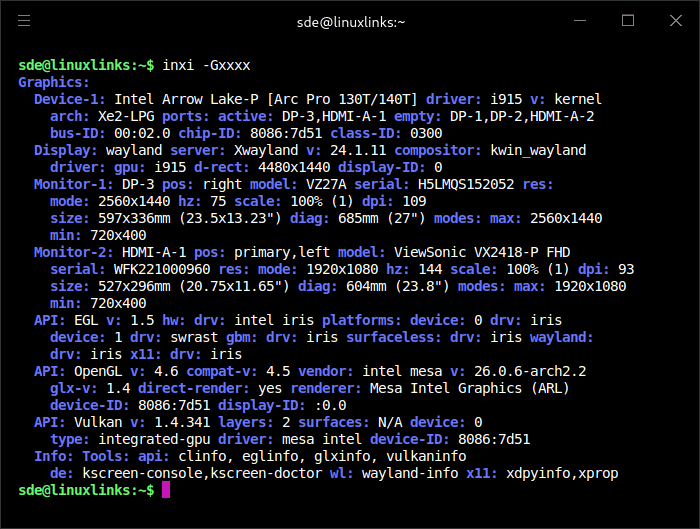
The M7 is using Intel’s integrated Arrow Lake Arc 140T graphics with the kernel i915 driver and Xe2-LPG architecture. The Arc 140T GPU has 8 Xe cores, runs at up to 2.35 GHz, and offers 77 GPU TOPS.
I’m running a Wayland KDE Plasma session via kwin_wayland, with Xwayland available for legacy X11 applications.
Two displays are active: 2560×1440 at 75Hz over DisplayPort and 1920×1080 at 144Hz over HDMI. Mesa provides full acceleration, with OpenGL 4.6 via the Intel iris/Mesa stack and Vulkan 1.4.341 via the Mesa Intel Vulkan driver.
The Arc 140T is one of the stronger integrated GPUs currently available, and it’s perfectly usable for light gaming, esports titles and some 1080p gaming with reduced settings. But it remains an iGPU, so demanding games still call for a dedicated GPU, something the M7 can support externally via OCuLink.
Disk
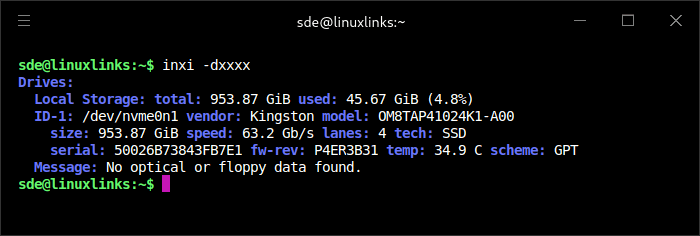
The M7 came with a Kingston 1TB NVMe installed. It’s an PCIe 4.0×4 2280 SSD with a maximum read speed of 6,100 MB/s and a maximum write speed of 5,300 MB/s. It’s a fast QLC drive from a very reliable brand. There are two further NVMe slots available for storage expansion. Thanks to the decent case design they are easy to access.
Memory
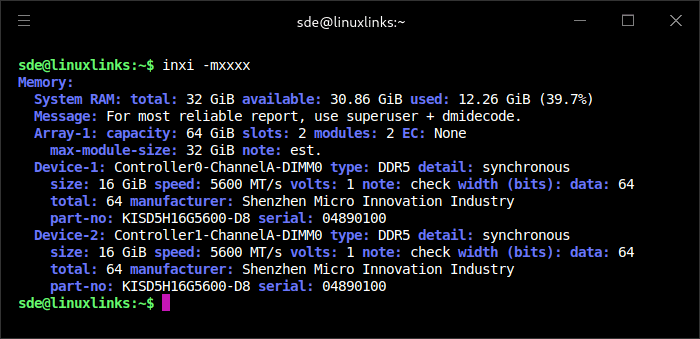
The M7 has 32GB of DDR5 RAM, installed as 2 × 16GB modules. The supplied RAM appears to be from KingFast, not a better-known retail brand such as Crucial, Kingston or Samsung. Shenzhen Micro Innovation Industry sells memory and storage products under the KingFast brand.
Previous Bosgame systems I’ve reviewed have shipped with Crucial memory, so the KingFast-branded modules in this M7 were unexpected. Given the current pressure on the memory market, with AI and data-centre demand pushing up DRAM prices and tightening supply, it’s possible Bosgame has broadened its supplier base for the M7. That said, I can’t say whether all retail M7 units will ship with KingFast memory, or whether the memory brand will vary by production batch.
Bluetooth
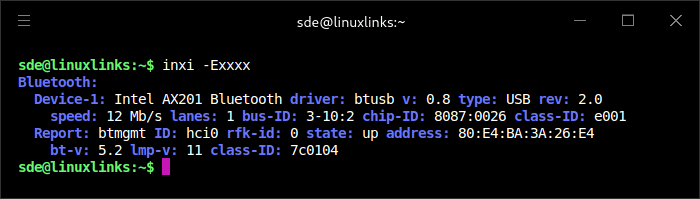
Linux detects the AX201 Bluetooth hardware correctly, the interface is up, and Bluetooth 5.2 support is available out of the box. The same applies to Ubuntu 26.04 LTS.
Audio
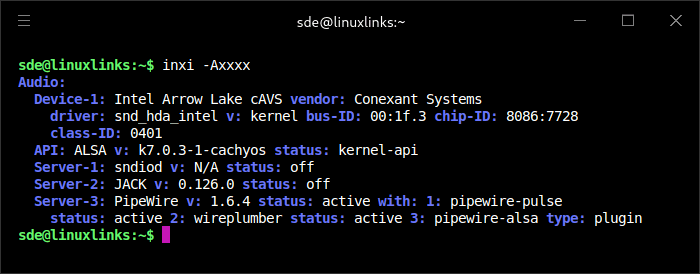
The M7’s audio is detected as Intel Arrow Lake cAVS, with Conexant Systems listed as the vendor.
It’s using the standard Linux kernel snd_hda_intel driver, so audio support works through the normal Intel HD Audio stack.
Network
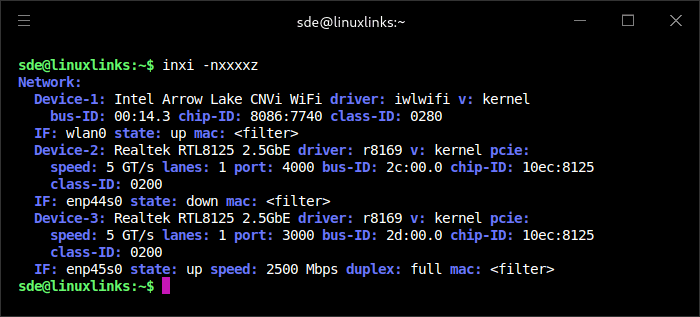
The M7’s networking hardware is fully detected under Linux. Wi-Fi is provided by an Intel Arrow Lake CNVi adapter using the kernel iwlwifi driver, while wired networking is handled by two Realtek RTL8125 2.5GbE controllers using the kernel r8169 driver. One Ethernet port is currently inactive, while the other is connected and operating at 2.5Gbps full duplex.
Temperature
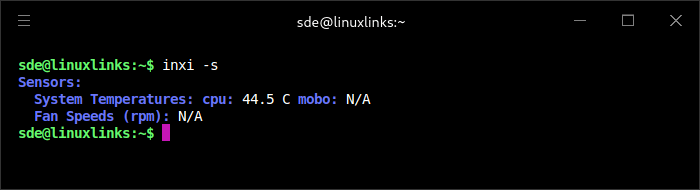
At idle, with an ambient room temperature of 22.5°C, the M7’s CPU sat at 44.5°C. That’s a perfectly acceptable result for a compact mini PC built around a high-performance Core Ultra 9 processor, although it’s not unusually cool.
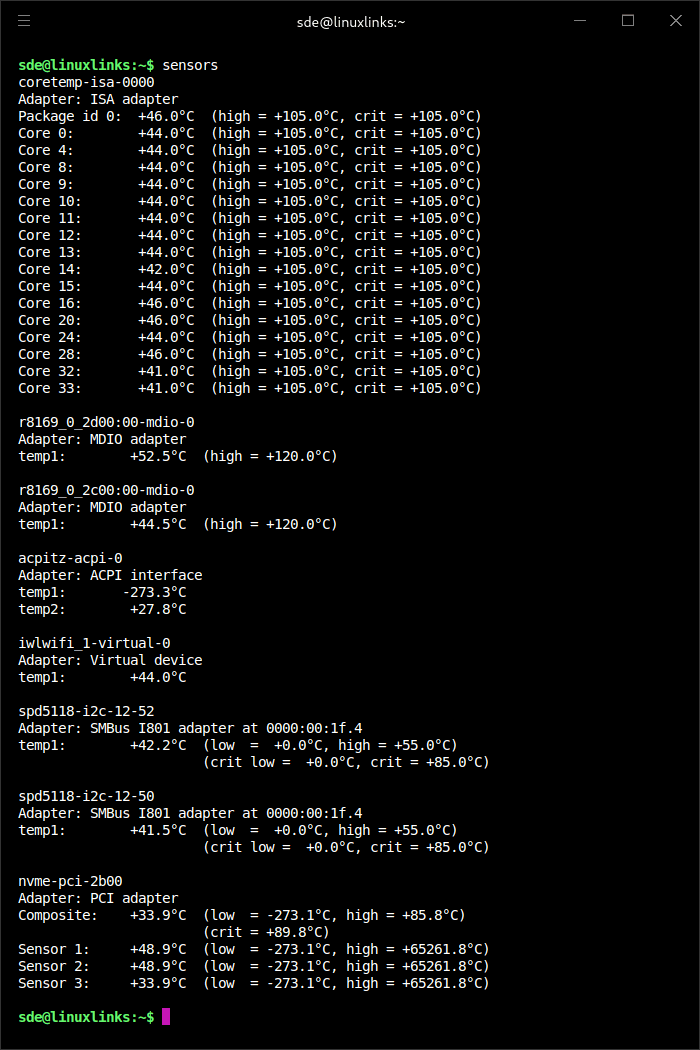
These readings look good for idle operation with a 22.5°C room temperature.
The CPU package is at 46°C, so it’s about 23.5°C above ambient. For a compact mini PC with a Core Ultra 9 processor, that’s perfectly acceptable. The individual cores are tightly grouped between 41°C and 46°C, which suggests even cooling and no obvious hotspot at idle.
In the next article in the series, I’ll put the M7 through a wide range of benchmarks.
Pages in this article:
Page 1 – Introduction and Design
Page 2 – First Impressions running Linux
Page 3 – Interrogation of the System
Complete list of articles in this series:
| Bosgame M7 Core Ultra 9 285H Mini PC | |
|---|---|
| Introduction | Introduction to the series and interrogation of the machine |
| Benchmarks | Benchmarking the Bosgame M7 Core Ultra 9 285H Mini PC |
| Power | Testing and comparing the power consumption |
| BIOS | In the world of computing, BIOS, which stands for Basic Input/Output System, plays a crucial role |
| Cores | Benchmarking the Bosgame M7’s Core Ultra 9 285H on Linux, comparing P-cores, E-cores and LP E-cores with Crafty, Coremark and smallpt. |
| Intel processors | P-Cores, E-Cores and LP E-Cores Compared Across 4 Intel Processors |
| More articles will be published next week | |
Please read our Comment Policy before commenting.