

kodbox is a self-hosted document management and collaboration platform that provides a desktop-like environment within a web browser. It allows individuals and teams to organise files, manage shared storage and collaborate on documents without relying entirely on third-party cloud platforms.
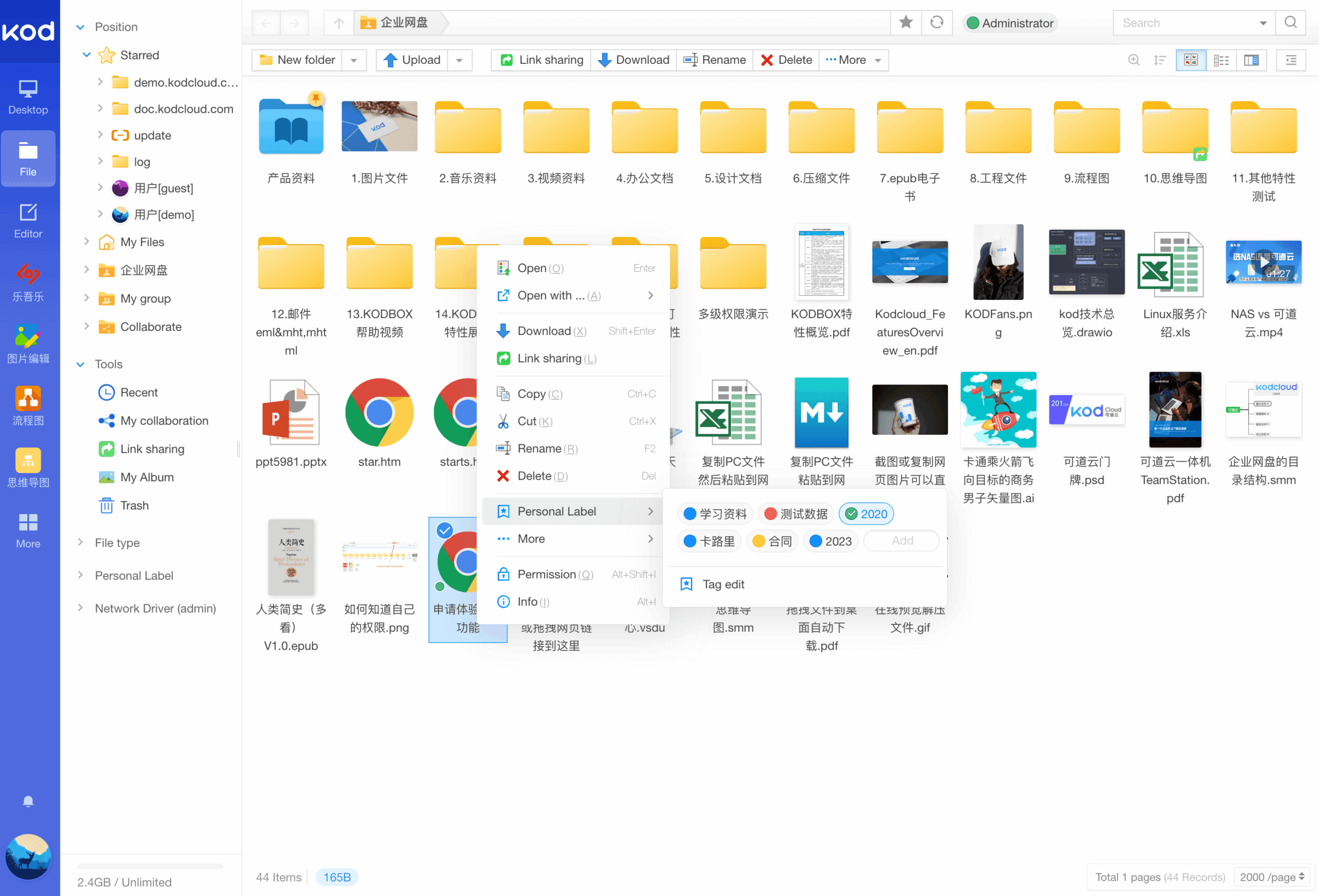
The interface resembles a conventional desktop file manager, with familiar operations such as drag and drop, right-click menus and keyboard shortcuts. Users can work with documents in different viewing modes and navigate large collections of files.
kodbox also includes tools for online editing and previewing a wide range of content. It is particularly useful in organisations that want to combine document storage, team workspaces and access controls within a single system.
The platform supports multiple storage backends and offers detailed permission management for files, folders, users and departments. Its modular architecture allows additional functionality to be introduced through plugins.
This is free and open source software.
Key Features
- Provides a desktop-style interface with drag-and-drop file management.
- Supports icon, list and column views, with configurable sorting and keyboard shortcuts.
- Allows files and directories to be copied, moved, renamed, deleted and organised.
- Combines local storage with FTP, WebDAV and S3-compatible cloud services.
- Supports MinIO, Alibaba Cloud OSS, Tencent Cloud COS and other storage backends.
- Provides previews for office documents, PDFs, images, audio and video files.
- Offers text and source code editing with syntax highlighting for numerous languages.
- Includes a Markdown editor with live preview, formulas and diagram support.
- Supports online viewing and extraction of compressed archives.
- Provides document version history and facilities for recovering earlier revisions.
- Supports file deduplication to reduce storage requirements.
- Offers advanced searching by filename, file type, size, date and document tags.
- Provides team workspaces with user, group and department-level permissions.
- Supports external sharing links with passwords, expiry dates and configurable access rights.
- Includes file discussions, activity histories and document editing locks.
- Offers audit logs, a recycle bin and system backup and restore facilities.
- Provides plugins for extending authentication, document processing and external integrations.
- Cross-platform support – runs on Linux, macOS, and Windows.
Website: github.com/kalcaddle/kodbox
Support:
Developer: kalcaddle
License: GNU General Public License v3.0
Kodbox is written in PHP and JavaScript. Learn PHP with our recommended free books and free tutorials.
Related Software
| Web-Based File Managers | |
|---|---|
| copyparty | Portable file server |
| Filestash | Dropbox-like file manager |
| AList | File list program that supports multiple storages |
| Tiny File Manager | Versatile web-based PHP file manager |
| FileBrowser Quantum | Browser-based storage access with fast search |
| Cloudreve | Self-hosted file management system with multi-cloud support |
| FileGator | Powerful multi-user file manager |
| Dufs | Fle server that supports static serving |
| kodbox | Self-hosted document management and collaboration platform |
| Cloud Commander | For the web with console and editor |
| Directory Lister | Browse and share folders |
| SFTPGo | WebAdmin UI lets you manage users, folders, and more |
| TagSpaces | Offline, open source, personal data manager |
| Nextcloud | Personal cloud storage, text editor, photo gallery, file share,... |
| Gossa | Fast and simple multimedia fileserver |
| Mikochi | Browse, upload and stream media from a NAS or home server |
| FileRise | Self-hosted storage with sharing, access controls and uploads |
| WFM | Standalone browser interface for browsing and editing server files |
| Surfer | Simple static file server |
| IFM | Improved File Manager |
| HardBore | Sub-2ms cold start, native OS integration, full keyboard navigation |
| Fint | Keyboard-driven file manager |
Read our verdict in the software roundup.
 LinuxLinks helps you discover the best free and open source software for Linux. Explore our extensive collection of recommended applications, including alternatives to popular proprietary software. We also publish software reviews, Linux tutorials, hardware reviews, free programming books and articles covering the wider open source community. Browse our Linux resources to discover more. Know a useful free and open source Linux application we haven't covered? Suggest a program for inclusion. Has your software been featured on LinuxLinks? Display one of our Featured on LinuxLinks badges on your website or GitHub README. |
Please read our Comment Policy before commenting.