
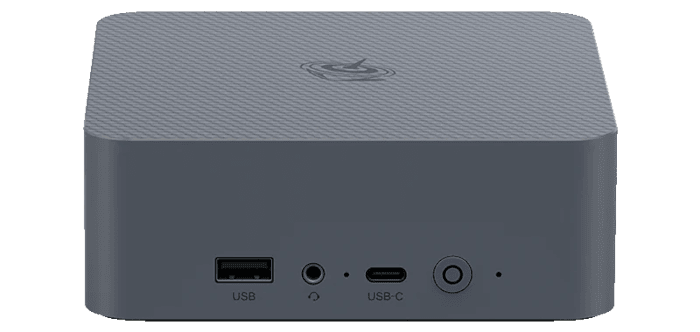
This is a new series looking at the Beelink EQi Core 3 304 mini PC running Linux. In this series, I’ll put the Beelink mini PC through its paces from a Linux perspective, comparing it with other systems to see how it performs in real-world Linux use.
The Beelink EQi Core 3 304 is a recent addition to Beelink’s EQ range of compact PCs. It’s built around Intel’s Wildcat Lake Core 3 304 processor, a 5-core, 5-thread chip comprising one performance core and four low-power efficiency cores. The processor integrates Xe3-LPG graphics and currently has a CPU Mark of 11,720. The review unit comes with 16GB of LPDDR5 6400MT/s memory and 512GB of UFS 3.1 storage, giving the system a capable hardware base for everyday desktop use, office work, media playback and lighter Linux workloads.
The machine is currently listed at $509, equivalent to around £380 at current exchange rates. That makes it considerably more expensive than many entry-level mini PCs, although the specification includes dual Thunderbolt 4 ports, 10GbE and 2.5GbE networking, and a built-in 85W power supply.
What’s in the Box
- Mini PC.
- Power cable with a UK plug.
- HDMI cable.
- Instruction manual.
Design
The EQi has a neat, understated appearance, with rounded corners, a milky-grey finish and a textured top panel. The casing is reasonably sturdy, but it does not have the premium feel of the metal enclosures fitted to some more expensive mini PCs. The outer shell appears to be made from ABS plastic, but it does not feel tacky.
There are no ventilation openings on either side of the case, giving the machine a clean, uncluttered profile. Instead, three wide rectangular ventilation grilles occupy the upper section of the rear panel, directly above the rear ports. This keeps the airflow openings out of sight during normal use and reflects the modest cooling requirements of the Core 3 304 processor. With a 15W TDP, it generates far less heat than the more powerful chips fitted to many of the mini PCs I have reviewed, so the EQi does not require the same extensive ventilation.
Access to the internals is straightforward. Prise off the four screw covers with a pair of tweezers, remove the screws and lift away the base panel. My review unit has soldered RAM, although other configurations are available with socketed memory. There are also two M.2 slots for NVMe SSDs.
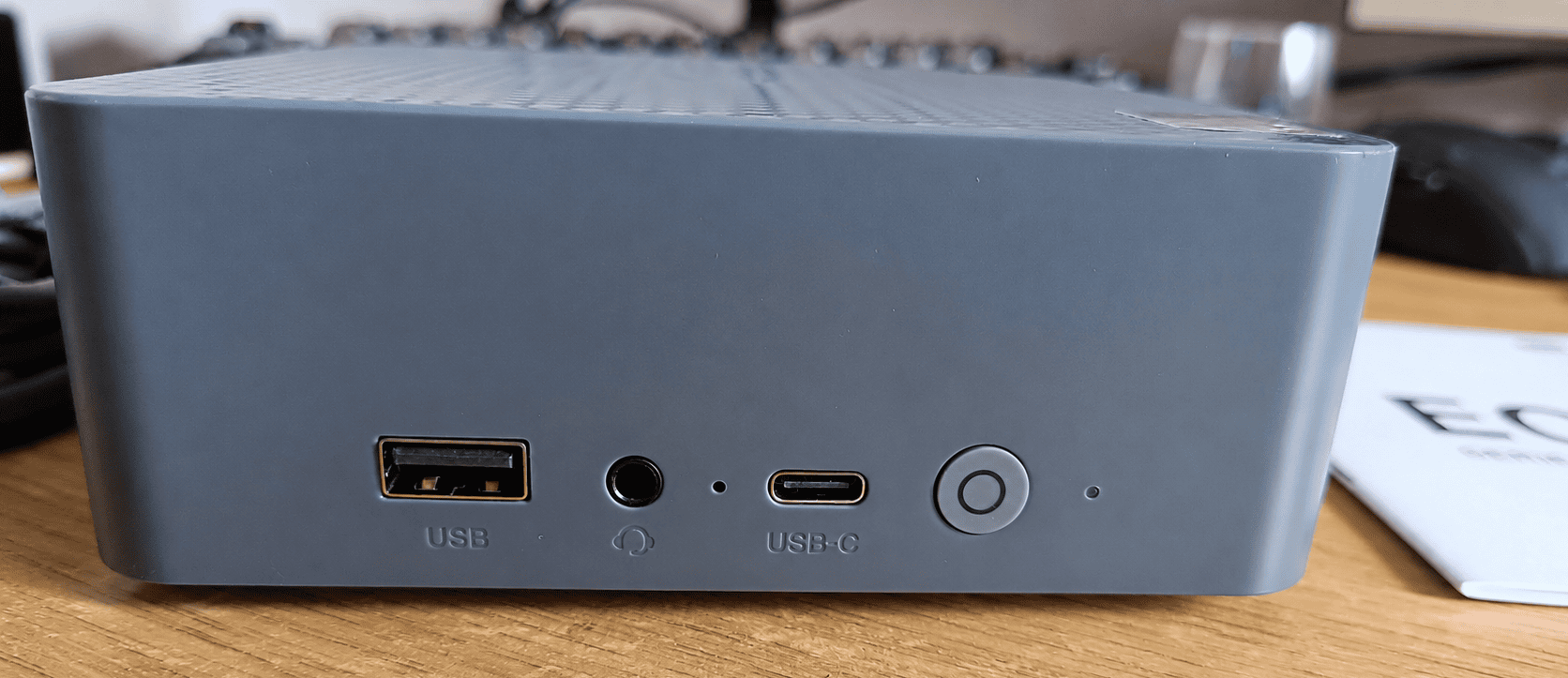
The front panel is deliberately simple. It provides one 10Gbps USB 3.2 Type-A port, a 3.5mm audio jack, a 10Gbps USB-C data port, the power button and a small white power indicator. The front-facing high-speed ports are convenient for external storage, flash drives and other temporary peripherals.
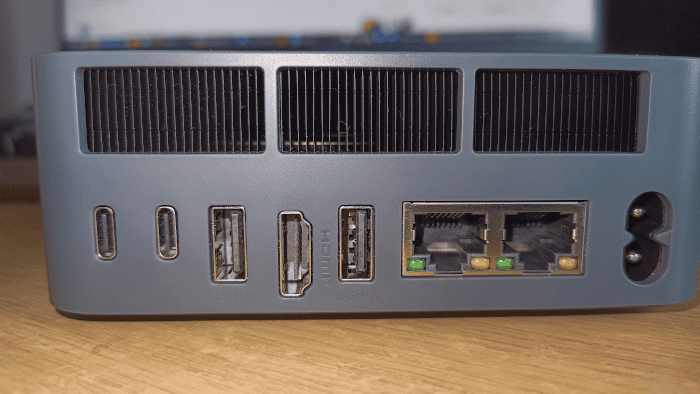
The rear panel is much more interesting. It houses two Thunderbolt 4 ports supporting 40Gbps data transfer and DisplayPort Alt Mode, two USB 2.0 Type-A ports, one HDMI output supporting up to 4K at 60Hz, a 10GbE Ethernet port, a 2.5GbE Ethernet port and the AC power connector for the built-in 85W power supply. The HDMI and two Thunderbolt 4 connections allow the EQi to drive three displays.
What’s particularly impressive is the networking. A combination of 10GbE and 2.5GbE is exceptionally ambitious for a compact, low-power mini PC and makes the EQi potentially useful as a software router, compact server or high-speed NAS client. Dual Thunderbolt 4 is another major strength, providing considerably more expansion flexibility than the basic USB-C ports fitted to many entry-level mini PCs. The integrated power supply is also welcome, as the machine needs only a standard AC cable rather than a bulky external adapter or an oversized plug.
The principal limitation is the shortage of fast conventional USB ports. Although the front USB-A and USB-C ports run at 10Gbps, both rear USB-A ports are limited to USB 2.0 speeds. That is fine for a keyboard, mouse or printer, but poorly suited to external storage. The front USB-C port is data-only, while video output is reserved for the two rear Thunderbolt 4 ports. There is also only one HDMI connection, no dedicated DisplayPort socket and no memory-card reader. Anyone connecting several fast USB devices may need a Thunderbolt dock or hub.
Next page: Page 2 – Interrogation of the System
Pages in this article:
Page 1 – Introduction and Design
Page 2 – Interrogation of the System
Page 3 – First Impressions Running Linux
Complete list of articles in this series:
| Beelink EQi 304 Mini PC | |
|---|---|
| Introduction | Introduction to the series and interrogation of the machine |
| More articles will be published next week | |