
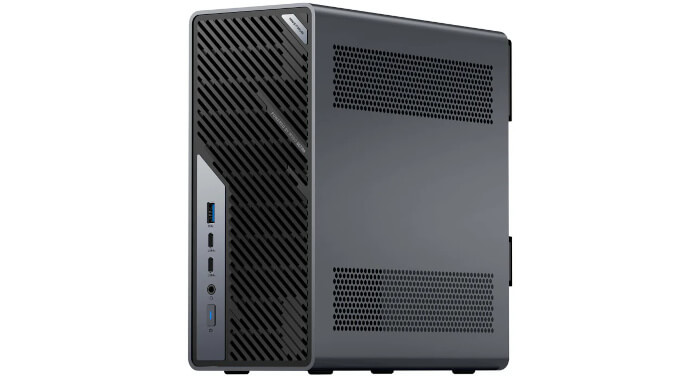
This is a new series looking at the Minisforum MS-02 Ultra 285HX Mini Workstation running Linux. In this series, I’ll put this machine through its paces from a Linux perspective, comparing it with other systems, including desktops, to show how it really stacks up.
The Minisforum MS-02 Ultra 285HX targets users who want a compact but highly expandable workstation or mini server. It’s aimed at professional creators, AI developers, engineers, homelab users, small-business IT teams, and power users who need far more expansion than a typical mini PC offers.
Its appeal comes from features such as the Intel Core Ultra 9 285HX, ECC memory support, Intel vPro, four M.2 NVMe slots, PCIe expansion for a GPU or add-in cards, USB4 v2, 10GbE and 2.5GbE networking, and dual 25GbE on the 285HX model I’m reviewing. My machine came with 32GB of non-ECC RAM and a 1TB NVMe SSD. At the time of writing, this 32GB RAM and 1TB SSD configuration is listed by Minisforum UK at £1,455.00.
In simple terms, the MS-02 Ultra is for people who need a small machine for demanding workloads, virtualization, networking, storage experiments, AI development, or creative production. It’s not targeted at casual users who just want a cheap, quiet desktop for browsing, office work, or media playback.
Design
The Minisforum MS-02 Ultra is built more like a compact workstation or mini server than a conventional mini PC. Build quality is excellent throughout. The solid all-metal casing reinforces its premium look and feel.
Its construction is centred on a 4.8-litre slide-out chassis with an integrated 350 W power supply, so it doesn’t rely on an external power brick. Minisforum also designs it to support PCIe x16 dual-slot desktop GPUs, which explains why the case is taller and denser than earlier MS-series systems.
The design is dense and purposeful. The chassis is small, but the internal layout is tightly packed, with storage, memory, networking and expansion hardware sharing limited space. That makes the machine powerful and adaptable, but also more demanding to configure. Drive choice, PCIe lane behaviour, cooling and card clearance all need thought, especially if the user wants to populate all available expansion options.
Despite being small, measuring just 221.5 x 97 x 225 mm, the machine weighs 3.45 kg.
Internally, it uses a three-bay layout. The top bay contains the internal PSU and, on the Ultra 9 285HX model, the 25GbE networking/M.2 combo card. The middle bay is dedicated to CPU and chipset cooling. The lower bay provides PCIe expansion space, including a full-size PCIe 5.0 x16 slot and a PCIe 4.0 x4 slot.
On the 285HX configuration, one internal PCIe 4.0 x16 physical slot is already occupied by the 25GbE/M.2 expansion card, so the main user-accessible expansion options are the PCIe 5.0 x16 slot and the PCIe 4.0 x4 slot.
Access is via the rear: removing two rear screws lets the chassis slide off, exposing the internal frame. The system is packed tightly, so some components are much easier to reach than others. The rear-side M.2 slots and two of the SO-DIMM slots are readily accessible, while the front-side memory slots and the M.2 slots on the 25GbE combo card require removing heatsinks or the add-in card assembly.
The design is therefore dense, modular, and serviceable, but not simple. It’s built to maximise expansion in a small volume, with trade-offs: a larger mini-PC footprint, layered internal access, unusual PCIe lane routing on the combo card, and careful thermal planning for expansion cards.
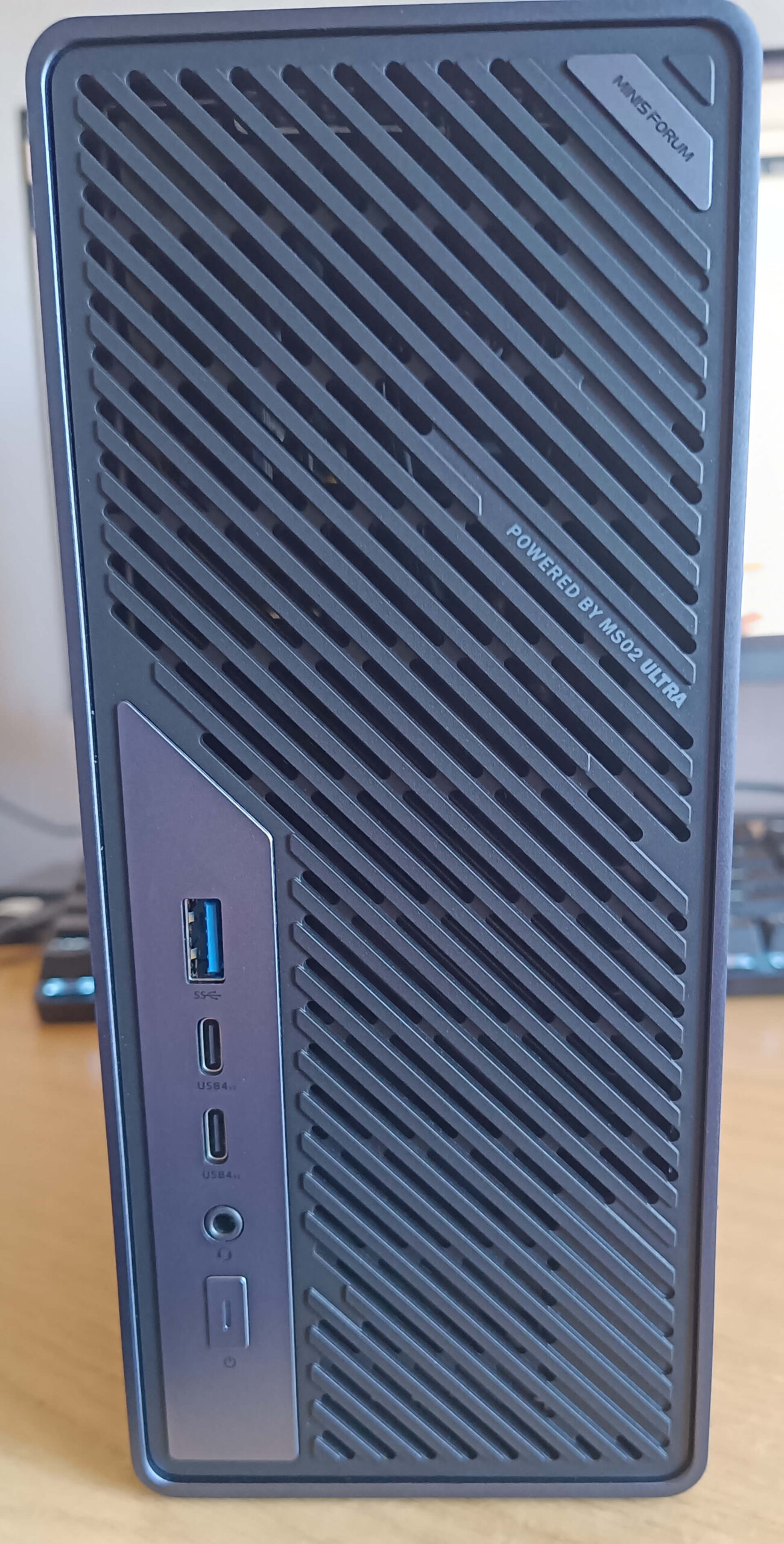
The front panel is sparse because most of the front face is used for airflow. The usable I/O area has:
- 1 × USB-A 10Gbps port, USB 3.2 Gen 2.
- 2 × USB4 v2 Type-C ports, rated at 80Gbps, with DisplayPort 2.0 Alt Mode and 15 W Power Delivery.
- 1 × 3.5mm combo audio jack.
- Power button.
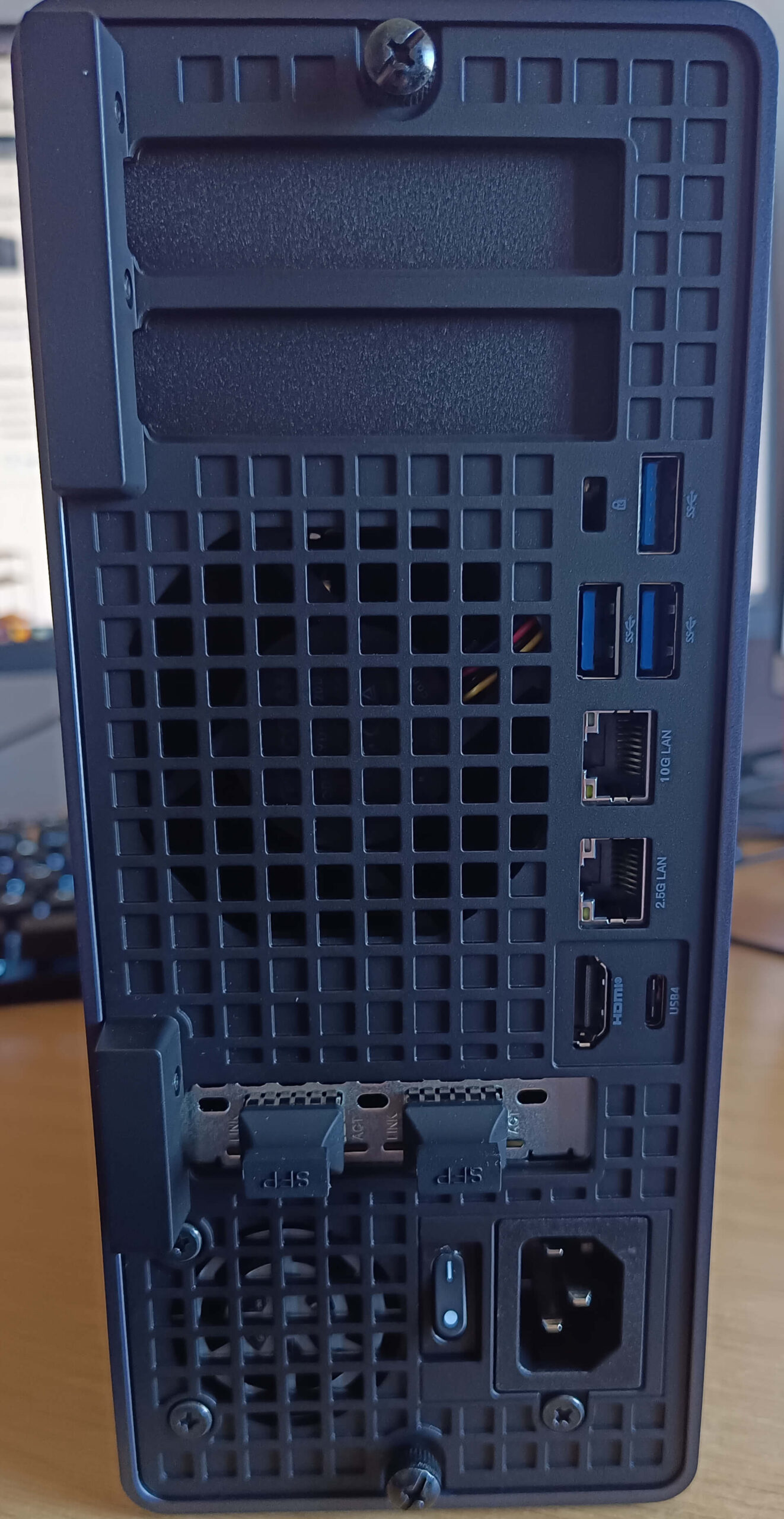
The rear panel carries the main fixed I/O.
From top to bottom:
- Preinstalled I/O shield for the PCIe x16 and x4 expansion slots.
- 3 × USB-A 10Gbps ports, USB 3.2 Gen 2.
- 1 × 10GbE RJ45 LAN port, using a Realtek RTL8127 controller.
- 1 × 2.5GbE RJ45 LAN port, using an Intel I226-LM controller with vPro support on supported models.
- 1 × HDMI 2.1 FRL.
- 1 × USB4 Type-C port, rated at 40Gbps, with DisplayPort 2.0 Alt Mode and 15 W Power Delivery.
- On the Core Ultra 9 285HX model, the rear also includes 2 × 25GbE ports on an Intel E810-based card.
- C14 AC power inlet, because the MS-02 Ultra has an internal 350 W PSU rather than an external power brick.
Connectivity is a highlight. With 10GbE, 2.5GbE, Wi-Fi 7 and dual 25GbE on the 285HX model, the MS-02 Ultra is well suited to virtualization, NAS experiments and advanced networking.
Next page: Page 2 – First Impressions running Linux
Pages in this article:
Page 1 – Introduction and Design
Page 2 – First Impressions running Linux
Page 3 – Interrogation of the System
Complete list of articles in this series:
| Minisforum MS-02 Ultra 285HX | |
|---|---|
| Introduction | Introduction to the series and interrogation of the machine |
| Benchmarks | Benchmarking the Minisforum MS-02 Ultra 285HX Mini Workstation |
| Power | Testing and comparing the power consumption |
| Dual channel memory | Assessing the impact of adding a second SO-DIMM |
| Cores | Benchmarking cores under Linux |
| BIOS | In the world of computing, BIOS, which stands for Basic Input/Output System, plays a crucial role |
| Btrfs | Advanced, modern copy-on-write (CoW) file system for Linux |
| Intel processors | P-Cores, E-Cores and LP E-Cores Compared Across 4 Intel Processors |
| More articles will be published next week | |
Why is the memory showing as 4800 MT/s?
Intel rates the 285HX for up to DDR5-6400, but Minisforum’s specification for the MS-02 Ultra lists the four SO-DIMM slots as supporting up to 4800 MT/s
Minisforum’s own memory guide explains the real limitation: the MS-02 Ultra has four SO-DIMM slots, but the CPU only provides a 128-bit memory bus, so every two slots share a 64-bit channel using T-Type traces. Minisforum says this slot-sharing design increases maximum capacity but reduces the supported memory frequency whether you use 1, 2, or 4 modules.