
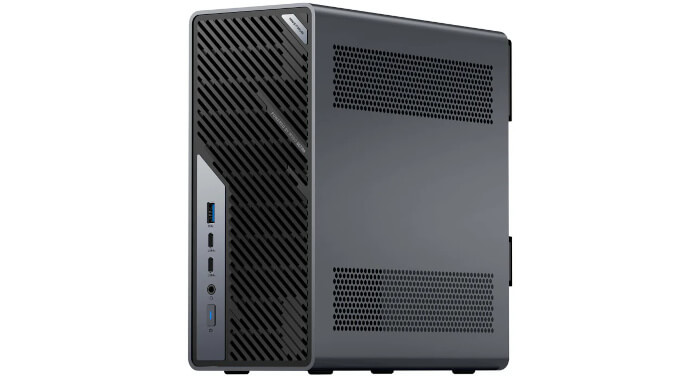
The MS-02 Ultra comes with Windows 11 Pro pre-installed on the NVMe SSD. If you choose the barebones model no Windows license is provided. I will revisit Windows later, chiefly to evaluate how well Windows Subsystem for Linux runs on this machine. For now, though, I’ve removed Windows entirely. Rather than set up a dual-boot system, I wiped the drive and installed Linux.
Before wiping the system, I gave Windows a chance to complete its initial update marathon. It was painfully slow, but that’s not a reflection on the MS-02. The culprit is Windows itself, along with the amount of baggage Microsoft expects a clean installation to sort through before it’s fully usable.
A new Windows setup typically needs to download and apply a long queue of cumulative updates, security patches, driver packages, .NET components, Microsoft Store updates and various bits of background maintenance. Each stage has to be prepared, checked, installed and often followed by yet another reboot. By the time it’s finished churning away, the whole process feels less like setup and more like an endurance test.
The only reason I endured the whole update ordeal was to capture the drive with Clonezilla afterwards. That leaves me with a clean, fully patched Windows 11 Pro image that I can put back on the machine later when I’m ready to test Windows Subsystem for Linux.
Once that fallback was safely stored, I turned my attention to Linux. For installations, I use a USB stick set up with Ventoy. It’s an extremely handy tool, as it lets me carry multiple Linux ISOs on one USB stick without reflashing it for each installation.
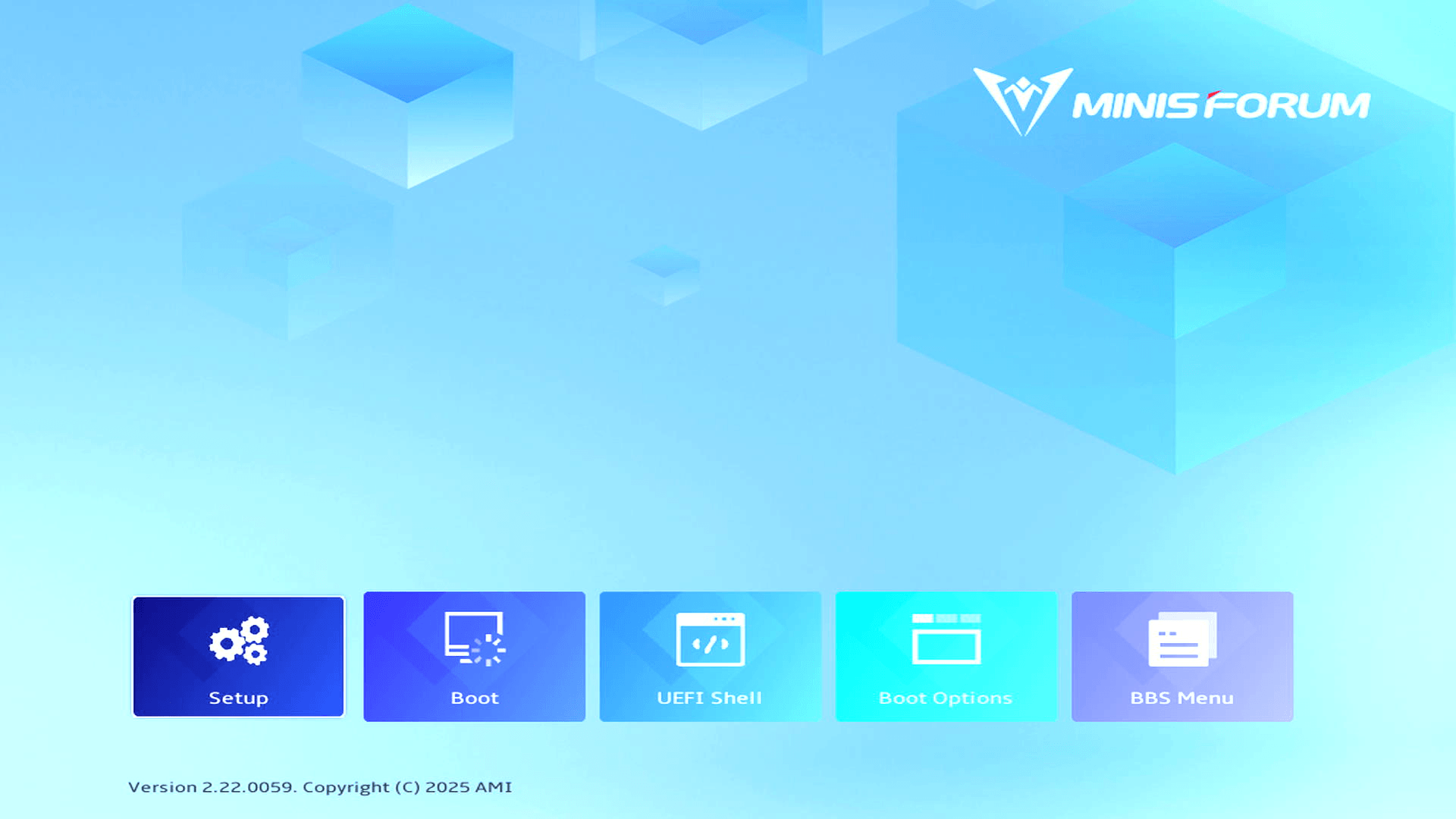
The machine came with Secure Boot enabled in the BIOS which stops installing many Linux distributions on the machine. The first step is therefore to turn off Secure Boot. Pressing the Del key during boot takes you into an attractive graphical BIOS. Select the Setup icon.
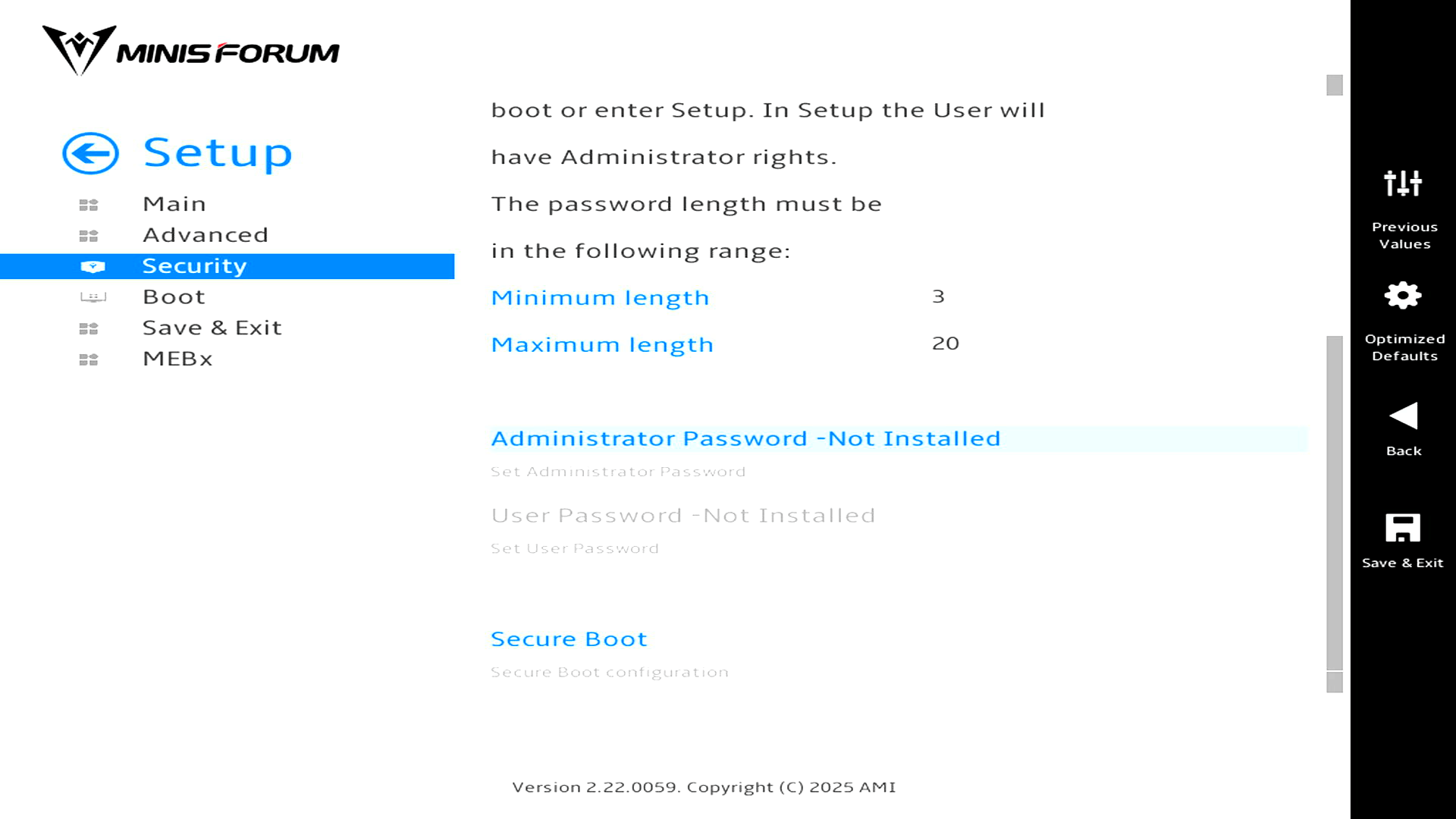
Next select Security, and then Secure Boot.
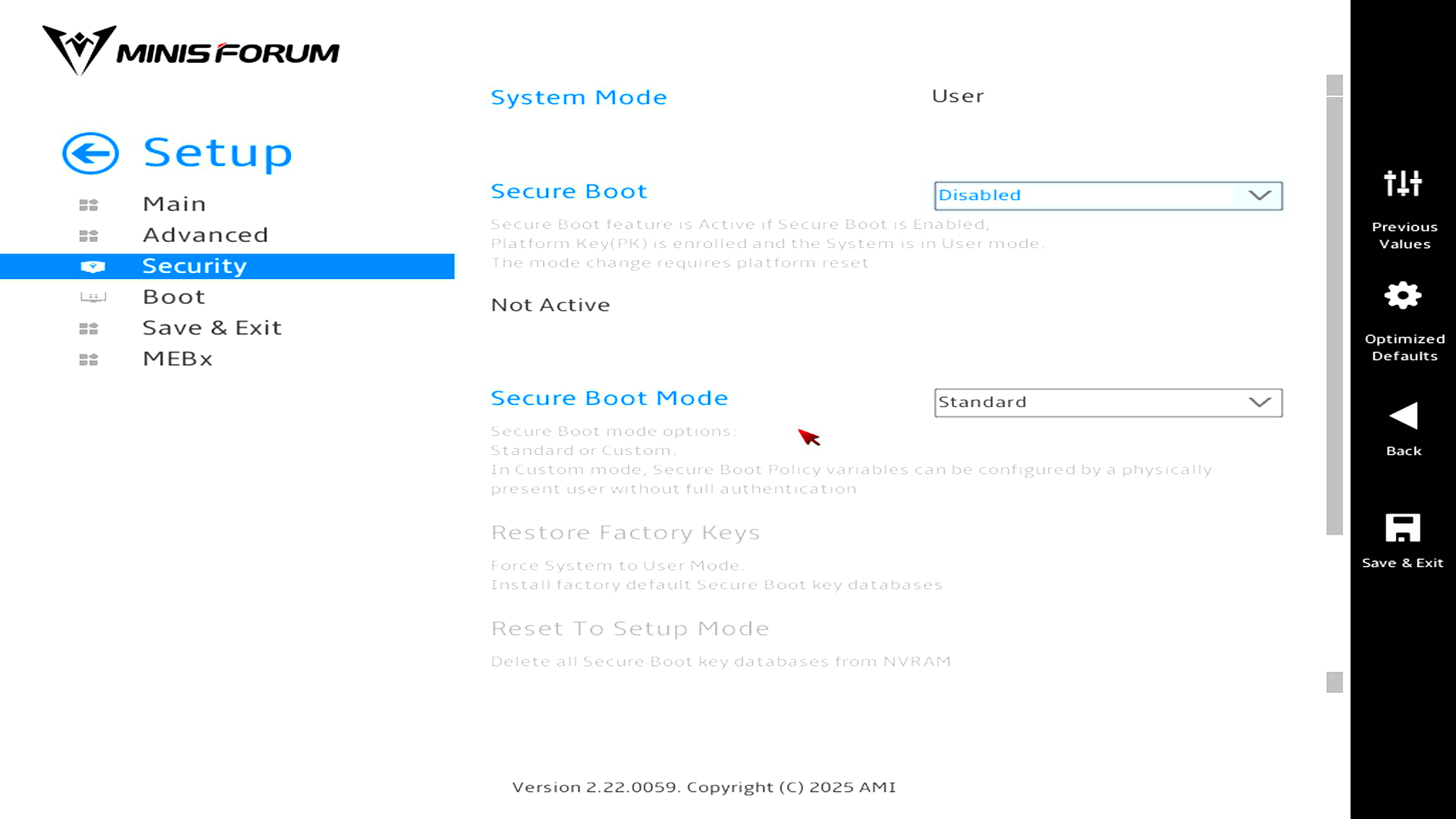
Then change the Secure Boot dropdown from Enabled to Disabled. I also needed to go to the Boot menu so I could boot from my USB key.
There are some interesting options in the BIOS which I’ll explore in depth in a later article in the series.
I first installed Ubuntu 26.04 LTS on the MS-02. The installation proceeded without any hiccups. All the hardware worked out of the box. I’ve also installed CachyOS in the machine too. Again all the hardware is supported without any manual configuration. For example, the NPU is recognised:
The output from modinfo intel_vpu means CachyOS has the Intel NPU kernel driver available.
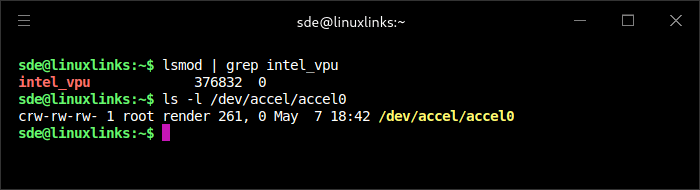
intel_vpu 376832 0 means the Intel NPU kernel driver is loaded.
crw-rw-rw- 1 root render 261, 0 May 7 18:42 /dev/accel/accel0 means the kernel has created the accelerator device node for the NPU.
CachyOS recompiles Arch packages for newer x86-64 feature levels, especially x86-64-v3, with LTO and additional optimisations for selected packages. That matters on the MS-02 Ultra because its Core Ultra processor is far beyond the baseline x86-64 target used by many distributions. I checked that the MS-02 Ultra is using the x86-64-v3 repositories.
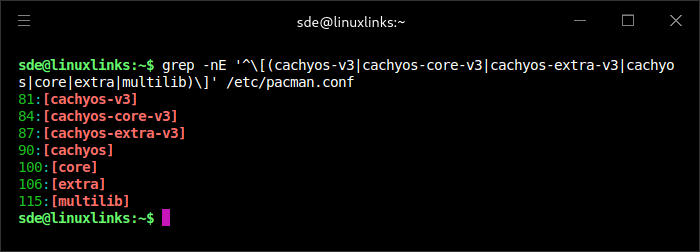
CachyOS has been installed using its x86-64-v3 repositories. These repositories appear at the top of /etc/pacman.conf, ahead of the standard CachyOS and Arch repositories, so pacman will prefer the CPU-optimised v3 packages where they’re available. This is a good fit for the MS-02 Ultra’s modern Intel Core Ultra processor.
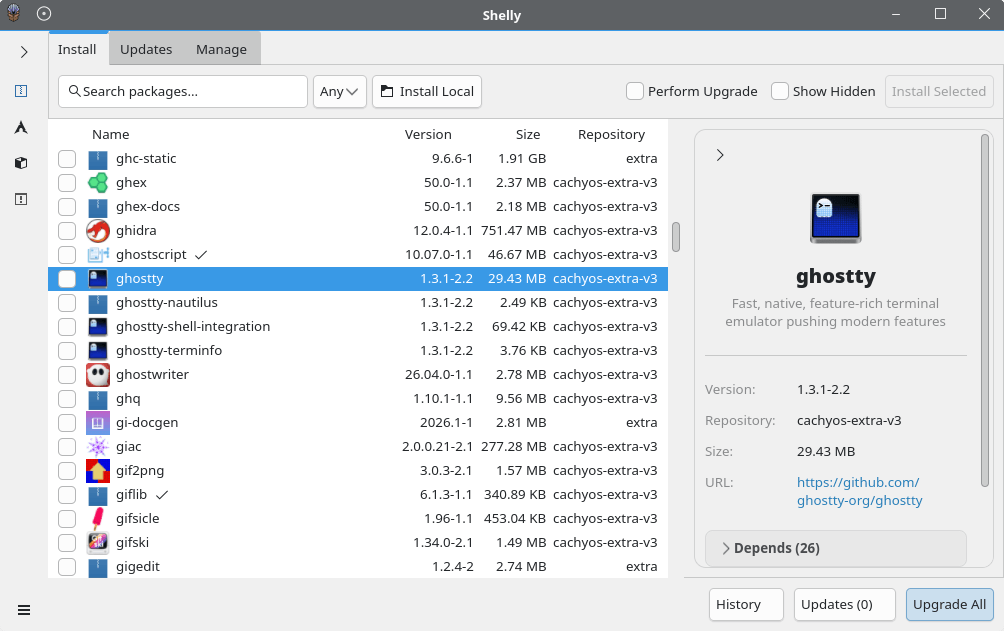
After verifying the hardware works, I started installing a variety of Linux software on the machine. CachyOS is based on Arch Linux and uses pacman for package management, together with CachyOS tools such as Cachy-Update and graphical front-ends. In the April 2026 release, Shelly replaced Octopi as the default GUI package manager. It’s a good fit for CachyOS because it provides a clean, modern interface for managing software without needing to use the terminal. It supports packages from the official repositories, the AUR, AppImages, Flatpaks and local package files.
Next page: Page 3 – Interrogation of the System
Pages in this article:
Page 1 – Introduction and Design
Page 2 – First Impressions running Linux
Page 3 – Interrogation of the System
Complete list of articles in this series:
| Minisforum MS-02 Ultra 285HX | |
|---|---|
| Introduction | Introduction to the series and interrogation of the machine |
| Benchmarks | Benchmarking the Minisforum MS-02 Ultra 285HX Mini Workstation |
| Power | Testing and comparing the power consumption |
| Dual channel memory | Assessing the impact of adding a second SO-DIMM |
| Cores | Benchmarking cores under Linux |
| BIOS | In the world of computing, BIOS, which stands for Basic Input/Output System, plays a crucial role |
| Btrfs | Advanced, modern copy-on-write (CoW) file system for Linux |
| Intel processors | P-Cores, E-Cores and LP E-Cores Compared Across 4 Intel Processors |
| More articles will be published next week | |
Please read our Comment Policy before commenting.
Why is the memory showing as 4800 MT/s?
Intel rates the 285HX for up to DDR5-6400, but Minisforum’s specification for the MS-02 Ultra lists the four SO-DIMM slots as supporting up to 4800 MT/s
Minisforum’s own memory guide explains the real limitation: the MS-02 Ultra has four SO-DIMM slots, but the CPU only provides a 128-bit memory bus, so every two slots share a 64-bit channel using T-Type traces. Minisforum says this slot-sharing design increases maximum capacity but reduces the supported memory frequency whether you use 1, 2, or 4 modules.