
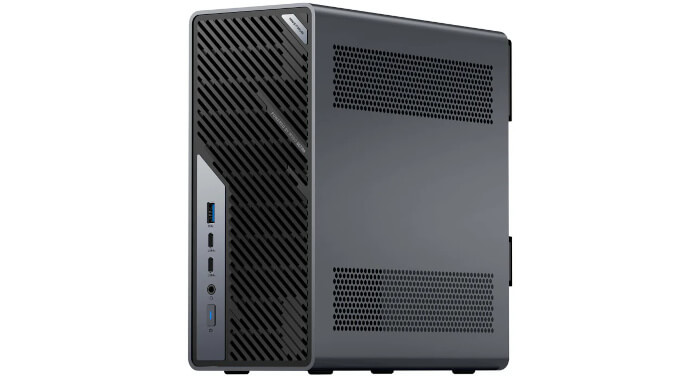
Interrogation of the System
I’ll use the inxi utility to examine the MS-02’s technical specifications in detail.
Processor
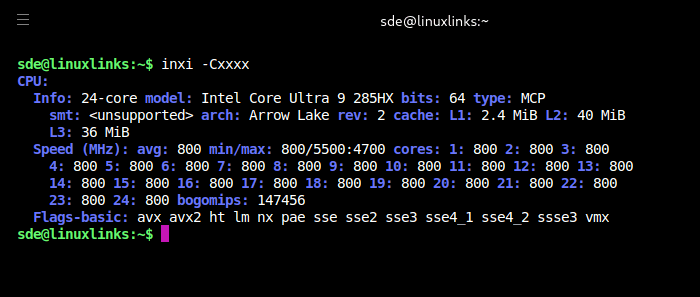
The machine is fitted with an Intel Core Ultra 9 285HX, a 64-bit Arrow Lake mobile-class CPU. Linux sees 24 CPU cores, giving the system substantial parallel processing capacity for compiling software, running virtual machines, media work, and heavy multitasking.
The clock information shows the processor idling at 800 MHz across all cores at the time the command was run. That’s normal power-saving behaviour, not poor performance. The reported frequency range indicates the CPU can scale much higher under load, up to around 5.5 GHz on some cores and 4.7 GHz on others, reflecting Intel’s hybrid performance and efficiency core design.
Cache sizes are generous: 2.4 MiB L1, 40 MiB L2, and 36 MiB L3. The listed CPU flags confirm support for modern instruction sets, virtualization, and security features.
It’s an impressive CPU. I’ll publish a series of benchmarks on the system in the next article in the series.
Graphics
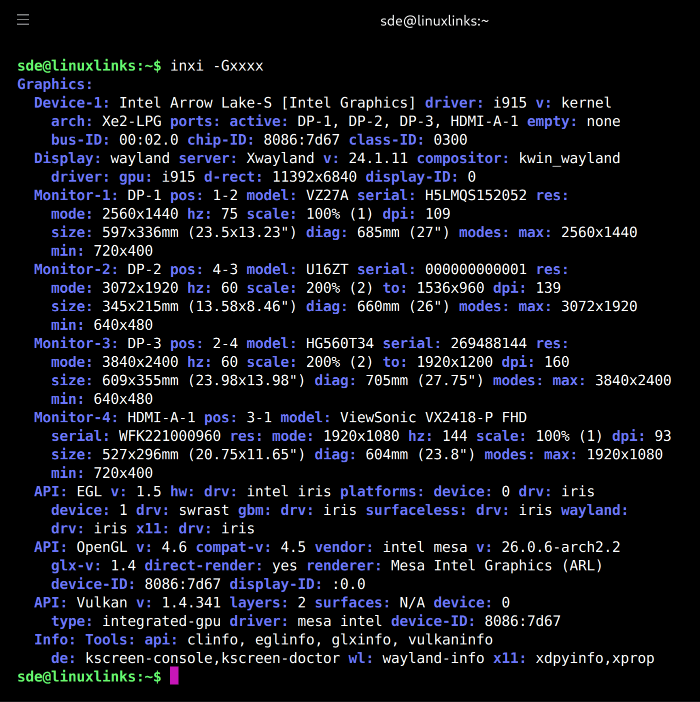
The MS-02 Ultra uses the integrated Intel Graphics built into the Core Ultra 9 285HX. It has 4 Xe-cores and is driven under Linux by the i915 kernel driver and Mesa’s Iris stack. That means the system isn’t relying on slow software rendering.
Four monitors are connected: a 2560×1440 Asus display, a 3072×1920 high-DPI panel scaled to 200 percent, a 3840×2400 high-DPI display also scaled to 200 percent, and a 1920×1080 ViewSonic monitor at standard scaling.
The integrated Intel GPU is good enough for a modern multi-monitor Linux desktop. It’s more than adequate for everyday desktop use, video playback and general acceleration, but it isn’t intended for demanding 3D or compute workloads. It’s not a substitute for a proper discrete graphics card.
The machine supports a PCIe x16 dual-slot desktop GPU, and the chassis includes a built-in 350 W power supply. The main PCIe slot supports PCIe 5.0, so the system is designed for far more than just integrated Intel graphics. Any GPU installed in the chassis has to be low-profile, and thermal behaviour will depend heavily on the card chosen. That’s one of the areas I’ll explore later in the series.
Disk
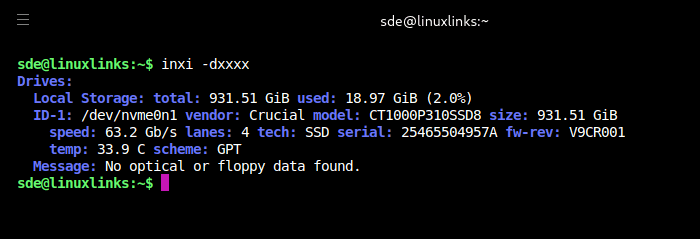
The machine came with a Crucial P310 1TB CT1000P310SSD8 NVMe SSD which has a sequential read of up to 7,100 MB/s and a sequential write up to 6,000 MB/s.
The machine can support up to 4 PCIe 4.0 SSDs, 2 on the motherboard and 2 on the expansion card. This only applies to the 285HX model as the other models don’t have the expansion card.
Memory
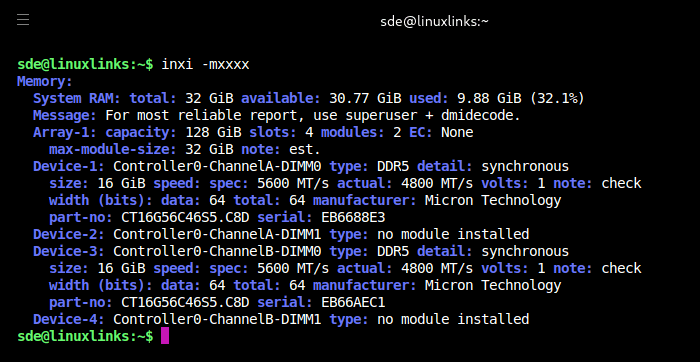
Note that the machine shipped with a single 32GB DDR5 SO-DIMM installed (not as shown above). The drawback is reduced memory bandwidth. After running benchmarks and compiling software on the system, it became clear that single-channel memory creates a significant performance bottleneck.
The MS-02 Ultra has a 128-bit memory bus, with every two slots sharing a 64-bit channel, so one module means only one channel is populated. For best performance, especially with heavy multitasking, compilation, VMs, AI workloads or iGPU-heavy use, a second SO-DIMM is important. I didn’t have a spare 32GB SO-DIMM available, so I replaced the supplied 32GB module with 2 × 16GB modules.
When using 2 DIMMs, they should be installed in the two front, CPU-facing slots. Installing only in the rear slots may prevent the system from booting. Installing the RAM in the two front slots is fiddly and these slots are hidden away.
Contrary to inxi’s output, the machine supports up to 256GB of RAM. ECC memory is also supported on this system, but only with the 285HX CPU.
Audio
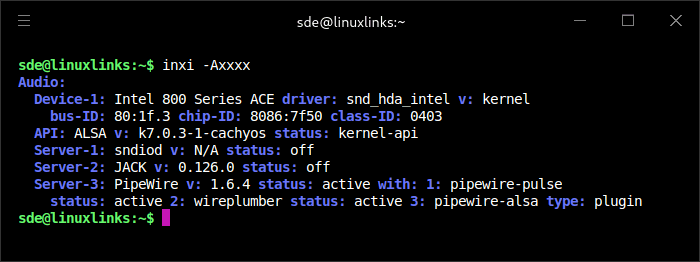
inxi -Axxxx shows the system’s audio hardware and sound stack. This output confirms an Intel 800 Series ACE audio controller using the kernel’s snd_hda_intel driver. ALSA is available through the CachyOS kernel, while PipeWire is active with PulseAudio compatibility, WirePlumber session management, and ALSA integration. JACK and sndiod are installed or detectable but not running, which is normal for most desktop systems.
Bluetooth
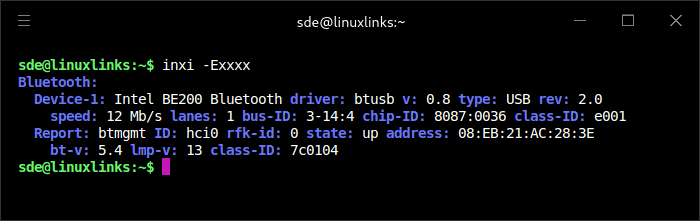
inxi -Exxxx reports Bluetooth details. The system uses an Intel BE200 adapter with the btusb driver. Bluetooth is active, using controller hci0, and supports Bluetooth 5.4.
Network
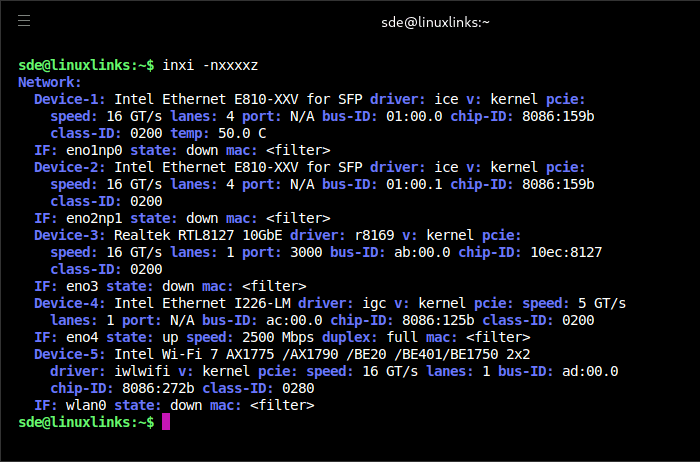
The machine came with the 25GbE NIC card installed. The 25Gbps NIC uses an Intel E810-XXV2 controller connected to the CPU via PCIe 4.0 x4 bus.
The point is flexibility:
- 25GbE is for high-speed storage, NAS/SAN access, video editing over the network, VM storage, clustering, or direct-attaching to another workstation/server.
- 10GbE RJ45 is the practical “fast LAN” port, useful with existing 10GbE copper switches without needing SFP28 optics or DAC cables.
- 2.5GbE is the compatibility/management port. On the 285HX model it’s tied to Intel vPro support, so it can be useful for remote administration, fallback networking, or plugging into ordinary modern routers/switches.
This mixed Ethernet setup makes sense for homelabs: you could run Proxmox, NAS duties, a router/firewall VM, separate storage traffic, management traffic, and general LAN traffic on different interfaces.
It’s overkill if you’re browsing, gaming, or doing normal office work. But for a compact workstation, virtualization host, edge server, NAS, or AI/dev box, the mixed Ethernet setup is one of its main selling points rather than just excess.
Wireless networking is handled by an Intel BE200 module, which provides Wi-Fi 7 and Bluetooth 5.4.
Temperature
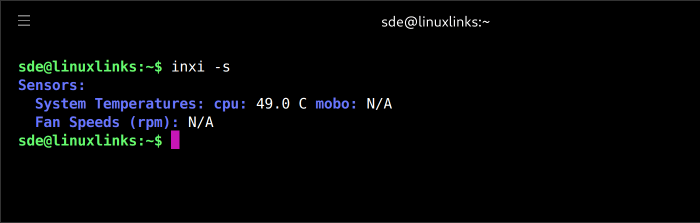
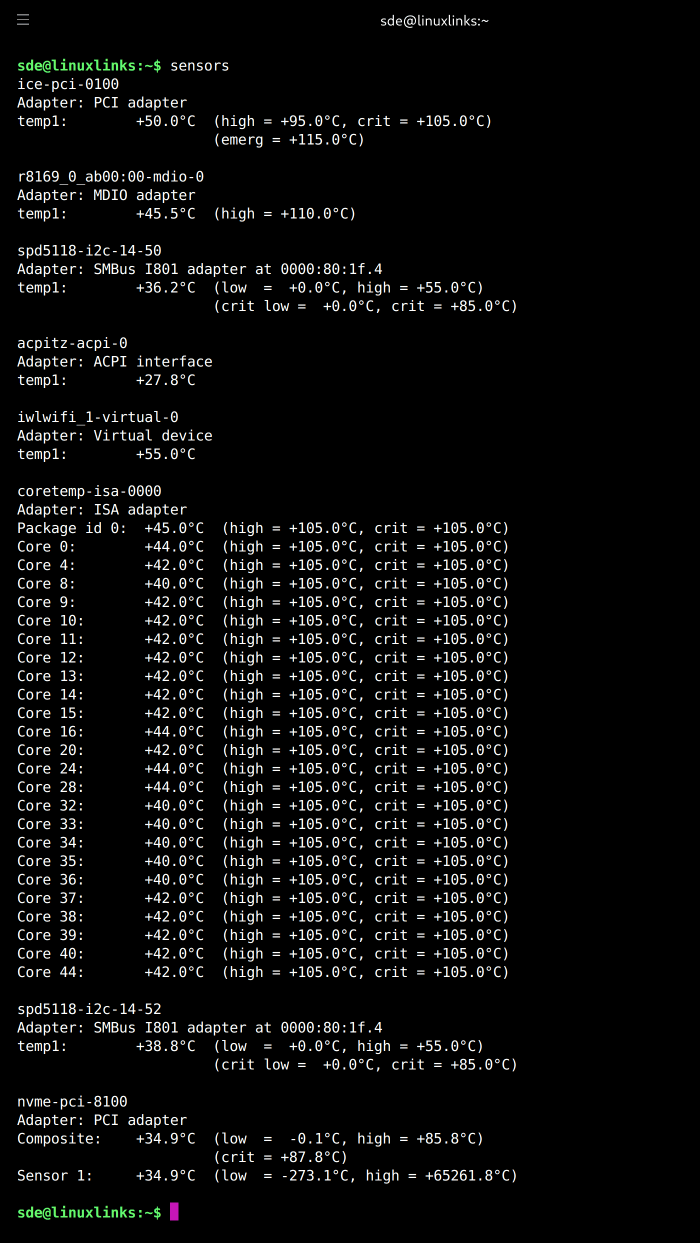
These measurements were recorded at an ambient temperature of 22.8°C.
These are idle or light-use readings rather than stress-test figures, so they should be treated as a baseline. Sustained CPU and GPU load temperatures will be covered in the benchmarks article.
In the next article in the series, I’ll put the MS-02 through a wide range of benchmarks.
Pages in this article:
Page 1 – Introduction and Design
Page 2 – First Impressions running Linux
Page 3 – Interrogation of the System
Complete list of articles in this series:
| Minisforum MS-02 Ultra 285HX | |
|---|---|
| Introduction | Introduction to the series and interrogation of the machine |
| Benchmarks | Benchmarking the Minisforum MS-02 Ultra 285HX Mini Workstation |
| Power | Testing and comparing the power consumption |
| Dual channel memory | Assessing the impact of adding a second SO-DIMM |
| Cores | Benchmarking cores under Linux |
| BIOS | In the world of computing, BIOS, which stands for Basic Input/Output System, plays a crucial role |
| Btrfs | Advanced, modern copy-on-write (CoW) file system for Linux |
| Intel processors | P-Cores, E-Cores and LP E-Cores Compared Across 4 Intel Processors |
| More articles will be published next week | |
Please read our Comment Policy before commenting.
Why is the memory showing as 4800 MT/s?
Intel rates the 285HX for up to DDR5-6400, but Minisforum’s specification for the MS-02 Ultra lists the four SO-DIMM slots as supporting up to 4800 MT/s
Minisforum’s own memory guide explains the real limitation: the MS-02 Ultra has four SO-DIMM slots, but the CPU only provides a 128-bit memory bus, so every two slots share a 64-bit channel using T-Type traces. Minisforum says this slot-sharing design increases maximum capacity but reduces the supported memory frequency whether you use 1, 2, or 4 modules.