
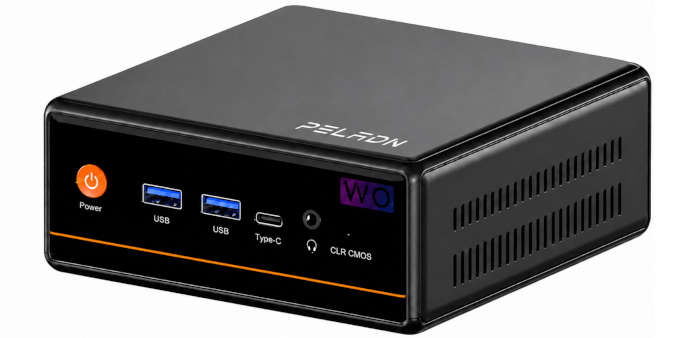
This is the first article in a new series looking at the PELADN WO4 5600H Mini PC.
The PELADN WO4 is built around a familiar idea: keep the price low, the design simple, and the performance good enough for everyday desktop use. Rather than chasing premium mini PC territory, we’ll see whether AMD’s Ryzen 5 5600H still has plenty to offer in a modest, affordable system. It’s available from Amazon US and Amazon UK. These are not affiliate links.
The WO4 ships with 16GB of DDR4-3200 memory and a 512GB PCIe 3.0 SSD. That’s a modest configuration by current mini PC standards, especially when many systems now arrive with DDR5 RAM and larger drives. There’s room to upgrade, with support for up to 64GB of RAM and a larger PCIe Gen 3 SSD, so users who install lots of software or run heavier workloads may soon want more capacity.
For the WO4’s target market, though, the supplied hardware is still reasonable. Buyers at this price point are more likely to use it for web browsing, office work, media playback, and other light desktop tasks, where the default specification should be adequate. That’s something I’ll explore throughout the series.
What’s in the Box
Mini PC
Power cable with UK plug
HDMI cable
Instruction manual
VESA mounting bracket
Screws
SATA ribbon cable for adding a 2.5-inch drive
Design and Ports
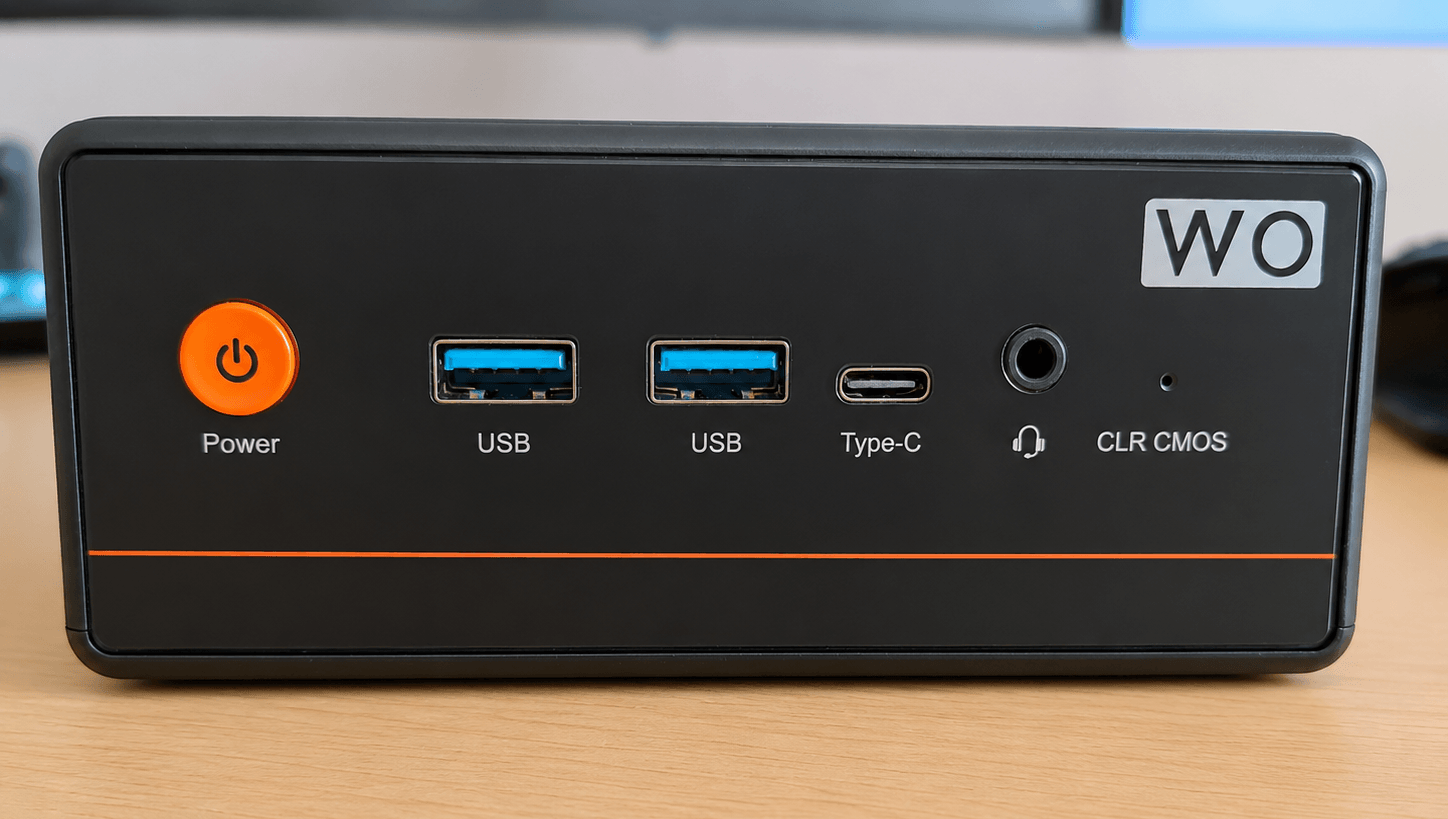
Here’s the front of the machine. It has a clean, attractive design, with the orange accent line giving it a distinctive look. The case is made of plastic.
From left to right, we have an orange power button, two USB-A ports, a single USB-C port, a 3.5mm audio jack, and a CLR CMOS pinhole button. The USB-C is a full-featured port that offers video and data output.
The rear of the machine has a bit more going on. From left to right, there are two stacked USB-A ports, a DisplayPort, an HDMI port, two RJ45 LAN ports (one is 1GbE, the other 2.5GbE), and a DC power input. The 2.5GbE port is useful for faster LAN transfers, NAS access, and backups.
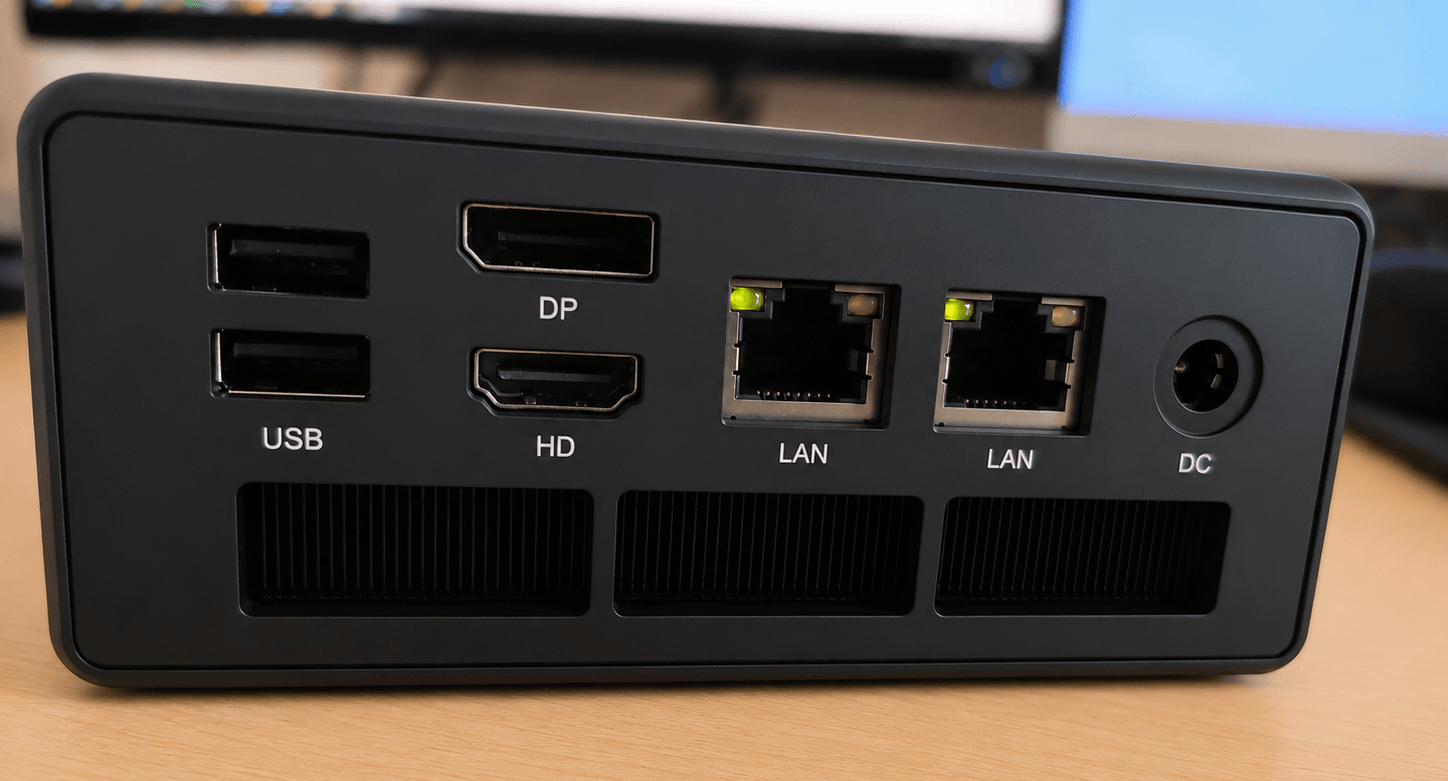
The lower rear panel includes ventilation, while elongated cutouts on both sides of the chassis help supply airflow to the cooler mounted at the top.
What stands out is how easily the RAM and storage can be reached. A sticker on the chassis explains that the top cover uses a magnetic quick-release design, so it can be lifted off without removing any screws.
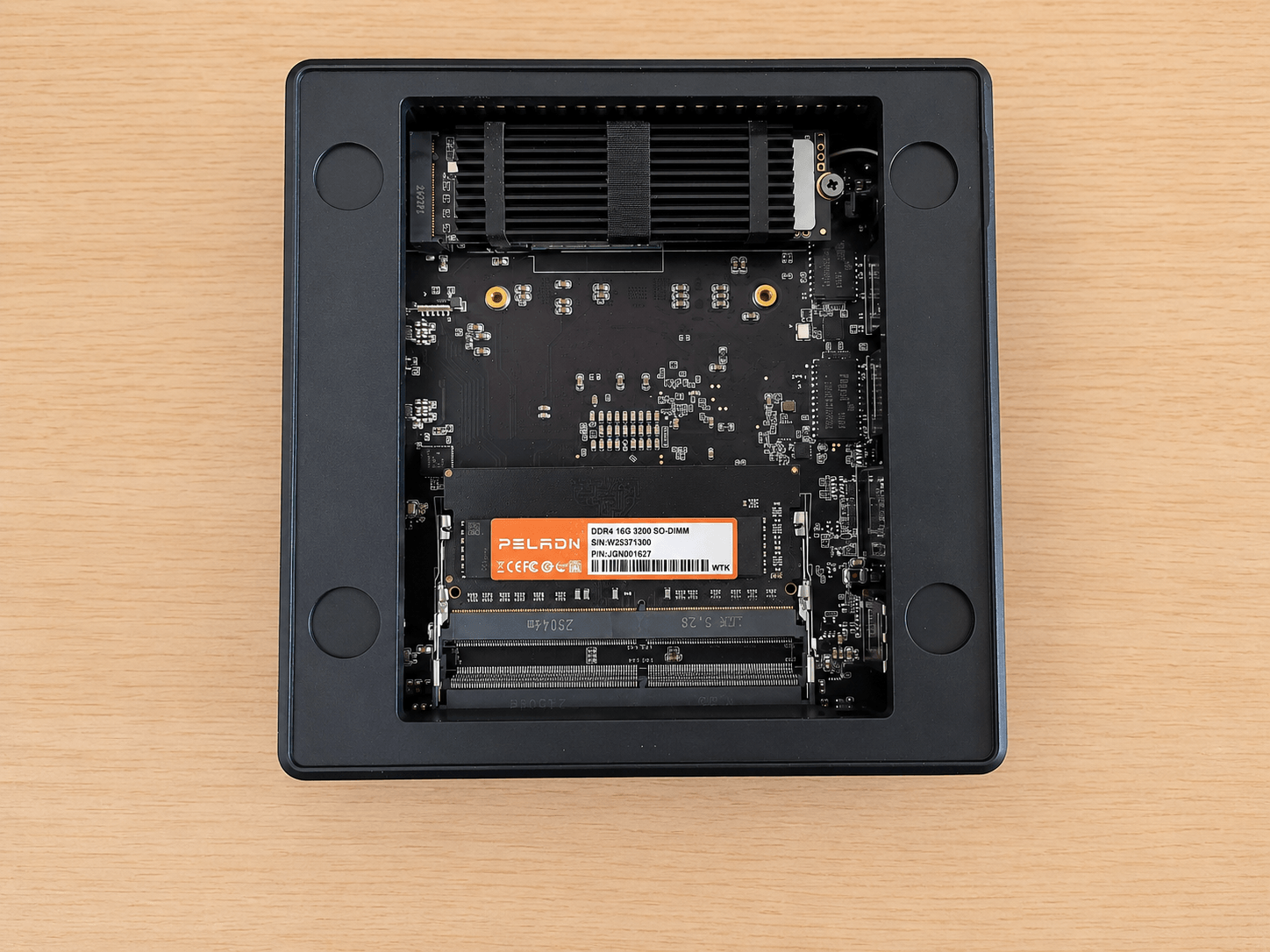
A couple of points are worth mentioning. The NVMe drive is fitted with a finned heatsink secured by a fabric strap. A 512GB PCIe 3.0 NVMe SSD usually doesn’t need a substantial heatsink. Gen 3 drives generally run cooler than PCIe 4.0 and PCIe 5.0 models, and many budget mini PCs ship with bare 2280 SSDs or just a thin thermal pad.
That said, in a compact mini PC it makes sense. Airflow is limited, the SSD may sit close to the CPU cooler or other warm components, and sustained writes can still heat a DRAM-less NVMe drive. A small finned heatsink is a cheap way to keep temperatures under control and reduce the chance of thermal throttling.
The review unit also came with 16GB of RAM as a single module, so you’ll need to add a second stick to enable dual-channel memory.
The build quality is basic, but it feels solid enough for an inexpensive mini PC.
Next page: Page 2 – Installing Linux
Pages in this article:
Page 1 – Introduction to the series
Page 2 – Installing Linux
Page 3 – Interrogation of the system
Complete list of articles in this series:
| PELADN WO4 5600H Mini PC | |
|---|---|
| Introduction | Introduction to the series and interrogation of the machine |
| Benchmarks | Benchmarking the PELADN WO4 5600H Mini PC |
| Power | Testing and comparing the power consumption |
| Noise | How quiet is this mini PC? |
| BIOS | In the world of computing, BIOS, which stands for Basic Input/Output System, plays a crucial role |
| Wi-Fi | Measuring WiFi Performance |