
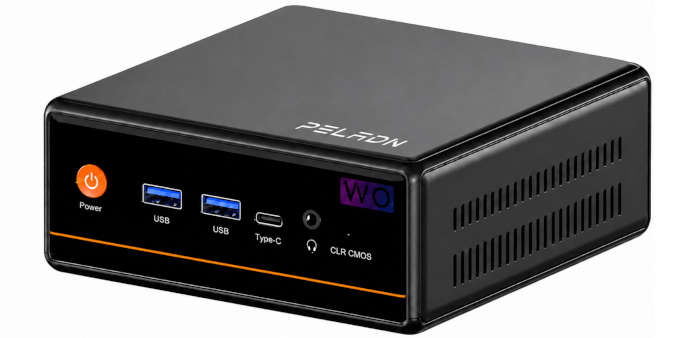
Specifications
I’ll use the inxi utility to examine the technical specifications of the machine.
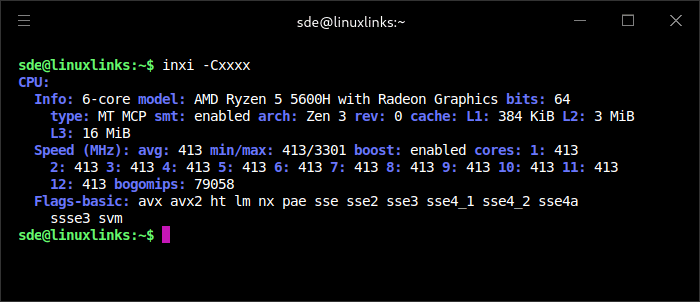
inxi reports that the system is running an AMD Ryzen 5 5600H, a 6-core, 12-thread Zen 3 chip with integrated Radeon graphics. SMT and boost are both enabled, and all 12 threads are exposed to the operating system. At idle, the CPU drops to 413 MHz across all threads, which helps reduce power consumption. The 16 MB L3 cache and AVX2 support make this a capable processor for a budget mini PC, especially compared with low-power Intel N-series systems.
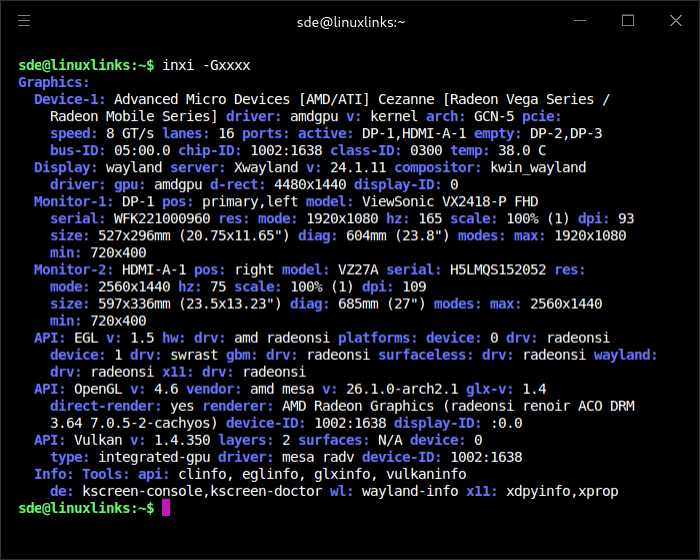
Linux correctly detects the PELADN WO4’s integrated AMD Cezanne Radeon graphics and uses the standard open source amdgpu driver. Hardware acceleration is active through Mesa, with OpenGL 4.6 via radeonsi and Vulkan 1.4 via RADV. The system had no difficulty driving a dual-monitor Wayland desktop, combining a 1920×1080 165Hz DisplayPort screen with a 2560×1440 75Hz HDMI display. This confirms the WO4 is well suited to everyday multi-monitor desktop use, although the older Vega-class iGPU is intended for light graphics workloads rather than demanding modern gaming.
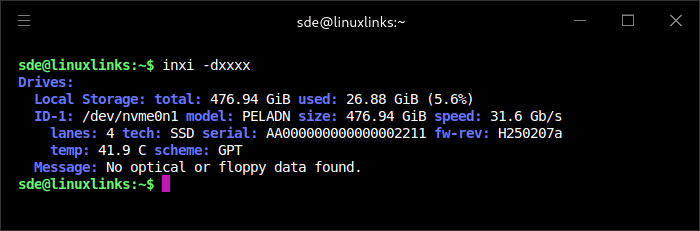
Storage is provided by a 512GB-class NVMe SSD, which Linux reports as a PELADN-branded drive with 476.94 GiB of usable capacity. The drive runs over a PCIe 3.0 x4 link, so it’s a proper NVMe SSD rather than SATA storage, though it isn’t using a newer PCIe 4.0 interface. The drive temperature was a modest 41.9°C at the time of testing. The identification is fairly generic, so the output doesn’t reveal the underlying controller, NAND, or cache configuration.
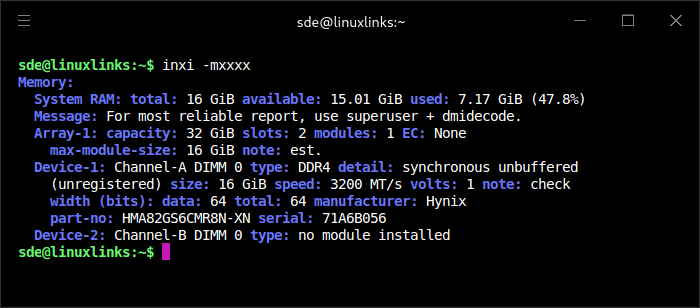
The WO4 ships with 16 GiB of DDR4-3200 memory, supplied as a single Hynix SO-DIMM. That leaves the second memory slot empty, so the system runs in single-channel mode out of the box. This is a cost-saving choice, but it does hold back memory bandwidth, which is particularly relevant for the integrated Radeon graphics as it uses system RAM. Adding a second matching 16 GiB module would enable dual-channel operation and improve performance.
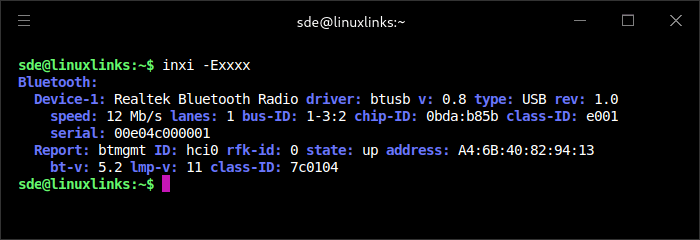
Bluetooth is provided by a Realtek adapter which Linux detects correctly using the standard btusb driver. The device is active as hci0, reports Bluetooth 5.2 support, and isn’t blocked by rfkill. I tested Bluetooth under both Ubuntu and CachyOS, and it worked in both distributions.
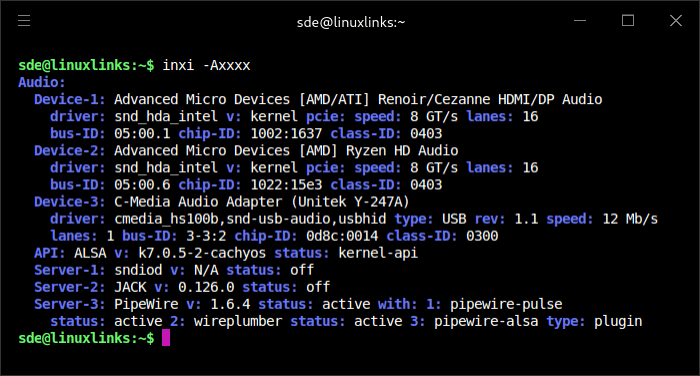
Audio support worked out of the box. Linux detected both the AMD HDMI/DisplayPort audio device and the Ryzen HD Audio controller using the standard snd_hda_intel driver. PipeWire, pipewire-pulse, WirePlumber, and pipewire-alsa were all active, giving the system a modern Linux audio stack with PulseAudio compatibility.
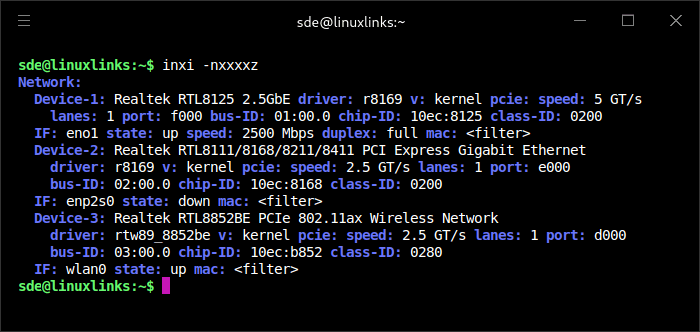
Networking is better than expected for a budget mini PC. Linux detects a Realtek RTL8125 2.5GbE controller, a second Realtek Gigabit Ethernet controller, and a Realtek RTL8852BE Wi-Fi 6 adapter. The 2.5GbE port was active and negotiated a full 2500 Mbps link using the in-kernel r8169 driver, while the Wi-Fi 6 adapter was also active using the rtw89_8852be driver. The second wired port was detected but not connected during testing. That second port is limited to 1GbE.
Dual Ethernet is a useful inclusion at this price level. The 2.5GbE port gives the WO4 more flexibility for fast local transfers, NAS access, backups, or lightweight home-server duties, while the second Gigabit port could be useful for network separation or testing. Both wired adapters are Realtek-based rather than Intel-based, but they were detected by Linux without needing vendor drivers.
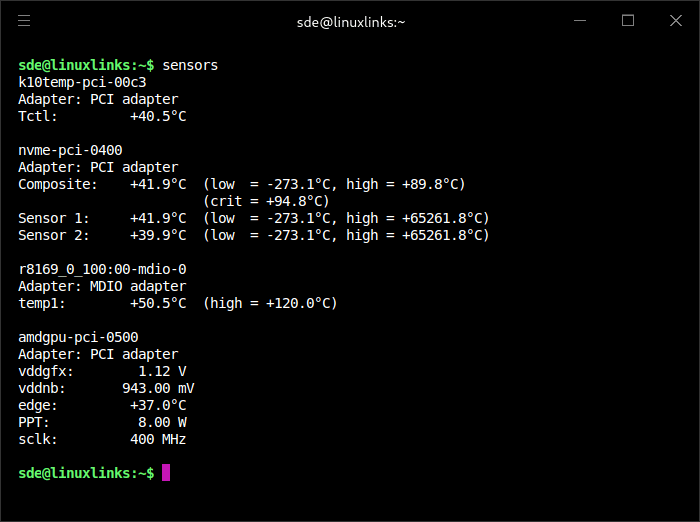
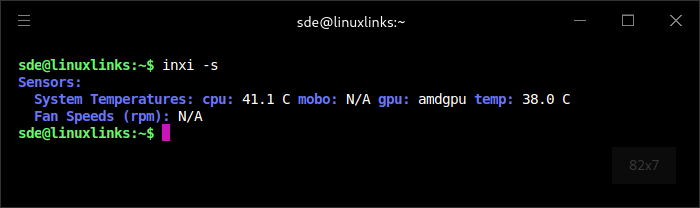
With an ambient room temperature of 17.1°C, the WO4’s idle thermal readings are reasonable. The Ryzen 5 5600H sat at around 41°C, while the integrated Radeon graphics reported 37 to 38°C. The NVMe SSD was also modest at 41.9°C. The Realtek 2.5GbE controller was the warmest reported component at 50.5°C, which is typical for this class of network chip and well below its reported thermal limit. Linux didn’t expose fan speed data, so fan RPM couldn’t be monitored from the available sensor output.
In the next article, I’ll benchmark the machine across a broad selection of workloads to see how well the Ryzen 5 5600H performs under Linux.
The machine is available from Amazon UK, retailing for £359.99. That’s not an affiliate link.
Pages in this article:
Page 1 – Introduction to the series
Page 2 – Installing Linux
Page 3 – Interrogation of the system
Complete list of articles in this series:
| PELADN WO4 5600H Mini PC | |
|---|---|
| Introduction | Introduction to the series and interrogation of the machine |
| Benchmarks | Benchmarking the PELADN WO4 5600H Mini PC |
| Power | Testing and comparing the power consumption |
| Noise | How quiet is this mini PC? |
| BIOS | In the world of computing, BIOS, which stands for Basic Input/Output System, plays a crucial role |
| Wi-Fi | Measuring WiFi Performance |
Please read our Comment Policy before commenting.