

Who loves eye candy? Don’t be shy, you can raise both hands! Linux Candy explores the playful side of Linux, with open source software that makes your desktop a little more entertaining.
After a day spent fixing problems, studying documentation or sitting through meetings, I’m quite happy to run something that achieves absolutely nothing useful. The terminal is usually where I go to get things done, but it’s also home to an impressive collection of distractions. This time, it’s swapping scrolling text for the gently shifting blobs of a lava lamp.
lavat fills the terminal with blobs that drift around, blend together and separate again. You can adjust their colours, size and movement, with keyboard controls making it easy to experiment while the animation runs.
Installation
Building lavat requires a C compiler and make, together with Git to retrieve the source. On Ubuntu and Debian, install these prerequisites with:
sudo apt install build-essential git
On Arch Linux and CachyOS, the equivalent prerequisites are:
sudo pacman -S --needed base-devel git
Clone the repository and compile the program:
git clone https://github.com/AngelJumbo/lavat
cd lavat
make
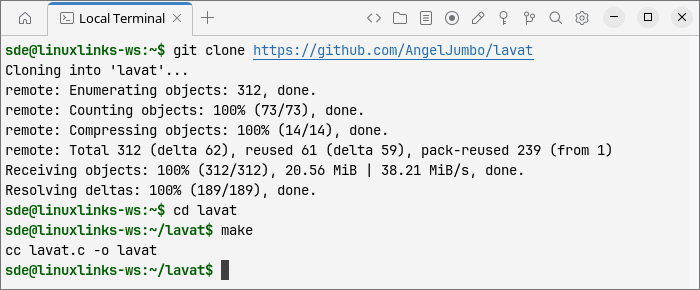
You can run the resulting executable directly with ./lavat. To install it into /usr/local/bin, making it available as lavat from other directories, use:
sudo make install
The project includes its terminal-handling library, so there’s no separate dependency to download for that part of the build.
In Operation
Start the animation with:
lavat
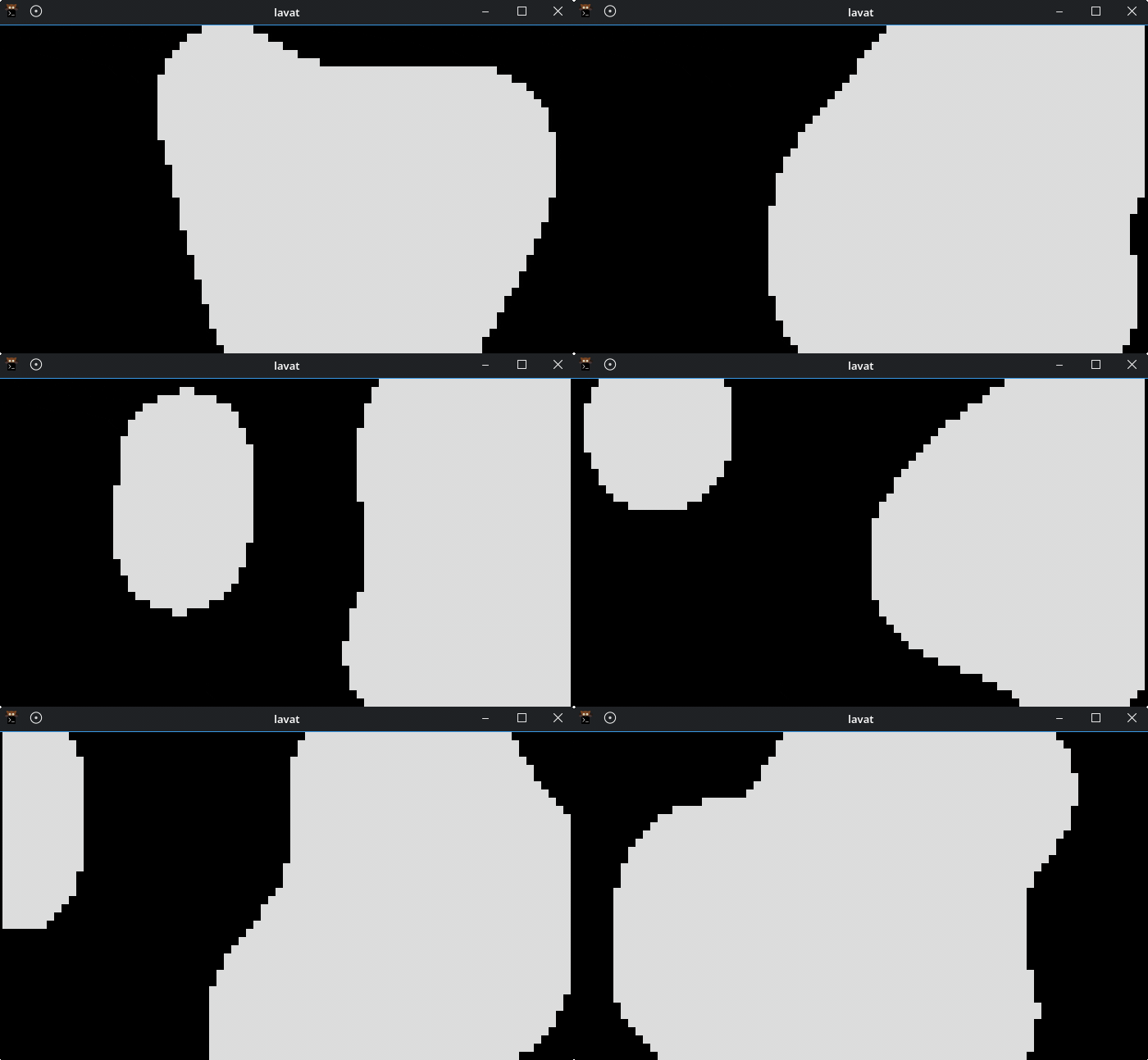
The blobs are metaballs, shapes whose boundaries blend when they approach one another. This produces the stretching, merging and splitting effect associated with lava lamps. The display uses terminal characters, so font size makes a difference. Zooming out before starting the program gives it more character cells to work with and produces finer outlines.
The default display is only a starting point. For yellow blobs with a contrasting red rim, try:
lavat -c yellow -R 1 -k red
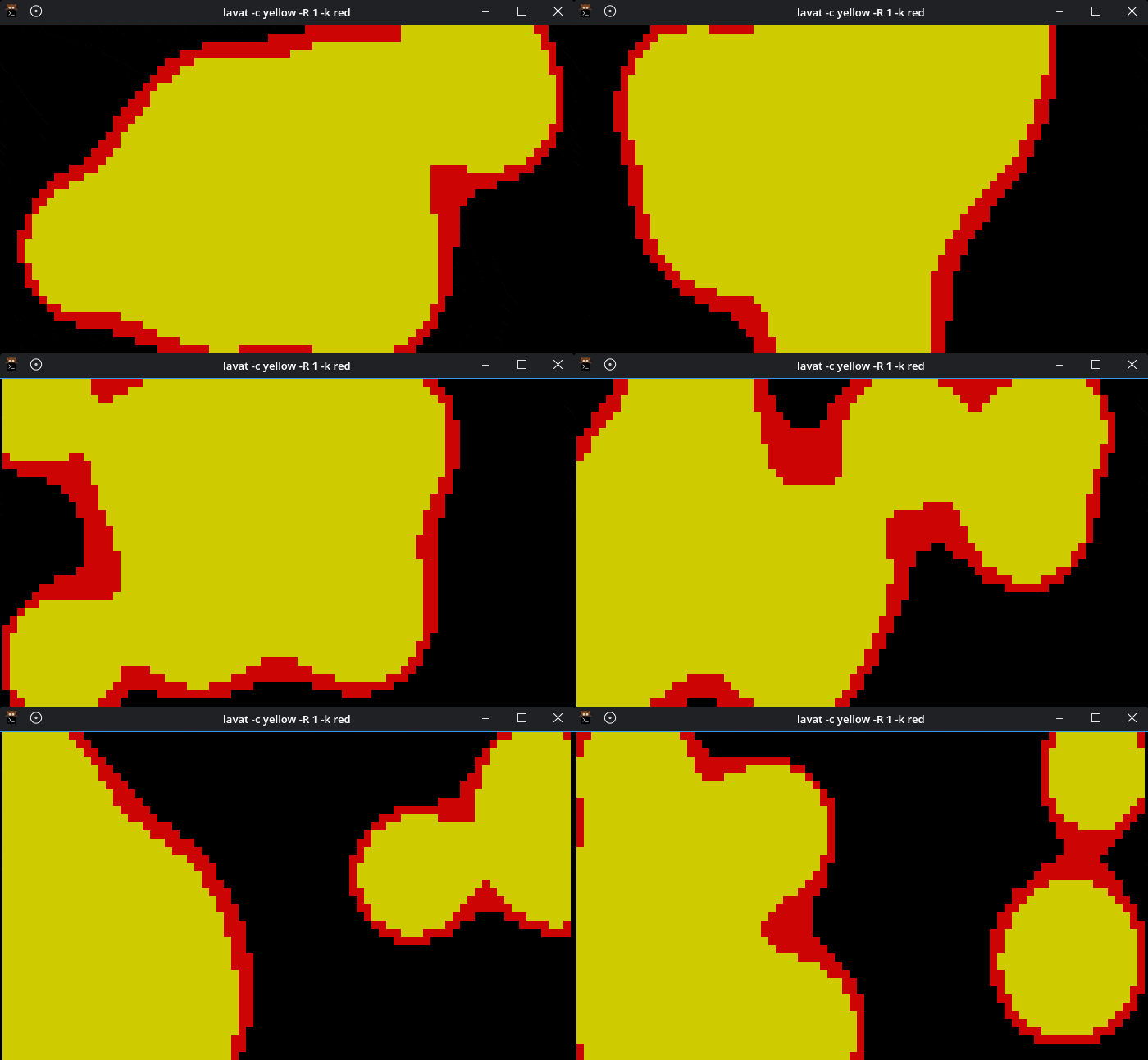
The lowercase -c option sets the main colour, uppercase -R controls the rim size, and lowercase -k selects its colour. Normal colour choices include red, blue, yellow, green, cyan, magenta, white and black. Explicitly choosing a rim colour is particularly useful with Kitty and Alacritty, where the developer notes that the rim may otherwise be invisible.
For movement closer to a physical lava lamp, enable gravity and buoyancy with uppercase -G. The blobs simulate heating near the bottom, rising, cooling towards the top and falling again. Combine this with truecolour gradients for a more elaborate display:
lavat -g -G -c FF4500 -k FFD700 -b 8 -r 6 -s 3
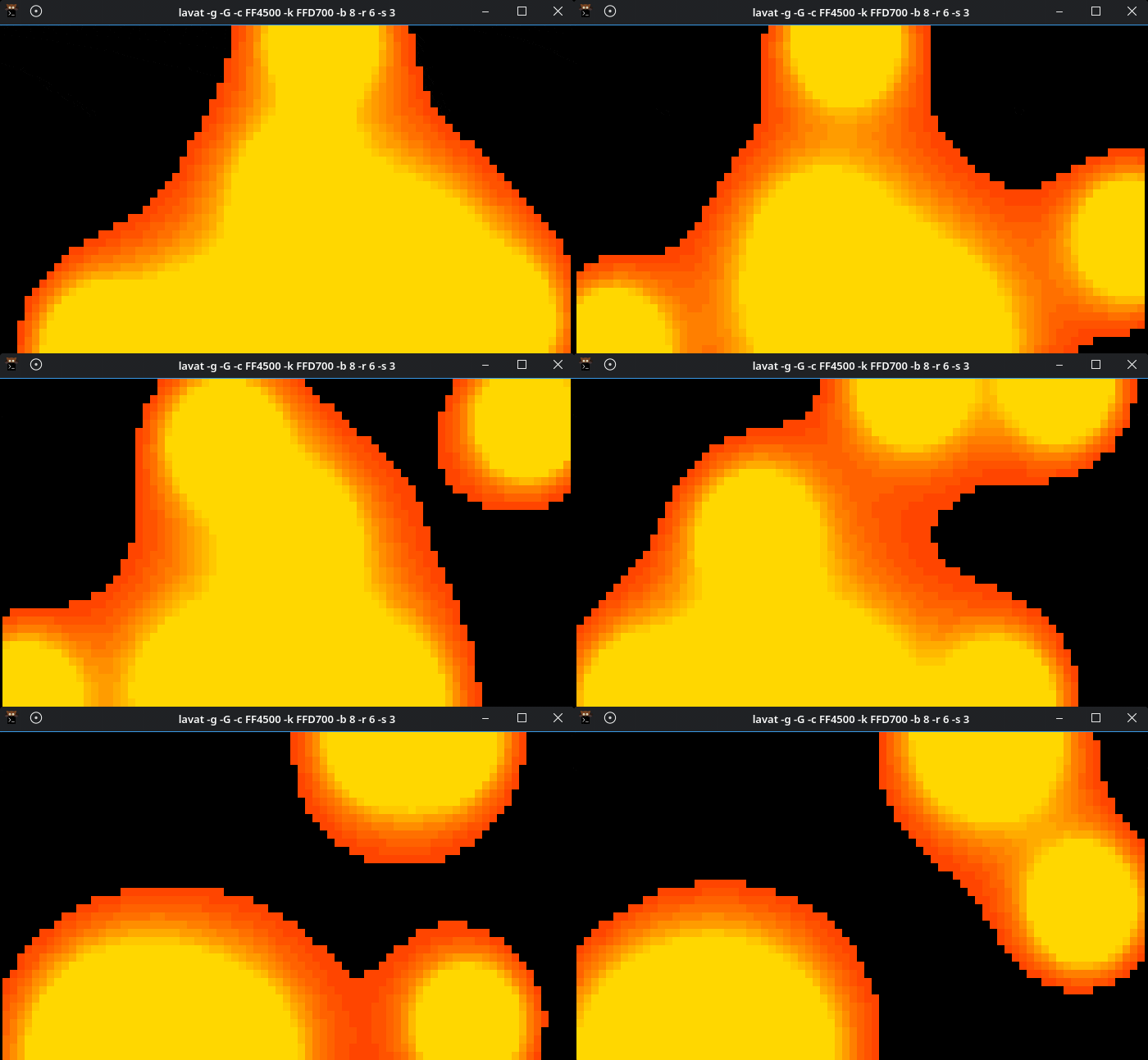
Lowercase -g enables gradient rendering and requires a terminal with truecolour support. In this mode, -c and -k take hexadecimal colour values without a leading hash, defining the two ends of the gradient. The example combines orange-red and gold, with eight blobs and a relatively gentle animation speed.
There’s considerable scope to change the composition. The -b option accepts between 5 and 20 blobs, while -r adjusts their radius from 1 to 10. Speed is controlled with -s, also from 1 to 10. A crowded display with large blobs produces broad merging masses; fewer, smaller blobs leave more empty space between them.
You don’t need to keep restarting the program to make adjustments. Several settings can be changed while the animation runs:
- Press i or d to increase or decrease the blob radius.
- Press Shift+i or Shift+d to increase or decrease the rim size.
- Press m to add blobs or l to remove them.
- Press c or k to cycle the main and rim colours in normal colour mode.
- Press + or – to increase or decrease the animation speed.
- Press p to cycle through the three party modes and switch them off again.
- Press q, Escape or Ctrl+C to quit.
Party mode replaces a fixed colour scheme with changing colours. To change both the blob and rim colours, run:
lavat -p3
This takes the effect away from a relaxing desk ornament and towards something more boisterous. I’d favour a fixed palette for a terminal left running beside other work, but the party modes suit the program’s playful character.
You can also replace the usual block characters with ASCII characters. The following example uses different characters for the blobs’ interiors and rims, giving them a more textured appearance:
lavat -c blue -R 2 -F '@@::::::' -r 10
Stick to ASCII characters for this option. The documentation warns that wide and Unicode characters may display incorrectly. There’s also a -C option intended to keep the lava entirely inside the terminal, although the developer cautions that it may not work well with large blobs or a crowded display.
For a reminder of the available options and keyboard controls:
lavat -h
Summary
lavat offers a simple visual diversion with enough customisation to make experimenting worthwhile. The blending shapes provide the appeal, while contrasting rims, gradients and gravity-driven movement offer several ways to vary the effect. Interactive controls are a welcome touch, letting you adjust the display without interrupting it.
The terminal remains part of its character. Expect visibly stepped outlines rather than the smooth curves of a graphical animation, and remember that font size and colour support influence the result. It’s an animation you launch yourself, rather than a complete desktop screensaver with idle detection and locking.
I like the idea of giving a terminal window such a gloriously unproductive job. Sometimes a few colourful blobs are quite enough
Website: github.com/AngelJumbo/lavat
Support:
Developer: AngelJumbo
License: MIT License
lavat is written in C. Learn C with our recommended free books and free tutorials.
Complete list of articles in this series:
| Linux Candy | |
|---|---|
| ASCIIQuarium | Embrace marine life from the terminal with beautiful ASCII art |
| ASCII Art Converter | A small utility that converts images into ASCII art |
| asciify | Turn images into attractive ASCII art |
| ascii_moon | Displays the moon phase |
| BobRossQuotes | Collection of quotes from Bob Ross |
| Boxes | Command line ASCII boxes |
| Buoh | Online strips comics reader |
| cacafire | Color ASCII fire |
| catclock | xclock with an enhanced cat mode |
| catspeak | Like cowsay but catty |
| cbonsai | Generate bonsai trees in the terminal |
| christmasfetch | Festive cheer on the desktop |
| chucknorris | Chuck Norris jokes in your terminal |
| Clairvoyant | Like a magic 8-ball inspired fortune teller |
| cornyjokes | Corny jokes for the terminal |
| CMatrix | ncurses program that simulates the display from “The Matrix” |
| ctree | A Christmas tree right on your terminal |
| cutieascii | Displays random ASCII art emojis |
| doge | Simple motd script |
| eDEX-UI | Sci-fi computer terminal emulator and system monitor |
| emoj | Simple tool that to find suitable emojis for pasting to your clipboard |
| Emote | Modern popup emoji picker |
| Evolvotron | Interactive generative art |
| Fantascene | Dynamic wallpaper changer |
| Fondo | Find beautiful wallpapers from Unsplash |
| Fractal Art | Desktop wallpaper generator |
| gti | Typo-based curio inspired by Steam Locomotive |
| Hidamari | Python-based app that offers video wallpaper for Linu |
| Hollywood | Fill your console with Hollywood melodrama technobabble |
| lavat | Lava lamp in your terminal |
| lifecycler | Aquarium right in your terminal |
| linuxwave | Generate music from the entropy of Linux |
| Lolcat++ | Rainbows and unicorns |
| Meme | Fun tool to create memes |
| No More Secrets | Recreates the data decryption effect from the Sneakers movie |
| nook | Plays Animal Crossing hourly themes on the hour |
| nyancat | Terminal-based Pop Tart Cat Animation |
| oneko | Animal chasing fun |
| Picture Of The Day | Your daily wallpaper |
| pipes.sh | Animated pipes terminal screensaver |
| ponysay | cowsay reimplemention for ponies |
| projectM | Music visualizer originally based on Milkdrop |
| pscircle | A different take on the venerable ps command |
| PyBonsai | Generates procedural ASCII art trees |
| pyjokes | One line jokes for programmers |
| Pywal | Generate color schemes on the fly (not actively developed) |
| Relaxator | Relax to soothing sounds |
| ricksay | Rick and Morty quotes of the day |
| Rusty Aquarium | Monitoring by visualization |
| ShimeLinux | Animated desktop pets |
| shuffle | ASCII art with a cool shuffle effect |
| sigye | Customizable terminal clock with Pomodoro functionality |
| Steam Locomotive | C program written in 295 lines. It's harmless fun |
| tanuki | Hourly animal crossing vibes |
| Ternimal | Animated lifeform in the terminal |
| terminal-parrot | Party parrot time |
| tetris | Tile-matching puzzle video game in your terminal |
| Variety | Wallpaper manager with many desktops and wallpaper sources |
| WallGen | Generate HQ poly wallpapers with a few arguments. |
| WallpaperDownloader | Download, change, and manage wallpapers |
| WallPicker | Modern GTK4/Libadwaita wallpaper picker |
| wallust | Create 16 color palettes |
| walrs | Fast colorscheme generator |
| WSelector | Browse, download, and set wallpapers from Wallhaven.cc |
| xcowsay | Displays a cow on your desktop with message |
| XDecorations | Add some festive cheer to your desktop |
| XScreenSaver | Framework and collection of screensavers |
| yosay | Like cowsay but with less cow |
Please read our Comment Policy before commenting.