

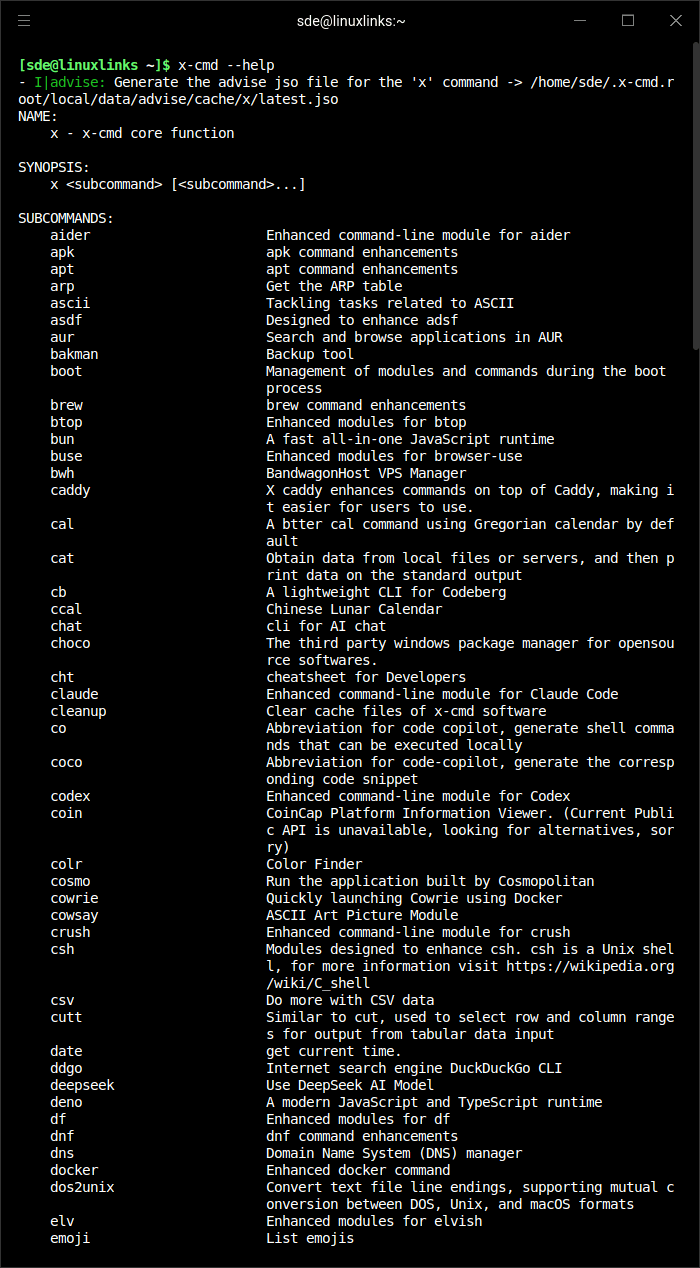
X-CMD is a command-line toolkit that brings a large collection of utilities together under a consistent interface. It extends traditional shell environments with tools for system administration, development, networking, data processing and automation. Rather than replacing the shell, it provides additional functionality through modules invoked using the x command.
The toolkit includes more than 300 modules, alongside a collection of third-party command-line applications that can be used on demand. Its modular approach reduces the need to remember different commands and options for unrelated tools. X-CMD also incorporates terminal customization, interactive interfaces and integrations with cloud services and AI assistants. Most core functionality has modest dependencies, allowing it to operate in lightweight Linux environments as well as conventional desktop and server installations.
This is free and open source software.
Key Features
- More than 300 functional modules covering system management, networking, development, data processing and automation.
- Consistent
xcommand interface for accessing modules and enhanced utilities. - Extends traditional commands such as
ls,cd,ps,dfandunamewith additional capabilities. - Interactive terminal interfaces with searchable selections and structured output.
- Data processing utilities for JSON, YAML, CSV, text manipulation and format conversion.
- String manipulation functions including encoding, decoding, pattern matching and replacement.
- Terminal customization with shell themes, colours and font management.
- Enhanced shell completion and command suggestions.
- Improved directory navigation with shortcuts for frequently accessed paths.
- Environment management for development tools and language runtimes.
- Curated collection of external command-line tools that can be accessed on demand without modifying the system environment.
- Support for temporary and persistent tool environments.
- Git integration and command-line interfaces for GitHub, GitLab, Gitee and Codeberg.
- Docker management enhancements for working with containers, images and other resources.
- Network diagnostic utilities for connectivity testing, DNS queries and related operations.
- Integrations with AI services including OpenAI, Gemini and DeepSeek.
- AI agent integration with support for managing skills and interacting with coding assistants.
- Command-line documentation and practical usage examples through the
tldrmodule. - Structured output formats including JSON, CSV and TSV for use in scripts and pipelines.
- Shell scripting libraries providing reusable functions and terminal interface components.
- Support for Bash, Zsh, Ash and Dash, with integration facilities for other shells.
- Cross-platform support – runs on Linux, macOS, and Windows.
Website: github.com/x-cmd/x-cmd
Support:
Developer: Li Junhao
License: Apache License 2.0
| Explore Linux | |
|---|---|
 | Best Free and Open Source Software - A huge collection of recommended free and open source software covering every major category. |
 | In-depth Linux Software Reviews - Detailed assessments of Linux software covering features, usability and overall quality. |
 | The Big List of Active Linux Distros - An extensive collection of actively developed Linux distributions. |
 | Open Source Alternatives - Alternatives to software and services from Google, Microsoft, Apple, Adobe, IBM, Autodesk, Oracle and others. |
 | Essential Linux System Tools - Indispensable utilities for monitoring, maintaining and managing Linux systems. |
 | Linux Productivity Tools - Useful utilities for improving productivity and streamlining everyday tasks. |
 | Alternatives to Popular CLI Tools - Modern alternatives to familiar command-line utilities supplied with Linux systems. |
 | Awesome Free Linux Game Tools - Tools, utilities and companion software that improve gaming on Linux. |
 | Machine Learning on Linux - Machine learning and deep learning software, self-hosted applications and practical tools. |
 | Saving Money with Linux - Practical ways to reduce electricity consumption and lower computing costs with Linux. |
 | Linux Candy - Fun, entertaining and sometimes delightfully quirky software from the lighter side of Linux. |
Please read our Comment Policy before commenting.
Thank you. Please notice the license of x-cmd is Apache 2.0.
Thanks, entry updated.