

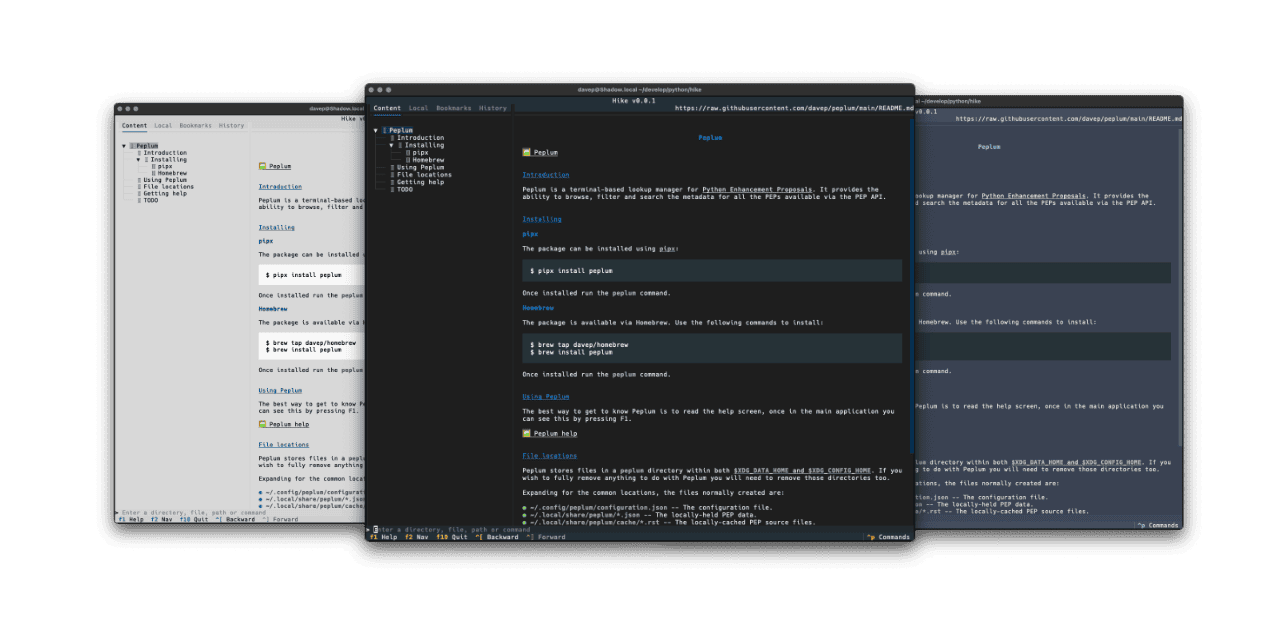
Hike is a terminal-based Markdown browser built using the Textual framework. It provides an interactive environment for reading project documentation, README files, technical articles and personal notes without leaving the terminal.
The interface combines a rendered document pane with a navigation sidebar and an interactive command line. Unlike conventional Markdown renderers that display a single document and exit, Hike maintains a browsing session in which users can follow links and move between local and remote documents. It also supports editing local Markdown files using either its integrated editor or an external text editor selected through the VISUAL or EDITOR environment variables.
This is free and open source software.
Key Features
- Open Markdown documents using local filenames, URLs or an interactive file selection dialog.
- Dedicated commands for retrieving README files and other documents hosted on GitHub, GitLab, Codeberg and Bitbucket, with support for specifying repository branches.
- Persistent command history with autocompletion.
- Searchable bookmarks and document browsing history.
- Navigate directly to document headings using the table of contents.
- Support for Obsidian-style wikilinks and quick access to local Obsidian vault directories.
- Expandable display of YAML front matter.
- Request Markdown content from web servers that support content negotiation.
- Save copies of remotely retrieved documents to the local filesystem.
- Copy document locations and Markdown source to the clipboard.
- Configurable Markdown file extensions and recognized HTTP content types.
- Customizable keyboard shortcuts, colour themes and navigation panel positioning.
- Command palette and comprehensive integrated help.
- Cross-platform support – runs on Linux, macOS, and Windows.
Website: github.com/davep/hike
Support:
Developer: Dave Pearson
License: GNU General Public License v3.0
Hike is written in Python. Learn Python with our recommended free books and free tutorials.
Related Software
| TUI Note Taking Apps | |
|---|---|
| Basalt | TUI program to manage Obsidian notes |
| org-mode | Emacs major mode for keeping notes, authoring documents, and more |
| Toney | Fast, lightweight, terminal-based note-taking app for the modern developer |
| Glues | Vim-inspired TUI note-taking app |
| TUI-Journal | Terminal-based journaling and note-taking application |
| Rucola | Terminal-based markdown note manager |
| Frogmouth | Markdown browser for the terminal |
| FuzPad | Minimalistic note management solution |
| clin | Terminal note management application inspired by Obsidian |
Read our verdict in the software roundup.
 LinuxLinks helps you discover the best free and open source software for Linux. Explore our extensive collection of recommended applications, including alternatives to popular proprietary software. We also publish software reviews, Linux tutorials, hardware reviews, free programming books and articles covering the wider open source community. Browse our Linux resources to discover more. Know a useful free and open source Linux application we haven't covered? Suggest a program for inclusion. Has your software been featured on LinuxLinks? Display one of our Featured on LinuxLinks badges on your website or GitHub README. |
Please read our Comment Policy before commenting.