

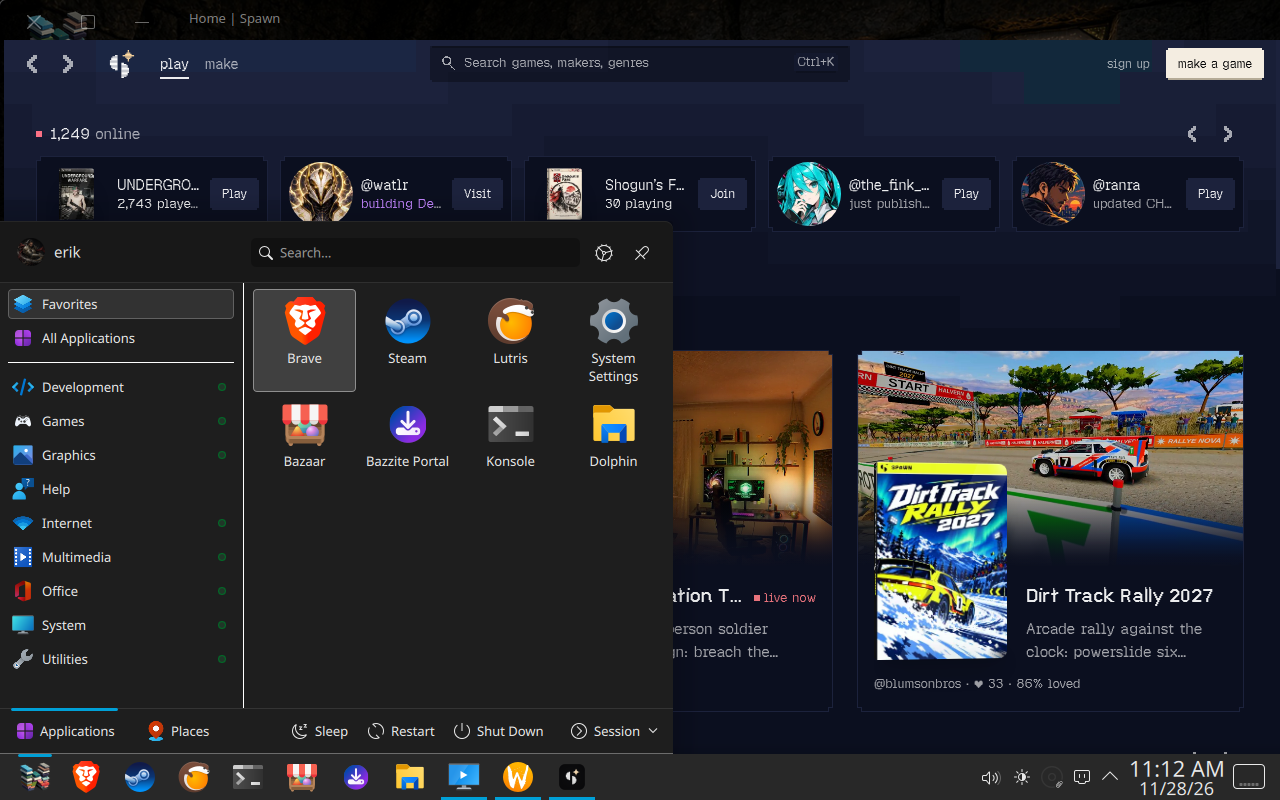
WASD is a Bazzite-based Linux distribution designed for gaming on desktop PCs, particularly for users migrating from Windows. It uses the KDE Plasma desktop environment and aims to simplify the configuration of games distributed through different digital storefronts.
The distribution inherits Bazzite’s atomic system architecture, with custom utilities for system installation, desktop personalisation and game launcher management. Particular attention is given to separating game libraries from the operating system, enabling users to reinstall the distribution without downloading their games again.
Key Features
- Steam and Brave preinstalled.
- WASD Launchers provides installation and management facilities for Battle.net, Rockstar Launcher, Epic Games, GOG Galaxy, Ubisoft Connect and Star Citizen.
- Supports Minecraft Java Edition, Bedrock Edition and modpack launchers including FTB, PolyMC, MultiMC and CurseForge.
- Configure additional game launchers and Windows applications.
- Rebuild individual launcher environments without deleting their game libraries.
- Custom graphical installer with application selection and network configuration.
- Optional applications include Discord, OBS Studio, Heroic, Bottles, GIMP and VLC.
- Dedicated games partition or separate storage drive.
- Dual boot support for Windows installed on a separate drive.
- WASD Look customises boot screens, login screens, wallpapers and user account pictures.
- Automatic background system image updates with rollback to the previous deployment.
- Regular and Hardcore update channels, with the latter receiving changes immediately.
- Separate system images for AMD/Intel and NVIDIA graphics hardware.
- Secure Boot support through Machine Owner Key enrolment.
- Optional integration with third-party AI chat and coding assistants.
| Working state: | Active |
| Desktop: | KDE Plasma |
| Init Software: | systemd |
| Package Management: | RPM |
| Release Model: | Fixed |
| Platforms: | x86_64 |
| Home Page: | wasd.run |
| Developer: | Ben Martin (rowge) |
| This article is part of our Big List of Active Linux Distributions and Open Source Operating Systems. |
What's a Linux distribution ("distro")? |
| A distro provides the user with a desktop environment, preloaded applications, and ways to update and maintain the system. Each distro makes different choices, deciding which open source projects to install and provides custom written programs. They can have different philosophies. Some distros are intended for desktop computers, some for servers without a graphical interface, and others for special uses. Because Linux is an open source operating system, combinations of software vary between Linux distros. |
Please read our Comment Policy before commenting.