

Linux Candy explores the lighter side of open source software. Some programs offer useful features with a generous helping of eye candy. Others simply give us an excuse to stop working for a few minutes.
ShimeLinux falls firmly into the latter category. It brings little animated characters, known as Shimeji, to your desktop. They wander around, climb, sit down, and generally make themselves at home.
The software is a port of Shimeji-ee for Linux and BSD. The developer says characters made for the latest version of Shimeji-ee should work, so there’s scope to give your desktop some different personalities.
Installation
There are several installation options. The project provides DEB packages for Debian and Ubuntu-based distributions, RPM packages, and a Java JAR. It’s also available through Flathub.
For Arch-based distributions, there’s a package in the Arch User Repository. With the yay AUR helper, installation is:
$ yay -S shimelinux
Instead, I’ll build the AUR package manually:
$ git clone https://aur.archlinux.org/shimelinux.git
$ cd shimelinux
$ makepkg -si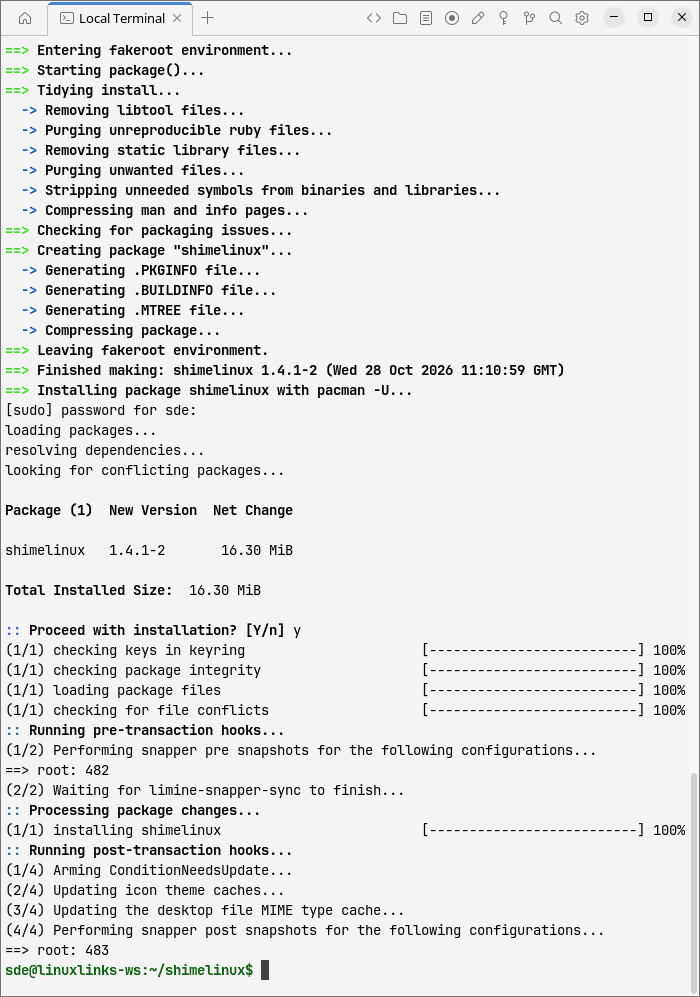
The standalone JAR is another option, although the developer notes that libappindicator or libayatana-appindicator may be needed for the system tray icon.
The project lists compatibility with a wide range of desktops and window managers, including KDE Plasma, GNOME, Cinnamon, Xfce, Hyprland, and sway. However, the available desktop interactions vary.
In Operation
The attraction is watching these little characters get on with their own activities while you use your computer. Their repertoire includes walking, running, crawling, clinging to the sides of the screen, and climbing along its upper edge. There’s also plenty of sitting around. Clearly, productivity isn’t high on their agenda.
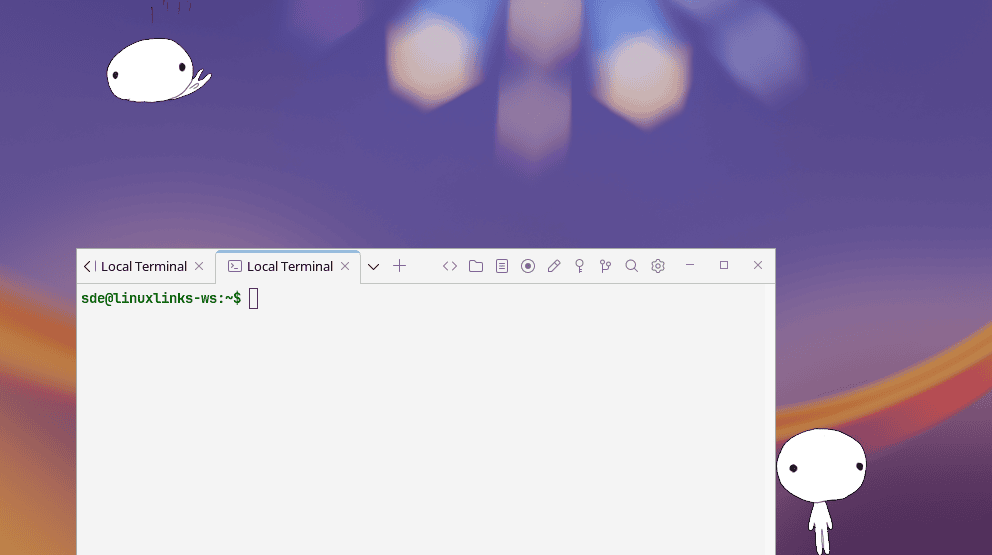
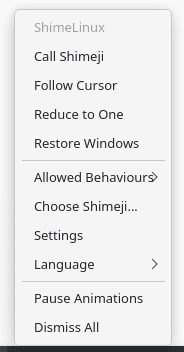 There’s more control than the simple premise might suggest. The system tray menu lets you summon another character, pause the animations, or dismiss all the pets. If the desktop becomes overcrowded, Reduce to One is a welcome escape route. Right-clicking an individual character opens a separate menu where you can call another, choose a behaviour, or dismiss that character. They can also breed or clone themselves.
The Allowed Behaviours menu lets you switch off activities such as breeding and sound effects. That’s useful if you want a little company without an ever-expanding population.
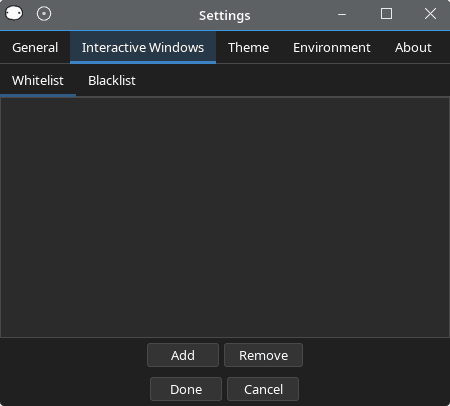
KDE Plasma offers an additional attraction: interactive windows. Characters can climb on application windows and even throw them around. Window throwing can be disabled, and there’s a Restore Windows command to put things back. The settings also provide lists for including or excluding windows from interaction.
This is the most interesting part of the program, but it’s also the main compatibility distinction. Being able to display the pets on a desktop doesn’t mean every window interaction is available there.
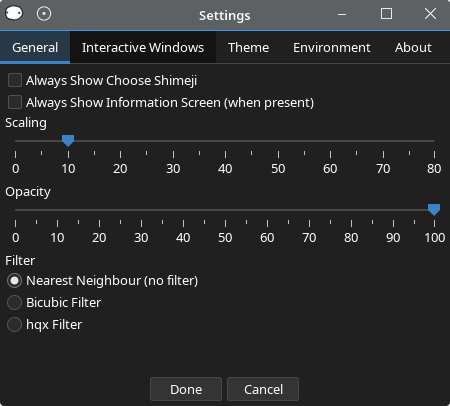
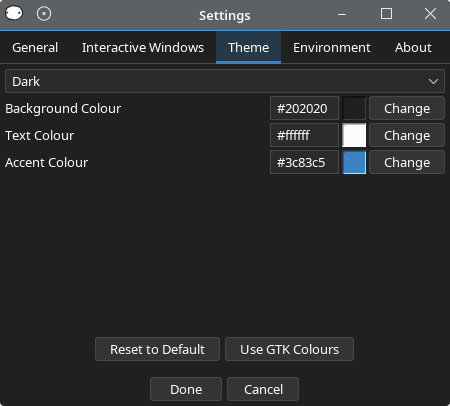
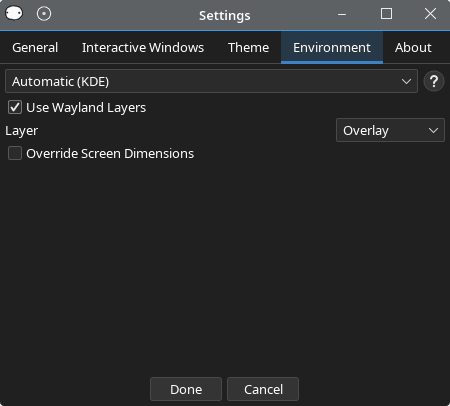
There are lots of settings available.
 |
 |
 |
 |
The settings offer scaling and opacity controls, together with a choice of image filters. These let you adjust how prominent the characters are and how their artwork looks when enlarged.
There’s also a windowed environment which keeps the characters inside a separate window. You can choose its dimensions and give it a background colour or image. It’s a useful option if you prefer to keep the antics contained.
Summary
ShimeLinux has a straightforward appeal. A few animated characters wandering around your screen can make a fairly ordinary desktop feel a little less serious.
Compatibility with Shimeji-ee characters adds variety, while the controls for behaviour and appearance give it more flexibility than a fixed desktop animation. KDE Plasma’s window interaction is a particular draw.
Desktop support is the main qualification. Check the available environment options before expecting the same behaviour everywhere, particularly with Wayland.
If desktop pets leave you cold, there’s little here to change your mind. For everyone else, ShimeLinux is a fitting addition to Linux Candy. Just don’t expect the new arrivals to help with your work.
Website: github.com/BujjuIsABee/shimelinux
Support:
Developer: Bujju
License: BSD 3-Clause ‘New’ or ‘Revised’ License
ShimeLinux is written primarily in Kotlin, with a Rust component for Wayland support. Learn Kotlin with our recommended free books and free tutorials.
Complete list of articles in this series:
| Linux Candy | |
|---|---|
| ASCIIQuarium | Embrace marine life from the terminal with beautiful ASCII art |
| ASCII Art Converter | A small utility that converts images into ASCII art |
| asciify | Turn images into attractive ASCII art |
| ascii_moon | Displays the moon phase |
| BobRossQuotes | Collection of quotes from Bob Ross |
| Boxes | Command line ASCII boxes |
| Buoh | Online strips comics reader |
| cacafire | Color ASCII fire |
| catclock | xclock with an enhanced cat mode |
| catspeak | Like cowsay but catty |
| cbonsai | Generate bonsai trees in the terminal |
| christmasfetch | Festive cheer on the desktop |
| chucknorris | Chuck Norris jokes in your terminal |
| Clairvoyant | Like a magic 8-ball inspired fortune teller |
| cornyjokes | Corny jokes for the terminal |
| CMatrix | ncurses program that simulates the display from “The Matrix” |
| ctree | A Christmas tree right on your terminal |
| cutieascii | Displays random ASCII art emojis |
| doge | Simple motd script |
| eDEX-UI | Sci-fi computer terminal emulator and system monitor |
| emoj | Simple tool that to find suitable emojis for pasting to your clipboard |
| Emote | Modern popup emoji picker |
| Evolvotron | Interactive generative art |
| Fantascene | Dynamic wallpaper changer |
| Fondo | Find beautiful wallpapers from Unsplash |
| Fractal Art | Desktop wallpaper generator |
| gti | Typo-based curio inspired by Steam Locomotive |
| Hidamari | Python-based app that offers video wallpaper for Linu |
| Hollywood | Fill your console with Hollywood melodrama technobabble |
| lifecycler | Aquarium right in your terminal |
| linuxwave | Generate music from the entropy of Linux |
| Lolcat++ | Rainbows and unicorns |
| Meme | Fun tool to create memes |
| No More Secrets | Recreates the data decryption effect from the Sneakers movie |
| nook | Plays Animal Crossing hourly themes on the hour |
| nyancat | Terminal-based Pop Tart Cat Animation |
| oneko | Animal chasing fun |
| Picture Of The Day | Your daily wallpaper |
| pipes.sh | Animated pipes terminal screensaver |
| ponysay | cowsay reimplemention for ponies |
| projectM | Music visualizer originally based on Milkdrop |
| pscircle | A different take on the venerable ps command |
| PyBonsai | Generates procedural ASCII art trees |
| pyjokes | One line jokes for programmers |
| Pywal | Generate color schemes on the fly (not actively developed) |
| Relaxator | Relax to soothing sounds |
| ricksay | Rick and Morty quotes of the day |
| Rusty Aquarium | Monitoring by visualization |
| shuffle | ASCII art with a cool shuffle effect |
| sigye | Customizable terminal clock with Pomodoro functionality |
| Steam Locomotive | C program written in 295 lines. It's harmless fun |
| tanuki | Hourly animal crossing vibes |
| Ternimal | Animated lifeform in the terminal |
| terminal-parrot | Party parrot time |
| tetris | Tile-matching puzzle video game in your terminal |
| Variety | Wallpaper manager with many desktops and wallpaper sources |
| WallGen | Generate HQ poly wallpapers with a few arguments. |
| WallpaperDownloader | Download, change, and manage wallpapers |
| WallPicker | Modern GTK4/Libadwaita wallpaper picker |
| wallust | Create 16 color palettes |
| walrs | Fast colorscheme generator |
| WSelector | Browse, download, and set wallpapers from Wallhaven.cc |
| xcowsay | Displays a cow on your desktop with message |
| XDecorations | Add some festive cheer to your desktop |
| XScreenSaver | Framework and collection of screensavers |
| yosay | Like cowsay but with less cow |
Please read our Comment Policy before commenting.