

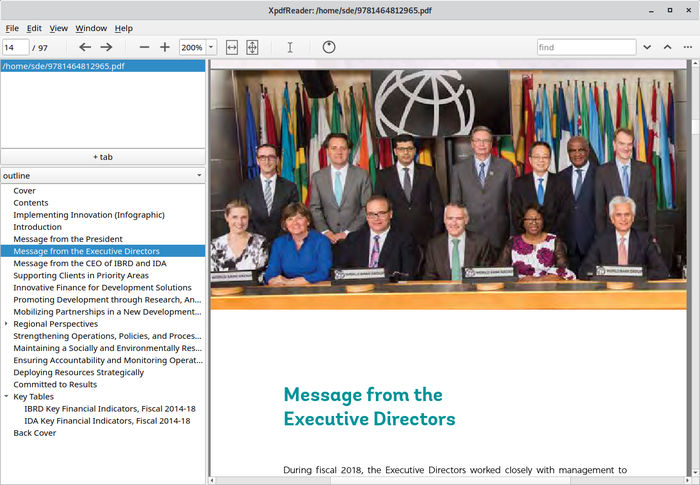
Xpdf is a PDF viewer and collection of command-line utilities developed by Derek Noonburg. It provides facilities for displaying PDF documents and extracting, converting and inspecting their contents.
The project’s utilities are useful for working with PDF files outside a conventional graphical viewer. They can extract text, images, fonts and metadata, convert pages into image formats and transform documents into PostScript or HTML. This makes Xpdf valuable for scripting and automated document processing.
The open-source Xpdf project should be distinguished from XpdfReader, the developer’s proprietary distribution. XpdfReader includes additional capabilities that are not part of the open-source package. The existing Xpdf community forum has also been used for project discussions.
This is free and open source software.
Key Features
- Displays PDF documents through its graphical viewer.
- Extracts text from PDF files using pdftotext.
- Converts PDF documents to PostScript with pdftops.
- Renders pages to PPM, PGM and PBM images using pdftoppm.
- Converts PDF pages to PNG images with pdftopng.
- Converts PDF documents to HTML using pdftohtml.
- Extracts document metadata with pdfinfo.
- Extracts embedded images using pdfimages.
- Lists fonts used in documents with pdffonts.
- Extracts embedded file attachments using pdfdetach.
- Supports encrypted and password-protected PDF files.
- Provides command-line options suitable for scripting and batch document processing.
Website: www.xpdfreader.com
Support:
Developer: Derek Noonburg
License: GNU General Public License v2.0 / GNU General Public License v3.0
Xpdf is written in C++. Learn C++ with our recommended free books and free tutorials.
Related Software
| PDF Viewers | |
|---|---|
| KOReader | Document viewer for a wide variety of file formats including PDF |
| Okular | Universal document viewer supporting advanced document features |
| MuPDF | Lightweight PDF and XPS viewer |
| Sioyek | Designed for viewing research papers and technical books |
| PDF.js | JavaScript library that renders Portable Document Format files |
| Koodo Reader | All-in-one ebook reader and PDF viewer |
| Papers | Fork of Evince |
| Evince | Multi-page document viewer |
| Atril | A simple multi-page document viewer for MATE |
| tdf | TUI-based PDF viewer |
| Zathura | Highly customizable and functional document viewer |
| Xreader | Simple multi-page document viewer |
| qpdfview | Tabbed document viewer. It uses Poppler for PDF support |
| Xpdf | PDF viewer and toolkit |
| PreviewQt | Preview all kinds of files |
| llpp | Fast and featureful PDF, EPUB, XPS and CBZ viewer |
| JFBView | PDF and image viewer for the Linux framebuffer |
| hygg | Minimalistic Vim-like TUI document reader |
| fancy-cat | PDF reader for terminal emulators |
| apvlv | PDF/EPUB/TXT/FB2/MOBI/CBZ/HTML …viewer |
| CorePDF | Simple lightweight PDF viewer |
| dodo | Fast and configurable PDF viewer |
| Jumpdf | Keyboard-focused PDF viewer |
| Shelf | Browse and view documents |
| npdfr | Command-line PDF reader prioritizing fast searches |
| NightPDF | Dark mode PDF reader |
| miro | Native PDF viewer |
| Kiview | Quick file preview |
Read our verdict in the software roundup.
 LinuxLinks helps you discover the best free and open source software for Linux. Explore our extensive collection of recommended applications, including alternatives to popular proprietary software. LinuxLinks helps you discover the best free and open source software for Linux. Explore our extensive collection of recommended applications, including alternatives to popular proprietary software.We also publish software reviews, Linux tutorials, hardware reviews, free programming books and articles covering the wider open source community. Browse our Linux resources to discover more. Know a useful free and open source Linux application we haven't covered? Suggest a program for inclusion. Has your software been featured on LinuxLinks? Display one of our Featured on LinuxLinks badges on your website or GitHub README. |
Please read our Comment Policy before commenting.