

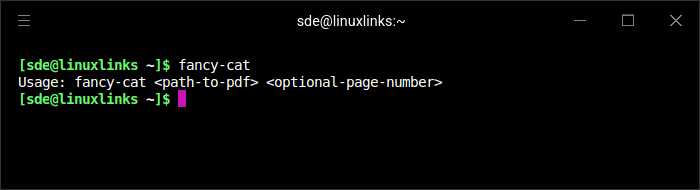
fancy-cat is a PDF viewer designed for terminal emulators supporting the Kitty graphics protocol. It displays document pages directly within a terminal, providing a way to read PDF files without opening a conventional graphical viewer.
The application uses a modal interface inspired by Neovim. Its view mode handles document navigation, while command mode provides access to additional operations. Keyboard mappings and application behaviour can be customised through a JSON configuration file.
fancy-cat supports automatic document reloading, colour adjustments and zoom controls. It is particularly appealing to users who want to keep document reading within their existing terminal workflows while retaining graphical PDF rendering.
This is free and open source software.
Key Features
- Displays PDF pages using the Kitty graphics protocol.
- Renders document content within compatible terminal emulators.
- Modal interface inspired by Neovim.
- Separate viewing and command modes.
- Configurable keyboard mappings.
- JSON-based configuration of application behaviour.
- Supports runtime configuration changes.
- Automatic document reloading when files change.
- Page navigation with previous-page and next-page commands.
- Zoom controls for adjusting document size.
- Colourisation mode for dark document viewing.
- Status bar displaying document information.
- Configurable commands for controlling the viewer.
- Cross-platform support – runs on Linux and macOS.
Website: github.com/freref/fancy-cat
Support:
Developer: freref and contributors
License: GNU Affero General Public License v3.0
fancy-cat is written in Zig. Learn Zig with our recommended free tutorials.
Related Software
| PDF Viewers | |
|---|---|
| KOReader | Document viewer for a wide variety of file formats including PDF |
| Okular | Universal document viewer supporting advanced document features |
| MuPDF | Lightweight PDF and XPS viewer |
| Sioyek | Designed for viewing research papers and technical books |
| PDF.js | JavaScript library that renders Portable Document Format files |
| Koodo Reader | All-in-one ebook reader and PDF viewer |
| Papers | Fork of Evince |
| Evince | Multi-page document viewer |
| Atril | A simple multi-page document viewer for MATE |
| tdf | TUI-based PDF viewer |
| Zathura | Highly customizable and functional document viewer |
| Xreader | Simple multi-page document viewer |
| qpdfview | Tabbed document viewer. It uses Poppler for PDF support |
| Xpdf | PDF viewer and toolkit |
| PreviewQt | Preview all kinds of files |
| llpp | Fast and featureful PDF, EPUB, XPS and CBZ viewer |
| JFBView | PDF and image viewer for the Linux framebuffer |
| hygg | Minimalistic Vim-like TUI document reader |
| fancy-cat | PDF reader for terminal emulators |
| apvlv | PDF/EPUB/TXT/FB2/MOBI/CBZ/HTML …viewer |
| CorePDF | Simple lightweight PDF viewer |
| dodo | Fast and configurable PDF viewer |
| Jumpdf | Keyboard-focused PDF viewer |
| Shelf | Browse and view documents |
| npdfr | Command-line PDF reader prioritizing fast searches |
| NightPDF | Dark mode PDF reader |
| miro | Native PDF viewer |
| Kiview | Quick file preview |
Read our verdict in the software roundup.
 Explore our carefully curated directory of recommended free and open source software, covering every major software category. Explore our carefully curated directory of recommended free and open source software, covering every major software category.The directory forms part of our extensive collection of articles for Linux enthusiasts. It includes hundreds of detailed reviews, together with free and open source alternatives to proprietary software from companies such as Google, Microsoft, Apple, Adobe, IBM, Cisco, Oracle, and Autodesk. LinuxLinks also covers interesting projects worth exploring, Linux-compatible hardware, free programming books and tutorials, and much more. Know a useful free and open source Linux application that we haven’t covered? Tell us about it using our submission form. |
Please read our Comment Policy before commenting.