

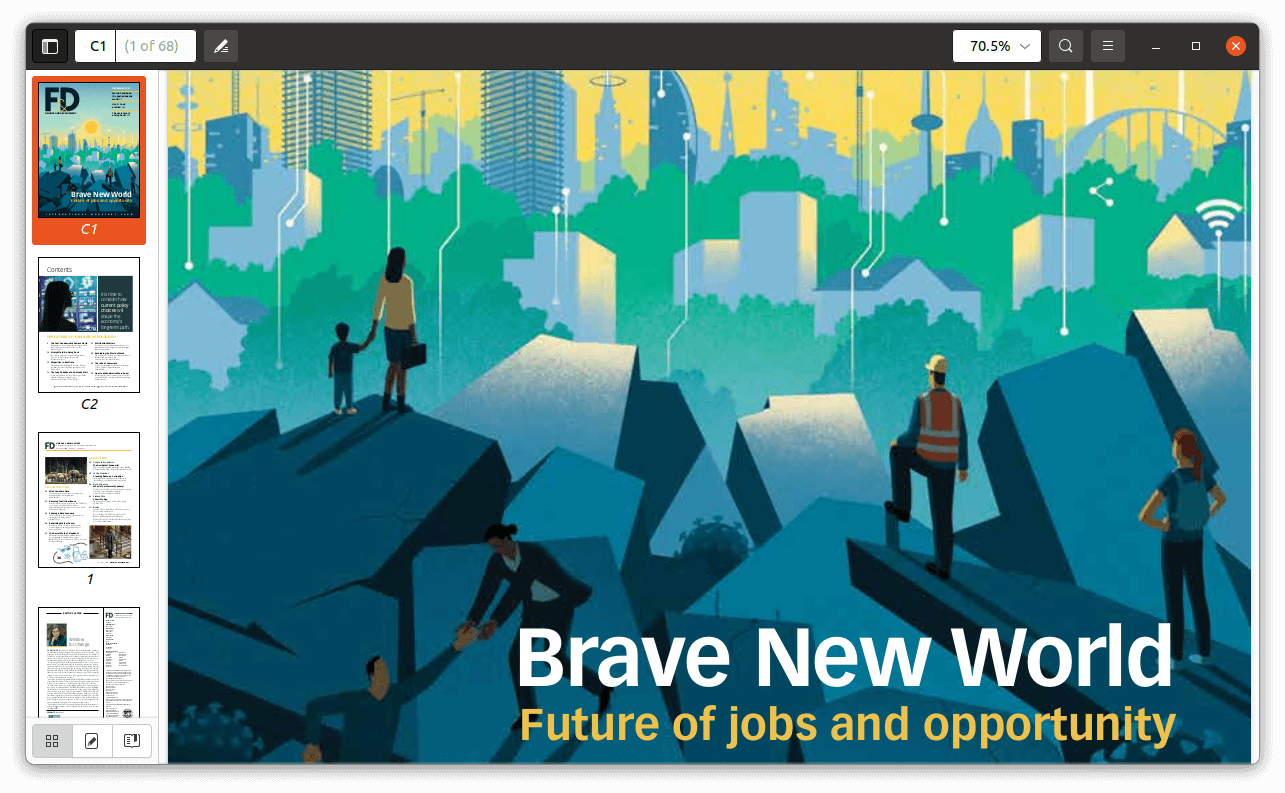
Evince is a document viewer originally developed for the GNOME desktop environment. It provides a straightforward interface for reading PDF files and other document formats, concentrating on efficient navigation rather than comprehensive PDF editing.
The application supports document searching, page thumbnails, tables of contents and different viewing layouts. It can open encrypted documents and offers fullscreen and presentation modes, making it suitable for reading technical manuals, reports and other lengthy publications.
Evince was designed to unify the different document viewers used within GNOME. Papers subsequently emerged as a modernised fork and replaced Evince as GNOME’s default document viewer. Evince remains useful on systems that continue to provide the original application.
This is free and open source software.
Key Features
- Supports PDF, PostScript, DjVu, TIFF, DVI and other document formats through specialised backends.
- Integrated text searching with highlighted matches.
- Page thumbnails for quick document navigation.
- Displays document outlines and tables of contents.
- Supports continuous scrolling and different page layouts.
- Provides zoom controls and automatic page fitting.
- Opens encrypted PDF documents with the appropriate password.
- Supports text selection and copying.
- Fullscreen and presentation modes.
- Prints documents through the GTK printing framework.
- Provides keyboard shortcuts for common navigation operations.
Website: gitlab.gnome.org/GNOME/evince
Support:
Developer: Evince developers
License: GNU General Public License v2.0
Evince is written in C++. Learn C++ with our recommended free books and free tutorials.
Related Software
| PDF Viewers | |
|---|---|
| KOReader | Document viewer for a wide variety of file formats including PDF |
| Okular | Universal document viewer supporting advanced document features |
| MuPDF | Lightweight PDF and XPS viewer |
| Sioyek | Designed for viewing research papers and technical books |
| PDF.js | JavaScript library that renders Portable Document Format files |
| Koodo Reader | All-in-one ebook reader and PDF viewer |
| Papers | Fork of Evince |
| Evince | Multi-page document viewer |
| Atril | A simple multi-page document viewer for MATE |
| tdf | TUI-based PDF viewer |
| Zathura | Highly customizable and functional document viewer |
| Xreader | Simple multi-page document viewer |
| qpdfview | Tabbed document viewer. It uses Poppler for PDF support |
| Xpdf | PDF viewer and toolkit |
| PreviewQt | Preview all kinds of files |
| llpp | Fast and featureful PDF, EPUB, XPS and CBZ viewer |
| JFBView | PDF and image viewer for the Linux framebuffer |
| hygg | Minimalistic Vim-like TUI document reader |
| fancy-cat | PDF reader for terminal emulators |
| apvlv | PDF/EPUB/TXT/FB2/MOBI/CBZ/HTML …viewer |
| CorePDF | Simple lightweight PDF viewer |
| dodo | Fast and configurable PDF viewer |
| Jumpdf | Keyboard-focused PDF viewer |
| Shelf | Browse and view documents |
| npdfr | Command-line PDF reader prioritizing fast searches |
| NightPDF | Dark mode PDF reader |
| miro | Native PDF viewer |
| Kiview | Quick file preview |
Read our verdict in the software roundup.
 Explore our carefully curated directory of recommended free and open source software, covering every major software category. Explore our carefully curated directory of recommended free and open source software, covering every major software category.The directory forms part of our extensive collection of articles for Linux enthusiasts. It includes hundreds of detailed reviews, together with free and open source alternatives to proprietary software from companies such as Google, Microsoft, Apple, Adobe, IBM, Cisco, Oracle, and Autodesk. LinuxLinks also covers interesting projects worth exploring, Linux-compatible hardware, free programming books and tutorials, and much more. Know a useful free and open source Linux application that we haven’t covered? Tell us about it using our submission form. |
Please read our Comment Policy before commenting.