

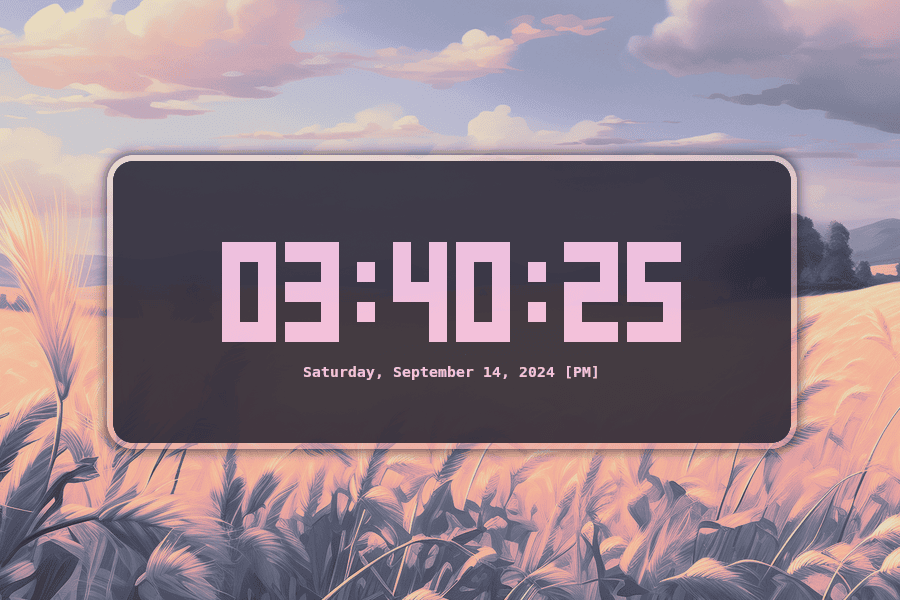
clock-rs is a modern digital clock for the terminal. It is designed as an alternative to tty-clock, adding extensive configuration together with timer and stopwatch functionality. Settings can be stored in a TOML configuration file while individual values can be overridden from the command line. The clock supports major desktop operating systems and adapts well to both permanent terminal displays and occasional use.
This is free and open source software.
Key Features
- Displays a large digital clock directly in the terminal.
- Provides dedicated clock, timer, and stopwatch modes.
- Lets you pause and restart timers and the stopwatch from the keyboard.
- Supports configurable clock colours, including standard, bright, and hexadecimal colours.
- Lets you position the clock at the start, centre, or end of the horizontal and vertical axes.
- Supports both 12-hour and 24-hour time formats.
- Can display UTC instead of local time.
- Lets you hide seconds from the clock.
- Supports a blinking colon and bold text.
- Offers custom date formatting using Chrono format strings.
- Stores persistent settings in a TOML configuration file.
- Command-line options override values stored in the configuration file.
- Lets you reload the configuration without restarting the application.
- Generates shell completion files for Bash, Zsh, Fish, PowerShell, and Elvish.
- Available through Cargo, the Arch User Repository, Nixpkgs, Homebrew, and NetBSD pkgsrc.
- Timer durations can be specified using hours, minutes, and seconds.
- Can automatically terminate when a timer finishes.
- Supports configurable display polling intervals.
Website: github.com/Oughie/clock-rs
Support:
Developer: Oughie
License: Apache License 2.0
clock-rs is written in Rust. Learn Rust with our recommended free books and free tutorials.
Related Software
| Terminal-Based Clocks | |
|---|---|
| sigye | Much more sophisticated than the typical tray |
| Peaclock | Customizable clock, timer, and stopwatch for the terminal |
| ClockTemp | Inspired by tty-clock that displays the time, date, temperature and more |
| tty-clock | Terminal digital clock |
| talking-clock | Highly configurable talking clock |
| shalarm | Bash script that functions like an alarm clock |
| arttime | Stylish time manager with timers and visual flair |
| mongoclock | Humongous clock for the terminal |
| clock-tui | Clock app in terminal which supports local clock, timer and stopwatch |
| clock-rs | Customisable digital time display with themes, colours, and calendar |
| TetroTime | Clock, timer, and stopwatch that renders time using falling tetromino shapes |
| Tenki | Animated weather effects bring forecasts to life in your terminal |
| worldclock-tty | Track local times across the globe from one polished terminal view |
| stardial | Space-anime themed terminal clock |
| Clox | Geeky clock for terminal enthusiasts |
Read our verdict in the software roundup.
 Explore our carefully curated directory of recommended free and open source software, covering every major software category. Explore our carefully curated directory of recommended free and open source software, covering every major software category.The directory forms part of our extensive collection of articles for Linux enthusiasts. It includes hundreds of detailed reviews, together with free and open source alternatives to proprietary software from companies such as Google, Microsoft, Apple, Adobe, IBM, Cisco, Oracle, and Autodesk. LinuxLinks also covers interesting projects worth exploring, Linux-compatible hardware, free programming books and tutorials, and much more. Know a useful free and open source Linux application that we haven’t covered? Tell us about it using our submission form. |
Please read our Comment Policy before commenting.