
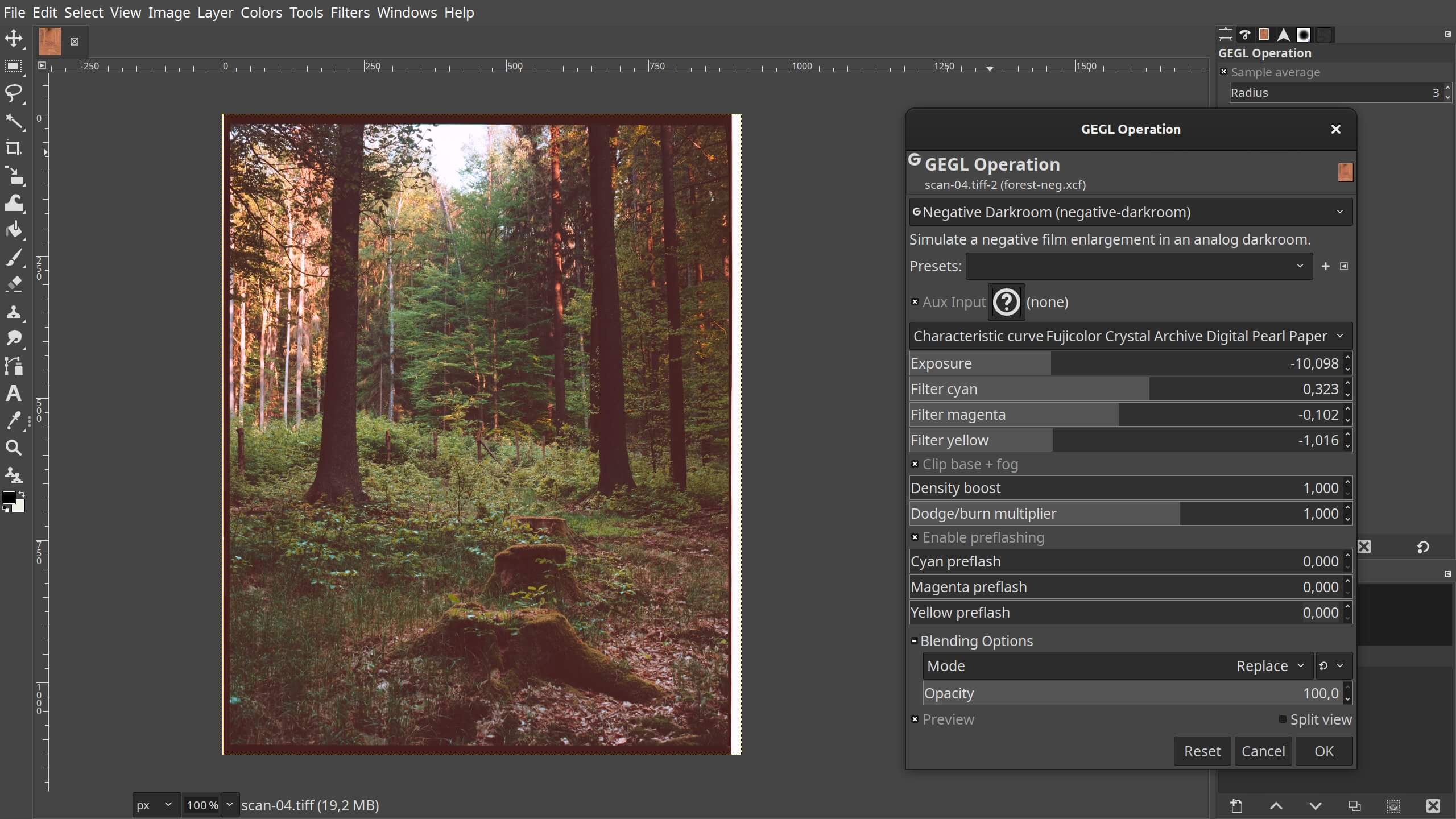
GIMP stands for the GNU Image Manipulation Program, a freely distributed program for photo retouching, image composition and image authoring.
It has a large feature set. It can be used as a simple paint program, an expert quality photo retouching program, an online batch processing system, a mass production image renderer, an image format converter, etc. It also makes the task of screenshots easy.
GIMP is expandable and extensible. It is designed to be augmented with plug-ins and extensions.
The advanced scripting interface allows everything from the simplest task to the most complex image manipulation procedures to be easily scripted.
Key Features
- A full suite of painting tools including brushes, a pencil, an airbrush, cloning, etc.
- Digital retouching.
- Tile-based memory management, so image size is limited only by available disk space.
- Sub-pixel sampling for all paint tools for high-quality anti-aliasing.
- Full Alpha channel support for working with transparency.
- Layers and channels.
- Scalable Brushes.
- Fullscreen Editing.
- Color Management and Soft-proofing.
- A procedural database for calling internal GIMP functions from external programs, such as Script-Fu.
- Advanced scripting capabilities.
- Multiple undo/redo.
- Transformation tools including rotate, scale, shear and flip.
- File formats supported include GIF, JPEG, PNG, XPM, TIFF, TGA, MPEG, PS, PDF, PCX, BMP and many others.
- Selection tools including rectangle, ellipse, free, fuzzy, bezier and intelligent.
- Plug-ins that allow for the easy addition of new file formats and new effect filters.
- Support for vector layers using the GFig plug-in.
- Support for various input devices out of the box. Pressure and tilt sensitive tablets, but also a wide range of USB or MIDI controllers.
Website: www.gimp.org
Support: Documentation
Developer: First version written by Peter Mattis and Spencer Kimball. Thousands of individuals have contributed since.
License: GNU General Public License v3.0
GIMP is written in C. Learn C with our recommended free books and free tutorials.
Related Software
| Painting Tools | |
|---|---|
| Krita | Edit and paint images; part of the KOffice office suite |
| MyPaint | Paint program with dynamic brushes for graphic tablets |
| GIMP | GNU Image Manipulation Program |
| Drawpile | Draw, paint, sketch and animate |
| AzPainter | Full color painting software |
| Pinta | Mimics the usability of Paint.Net |
| GrafX2 | Inspired by the Amiga programs Deluxe Paint and Brilliance |
| Photoflare | Cross-platform image editor |
| LazPaint | Image editor with layers and transparency |
| Tux Paint | Drawing and painting software designed for children |
| CinePaint | Tools for painting, manipulation and image processing |
| dibuja | Simple to use paint program like Paintbrush for Mac or classic MS Paint |
| VPaint | Experimental prototype based on the Vector Graphics Complex |
| Milton | Infinite-canvas paint program |
| Drawing | Basic raster image editor similar to Microsoft Paint |
| Vara | Minimalist digital painting tool |
| Textual Paint | MS Paint in your terminal |
| CorePaint | Paint app for C Suite |
| InfiniPaint | Collaborative, infinite space, infinite zoom, canvas note-taking/drawing app |
| Brushshe | Simple and user-friendly raster graphics editor |
| BlockPaint | Terminal-based painting tool |
| KolourPaint | Easy-to-use paint program by KDE |
| Alchemy | Non-orthodox painting tool experimenting with alternative ways of drawing |
Read our verdict in the software roundup.
| Screen Capture Tools | |
|---|---|
| Spectacle | Simple KDE application for capturing desktop screenshots |
| Ksnip | Qt-based cross-platform tool that provides many annotation features |
| Shutter | Feature-rich screenshot program |
| flameshot | Complete screen capture and snipping tool with unique features |
| ScreenGrab | Competent Qt-based tool |
| swappy | Wayland native snapshot editing tool |
| CoreShot | Simple lightweight screen capture utility for C-Suite |
| gscreenshot | Graphical interface and command line frontend for multiple backends |
| GIMP | The GNU Image Manipulation Program |
| GNOME Screenshot | Screen capture tool for GNOME |
| wayscrollshot | Scrolling screenshot tool for Wayland |
| SnipText | Screen capture OCR tool |
| Perl Screenshot Tool | Works best on X11. It also supports Gnome Wayland |
Read our verdict in the software roundup.
 Explore our comprehensive directory of recommended free and open source software. Our carefully curated collection spans every major software category. Explore our comprehensive directory of recommended free and open source software. Our carefully curated collection spans every major software category.This directory is part of our ongoing series of informative articles for Linux enthusiasts. It features hundreds of detailed reviews, along with open source alternatives to proprietary solutions from major corporations such as Google, Microsoft, Apple, Adobe, IBM, Cisco, Oracle, and Autodesk. You’ll also find interesting projects to try, hardware coverage, free programming books and tutorials, and much more. Discovered a useful open source Linux program that we haven’t covered yet? Let us know by completing this form. |
Please read our Comment Policy before commenting.