

VPaint is an experimental prototype based on the Vector Graphics Complex (VGC). The software is in beta.
It allows you to create resolution-independent illustrations and animations using innovative techniques.
This is free and open source software.
Key Features
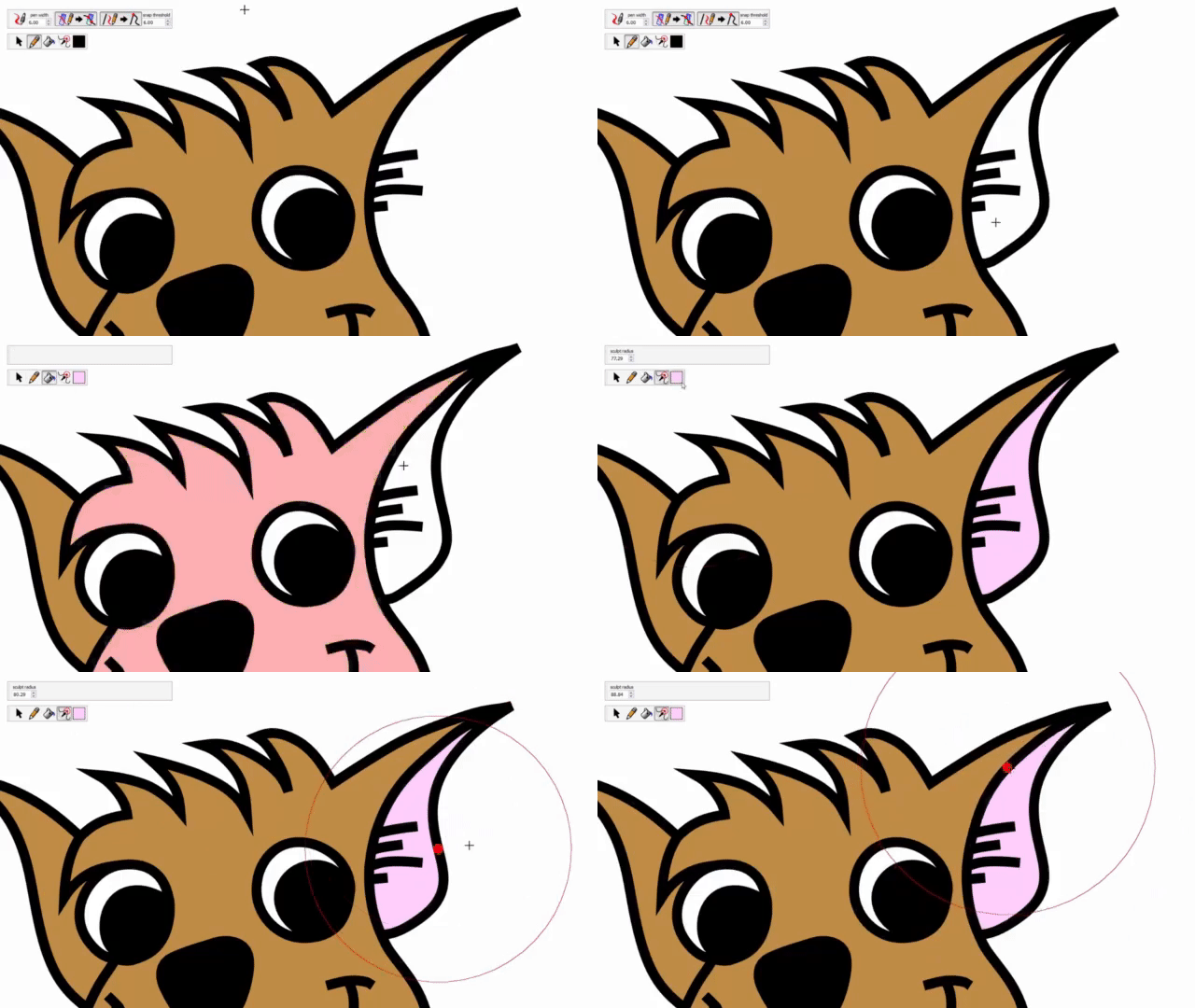
- Free-form sketching – lines composing your illustration or animation are not Bezier curves, but hand-drawn curves called edges.
- Sculpting edges can be easily edited à la ZBrush: simply push the curve using our sculpting tool.
- Painting – paint bucket tool.
- Animation – timeline to let you create an animation by drawing several frames, and you can easily play/pause, and go one frame left or one frame right. You can either draw everything frame by frame, or copy elements from some frame and paste them at another frame. You can also do a special paste called motion-paste to paste elements several frames away with automatic inbetweening.
- Onion skinning – overlay several adjacent frames of the animation at the same time. Also, you can split the view into as many views as you want, to show and edit side by side different frames of your animation.
Website: www.vpaint.org
Support: GitHub Code Repository
Developer: Boris Dalstein
License: Apache 2.0 License
VPaint is written in C++. Learn C++ with our recommended free books and free tutorials.
Related Software
| Vector Graphics Editors | |
|---|---|
| Inkscape | Vector-based drawing program |
| Graphite | 2D vector and raster editor |
| OpenPencil | Combines visual design tools with automation facilities |
| SVG-edit | Complete vector graphics editor in the browser (in JavaScript) |
| Xfig | Draw and manipulate objects interactively |
| GodSVG | Editor for Scalable Vector Graphics files |
| LibreOffice Draw | Vector graphics editor and diagramming tool |
| LateXDraw | Vector drawing program for LaTeX using PSTricks |
| sK1 | High quality illustration program |
| VPaint | Experimental vector graphics and 2D animation editor |
| Karbon | Vector drawing and editing application |
| Ipe | Extensible drawing editor |
Read our verdict in the software roundup.
 Explore our carefully curated directory of recommended free and open source software, covering every major software category. Explore our carefully curated directory of recommended free and open source software, covering every major software category.The directory forms part of our extensive collection of articles for Linux enthusiasts. It includes hundreds of detailed reviews, together with free and open source alternatives to proprietary software from companies such as Google, Microsoft, Apple, Adobe, IBM, Cisco, Oracle, and Autodesk. LinuxLinks also covers interesting projects worth exploring, Linux-compatible hardware, free programming books and tutorials, and much more. Know a useful free and open source Linux application that we haven’t covered? Tell us about it using our submission form. |