
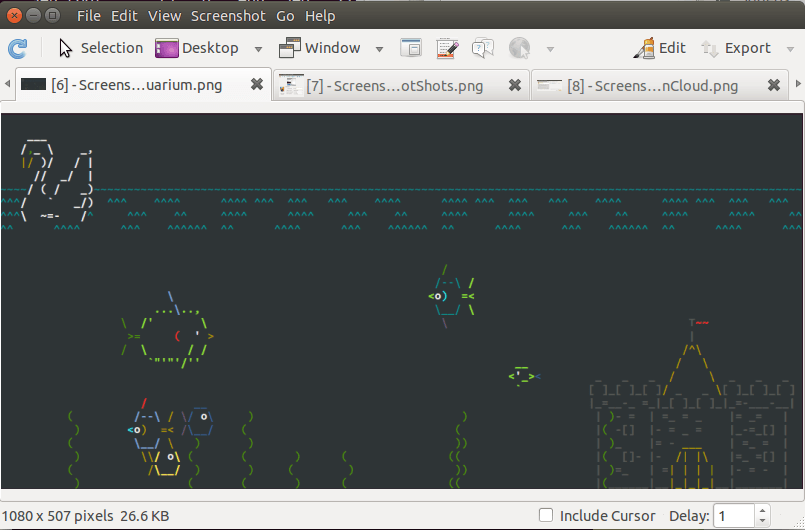
Shutter is a feature-rich, open source, screenshot application.
You can take a screenshot of a specific area, window, your whole screen, or even of a website – apply different effects to it, draw on it to highlight points, and then upload to an image hosting site, all within one window.
There are packages available for popular Linux distributions.
Key Features
- Take a screenshot of:
- a specific area.
- window.
- the complete desktop.
- web pages from a script.
- Capture all workspaces as one image.
- Apply different effects to the screenshot.
- Hotkeys.
- Print.
- Undo/Redo functionality.
- Take screenshot directly or with a specified delay time.
- Save the screenshots to a specified directory and name them in a convenient way (using special wild-cards).
- Send screenshots via email or instant messenger.
- Fully integrated into the GNOME Desktop (TrayIcon etc).
- Generate thumbnails directly when you are taking a screenshot and set a size level in %.
- Shutter session collection:
- Keep track of all screenshots during session.
- Copy screeners to clipboard.
- Print screenshots.
- Delete screenshots.
- Rename your file.
- Import images from clipboard.
- Drag and drop pics into Shutter.
- Upload your files directly to Image-Hosters (e.g. https://ubuntu-pics.de), retrieve all the needed links and share them with others.
- Upload plugins for Dropbox, ImageBanana, ImageShack, Imgur, ImmIO, ITmages, Minus, Omploader, ToileLibre, TwitPic, and UbuntuPics.
- Support for Gnome-Shell.
- Export to PostScript, PDF, SVG and a lot more formats.
- Edit screenshots directly using the embedded drawing tool.
- Internationalization support – wide range of languages are supported.
Website: shutter-project.org
Support: Blog, Launchpad
Developer: Mario Kemper and Shutter Team
License: GNU General Public License v3.0
Shutter is written in Perl. Learn Perl with our recommended free books and free tutorials.
Related Software
| Screen Capture Tools | |
|---|---|
| Spectacle | Simple KDE application for capturing desktop screenshots |
| Ksnip | Qt-based cross-platform tool that provides many annotation features |
| flameshot | Complete screen capture and snipping tool with unique features |
| Shutter | Feature-rich screenshot program |
| ScreenGrab | Competent Qt-based tool |
| Satty | Modern screenshot annotation utility with a clean interface |
| swappy | Wayland native snapshot editing tool |
| CoreShot | Simple lightweight screen capture utility for C-Suite |
| gscreenshot | Graphical interface and command line frontend for multiple backends |
| GIMP | The GNU Image Manipulation Program |
| shotman | Lightweight screenshot tool designed for Wayland desktops |
| GNOME Screenshot | Screen capture tool for GNOME |
| xfce4-screenshooter | Flexible screenshot utility for the Xfce desktop environment |
| wayscrollshot | Scrolling screenshot tool for Wayland |
| SnipText | Screen capture OCR tool |
| Perl Screenshot Tool | Works best on X11. It also supports Gnome Wayland |
Read our verdict in the software roundup.
 Explore our carefully curated directory of recommended free and open source software, covering every major software category. Explore our carefully curated directory of recommended free and open source software, covering every major software category.The directory forms part of our extensive collection of articles for Linux enthusiasts. It includes hundreds of detailed reviews, together with free and open source alternatives to proprietary software from companies such as Google, Microsoft, Apple, Adobe, IBM, Cisco, Oracle, and Autodesk. LinuxLinks also covers interesting projects worth exploring, Linux-compatible hardware, free programming books and tutorials, and much more. Know a useful free and open source Linux application that we haven’t covered? Tell us about it using our submission form. |
Please read our Comment Policy before commenting.