

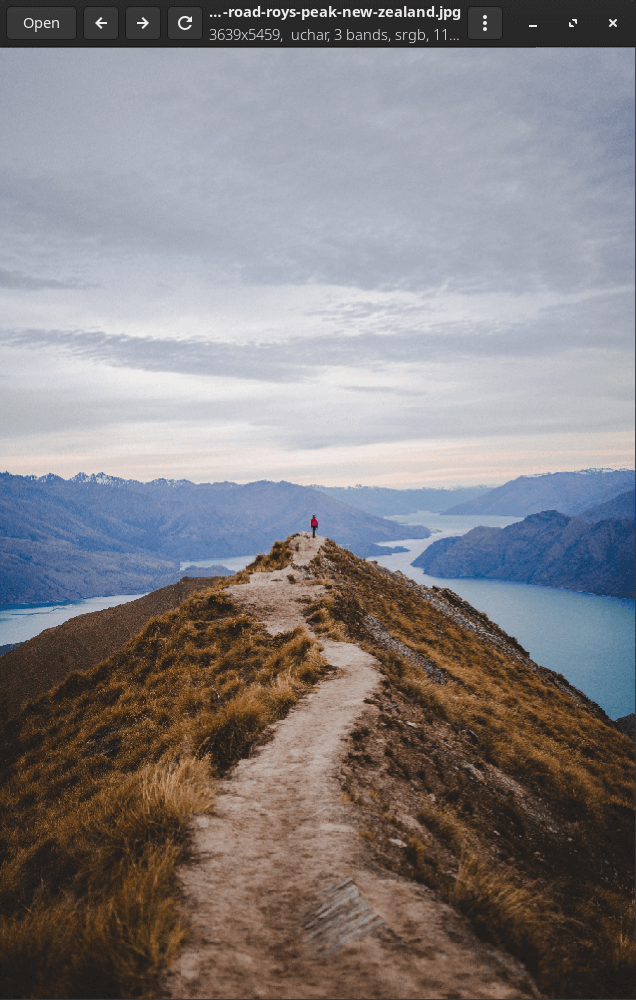
vipsdisp is a tiny libvips / GTK+4 image viewer.
It can display huge (many, many GB) images quickly and without consuming much memory.
This is free and open source software.
Key Features
- Supports many scientific and technical image formats, including TIFF, WEBP, JP2K, JXL, AVIF, HEIC, PNG, JPEG, SVS, MRXS, OpenEXR, GIF, PDF, SVG, FITS, Matlab, NIfTI, Analyze, etc.
- Supports pixel types from 1 bit mono to 128-bit double precision complex.
- Doesn’t need to keep the whole image in memory. It will only read parts that it needs for display, and it understands most pyramidal image formats. This means you can open and view huge images quickly.
- Threaded, asynchronous display repaint, so pixels are computed in the background by a pool of workers. The interface stays live even under very heavy load.
- Keeps a sparse pyramid of computed tiles as textures on the GPU. Each frame, it computes the set of visible tiles, and then the GPU scales, positions and composites just those tiles to the screen. CPU load should be low (except for the background workers heh). Hold down i (for “in”) or + to do a smooth zoom on the cursor. If you press “d” it toggles a debug display mode which shows the tiles being computed.
- Select Display control bar from the top-right menu and a useful set of visualization options appear. It supports four main display modes: Toilet roll (sorry), Multipage, Animated, and Pages as Bands.
- In Toilet roll mode, a multi-page image is presented as a tall, thin strip of images. In Multipage, you see a single page at a time, with a page-select spinner (you can also use the
crtl-<andctrl->keys to flip pages). In animated mode, pages flip automatically on a timeout. In pages-as-bands mode, many-page single-band images (eg. OME-TIFF) are presented as a single colour image. - Select falsecolour and log-scale filters, useful for many scientific images. Scale and offset sliders let you adjust image brightness to see into darker areas (useful for HDR and many scientific images).
- Select Save as to write an image. It can write most common formats, and lets you set file save options. It can write things like DeepZoom pyramids, PFM, OpenEXR, and so on.
- Select Properties (alt-Enter) to see image metadata. It can display large amounts of metadata (useful for eg. DICOM) with filtering.
- Use alt-Left and alt-Right to move between the set of images being displayed, handy for browsing a directory of images. If you drag or load a set of images, it’ll flip between the images in the set. If you drag or load a single image, it’ll flip between all the images in that directory.
- Keeps the most recent three views live, so you can flip between them very quickly, and all view settings are preserved. This is handy for comparing details on two images.
Duplicate windowcrtl-D makes a copy of the window, so you can compare two images side by side.- Supports copy/paste and drag/drop of filenames, sets of filenames, and textures. You can paste from the screenshot tool, or drag-drop images from your file browser, for example.
- Uses the GTK4 GUI toolkit, so the interface is fast, attractive and nicely animated. The image is rendered with the GPU, so display ought to be quick.
Website: github.com/libvips/vipsdisp
Support:
Developer: John Cupitt
License: MIT License
vipsdisp is written in C. Learn C with our recommended free books and free tutorials.
Related Software
| Graphical Image Viewers | |
|---|---|
| feh | Fast and light Imlib2-based image viewer |
| Regards | Modern image viewer with OpenGL/OpenCL support |
| Loupe | Written with GTK 4, Libadwaita and Rust |
| PhotoQT | Good looking, highly configurable, yet easy to use and fast |
| gThumb | Advanced image viewer and browser |
| Geeqie | Lightweight Gtk+ based image viewer |
| qimgv | Qt5 image viewer with video support |
| Vooki | Lightweight viewer with fast image preview |
| Gwenview | Simple image viewer for KDE |
| QuickViewer | Graphic image viewer for comfortable browsing |
| nomacs | Handles most image formats including RAW images |
| qView | Image viewer designed with minimalism and usability in mind |
| Oculante | Hardware-accelerated image viewer |
| GPicView | Simple and fast image viewer |
| Tacent View | Image and texture viewer |
| FIM | Viewer which is highly customizable and scriptable |
| Eye of Gnome | Fast and functional image viewer |
| vipsdisp | Tiny GTK+ image viewer |
| Pineapple Pictures | Lightweight image viewer with Stay-on-Top window |
| Viewnior | Designed with usability in mind |
| sxiv | Simple X Image Viewer |
| PreviewQt | Preview all kinds of files |
| pqiv | Powerful image viewer with minimal UI |
| Ristretto | View and scroll through images |
| QIV | Quick Image Viewer |
| Fotema | Simple photo gallery software |
| CoreImage | Lightweight image viewer; part of the C suite |
| swayimg | Image viewer for Wayland |
| ParaPara | Lightweight and high-speed operation |
| Eye of MATE | Simple graphics viewer for the MATE Desktop Environment |
| LXImage-Qt | LXQt image viewer and screenshot tool |
| Mirage | Fast and simple GTK+ image viewer |
| PixelViewer | .NET based cross-platform image viewe |
| Pix | Image viewer and browser utility which is based on gThumb |
| ImageFan Reloaded | Tab-based image viewer |
| BeeRef | Simple reference image viewer |
| Ephoto | Image viewer based on the EFL |
| SphereView | 360° equirectangular photospheres and panoramas |
| Imagot | Basic graphical image viewer |
| flxvwr | Image viewer written in Go using the Fyne toolkit |
| Blackbody | Thermogram viewer. It allows viewing FLIR and TIFF images |
| Lightning Image Viewer | Fast and lightweight desktop image viewer |
| roseate | Simple image viewer |
| ImageGlass | Versatile image viewer |
| nsxiv | Fork of sxiv |
Read our verdict in the software roundup.
 Explore our comprehensive directory of recommended free and open source software. Our carefully curated collection spans every major software category. Explore our comprehensive directory of recommended free and open source software. Our carefully curated collection spans every major software category.This directory is part of our ongoing series of informative articles for Linux enthusiasts. It features hundreds of detailed reviews, along with open source alternatives to proprietary solutions from major corporations such as Google, Microsoft, Apple, Adobe, IBM, Cisco, Oracle, and Autodesk. You’ll also find interesting projects to try, hardware coverage, free programming books and tutorials, and much more. Discovered a useful open source Linux program that we haven’t covered yet? Let us know by completing this form. |
Please read our Comment Policy before commenting.