

One of our favorite adages is “A picture is worth a thousand words”. It refers to the notion that a still image can convey a complex idea. Images can portray a lot of information quickly and more efficiently than text. They capture memories, and never let you forget something you want to remember, and refresh it in your memory.
Images are part of every day internet usage, and are particularly important for social media engagement. A good image viewer is an essential part of any operating system.
BeeRef is not like a traditional image viewer. This application lets you quickly arrange your reference images and view them while you create. This is free and open source software.
Installation
We tested BeeRef using Manjaro, an Arch-based distro, as well as Ubuntu.
With Manjaro, Pamac (Manjaro’s front-end installation tool) lets us install BeeRef from the Arch User Repository (AUR) or from a Flatpak. We chose the Flatpak.
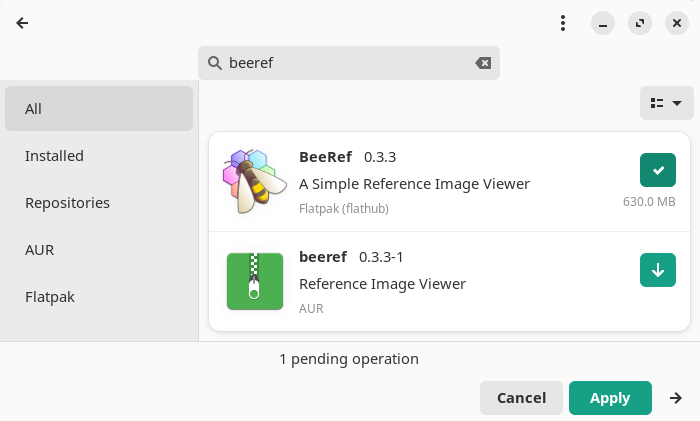
The project also provides an AppImage.
This is cross-platform software. Besides Linux, it runs under macOS and Windows.
In Operation
BeeRef is designed to offer a minimal interface so as not to interfere with your creative juices.
On startup, you’ll see a simple window with no traditional menu (although this can be enabled).
As the window explains, you can get started by pasting or dropping images into the window.
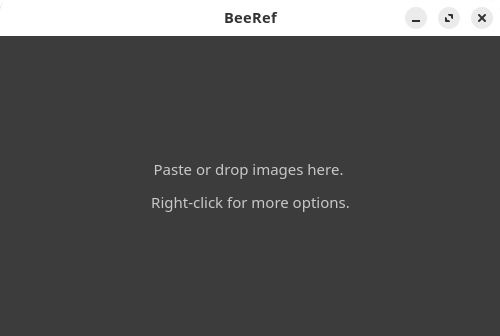
The title bar can be disabled which lets BeeRef float above other graphics software.
There are a variety of tools available. The software lets you move, scale, rotate, crop and flip images. In the image below, we’ve pasted a few images and started to manipulate them.
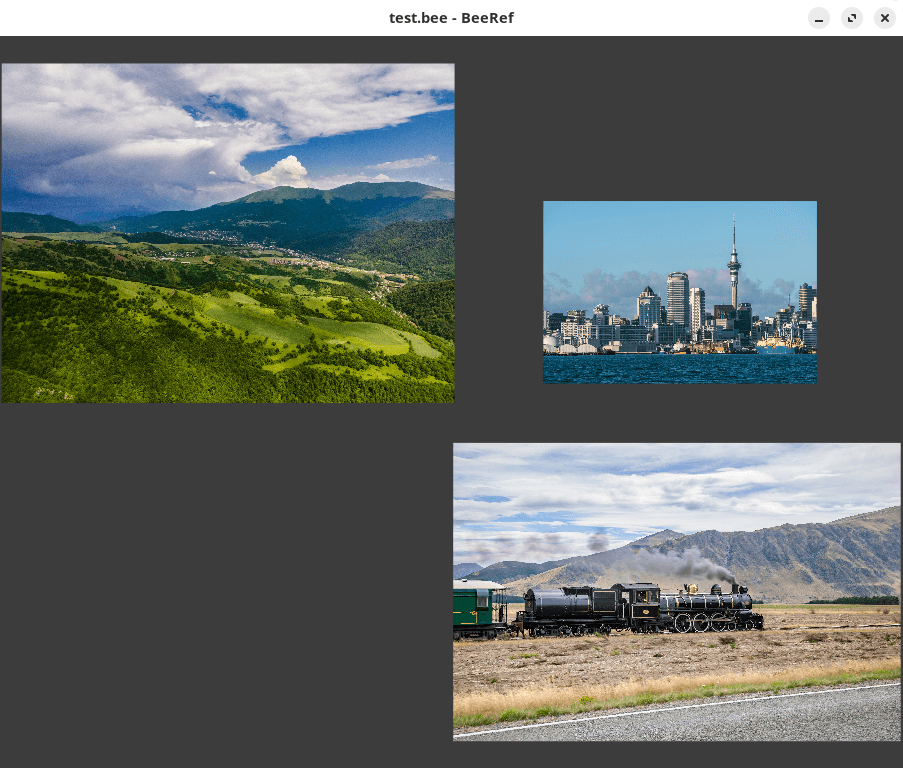
Images can be mass-arranged vertically or horizontally and mass-scaled. Besides inserting images, text notes can also be added.
Other features include:
- Image smoothing/antialiasing.
- Color sampler which can copy colors from images to the clipboard in hex format.
- Opacity of images can be changed.
- Images can be set to display as grayscale.
- Image transparency and canvas transparency.
- Panning.
- A scene can be reported to a single image (PNG, JPEG, and SVG formats are supported).
- Keyboard shortcuts, mouse and mouse wheel controls are configurable.
Summary
BeeRef is a basic image tool but it’s a pretty neat way to organize your inspiration. Think of it as a free and open source alternative to PureRef. The software is in an early stage of development.
Images are embedded into the bee file as PNG or JPG. The bee file format is a sqlite database inside which the images are stored in an sqlar table.
Website: github.com/rbreu/beeref
Support:
Developer: Rebecca Breu
License: GNU General Public License v3.0
BeeRef is written in Python. Learn Python with our recommended free books and free tutorials.
Related Software
| Graphical Image Viewers | |
|---|---|
| feh | Fast and light Imlib2-based image viewer |
| Regards | Modern image viewer with OpenGL/OpenCL support |
| Loupe | Written with GTK 4, Libadwaita and Rust |
| PhotoQT | Good looking, highly configurable, yet easy to use and fast |
| gThumb | Advanced image viewer and browser |
| Geeqie | Lightweight Gtk+ based image viewer |
| qimgv | Qt5 image viewer with video support |
| Vooki | Lightweight viewer with fast image preview |
| Gwenview | Simple image viewer for KDE |
| QuickViewer | Graphic image viewer for comfortable browsing |
| nomacs | Handles most image formats including RAW images |
| qView | Image viewer designed with minimalism and usability in mind |
| Oculante | Hardware-accelerated image viewer |
| GPicView | Simple and fast image viewer |
| Tacent View | Image and texture viewer |
| FIM | Viewer which is highly customizable and scriptable |
| Eye of Gnome | Fast and functional image viewer |
| vipsdisp | Tiny GTK+ image viewer |
| Pineapple Pictures | Lightweight image viewer with Stay-on-Top window |
| Viewnior | Designed with usability in mind |
| sxiv | Simple X Image Viewer |
| PreviewQt | Preview all kinds of files |
| pqiv | Powerful image viewer with minimal UI |
| Ristretto | View and scroll through images |
| QIV | Quick Image Viewer |
| Fotema | Simple photo gallery software |
| CoreImage | Lightweight image viewer; part of the C suite |
| swayimg | Image viewer for Wayland |
| ParaPara | Lightweight and high-speed operation |
| Eye of MATE | Simple graphics viewer for the MATE Desktop Environment |
| LXImage-Qt | LXQt image viewer and screenshot tool |
| Mirage | Fast and simple GTK+ image viewer |
| PixelViewer | .NET based cross-platform image viewe |
| Pix | Image viewer and browser utility which is based on gThumb |
| ImageFan Reloaded | Tab-based image viewer |
| BeeRef | Simple reference image viewer |
| Ephoto | Image viewer based on the EFL |
| SphereView | 360° equirectangular photospheres and panoramas |
| Imagot | Basic graphical image viewer |
| flxvwr | Image viewer written in Go using the Fyne toolkit |
| Blackbody | Thermogram viewer. It allows viewing FLIR and TIFF images |
| Lightning Image Viewer | Fast and lightweight desktop image viewer |
| roseate | Simple image viewer |
| ImageGlass | Versatile image viewer |
| nsxiv | Fork of sxiv |
Read our verdict in the software roundup.
 Explore our comprehensive directory of recommended free and open source software. Our carefully curated collection spans every major software category. Explore our comprehensive directory of recommended free and open source software. Our carefully curated collection spans every major software category.This directory is part of our ongoing series of informative articles for Linux enthusiasts. It features hundreds of detailed reviews, along with open source alternatives to proprietary solutions from major corporations such as Google, Microsoft, Apple, Adobe, IBM, Cisco, Oracle, and Autodesk. You’ll also find interesting projects to try, hardware coverage, free programming books and tutorials, and much more. Discovered a useful open source Linux program that we haven’t covered yet? Let us know by completing this form. |
Please read our Comment Policy before commenting.