

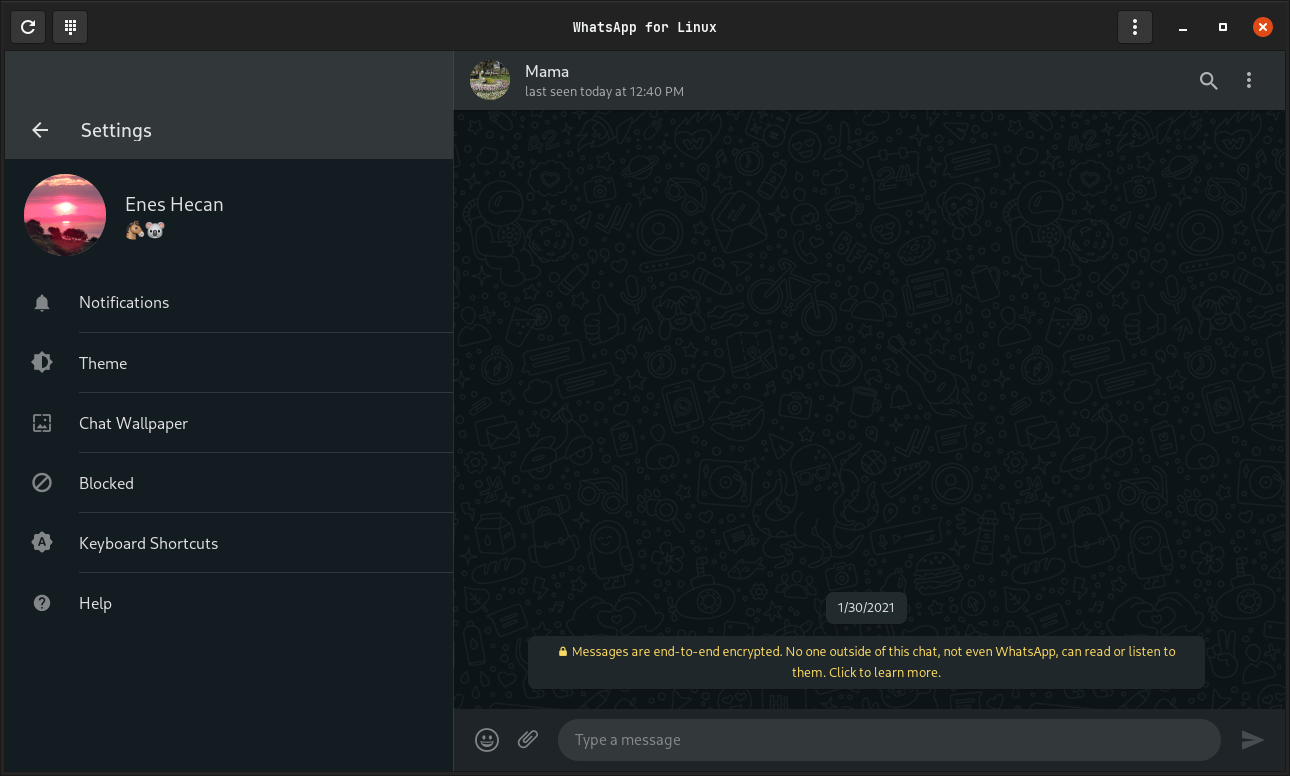
WasIstLos is an unofficial WhatsApp desktop application for Linux. It provides access to WhatsApp Web through a dedicated window, using gtkmm and WebKitGTK to integrate the messaging service with the desktop.
The application is designed for users who prefer a standalone messaging client to keeping WhatsApp open in a browser tab. It provides familiar desktop controls, including a system tray icon, notification sounds, fullscreen operation and the ability to start automatically when logging in.
WasIstLos retains the core messaging functionality supplied by WhatsApp Web, including text conversations, group chats and the sharing of supported media and documents. The application itself adds controls for adjusting the interface, managing the main window and opening conversations using a telephone number.
The interface can follow the system language, while spell checking uses the corresponding installed dictionary. WhatsApp-specific keyboard shortcuts are adapted for desktop use, and the application header bar can be hidden to provide more space for conversations.
The project’s repository has been archived by its developer and is now read-only. Its source code remains publicly available, although compatibility with subsequent changes to WhatsApp Web is not guaranteed.
This is free and open source software.
Key Features
- Access WhatsApp Web in a standalone desktop application.
- Send and receive text messages using the WhatsApp Web interface.
- Participate in group conversations and exchange supported media and documents.
- System tray icon for convenient access to the application.
- Notification sounds for incoming messages.
- Automatically launch the application when logging in.
- Fullscreen mode for using the available display space.
- Zoom in and out to adjust the size of the messaging interface.
- Show or hide the application header bar using Alt+H.
- WhatsApp-specific keyboard shortcuts adapted to use the Alt key.
- Interface localisation based on the system language.
- Spell checking using dictionaries installed on the system.
- Open a WhatsApp conversation directly using a telephone number.
- Desktop integration through gtkmm and WebKitGTK.
Website: github.com/xeco23/WasIstLos
Support:
Developer: Enes Hecan
License: GNU General Public License v3.0
WasIstLos is written in C++. Learn C++ with our recommended free books and free tutorials.
Related Software
| WhatsApp Clients | |
|---|---|
| Franz | Messaging app for WhatsApp, Slack, and others |
| WhatSie | Feature rich WhatsApp web client based on Qt WebEngine |
| nchat | Terminal-based chat client |
| ZapZap | Progressive Web Application |
| Karere | Native GTK4 application |
| Youp | WhatsApp wrapper |
| Whatsit | Native desktop client for WhatsAp |
| WasIstLos | Unofficial WhatsApp desktop application written in C++ |
| ElecWhat | Simple desktop WhatsApp client |
| Whatevr | Uses whatsmeow to access the WhatsApp web multidevice API |
| WhatsApp Desktop | Wraps the official WhatsApp Web interface |
Read our verdict in the software roundup.
 LinuxLinks helps you discover the best free and open source software for Linux. Explore our extensive collection of recommended applications, including alternatives to popular proprietary software. We also publish software reviews, Linux tutorials, hardware reviews, free programming books and articles covering the wider open source community. Browse our Linux resources to discover more. Know a useful free and open source Linux application we haven't covered? Suggest a program for inclusion. Has your software been featured on LinuxLinks? Display one of our Featured on LinuxLinks badges on your website or GitHub README. |
Please read our Comment Policy before commenting.