

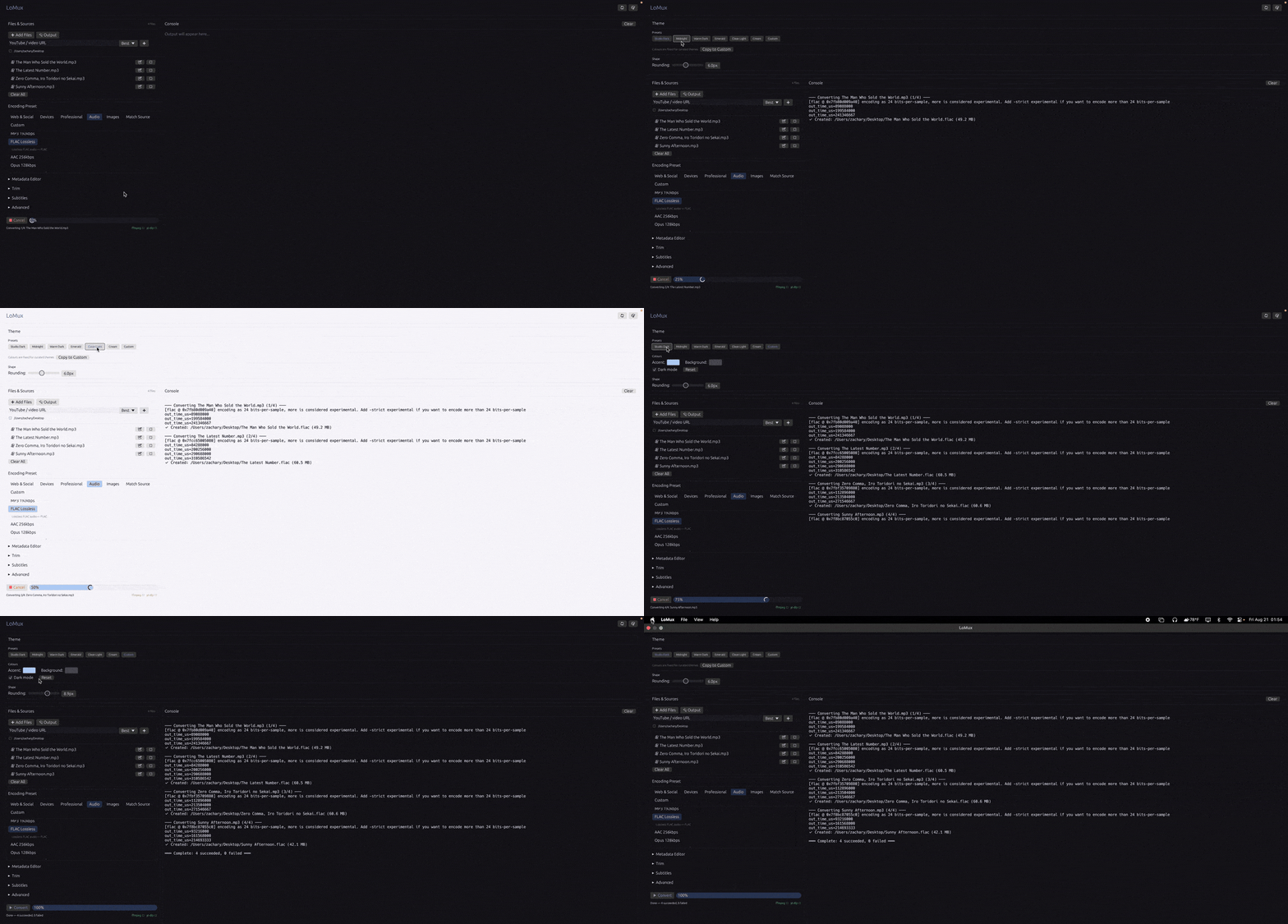
LoMux is a graphical media converter that places a streamlined desktop interface around FFmpeg. It targets users who want powerful transcoding facilities without repeatedly constructing long FFmpeg command lines.
The program handles video, audio, and image conversion and provides presets for common publishing platforms, professional intermediate formats, general-purpose codecs, and audio workflows. Users who need more control can define encoding parameters themselves.
yt-dlp integration is optional and extends the workflow to downloading online video before processing it through the same conversion pipeline.
This is free and open source software.
Key Features
- Queues multiple media files for batch conversion.
- Provides presets for web platforms, professional video formats, and audio output.
- Offers custom codec, container, bitrate, and CRF controls.
- Generates image sequences from video.
- Extracts individual video frames and converts still images.
- Supports per-file in and out points for trimming.
- Provides EBU R128 loudness normalization through FFmpeg’s loudnorm filter.
- Can burn subtitles into video or attach them as a separate subtitle track.
- Detects whether the installed FFmpeg supports libass before attempting subtitle burn-in.
- Supports two-pass encoding for H.264, H.265, VP8, and VP9 workflows.
- Offers configurable output filename templates using media metadata.
- Imports and exports custom presets using JSON.
- Integrates with yt-dlp for downloading and converting online video.
- Edits title, artist, album, year, genre, and track metadata individually or in batches.
- Can derive artist and title metadata from filenames.
- Supports drag-and-drop file addition and cancellable batch processing.
Website: github.com/zblauser/LoMux
Support:
Developer: Zachary
License: MIT License
LoMux is written in Rust. Learn Rust with our recommended free books and free tutorials.
Related Software
| Video Converters | |
|---|---|
| HandBrake | Multithreaded cross-platform media transcoding application |
| FFmpeg | Multimedia player, server and encoder |
| Shutter Encoder | Graphical frontend to FFmpeg with editing features |
| FastFlix | GUI for H.264, HEVC and AV1 hardware and software encoding |
| Videomass | Cross-platform GUI for FFmpeg and youtube-dl |
| avconv | Part of libav-tools; fork of FFmpeg |
| VLC | Vdeo player which also converts multimedia to different formats |
| mpv | Cross-platform media player with video encoding support |
| MEncoder | MEncoder is included in MPlayer |
| FFQueue | Graphical frontend to FFmpeg written in C++ |
| Edconv | User-friendly FFmpeg GUI |
| transcode | Utility to encode raw video/audio streams |
| OmniGet | Uses FFmpeg to perform the video conversion |
| MystiQ | GUI for FFmpeg, a powerful media converter |
| Frame | Desktop media conversion utility |
| ffdash | VP9 video encoder |
| Constrict | Compress videos to target sizes |
| Leonardo | Media conversion application |
| Ciano | Easy way to convert your multimedia files to the most popular formats |
| Recoder | GTK4 video transcoding application |
| VidCom | Simple utility for video archiving and compression |
Read our verdict in the software roundup.
 Explore our comprehensive directory of recommended free and open source software. Our carefully curated collection spans every major software category. Explore our comprehensive directory of recommended free and open source software. Our carefully curated collection spans every major software category.This directory is part of our ongoing series of informative articles for Linux enthusiasts. It features hundreds of detailed reviews, along with open source alternatives to proprietary solutions from major corporations such as Google, Microsoft, Apple, Adobe, IBM, Cisco, Oracle, and Autodesk. You’ll also find interesting projects to try, hardware coverage, free programming books and tutorials, and much more. Discovered a useful open source Linux program that we haven’t covered yet? Let us know by completing this form. |
Please read our Comment Policy before commenting.