

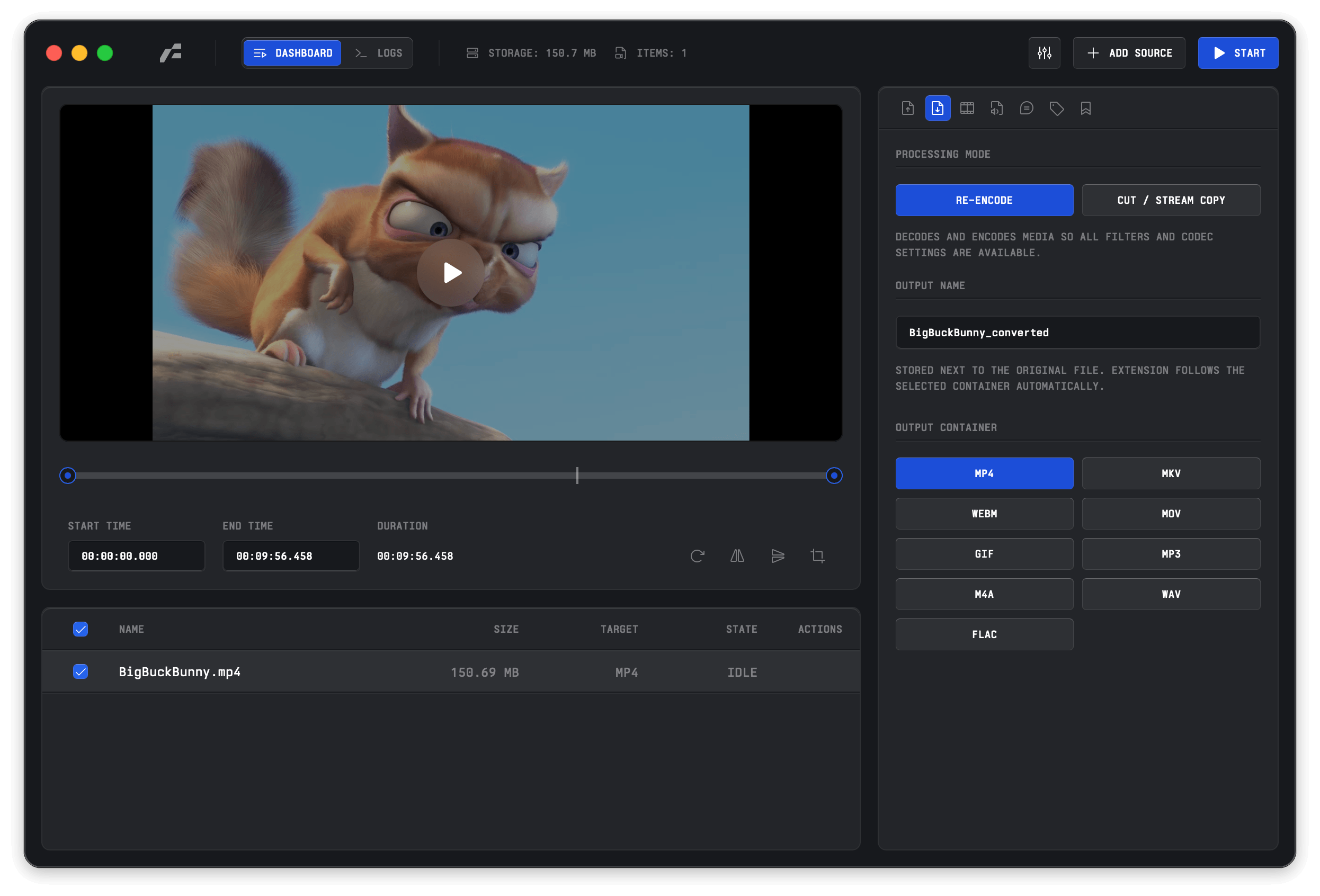
Frame is a desktop media conversion utility that provides a native graphical interface for FFmpeg.
It handles video, audio, and image conversion, and gives users fine-grained control over output settings including codecs, bitrate or CRF, resolution, framerate, audio options, and output formats. The application uses a Rust backend for task execution and monitoring, with a Svelte-based frontend for configuration and real-time status updates.
This is free and open source software.
Key Features
- Supports video, audio, and image conversion from a single desktop interface.
- Offers output formats including MP4, MKV, WebM, MOV, GIF, MP3, M4A, WAV, FLAC, PNG, JPG, WebP, BMP, and TIFF.
- Includes a range of video encoders such as H.264, H.265, VP9, ProRes, and AV1, with hardware acceleration options for supported systems.
- Provides audio and image encoding options together with scaling controls and metadata probing via ffprobe.
- Integrates Real-ESRGAN for AI upscaling of video and images.
- Saves reusable conversion presets for repeated workflows.
- Shows real-time progress information and logs while conversion jobs run.
- Uses a concurrent task queue to manage multiple FFmpeg processes efficiently.
- Includes a multilingual interface with automatic system language detection.
- Cross-platform support – runs under Linux, macOS, and Windows.
Website: github.com/66HEX/frame
Support:
Developer: 66HEX
License: GNU General Public License v3.0
Frame is written in Rust. Learn Rust with our recommended free books and free tutorials.
Related Software
| Video Converters | |
|---|---|
| HandBrake | Multithreaded cross-platform media transcoding application |
| FFmpeg | Multimedia player, server and encoder |
| Shutter Encoder | Graphical frontend to FFmpeg with editing features |
| FastFlix | GUI for H.264, HEVC and AV1 hardware and software encoding |
| Videomass | Cross-platform GUI for FFmpeg and youtube-dl |
| avconv | Part of libav-tools; fork of FFmpeg |
| VLC | Vdeo player which also converts multimedia to different formats |
| mpv | Cross-platform media player with video encoding support |
| ab-av1 | AV1 encoder with automatic quality selection through sample testing |
| MEncoder | MEncoder is included in MPlayer |
| FFQueue | Graphical frontend to FFmpeg written in C++ |
| Edconv | User-friendly FFmpeg GUI |
| transcode | Utility to encode raw video/audio streams |
| OmniGet | Uses FFmpeg to perform the video conversion |
| MystiQ | GUI for FFmpeg, a powerful media converter |
| Frame | Desktop media conversion utility |
| ffdash | VP9 video encoder |
| Constrict | Compress videos to target sizes |
| Leonardo | Media conversion application |
| Ciano | Easy way to convert your multimedia files to the most popular formats |
| Recoder | GTK4 video transcoding application |
| VidCom | Simple utility for video archiving and compression |
Read our verdict in the software roundup.
 Explore our carefully curated directory of recommended free and open source software, covering every major software category. Explore our carefully curated directory of recommended free and open source software, covering every major software category.The directory forms part of our extensive collection of articles for Linux enthusiasts. It includes hundreds of detailed reviews, together with free and open source alternatives to proprietary software from companies such as Google, Microsoft, Apple, Adobe, IBM, Cisco, Oracle, and Autodesk. LinuxLinks also covers interesting projects worth exploring, Linux-compatible hardware, free programming books and tutorials, and much more. Know a useful free and open source Linux application that we haven’t covered? Tell us about it using our submission form. |
Please read our Comment Policy before commenting.
Hi Steve. Frame is cross-platform.
Thanks Torin. Article updated.