

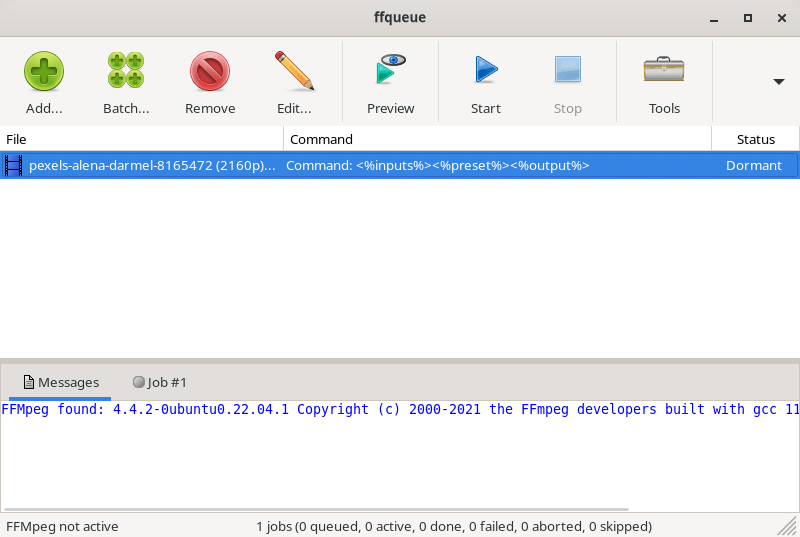
FFQueue is a graphical user interface for FFMpeg with comprehensive support for both the basic features but also the more advanced features like filtergraphs. FFQueue makes it easy to create multiple jobs and process them as a single queue.
FFQueue can sort out the most significant output from FFMpeg and display it in the graphical console and save it to a HTML-based (color coded) logfile for easy review when the queue has been processed.
This is free and open source software.
Key Features
- Process multiple encoding jobs.
- Progress indication with remaining time.
- Create reusable (or temporary) presets for easy job creation.
- Batch creation for multiple jobs (Drag & Drop support).
- Autodetect subtitles or audio from external files.
- Two-pass encoding with handling of temporary files.
- Create thumbnails and / or mosaics through presets or Thumb make tool.
- Specify custom command-line (with or without preset) to cover all FFmpeg functionality.
- Display advanced stream information for media files.
- Easy burn-in of subtitles (both text and bitmap based subtitles are supported).
- Make video from images (create slideshow) with optional audio track.
- Concatenate multiple media files (audio / video) into a single file.
- Two pass video stabilization (utilizing vidstab* filters).
- Solid support for FFMpeg filtergraphs .
- Support for both 32bit and 64bit FFmpeg
Website: ffqueue.bruchhaus.dk
Support: GitHub Code Repository
Developer: Torben Bruchhaus
License: GNU General Public License v3.0
FFQueue is written in C++. Learn C++ with our recommended free books and free tutorials.
Related Software
| Video Converters | |
|---|---|
| HandBrake | Multithreaded cross-platform media transcoding application |
| FFmpeg | Multimedia player, server and encoder |
| Shutter Encoder | Graphical frontend to FFmpeg with editing features |
| FastFlix | GUI for H.264, HEVC and AV1 hardware and software encoding |
| Videomass | Cross-platform GUI for FFmpeg and youtube-dl |
| avconv | Part of libav-tools; fork of FFmpeg |
| VLC | Vdeo player which also converts multimedia to different formats |
| mpv | Cross-platform media player with video encoding support |
| MEncoder | MEncoder is included in MPlayer |
| FFQueue | Graphical frontend to FFmpeg written in C++ |
| Edconv | User-friendly FFmpeg GUI |
| transcode | Utility to encode raw video/audio streams |
| OmniGet | Uses FFmpeg to perform the video conversion |
| MystiQ | GUI for FFmpeg, a powerful media converter |
| Frame | Desktop media conversion utility |
| ffdash | VP9 video encoder |
| Constrict | Compress videos to target sizes |
| Leonardo | Media conversion application |
| Ciano | Easy way to convert your multimedia files to the most popular formats |
| Recoder | GTK4 video transcoding application |
| VidCom | Simple utility for video archiving and compression |
Read our verdict in the software roundup.
 Explore our comprehensive directory of recommended free and open source software. Our carefully curated collection spans every major software category. Explore our comprehensive directory of recommended free and open source software. Our carefully curated collection spans every major software category.This directory is part of our ongoing series of informative articles for Linux enthusiasts. It features hundreds of detailed reviews, along with open source alternatives to proprietary solutions from major corporations such as Google, Microsoft, Apple, Adobe, IBM, Cisco, Oracle, and Autodesk. You’ll also find interesting projects to try, hardware coverage, free programming books and tutorials, and much more. Discovered a useful open source Linux program that we haven’t covered yet? Let us know by completing this form. |
Please read our Comment Policy before commenting.