

Meloville is a desktop music player designed for listening to and managing a local music collection.
Meloville takes a more visual approach than many traditional Linux music players, with album artwork playing a prominent role throughout the interface. Besides the usual library and playlist functionality, there are synced lyrics, metadata editing, a full-screen Big Picture mode, MPRIS integration and a feature for sharing the currently playing track with another listener.
This is free and open source software.
Installation
I evaluated Meloville using CachyOS, an Arch-based distribution.
The developer maintains a separate repository containing an Arch Linux PKGBUILD. Clone it with:
$ git clone https://github.com/NevPeth/meloville-arch
Change into the directory:
$ cd meloville-arch
and build and install the package with:
$ makepkg -si
This creates a native package which is then installed and tracked by pacman.
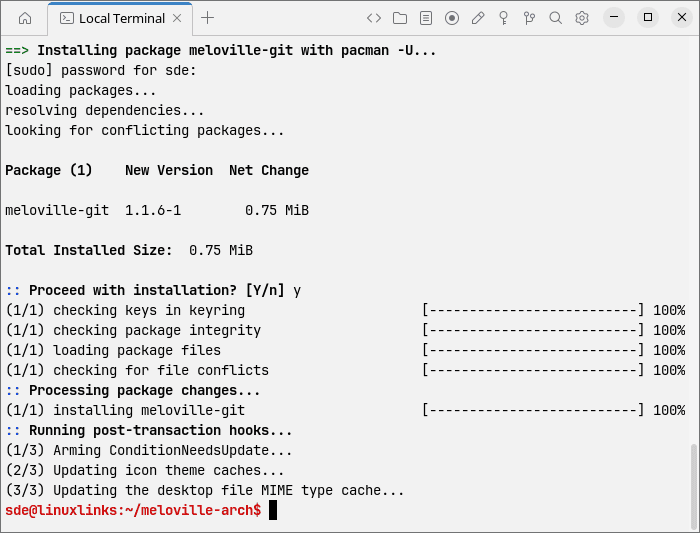
The developer also provides packaging for Fedora, although I didn’t test it. Other distributions aren’t officially supported at present, but the software can be built from source.
In Operation
On first run, you’re prompted to open your music folder. For testing, we use a very small collection of albums released under Creative Commons licences. Meloville opens with the focus firmly on the music collection rather than presenting a sparse set of playback controls.
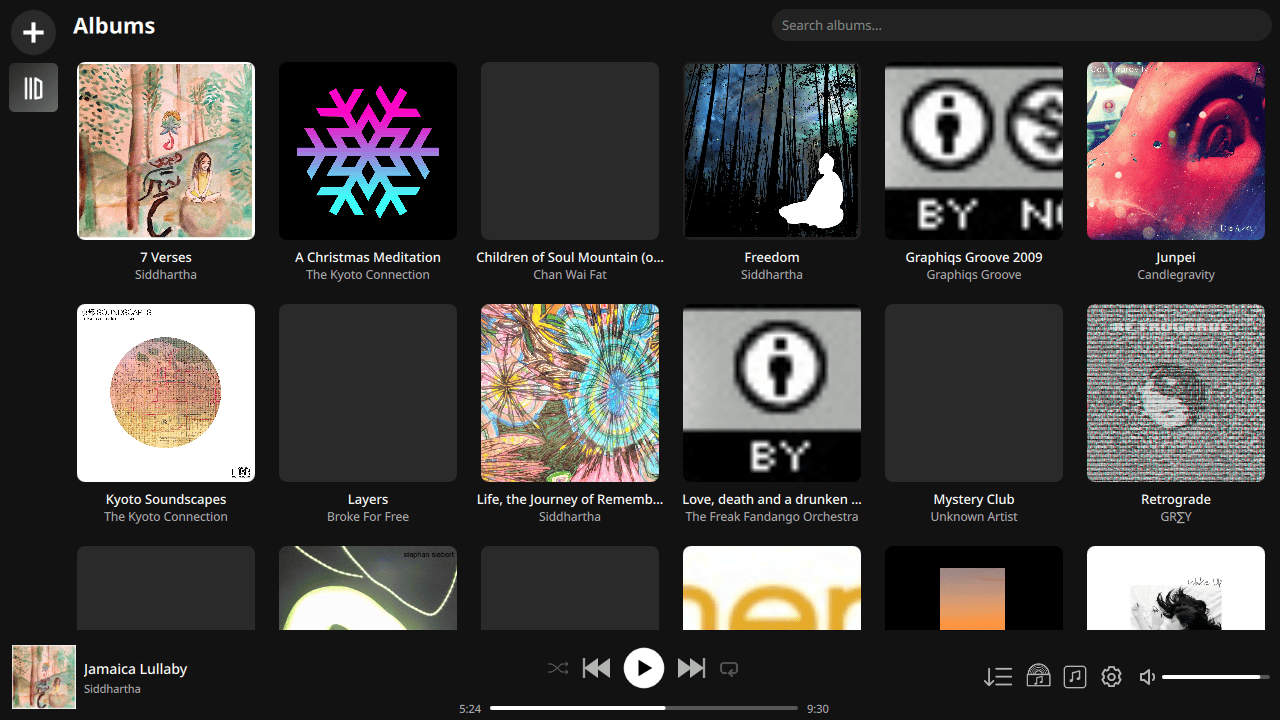
Music in the configured folder is scanned into the library. Meloville also watches for changes so newly added and removed music can be reflected in the collection. The software missed some album artwork during its scan.
The interface makes extensive use of album artwork and feels closer to a modern streaming application than many conventional desktop music players. But everything is centred around locally stored music rather than an online service. Meloville supports MP3, FLAC, M4A, OGG and Opus files.
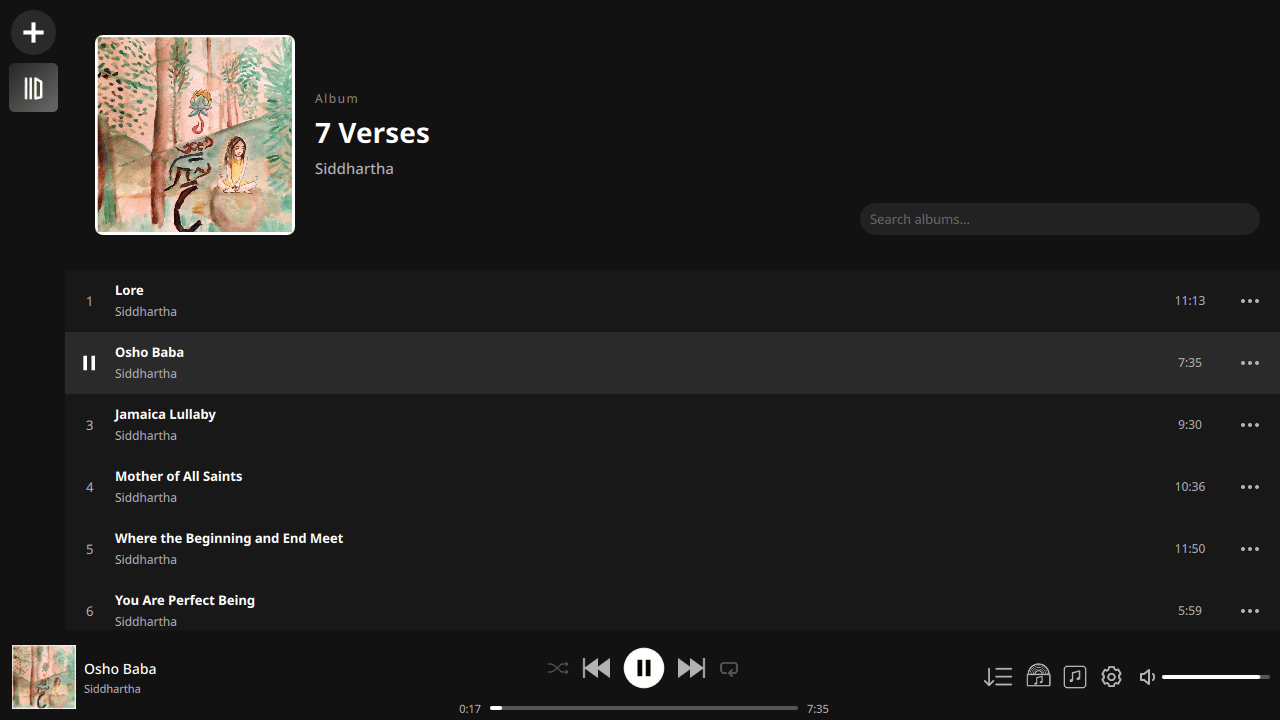
Album handling tries to deal intelligently with variations in artist metadata. For example, individual tracks containing featured artists shouldn’t necessarily cause a single album to be split into several separate entries. Playlists receive a similarly visual treatment.
Tracks can be reordered using drag and drop. Meloville can automatically create artwork for a playlist using four song covers, although a custom image can be used instead.
Playback controls are available at the bottom of the interface with the usual previous, play/pause and next buttons together with the current playback position.
Meloville supports MPRIS. This allows the player to integrate with compatible Linux desktop controls and also means media buttons on supported Bluetooth headphones can control playback.
One of the more distinctive parts of the program is Big Picture mode.
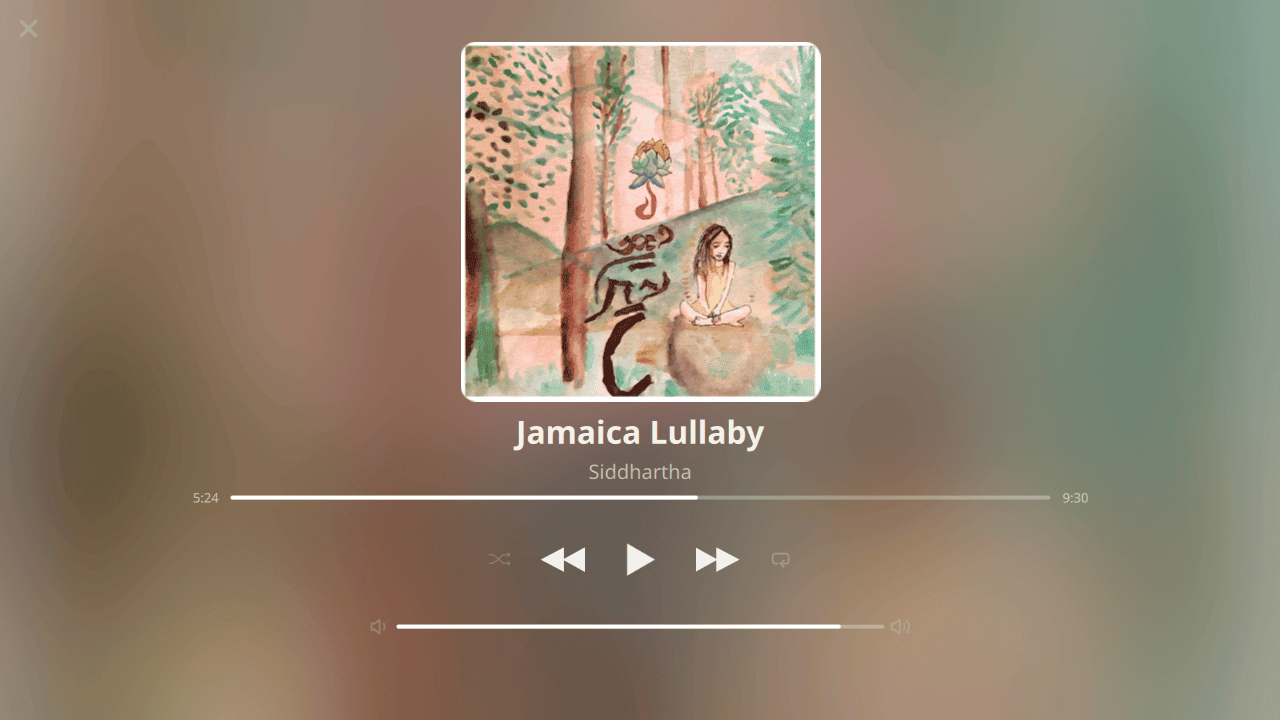
This places much greater emphasis on the currently playing track and its artwork. It makes sense on a second display, a television or simply when you want Meloville to act primarily as a music playback screen rather than a library manager.
There is also support for synchronised lyrics using LRC files. An LRC file can contain timestamps alongside each line of a song’s lyrics, allowing Meloville to highlight or display the appropriate line as the music plays. The LRC file should have the same filename as its corresponding audio track.
Meloville includes a metadata editor, removing the need to launch a separate tag editor for straightforward changes. Another unusual feature is Listen Along. This starts a small web server that lets another person listen to the currently playing track using a web browser. They don’t need Meloville installed. Using Listen Along on a local network is fairly straightforward. Making it accessible over the internet requires the necessary network configuration, such as forwarding the appropriate port. It’s an interesting addition and considerably less common than the usual collection of music-player features.
Gapless playback isn’t currently supported. This is noticeable with live albums and recordings where one track is intended to flow seamlessly into the next.
Summary
Meloville isn’t trying to be an ultra-lightweight player with little more than a playlist and a few buttons. The emphasis is on making a local music collection attractive to browse while retaining useful library-management features.
The visual presentation is one of its stronger aspects. Large artwork, playlist covers and Big Picture mode give the software considerably more personality than many traditional desktop players. There’s useful functionality beneath that presentation too. Synced lyrics, metadata editing, MPRIS integration and sensible playlist management all add value without turning Meloville into an excessively complicated application. But the absence of gapless playback is a showstopper for me.
Listen Along is perhaps its most interesting feature. Streaming the currently playing song to somebody’s web browser gives Meloville an ability that’s absent from most local music players.
Memory usage isn’t too bad. ps_mem reports memory usage around 270MB with our small music collection.
Meloville is still a fairly young project, but it already offers a distinctive and polished way to browse and play a local music collection.
Website: github.com/NevPeth/meloville
Support:
Developer: Neville Pethani
License: GNU General Public License v3.0
Meloville is written in C++. Learn C++ with our recommended free books and free tutorials.
Related Software
| Graphical Music Players | |
|---|---|
| fooyin | Customizable music player similar to foobar2000 |
| Tauon | Python-based music player that's an absolute gem |
| Strawberry | Music player and collection organizer originally forked from Clementine |
| Rhythmbox | Integrated music management application, originally inspired by iTunes |
| Sayonara Player | Small, clear and fast music player written in C++ |
| Audacious | XMMS-like skinnable player |
| Exaile | Music player aiming to be similar to KDE's Amarok, but for GTK+ |
| DeaDBeeF | Basic and simple player with a small footprint. |
| Clementine | Modern music player and library organiser. Inspired by Amarok |
| Lollypop | Modern music player for GNOME |
| Amarok | KDE audio player offering a wealth of features, yet intuitive to use |
| Musique | Small but sophisticated graphical music player |
| Cantata | Feature-rich client for Music Player Daemon |
| Quod Libet | GTK+-based music management program |
| GogglesMM | Polished music collection manager and player |
| Aqualung | Advanced, gapless Gtk2-based audio player |
| MusicPod | Music, podcast and internet radio player |
| gmusicbrowser | Music jukebox for large collections |
| Yarock | Qt music player with browsing based on cover art |
| qoob | A foobar-like music player |
| GNOME Music | Simple music player |
| Soul Player | Local-first music player built for privacy |
| Pragha | Distinguished and resplendent open source music player |
| Hummingbird | Rust-based music player with basic functionality |
| Deepin Music | Visually attractive and simple music player |
| Musicat | Music player for your local music library |
| Musicalypse | Music player and server built with Web technologies |
| Melody | Music player designed for elementary OS |
| Elisa | Simple music player developed by the KDE community |
| QMPlay2 | Video and audio player which can play most formats and codecs |
| Tomahawk | Qt-based music player |
| mtoc | Visually-rich music player and library browser |
| FolderPlay | Minimalist music player for local music collections |
| Daphne | Audio player and music library manager |
| Ratic | Basic offline music player |
| Musik | Lightweight audio player built for the KDE Plasma desktop |
| Kalorite | Lightweight audio player |
| Astra | Billed as an audiophile music player |
Read our verdict in the software roundup.
 LinuxLinks helps you discover the best free and open source software for Linux. Explore our extensive collection of recommended applications, including alternatives to popular proprietary software. LinuxLinks helps you discover the best free and open source software for Linux. Explore our extensive collection of recommended applications, including alternatives to popular proprietary software.We also publish software reviews, Linux tutorials, hardware reviews, free programming books and articles covering the wider open source community. Browse our Linux resources to discover more. Know a useful free and open source Linux application we haven't covered? Suggest a program for inclusion. Has your software been featured on LinuxLinks? Display one of our Featured on LinuxLinks badges on your website or GitHub README. |
Please read our Comment Policy before commenting.