

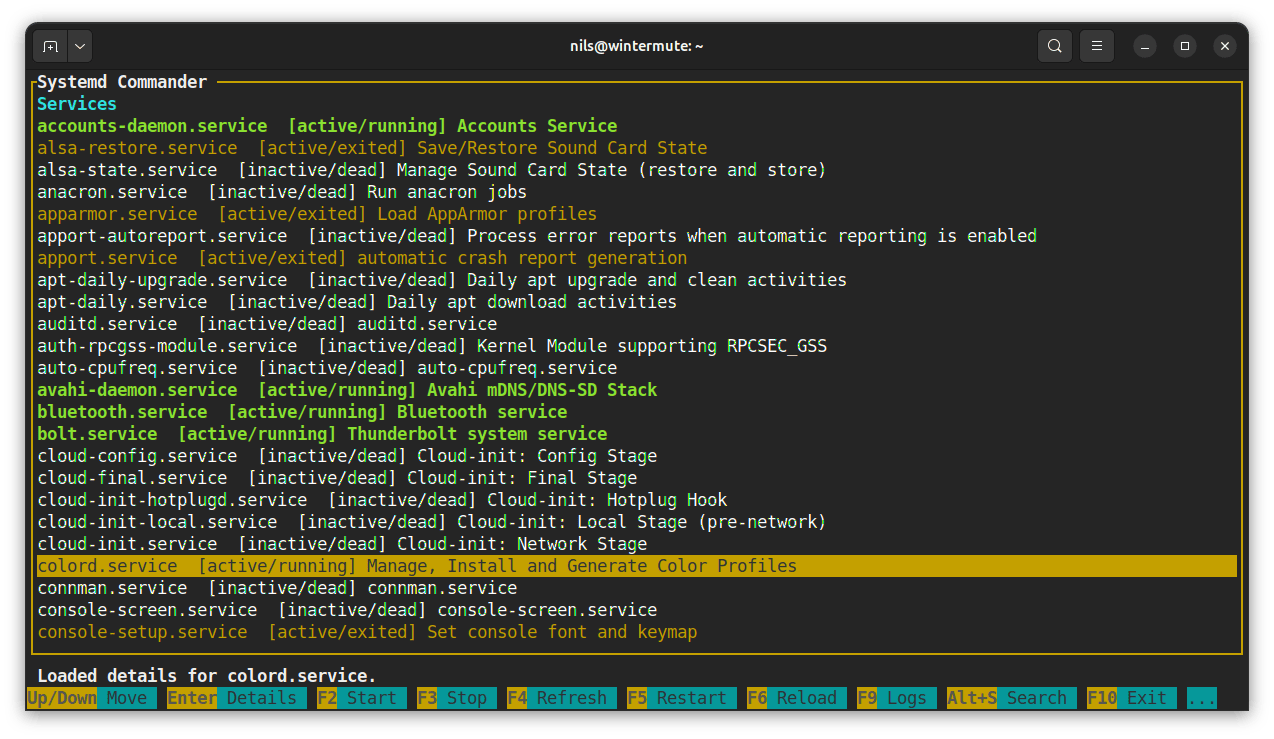
systemd_commander is a terminal-based application for managing systemd services and examining journal entries. It combines service administration with diagnostic tools in a keyboard-driven interface built using ncurses.
The project provides two related applications. The main systemd_commander interface allows users to browse loaded and installed service units, inspect their properties and perform operations such as starting, stopping, restarting and enabling services.
The accompanying journal_viewer tool is dedicated to examining journal entries. It supports live refreshes, text searches, priority filters and journal namespace selection.
Users can move directly from a selected service to its associated events, making the software useful for investigating failed units or unexpected behaviour. The interface also supports an embedded terminal pane and configurable appearance settings.
Privileged operations are requested when required rather than running the complete interface with elevated permissions.
This is free and open source software.
Key Features
- Keyboard-driven ncurses terminal interfaces.
- Browse loaded and installed systemd service units.
- Inspect service state, description and enablement information.
- Start, stop, restart and reload services.
- Enable or disable service unit files.
- Edit unit files from the interface.
- Open journal entries associated with selected services.
- Live refresh and snapshot modes for journal browsing.
- Filter entries by priority and text.
- Select journal namespaces.
- Search service and journal lists incrementally.
- Inspect detailed entries in popup views.
- Embedded terminal pane and configurable colours.
Website: github.com/nilseuropa/systemd_commander
Support:
Developer: Marton Juhasz
License: Apache License 2.0
systemd_commander is written in C++. Learn C++ with our recommended free books and free tutorials.
Related Software
| systemd CLI/TUI Configuration Tools | |
|---|---|
| systemd-analyse | Helps uncover performance problems |
| systemctl-tui | Interact with systemd services |
| systemctl | Manage and monitor the systemd system |
| isd | Interactive systemd |
| Systemd manager tui | Manage systemd services |
| ServiceMaster | Powerful terminal-based tool for managing systemd units |
| lsu | View systemd service units |
| systemd_commander | Manage systemd services and browse journal logs with an ncurses TUI |
| sdtop | systemd TUI Manager |
| sdctl | Security-focused manager with polkit authentication and log browsing |
| chkservice | Terminal-based tool for managing systemd units |
Read our verdict in the software roundup.
| Linux System Log and systemd Journal Viewers | |
|---|---|
| journalctl | Command-line access to system events and diagnostic messages |
| KDE Journald Browser | KDE application for filtering messages by service and priority |
| KSystemLog | KDE utility for reviewing activity across system services |
| GNOME Logs | GNOME desktop tool for browsing and searching system events |
| QJournalctl | Qt interface for filtering and examining system events |
| SEE | Keyboard-driven service inspection with vi-style navigation |
| Journal Viewer | Desktop dashboard with activity graphs and detailed filters |
| Deepin Log Viewer | Graphical diagnostic viewer with search, export and themes |
| Grafito | Self-hosted web interface with live updates and filtering |
| systemd_commander | Graphical interface for managing services and their status |
| LogLens | Interactive terminal interface with advanced event filtering |
Read our verdict in the software roundup.
 LinuxLinks helps you discover the best free and open source software for Linux. Explore our extensive collection of recommended applications, including alternatives to popular proprietary software. LinuxLinks helps you discover the best free and open source software for Linux. Explore our extensive collection of recommended applications, including alternatives to popular proprietary software.We also publish software reviews, Linux tutorials, hardware reviews, free programming books and articles covering the wider open source community. Browse our Linux resources to discover more. Know a useful free and open source Linux application we haven't covered? Suggest a program for inclusion. Has your software been featured on LinuxLinks? Display one of our Featured on LinuxLinks badges on your website or GitHub README. |
Please read our Comment Policy before commenting.