

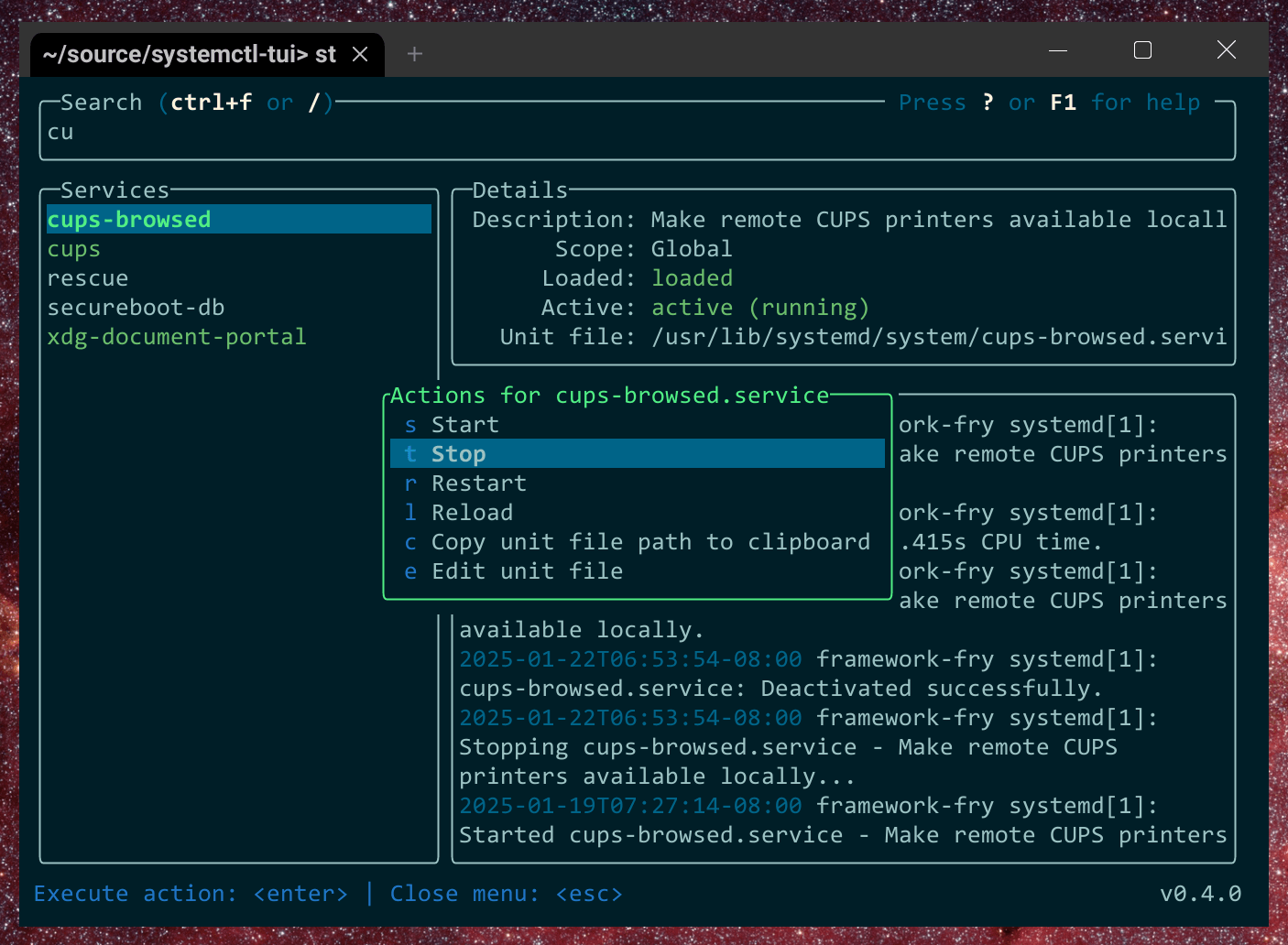
systemctl-tui is a fast terminal user interface for interacting with systemd services, timers and their logs.
It lets you browse unit status, inspect journal output, start, stop, restart and reload services, manage timers, and view or edit unit files. Remote systems can also be managed over SSH without installing systemctl-tui on the remote machine.
This is free and open source software.
Key Features
- Browse systemd services and timers.
- View logs associated with individual units.
- Start, stop, restart and reload services.
- Manage systemd timers.
- View and edit unit files.
- Manage remote machines over SSH.
- No systemctl-tui installation required on remote hosts.
- View remote unit files in a read-only pager.
- Command palette for global and less frequently used actions.
- Shows actions appropriate to the selected unit’s state.
- Handles systemd template units correctly.
- Keyboard-focused interface.
Website: github.com/rgwood/systemctl-tui
Support:
Developer: Reilly Wood
License: MIT License
systemctl-tui is written in Rust. Learn Rust with our recommended free books and free tutorials.
This article was written with the help of a site visitor who completed this form. Help the site by suggesting new open source software.
Related Software
| systemd CLI/TUI Configuration Tools | |
|---|---|
| systemd-analyse | Helps uncover performance problems |
| systemctl-tui | Interact with systemd services |
| systemctl | Manage and monitor the systemd system |
| isd | Interactive systemd |
| Systemd manager tui | Manage systemd services |
| ServiceMaster | Powerful terminal-based tool for managing systemd units |
| lsu | View systemd service units |
| systemd_commander | Manage systemd services and browse journal logs with an ncurses TUI |
| sdtop | systemd TUI Manager |
| sdctl | Security-focused manager with polkit authentication and log browsing |
| chkservice | Terminal-based tool for managing systemd units |
Read our verdict in the software roundup.
 LinuxLinks helps you discover the best free and open source software for Linux. Explore our extensive collection of recommended applications, including alternatives to popular proprietary software. We also publish software reviews, Linux tutorials, hardware reviews, free programming books and articles covering the wider open source community. Browse our Linux resources to discover more. Know a useful free and open source Linux application we haven't covered? Suggest a program for inclusion. Has your software been featured on LinuxLinks? Display one of our Featured on LinuxLinks badges on your website or GitHub README. |
Please read our Comment Policy before commenting.