

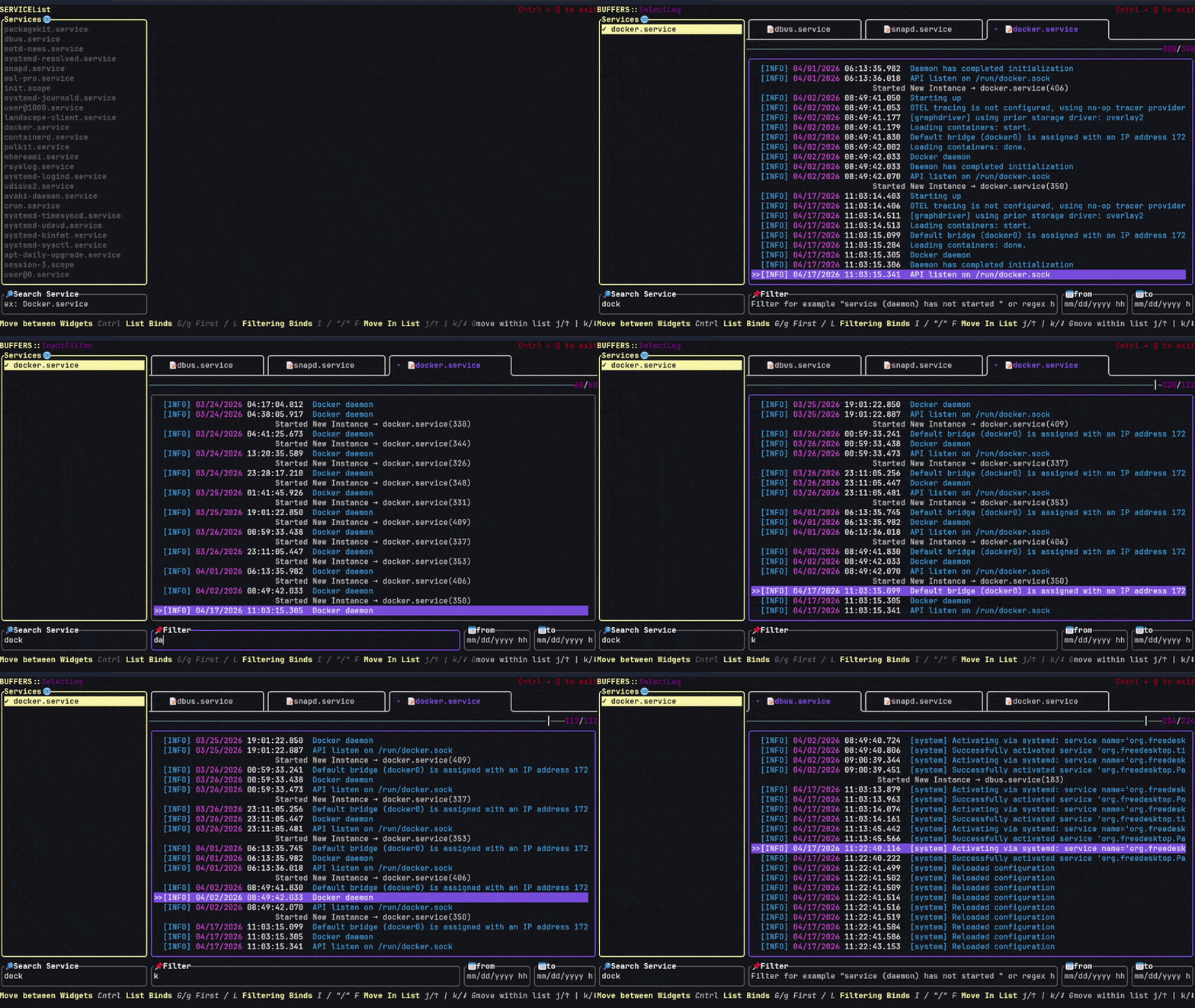
SEE, short for Service Event Extraction, is a terminal user interface for inspecting messages generated by systemd services. It is designed for users who prefer keyboard-driven navigation when troubleshooting services and examining system activity.
The application takes inspiration from Vim and Neovim. It supports familiar movement commands and allows several service outputs to be opened simultaneously, with each displayed in a separate buffer.
Users can move between buffers, search displayed information and narrow the results using date filters. The interface also provides a detailed view of individual events, including the ability to copy selected key-value information to the clipboard.
SEE focuses on service-specific investigation rather than presenting a general graphical dashboard. Its lightweight terminal-oriented design makes it useful for administrators working primarily from the command line.
This is free and open source software.
Key Features
- Terminal user interface for systemd service messages.
- Open several service outputs simultaneously.
- Switch between multiple buffers using keyboard shortcuts.
- Vim-style navigation with familiar movement commands.
- Search displayed events.
- Specify starting and ending dates to narrow results.
- Inspect the details associated with individual entries.
- Copy selected key-value information to the clipboard.
- Launch the application with selected service units.
Website: github.com/NustyFrozen/SEE
Support:
Developer: NustyFrozen
License: GNU General Public License v3.0
SEE is written in Rust. Learn Rust with our recommended free books and free tutorials.
Related Software
| LogFile Viewers | |
|---|---|
| lnav | Curses-based utility for viewing and analyzing log files. |
| tailspin | Terminal log file highlighter designed for inspecting log output in the shell |
| journalctl | Query and display messages from the journal |
| hl | Inspect structured logs from the terminal |
| Nerdlog | Remote-first terminal log viewer |
| lazyjournal | Inspect logs from multiple sources |
| KSystemLog | System log viewer for KDE |
| Logdy | Lightweight log viewer that works just like grep, awk, sed, or jq |
| humanlog | Reads logs from stdin and prints them back to stdout, but prettier. |
| toolong | View, tail, merge, and search log files |
| Xlogmaster | GTK+ based program to keep track of logfiles and devices |
| QJournalctl | Graphical User Interface for systemd’s journalctl |
| logrifle | Designed to "rifle through" large logfiles |
| Gnome-logs | View and search logs with this graphical utility |
| frontail | Stream logs to your web browser |
| nless | Pager for exploring structured and semi-structured data |
| glogg | Qt graphical log explorer |
| Chipmunk | Fast logfile viewer that can deal with huge logfiles (>10 GB) |
| SEE | Inspect logs from systemd services |
| MultiTail | View multiple logfiles windowed on the console |
| Logria | Log aggregation tool |
| logana | Work efficiently with very large log files, including multi-GB logs |
| QLogExplorer | Qt-based tool for exploring log files |
| Grafito | Simple, self-contained web-based log viewer for journalctl |
| swatch | Logfile viewer with regexp matching, highlighting & hooks |
| logmaster-gtk-d | Log viewer for Linux built with GTK and D |
| LogLens | Linux equivalent to Windows Event Viewer |
Read our verdict in the software roundup.
 Explore our carefully curated directory of recommended free and open source software, covering every major software category. Explore our carefully curated directory of recommended free and open source software, covering every major software category.The directory forms part of our extensive collection of articles for Linux enthusiasts. It includes hundreds of detailed reviews, together with free and open source alternatives to proprietary software from companies such as Google, Microsoft, Apple, Adobe, IBM, Cisco, Oracle, and Autodesk. LinuxLinks also covers interesting projects worth exploring, Linux-compatible hardware, free programming books and tutorials, and much more. Know a useful free and open source Linux application that we haven’t covered? Tell us about it using our submission form. |
Please read our Comment Policy before commenting.