

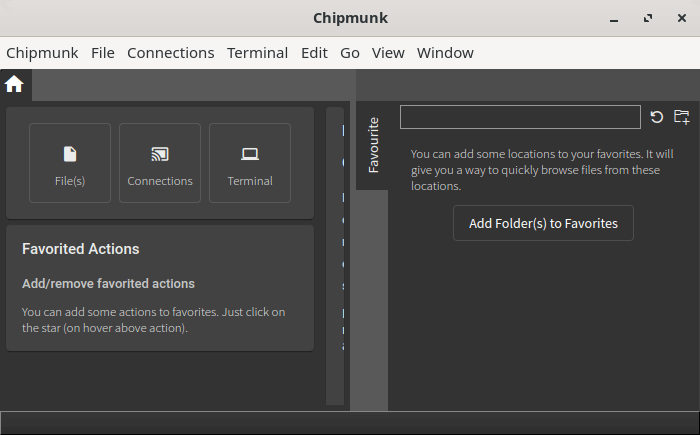
Chipmunk is a native desktop application for inspecting large log files, structured diagnostic data and live streams. It is designed to handle extensive datasets without requiring their contents to be copied into memory.
The application is particularly useful for developers who need to investigate problems across several sources of diagnostic information. Beyond conventional text files, Chipmunk handles communication traces used in automotive software development and can capture output from network connections and external processes.
Chipmunk provides an interactive workspace for searching, filtering and analysing captured information. It can also extract measurements from messages and display their changes graphically, making it useful when investigating timing, performance or unexpected system behaviour.
This is free and open source software.
Key Features
- Opens very large files without loading their complete contents into memory.
- Captures live data through TCP, UDP, serial connections and external commands.
- Supports plain-text logs and automotive DLT and SOME/IP traces.
- Reads supported network capture files in PCAP and PCAPNG formats.
- Provides detailed inspection of DLT messages, including embedded attachments.
- Supports reusable filter sets with configurable colours.
- Updates search results as new information arrives from live sources.
- Extracts numerical measurements using regular expressions.
- Displays extracted measurements in charts that update during capture.
- Provides multi-tab sessions and restoration of recent sessions.
- Supports bookmarks and detailed inspection of selected entries.
- Offers tools for exporting selected messages or indexed data.
- Provides configurable presets and plugin integration.
- Includes a command palette for keyboard-driven operation.
- Cross-platform support – runs on Linux, macOS, and Windows.
Website: github.com/esrlabs/chipmunk
Support:
Developer: ESR Labs
License: Apache License 2.0
Chipmunk is written in Rust. Learn Rust with our recommended free books and free tutorials
Related Software
| Graphical and Web-Based Log Viewers | |
|---|---|
| Logdy | View and filter terminal output in real time through a local web UI |
| frontail | Stream and filter live output in your web browser |
| Giant Log Viewer | Open enormous text files without loading them into memory |
| LogNote | Inspect files, command output and Android logcat with flexible filters |
| Chipmunk | Analyse multi-gigabyte files quickly with a responsive graphical interface |
| QLogExplorer | Explore very large files with advanced searches and JSON support |
| glogg | Graphical grep-style searching for very large files |
| Xlogmaster | Monitor files, devices and command output with event-triggered actions |
Read our verdict in the software roundup.
| Console Log File Analyzers | |
|---|---|
| journalctl | Query and display messages from the journal |
| lnav | Curses-based tool for viewing and analyzing log files |
| Gonzo | Go based TUI for log analysis |
| angle-grinder | Slice and dice logs |
| MultiTail | Monitor logfiles and command output in multiple windows |
| Chipmunk | Fast logfile viewer that can deal with huge logfiles (>10 GB) |
| TWSLA | Work with large log sets without deploying a heavier log management stack |
| Swatch | Simple Log Watcher is a useful tool to monitor just about any type of log |
| reqlog | Search, track and stream logs |
Read our verdict in the software roundup.
 LinuxLinks helps you discover the best free and open source software for Linux. Explore our extensive collection of recommended applications, including alternatives to popular proprietary software. We also publish software reviews, Linux tutorials, hardware reviews, free programming books and articles covering the wider open source community. Browse our Linux resources to discover more. Know a useful free and open source Linux application we haven't covered? Suggest a program for inclusion. Has your software been featured on LinuxLinks? Display one of our Featured on LinuxLinks badges on your website or GitHub README. |
Please read our Comment Policy before commenting.