
Adobe develops a large collection of proprietary creative applications covering photography, graphics, video, publishing and 3D content creation. Its Substance 3D family is aimed at artists and designers working with materials, textures, models and rendered scenes.
 Substance 3D Designer is Adobe’s material authoring application. It uses a node-based workflow to create procedural textures, seamless materials, patterns, image filters and environment lighting. Graphs are non-destructive and parametric, allowing individual stages to be changed without rebuilding the material from scratch.
The software can generate multiple texture outputs from the same graph and provides a large collection of noises, generators, filters and other building blocks. This makes it particularly useful for creating reusable PBR materials rather than painting a single texture directly onto a model.
Unlike many Adobe applications, Substance 3D Designer does have Linux support. Adobe currently supports RHEL for enterprise users and Ubuntu through the Steam edition. However, it remains proprietary software.
We recommend the best free and open source alternatives.
1. Material Maker
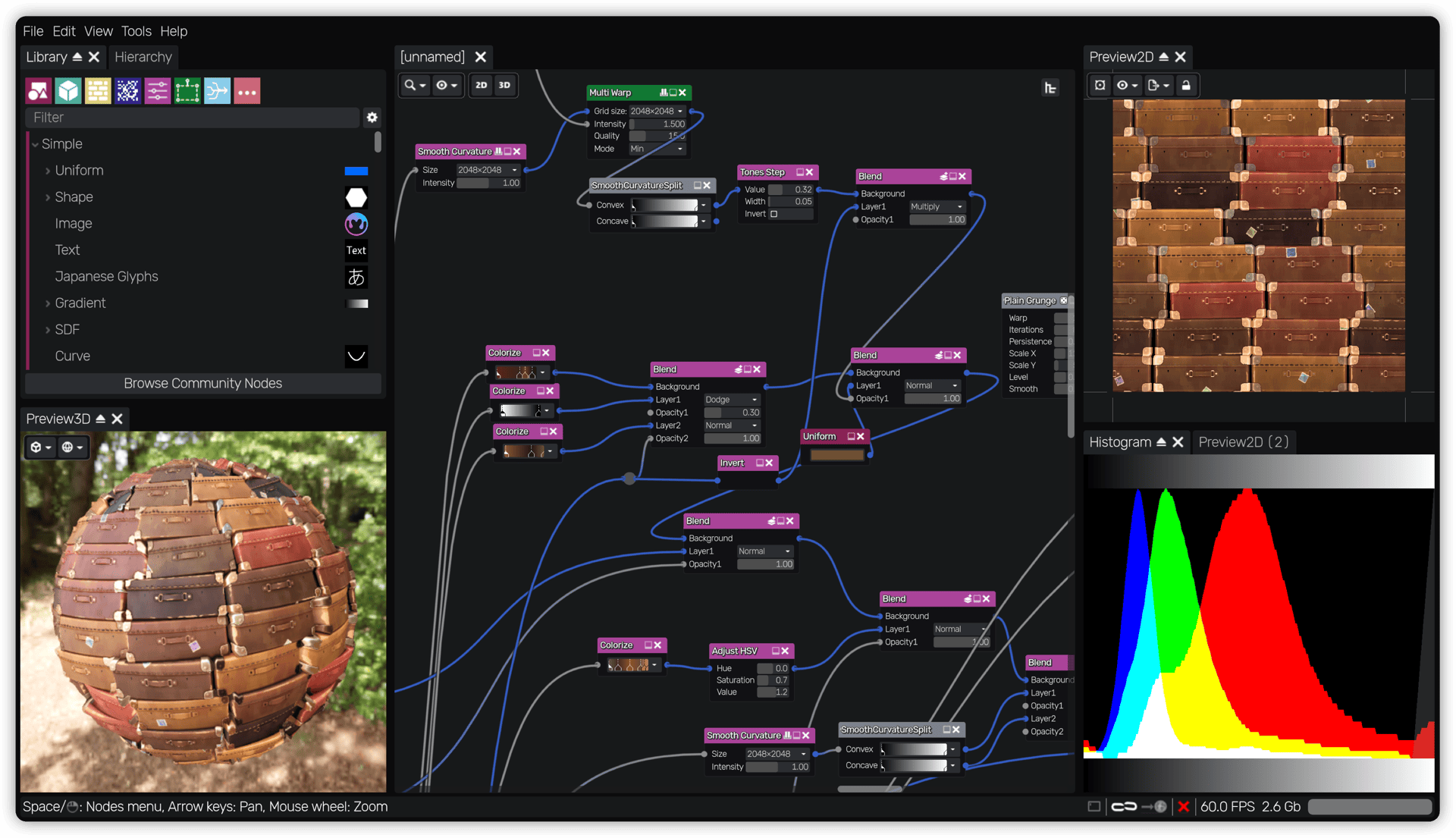
Material Maker is my strongest recommendation. Of the open source software available, it comes closest to the fundamental workflow offered by Substance 3D Designer.
It is a procedural material authoring and 3D painting application built using the Godot Engine. Materials are constructed by connecting nodes that generate, transform, filter and combine texture information in a graph.
Material Maker can generate the different maps needed for physically based materials, including albedo, metallic, roughness, emission, normal and depth information. The graph-based approach makes materials reusable and easy to modify, while subgraphs help turn more complicated networks into reusable components.
It also goes beyond Designer’s main remit by providing tools for painting materials directly onto 3D models. For anyone primarily interested in procedural material and texture creation, Material Maker is the most natural open source replacement for Substance 3D Designer.
2. Blender
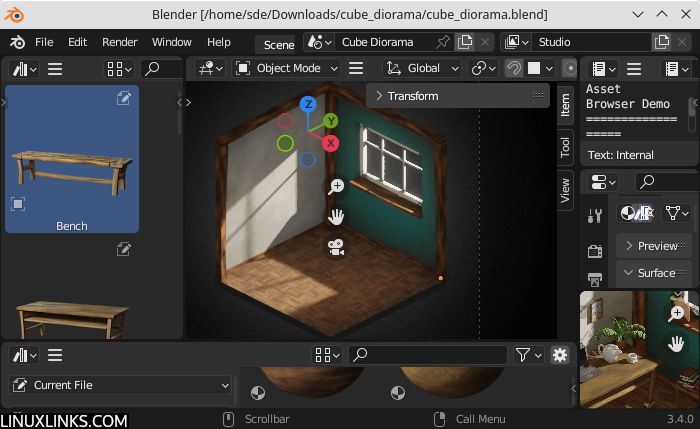
Blender is a much broader application, but its material and shading tools make it a strong alternative for artists prepared to work inside a complete 3D creation environment.
Materials can be constructed with networks of shader nodes, including procedural texture, colour, vector and utility nodes. Complex arrangements can be packaged into node groups and reused, while Cycles also supports custom shader nodes written using Open Shading Language.
Blender’s baking tools are particularly useful when procedural materials need to be turned into conventional texture maps. Cycles can bake procedural textures, base colour, normal maps, ambient occlusion and other information to images for use in game engines or other applications.
It does not provide the same dedicated procedural-material authoring environment as Substance 3D Designer, and building texture sets often requires more manual setup. On the other hand, modelling, UV mapping, material creation, texture painting, baking and rendering can all take place within the same application.
3. ArmorPaint
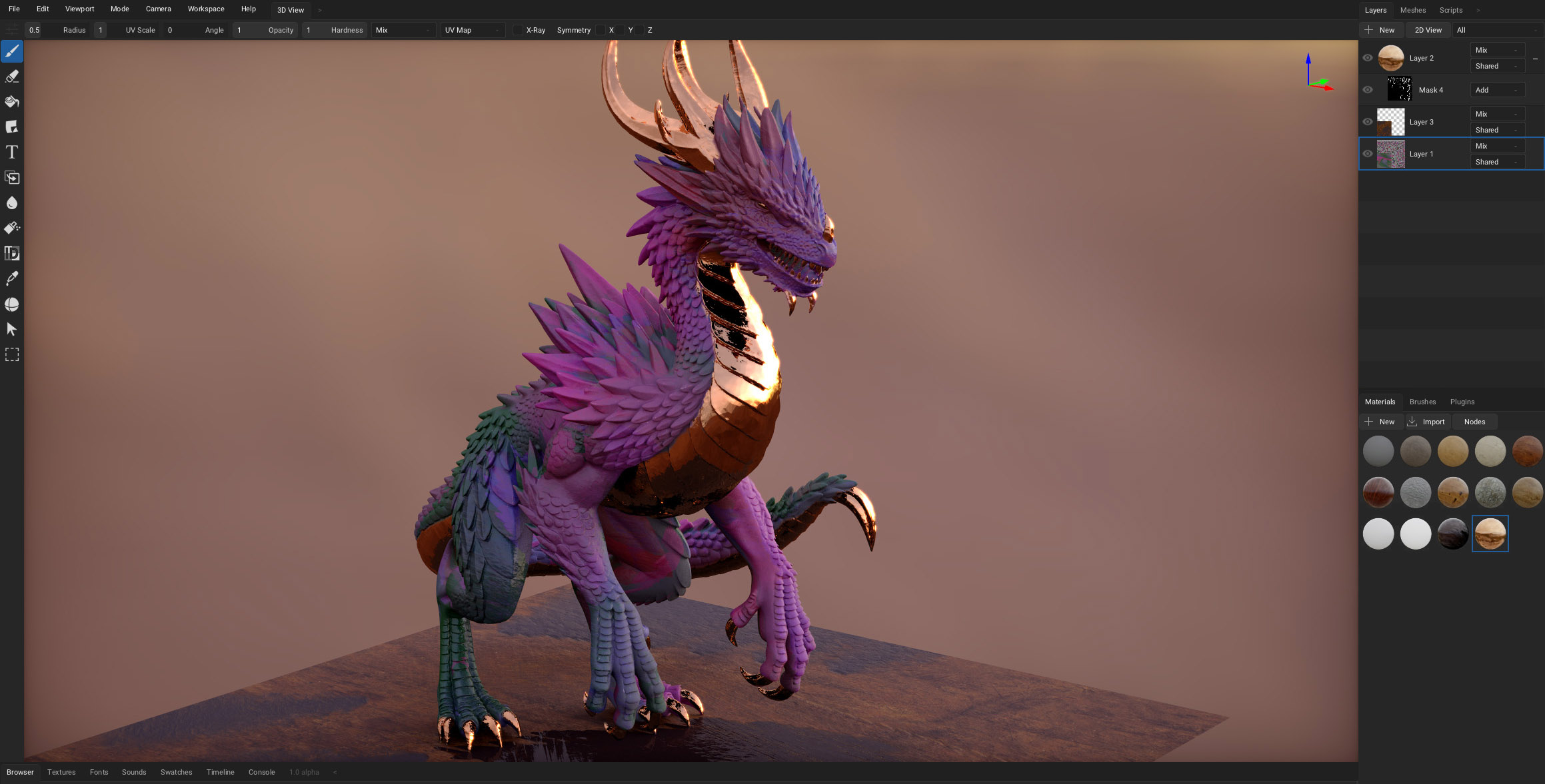
ArmorPaint is primarily designed for painting physically based textures directly onto 3D models, making it a closer conceptual rival to Substance 3D Painter than Designer.
Nevertheless, there is enough overlap to make it worth considering. Materials in ArmorPaint are assembled using nodes, with procedural materials available for fill layers and painting. Materials can also be baked into texture maps for export.
Its workflow is more model-centric than Material Maker’s. Artists typically import a mesh, construct or select materials and then apply them through layers, masks and brushes. GPU acceleration provides immediate visual feedback while working with high-resolution texture sets.
ArmorPaint therefore isn’t a direct replacement for Designer’s extensive procedural graph environment, but it is a useful option for users whose material-authoring requirements are closely connected with painting and texturing finished 3D assets.
All articles in this series:
| Alternatives to Adobe's Products | |
|---|---|
 | Acrobat Reader is a multi-platform PDF reader. It lets users view, print, sign and comment on PDF documents. |
 | After Effects is digital visual effects, motion graphics, and compositing software used in the post-production process of film making, video games and television production. |
 | Animate is a multimedia authoring and computer animation. Animate is used to design vector graphics and animation for television series, online animation, websites, web applications, rich web applications, game development, and more. |
 | Audition is a digital audio workstation featuring both a multitrack, non-destructive mix/edit environment and a destructive-approach waveform editing view. |
 | Bridge is a creative asset manager that lets you preview, organise, edit and publish multiple creative assets quickly and easily. |
 | Character Animator is software that combines real-time live motion-capture with a multi-track recording system to control layered 2D puppets based on an illustration drawn in Photoshop or Illustrator. |
 | Connect is a platform for live training, webinars and online meetings, aimed at organisations that need more structure than a straightforward video call. |
 | Digital Editions is an e-book reader software program. It lets you acquire, manage, and read e-books, digital newspapers, and other digital publications. |
 | Dimension is 3D rendering and design software. It's designed to build brand visualizations, illustrations, product mockups and other creative work. |
 | Dreamweaver is a web development tool. It includes a code editor that supports syntax highlighting, code completion, real-time syntax checking, and code introspection for generating code hints to assist the user in writing code. |
 | Fill & Sign lets users fill out PDF documents on a smartphones and tablet and share them directly with others. |
 | Firefly is software which uses generative AI and simple text prompts to generate images. Its Firefly generative AI models are trained on licensed content, such as Adobe Stock, along with public domain content where copyright has expired, and images from Wikimedia. |
 | FrameMaker is a document processor designed for writing and editing large or complex documents, including structured documents. |
 | Fresco is a vector and raster drawing and painting app. It's primarily used for digital painting by artists, illustrators, animators, and sketchers. |
 | Illustrator is a vector graphics editor and design tool. The software lets you create everything from web and mobile graphics to logos, icons, book illustrations, product packaging, and billboards. |
 | InCopy is a professional word processor that integrates with InDesign. The software enables editors to write, edit, and design documents. |
 | Indesign is a desktop publishing and page layout designing application. The software is used to create posters, flyers, brochures, magazines, newspapers, presentations, books and ebooks |
 | Lightroom is a creative image organization and image manipulation. Its main uses include importing/saving, viewing, organizing, tagging, editing, and sharing large numbers of digital images. |
 | Lightroom Classic is a creative image organization and image manipulation software. This photo editing app is optimised for the desktop. |
 | Media Encoder is an encoding engine for Adobe Premiere Pro, Adobe After Effects, Adobe Audition, and Adobe Character Animator. |
 | Photoshop is a raster graphics editor with multiple layers, masks, alpha compositing. It edits and composes raster images in multiple layers and supports masks, alpha compositing and several color models. |
 | Photoshop Express is a mobile and Windows app made for all-in-one photo editing and sharing. |
 | Premiere Pro is a timeline-based video editing tool. It is geared towards professional video editing. |
 | RoboHelp is a help authoring tool designed for creating and publishing online help, knowledge bases, policies and procedures, user guides, and other technical content. |
 | Scan provides a portable scanner that recognizes text automatically (OCR) and allows you to save to multiple files formats including PDF and JPEG. |
| Substance 3D Designer is a material authoring application. It uses a node-based workflow to create procedural textures, seamless materials, patterns, image filters and environment lighting. |
 | XD is a prototyping tool for user experience and interaction designers. Adobe XD features are used for creating wireframes, prototypes, and screen designs for digital products. |
Please read our Comment Policy before commenting.