

Productivity & Everyday Utilities continued
33. Picture of the day
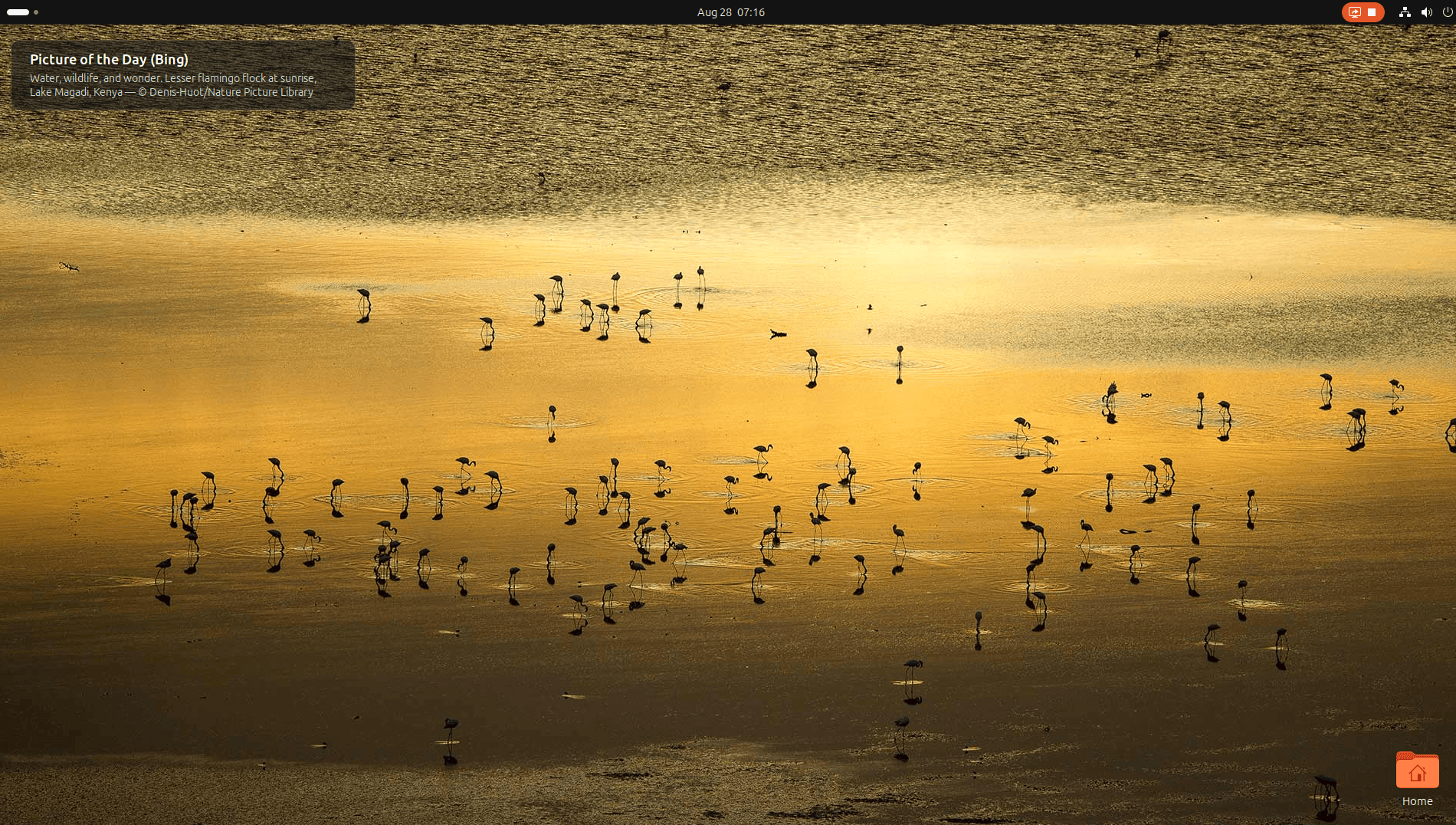
Picture of the day automatically refreshes your desktop with a new image each day.
The extension can obtain wallpapers from Bing and Wikimedia and can display credit information for the current image.
It’s a simple idea, but daily wallpaper rotation provides a pleasant amount of variety without requiring you to hunt for images or configure a more elaborate wallpaper manager.
This is a different, actively maintained extension from the older Picture of the Day project previously featured in this roundup.
Website: extensions.gnome.org/extension/10000/picture-of-the-day
34. Emoji Copy
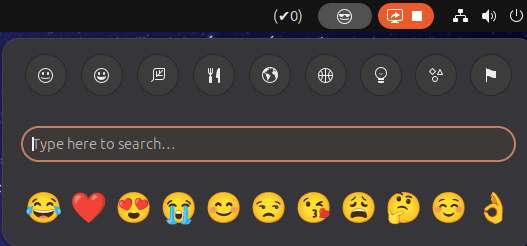
Emoji Copy is a versatile extension designed to make finding and copying emoji quick and painless.
Instead of opening a separate application or searching the web, you can select an emoji directly from GNOME Shell and copy it ready for use in another application.
It’s lightweight, immediately understandable and particularly useful if you frequently use emoji in messaging, social media or other writing.
If you need more functionality, we’ve also compiled a roundup of the finest desktop GUI emoji pickers.
Website: github.com/felipeftn/emoji-copy
35. Todoit
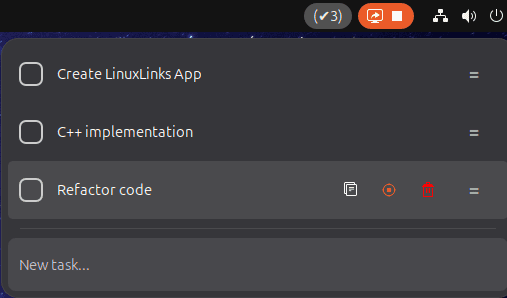
Todoit is a simple to-do list that keeps daily tasks close at hand.
You can add, remove and copy tasks, mark their progress and focus attention on a specific task by bringing it to the top of the list.
There’s also a keyboard shortcut for quickly showing the extension.
It deliberately avoids the complexity of full project-management software. If all you need is a small list of things to get done today, Todoit may be all you need.
Website: github.com/wassimbj/todoit-gnome
36. Caffeine
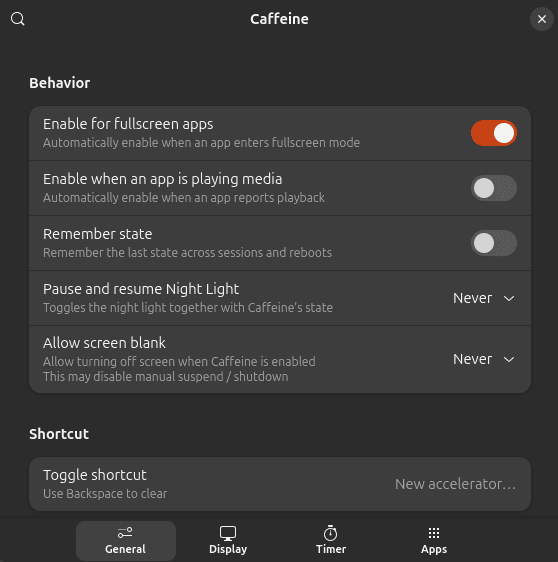
Caffeine is one of the simplest extensions included in this roundup.
It prevents the screen from blanking and stops automatic suspension when you need the machine to remain awake.
This is useful during presentations, long downloads, remote sessions, media playback and other situations where automatic power-saving behaviour would be inconvenient.
It’s a simple toggle for a common problem, which helps explain Caffeine’s enduring popularity among GNOME users.
Website: github.com/eonpatapon/gnome-shell-extension-caffeine
Next page: Page 10 – Color Picker, Grand Theft Focus, Colosseum, Vitals
Pages in this article:
Page 1 – Dash to Dock, ArcMenu, Window List, Places Status Indicator
Page 2 – Top Panel Workspace Scroll, Extension List, Tasks in panel, Dash to Panel
Page 3 – Alphabetical App Grid, Kiwi Menu, Auto Move Windows, V-Shell
Page 4 – AATWS, Coverflow Alt-Tab, PaperWM, Tiling Assistant
Page 5 – WinTile, Tiling Shell, No overview at start-up, Space Bar
Page 6 – Custom Hot Corners – Extended, Just Perfection, Blur My Shell, Burn My Windows
Page 7 – Panel corners, Light Style, Lilypad Top Bar Manager, User Themes
Page 8 – Night Theme Switcher, Clipboard History, ddterm, Cronomix
Page 9 – Picture of the day, Emoji Copy, Todoit, Caffeine
Page 10 – Color Picker, Grand Theft Focus, Colosseum, Vitals
Page 11 – Astra Monitor, SimpleWeather, Removable Drive Menu, Quick Settings Audio Panel
Page 12 – Bluetooth Quick Connect, Battery Health Charging, Gtk4 Desktop Icons NG, GSConnect
Page 13 – Hanabi, AppIndicator and KStatusNotifierItem Support
Please read our Comment Policy before commenting.
Hey Steve. Thanks for updating your recommended GNOME Shell Extensions pages.
Hi Torin.
No worries, it was overdue!