

System Monitoring, Hardware & Status continued
45. Bluetooth Quick Connect
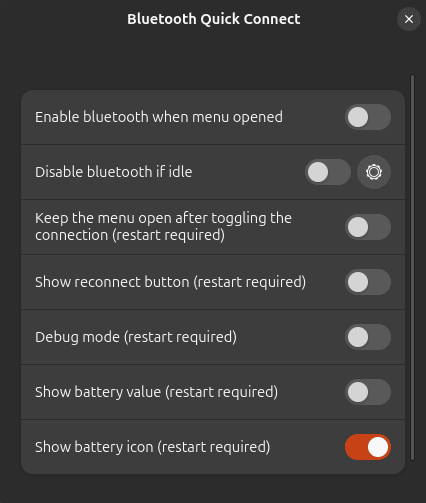
Bluetooth Quick Connect makes managing paired Bluetooth devices much quicker.
Devices can be connected and disconnected directly from GNOME’s system menu instead of making repeated trips into Settings.
The extension can also display battery status for supported devices.
If you regularly switch Bluetooth headphones, keyboards, mice or other peripherals between systems, this small change to the workflow is very convenient.
Website: github.com/BlankParticle/gnome-bluetooth-quick-connect
46. Battery Health Charging
Battery Health Charging is aimed at laptop users who want more control over battery longevity.
On supported hardware, the extension can set charging thresholds or charging modes. For example, you may choose to stop charging well below 100% when the laptop spends most of its life connected to mains power.
A wide range of manufacturers is supported, although functionality varies by model and some systems require additional kernel modules or utilities.
Check the project’s compatibility documentation before installing.
Website: github.com/maniacx/Battery-Health-Charging
Desktop, Device & Media Integration
47. Gtk4 Desktop Icons NG (DING)
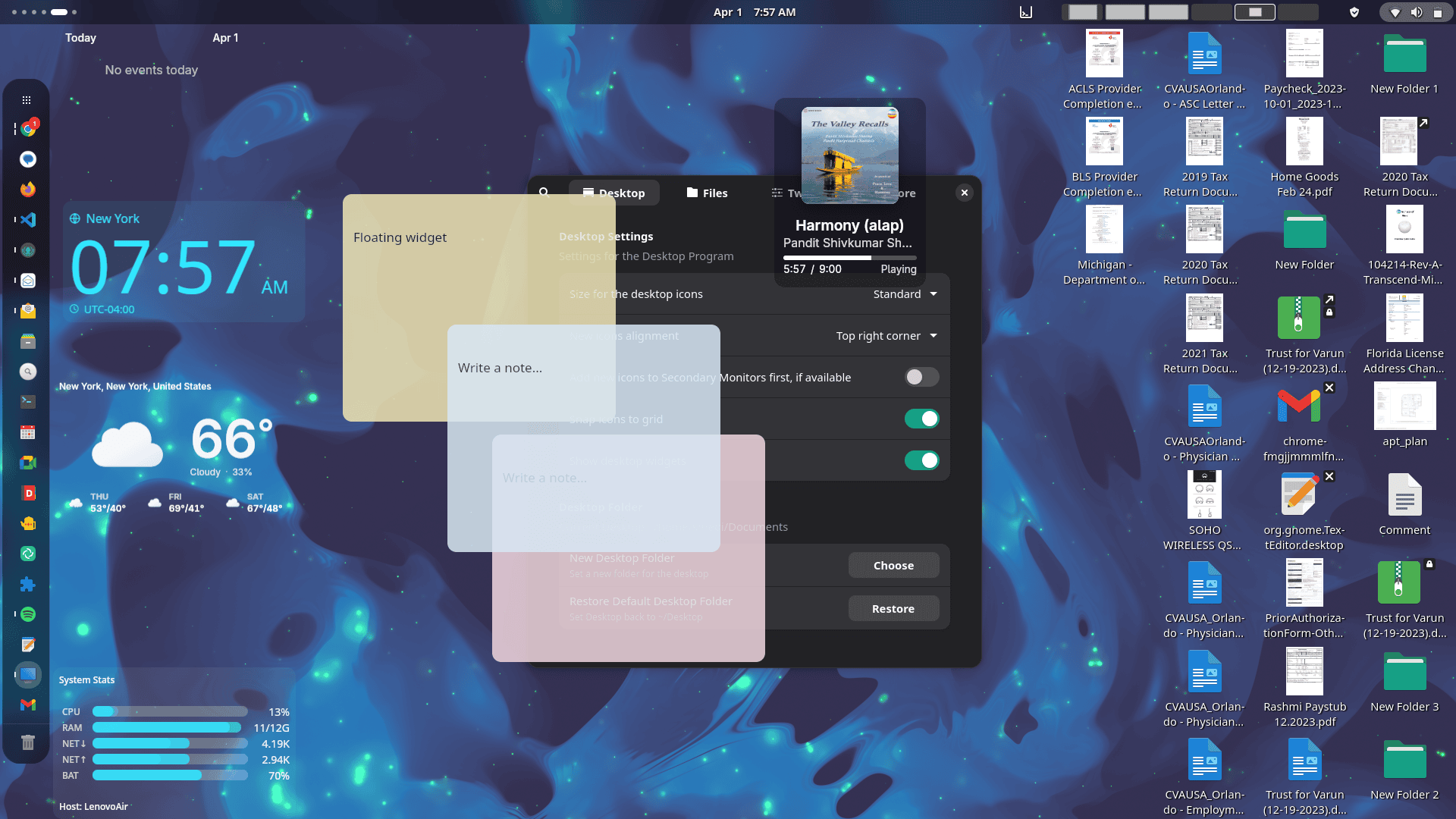
Gtk4 Desktop Icons NG brings desktop icons back to GNOME with considerably more functionality than simply displaying files and folders.
It’s a Gtk4/libadwaita port of Desktop Icons NG with support for drag and drop, arbitrary or grid-based icon positioning, links, multiple monitors and integration with docks and GSConnect.
The project has developed well beyond the original DING feature set. Recent versions can also provide a desktop widget layer, allowing small widgets such as clocks, weather information, media controls and notes to live on the desktop.
If you want a traditional icon-populated desktop under GNOME, this is the version we’d choose.
Website: gitlab.com/smedius/desktop-icons-ng
48. GSConnect
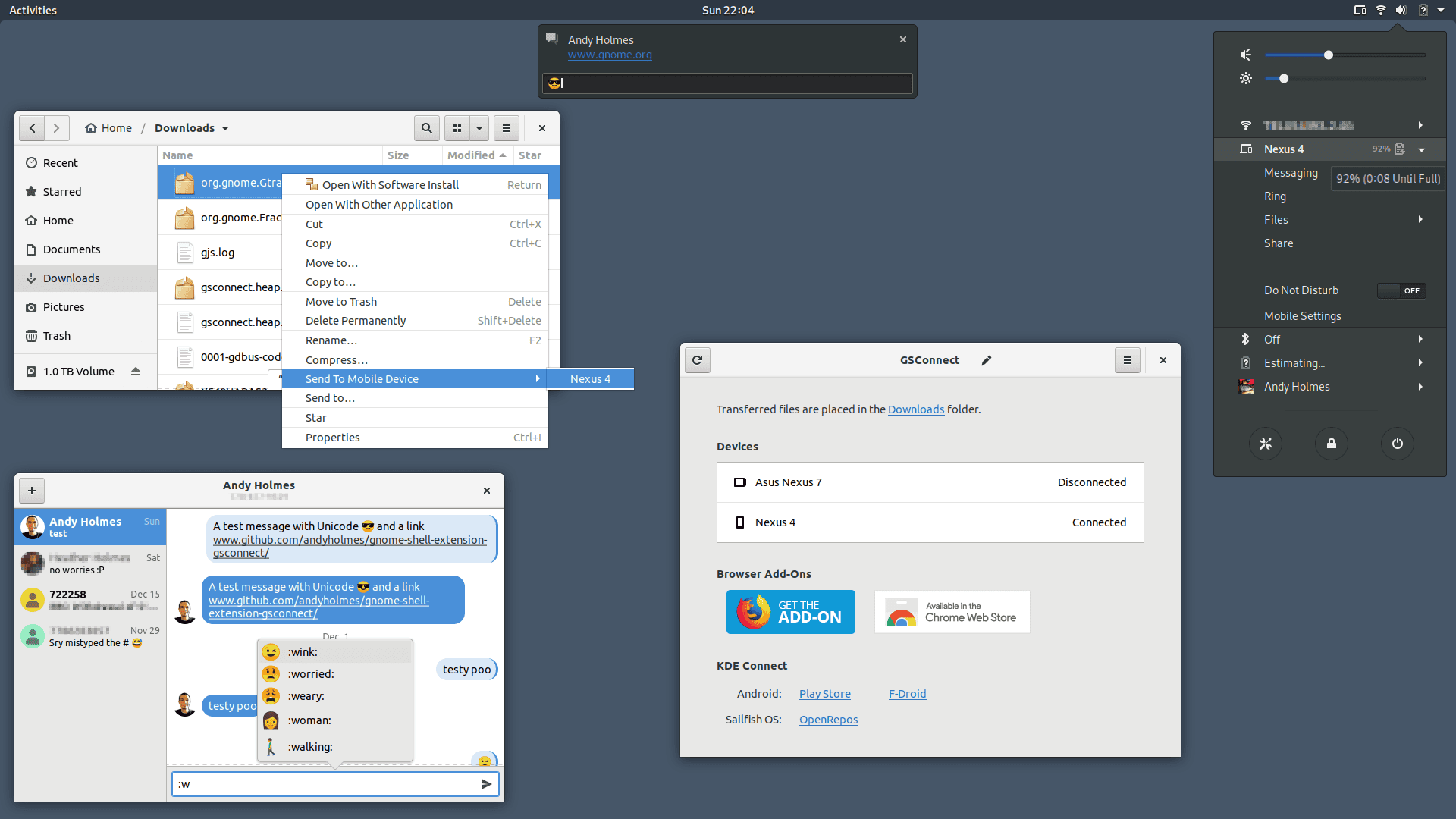
Do you want to integrate your Android phone with your Linux desktop? GSConnect is an excellent solution.
It is a complete implementation of the KDE Connect protocol designed specifically for GNOME Shell and integrates with other parts of the GNOME desktop.
Devices can securely exchange files and notifications, synchronize clipboard content, control media playback, send messages and provide remote-control functionality.
GSConnect is independent of the KDE Connect desktop application, so there is no need to install the KDE software alongside it.
This is one of the most useful GNOME extensions if an Android phone is part of your daily workflow.
Website: github.com/andyholmes/gnome-shell-extension-gsconnect/wiki
Next page: Page 13 – Hanabi, AppIndicator and KStatusNotifierItem Support
Pages in this article:
Page 1 – Dash to Dock, ArcMenu, Window List, Places Status Indicator
Page 2 – Top Panel Workspace Scroll, Extension List, Tasks in panel, Dash to Panel
Page 3 – Alphabetical App Grid, Kiwi Menu, Auto Move Windows, V-Shell
Page 4 – AATWS, Coverflow Alt-Tab, PaperWM, Tiling Assistant
Page 5 – WinTile, Tiling Shell, No overview at start-up, Space Bar
Page 6 – Custom Hot Corners – Extended, Just Perfection, Blur My Shell, Burn My Windows
Page 7 – Panel corners, Light Style, Lilypad Top Bar Manager, User Themes
Page 8 – Night Theme Switcher, Clipboard History, ddterm, Cronomix
Page 9 – Picture of the day, Emoji Copy, Todoit, Caffeine
Page 10 – Color Picker, Grand Theft Focus, Colosseum, Vitals
Page 11 – Astra Monitor, SimpleWeather, Removable Drive Menu, Quick Settings Audio Panel
Page 12 – Bluetooth Quick Connect, Battery Health Charging, Gtk4 Desktop Icons NG, GSConnect
Page 13 – Hanabi, AppIndicator and KStatusNotifierItem Support
Please read our Comment Policy before commenting.
Hey Steve. Thanks for updating your recommended GNOME Shell Extensions pages.
Hi Torin.
No worries, it was overdue!