

Appearance & Shell Customization
21. Custom Hot Corners – Extended
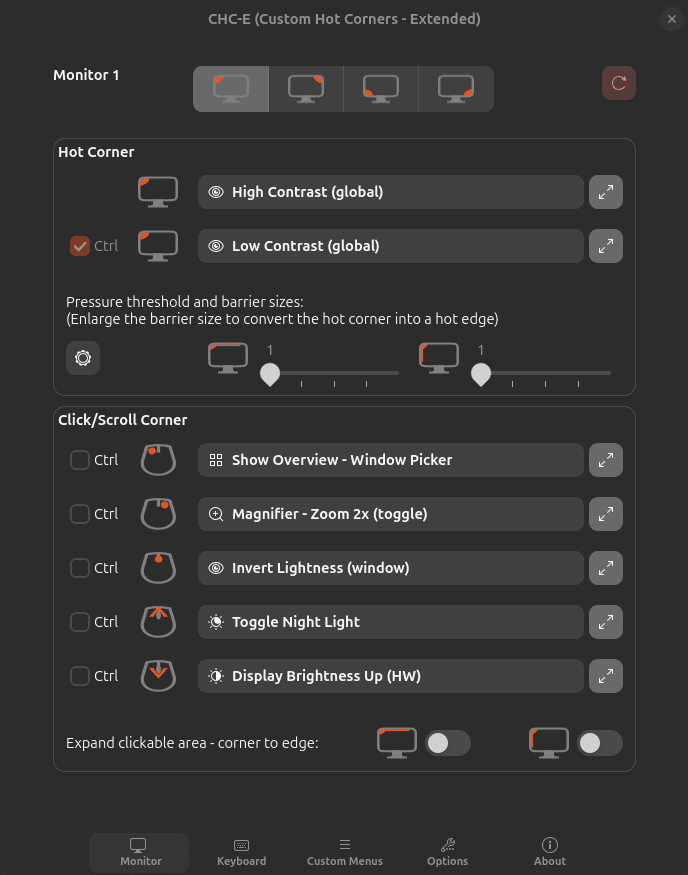
Custom Hot Corners – Extended assigns functions to the corners and edges of your monitors.
The range of available actions is huge. You can control GNOME Shell and windows, switch workspaces, launch applications, execute commands and scripts, and perform many other actions simply by moving or clicking at a configured screen edge or corner.
Actions aren’t restricted to the mouse. Custom keyboard shortcuts can also be configured.
For users who enjoy gesture-like desktop control, this is an exceptionally flexible extension.
Website: github.com/G-dH/custom-hot-corners-extended
22. Just Perfection
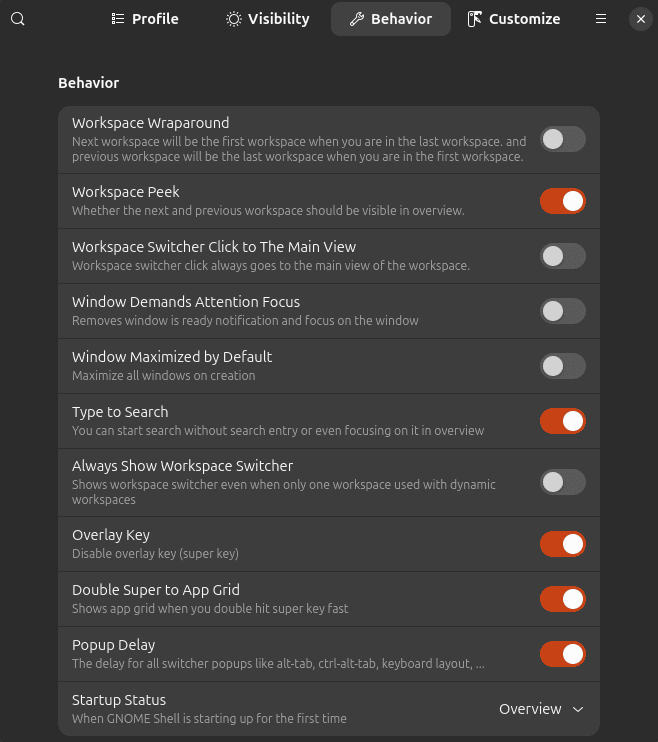
Just Perfection lets you really tinker with your GNOME desktop.
There are a huge number of tweaks covering GNOME Shell’s appearance and behaviour. You can hide or reposition interface elements, alter animation behaviour, adjust the panel, Dash, workspace switcher, search and many other parts of the Shell.
Predefined profiles offer useful starting points, or you can build your own configuration.
The sheer number of options can initially appear daunting, but Just Perfection is one of the first extensions we recommend to anyone who finds GNOME a little too opinionated.
Website: gitlab.gnome.org/jrahmatzadeh/just-perfection
23. Blur My Shell
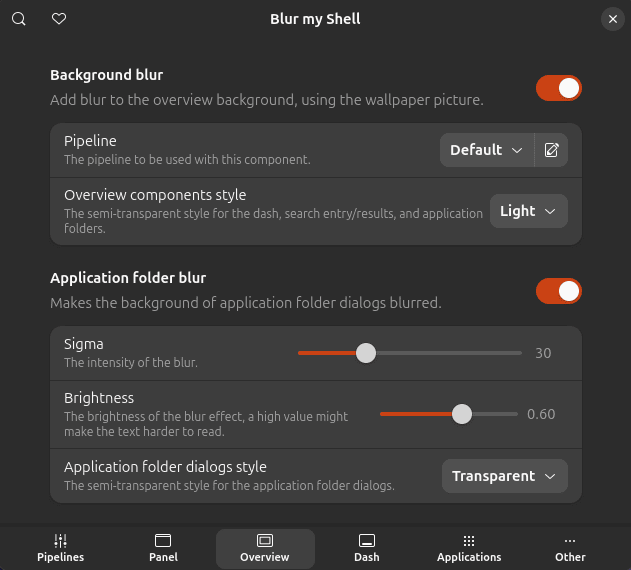
Blur My Shell adds blur effects to different parts of GNOME Shell.
Effects can be applied to areas including the top panel, Dash, Overview, lock screen and application folders, with extensive control over appearance.
There are options covering brightness, opacity and other visual characteristics, allowing effects to range from subtle translucent backgrounds to something much more conspicuous.
It’s eye candy, certainly, but very polished eye candy.
Website: github.com/aunetx/blur-my-shell
24. Burn My Windows
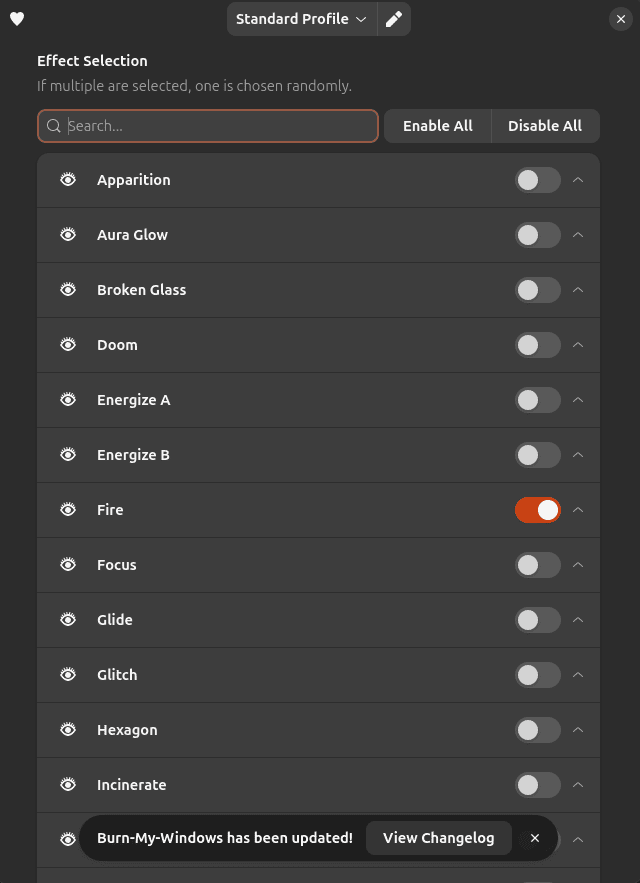
Burn My Windows is rather splendid eye candy.
It adds animated effects when windows open and close, with a large collection of wildly different animations.
Some are restrained; others most definitely are not. Effects such as Matrix and T-Rex Attack make it clear that this extension is intended to be fun.
Each effect offers its own settings, so animations can be adjusted to suit your taste rather than being simple on/off novelties.
If you want more eye candy, dip into our Linux Candy series.
Website: extensions.gnome.org/extension/4679/burn-my-windows
Next page: Page 7 – Panel corners, Light Style, Lilypad Top Bar Manager, User Themes
Pages in this article:
Page 1 – Dash to Dock, ArcMenu, Window List, Places Status Indicator
Page 2 – Top Panel Workspace Scroll, Extension List, Tasks in panel, Dash to Panel
Page 3 – Alphabetical App Grid, Kiwi Menu, Auto Move Windows, V-Shell
Page 4 – AATWS, Coverflow Alt-Tab, PaperWM, Tiling Assistant
Page 5 – WinTile, Tiling Shell, No overview at start-up, Space Bar
Page 6 – Custom Hot Corners – Extended, Just Perfection, Blur My Shell, Burn My Windows
Page 7 – Panel corners, Light Style, Lilypad Top Bar Manager, User Themes
Page 8 – Night Theme Switcher, Clipboard History, ddterm, Cronomix
Page 9 – Picture of the day, Emoji Copy, Todoit, Caffeine
Page 10 – Color Picker, Grand Theft Focus, Colosseum, Vitals
Page 11 – Astra Monitor, SimpleWeather, Removable Drive Menu, Quick Settings Audio Panel
Page 12 – Bluetooth Quick Connect, Battery Health Charging, Gtk4 Desktop Icons NG, GSConnect
Page 13 – Hanabi, AppIndicator and KStatusNotifierItem Support
Please read our Comment Policy before commenting.
Hey Steve. Thanks for updating your recommended GNOME Shell Extensions pages.
Hi Torin.
No worries, it was overdue!