

Panels, Menus & Navigation continued
9. Alphabetical App Grid
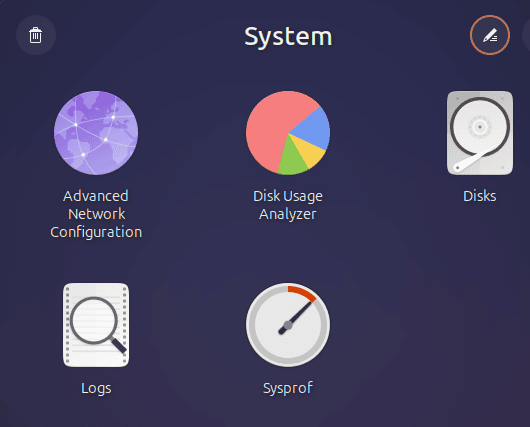
GNOME’s application grid isn’t necessarily arranged in the way everyone expects.
Alphabetical App Grid solves that with one straightforward change: it alphabetically sorts applications and application folders.
That makes the app grid faster to scan and removes the need to manually maintain an orderly arrangement as software is installed and removed.
It’s a simple idea, well executed, and one of those extensions that can quickly make the standard GNOME experience feel more polished.
Website: github.com/stuarthayhurst/alphabetical-grid-extension
10. Kiwi Menu
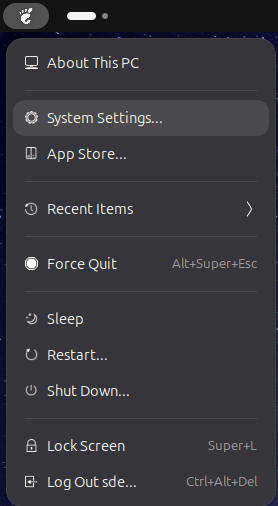 Kiwi Menu adds a macOS-inspired menu to the GNOME panel.
It brings several useful functions together, including access to recently used files, power actions, user switching and customizable menu items. It can also hide selected Quick Settings buttons or the Activities button.
Recent Items is particularly useful. The functionality replaces the ageing standalone Recent Items extension previously featured in this roundup.
Kiwi Menu offers a good amount of customization without trying to become a complete replacement for GNOME’s application launcher.
Website: github.com/kem-a/kiwi-menu
Windows, Workspaces & Tiling
11. Auto Move Windows
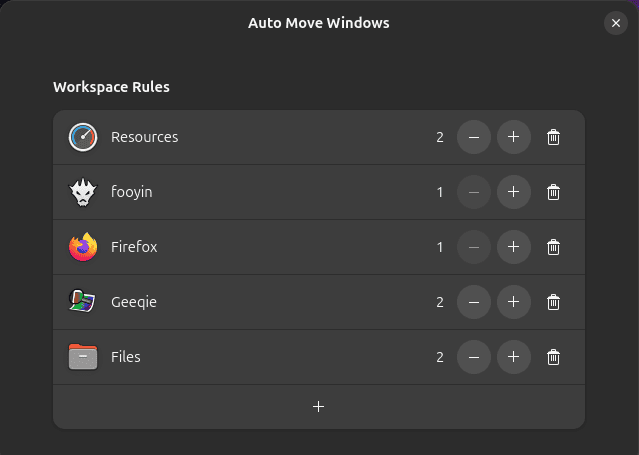 If you use multiple workspaces on your GNOME desktop, this extension comes in handy.
Auto Move Windows lets you configure applications to open on a specific workspace whenever they create a window.
Simply create a rule for an application and specify its preferred workspace. From then on, launching the application sends its windows to that workspace automatically.
It’s a small time saver, but if your desktop is organized around fixed workspaces for particular tasks, the convenience soon mounts up.
Auto Move Windows forms part of GNOME Shell Extensions.
Website: gitlab.gnome.org/GNOME/gnome-shell-extensions
12. V-Shell
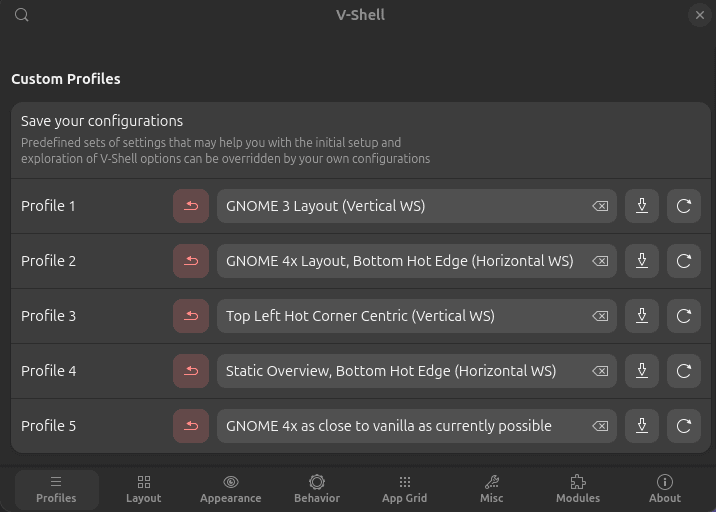 V-Shell is for anyone who likes GNOME’s foundations but wants much greater control over its workflow.
It provides extensive customization of the Activities Overview, application grid, Dash, search, workspace switcher, panel, notifications and keyboard and mouse behaviour.
Both horizontal and vertical workspace layouts are supported, along with configurable secondary-monitor behaviour. There are also predefined profiles that provide useful starting points before you begin fine-tuning individual options.
V-Shell is one of the most comprehensive GNOME Shell extensions available. It can significantly change the desktop without attempting to replace GNOME Shell itself.
Website: github.com/G-dH/vertical-workspaces
Next page: Page 4 – AATWS, Coverflow Alt-Tab, PaperWM, Tiling Assistant
Pages in this article:
Page 1 – Dash to Dock, ArcMenu, Window List, Places Status Indicator
Page 2 – Top Panel Workspace Scroll, Extension List, Tasks in panel, Dash to Panel
Page 3 – Alphabetical App Grid, Kiwi Menu, Auto Move Windows, V-Shell
Page 4 – AATWS, Coverflow Alt-Tab, PaperWM, Tiling Assistant
Page 5 – WinTile, Tiling Shell, No overview at start-up, Space Bar
Page 6 – Custom Hot Corners – Extended, Just Perfection, Blur My Shell, Burn My Windows
Page 7 – Panel corners, Light Style, Lilypad Top Bar Manager, User Themes
Page 8 – Night Theme Switcher, Clipboard History, ddterm, Cronomix
Page 9 – Picture of the day, Emoji Copy, Todoit, Caffeine
Page 10 – Color Picker, Grand Theft Focus, Colosseum, Vitals
Page 11 – Astra Monitor, SimpleWeather, Removable Drive Menu, Quick Settings Audio Panel
Page 12 – Bluetooth Quick Connect, Battery Health Charging, Gtk4 Desktop Icons NG, GSConnect
Page 13 – Hanabi, AppIndicator and KStatusNotifierItem Support
Please read our Comment Policy before commenting.
Hey Steve. Thanks for updating your recommended GNOME Shell Extensions pages.
Hi Torin.
No worries, it was overdue!