

Appearance & Shell Customization continued
25. Panel corners
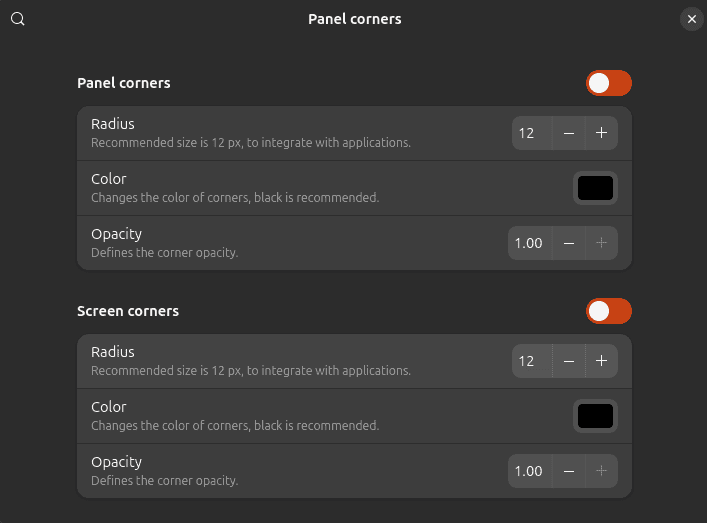
Panel corners restores the rounded top-bar corners which disappeared from GNOME’s default appearance with GNOME 42.
It also provides control over the corner radius, making it possible to reproduce the older appearance or create something more pronounced.
This isn’t an extension that transforms how you work. It’s simply a neat visual customization for users who preferred the softer appearance of earlier GNOME releases.
Website: github.com/aunetx/panel-corners
26. Light Style
Light Style switches GNOME Shell from its default appearance to a light style.
It changes the Shell’s default styling while still respecting the system-wide dark preference, providing a straightforward way to use a lighter interface without installing a complete third-party theme.
The extension forms part of the official GNOME Shell Extensions project, making it a particularly natural choice for users who want a light GNOME desktop while staying close to the stock experience.
Website: gitlab.gnome.org/GNOME/gnome-shell-extensions
27. Lilypad Top Bar Manager
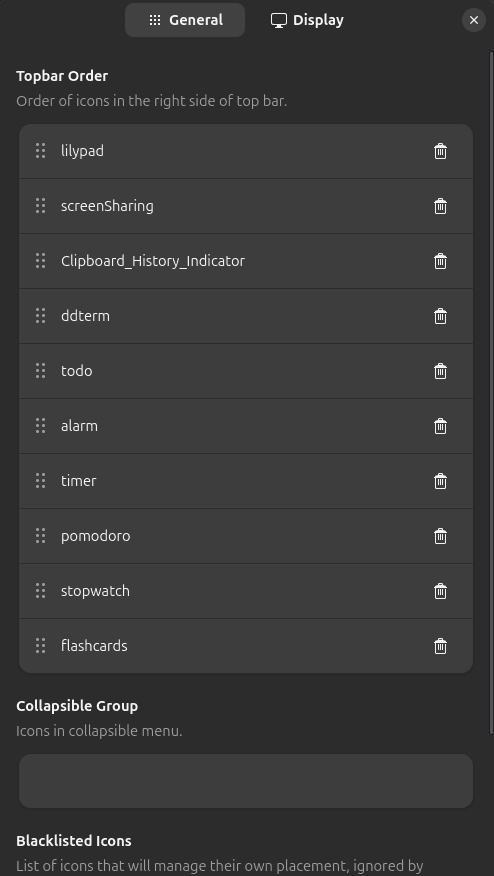
GNOME’s top bar can become crowded once you start installing extensions and applications which expose indicators.
Lilypad helps restore order.
It lets you organize, reorder and hide items in the top bar, making it especially useful on systems with lots of indicators installed.
The concept is simple, but the ability to decide exactly where panel items appear can make a heavily customized GNOME desktop feel considerably tidier.
Website: github.com/shendrew/Lilypad
28. User Themes
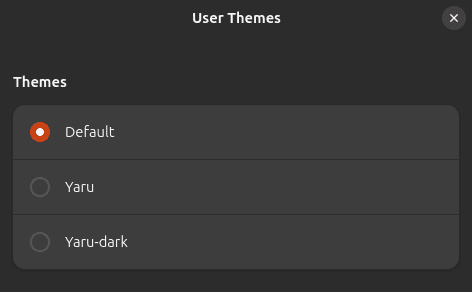
User Themes enables GNOME Shell themes stored in your user theme directory.
That may sound like a modest feature, but it’s an essential building block if you want to customize the appearance of GNOME Shell beyond the standard theme.
It forms part of GNOME Shell Extensions and integrates neatly with the wider ecosystem of GNOME themes and customization tools.
If visual customization is one of the reasons you’re using extensions, User Themes deserves a place near the top of your installation list.
Website: gitlab.gnome.org/GNOME/gnome-shell-extensions
Next page: Page 8 – Night Theme Switcher, Clipboard History, ddterm, Cronomix
Pages in this article:
Page 1 – Dash to Dock, ArcMenu, Window List, Places Status Indicator
Page 2 – Top Panel Workspace Scroll, Extension List, Tasks in panel, Dash to Panel
Page 3 – Alphabetical App Grid, Kiwi Menu, Auto Move Windows, V-Shell
Page 4 – AATWS, Coverflow Alt-Tab, PaperWM, Tiling Assistant
Page 5 – WinTile, Tiling Shell, No overview at start-up, Space Bar
Page 6 – Custom Hot Corners – Extended, Just Perfection, Blur My Shell, Burn My Windows
Page 7 – Panel corners, Light Style, Lilypad Top Bar Manager, User Themes
Page 8 – Night Theme Switcher, Clipboard History, ddterm, Cronomix
Page 9 – Picture of the day, Emoji Copy, Todoit, Caffeine
Page 10 – Color Picker, Grand Theft Focus, Colosseum, Vitals
Page 11 – Astra Monitor, SimpleWeather, Removable Drive Menu, Quick Settings Audio Panel
Page 12 – Bluetooth Quick Connect, Battery Health Charging, Gtk4 Desktop Icons NG, GSConnect
Page 13 – Hanabi, AppIndicator and KStatusNotifierItem Support
Please read our Comment Policy before commenting.
Hey Steve. Thanks for updating your recommended GNOME Shell Extensions pages.
Hi Torin.
No worries, it was overdue!