

Appearance & Shell Customization continued
29. Night Theme Switcher
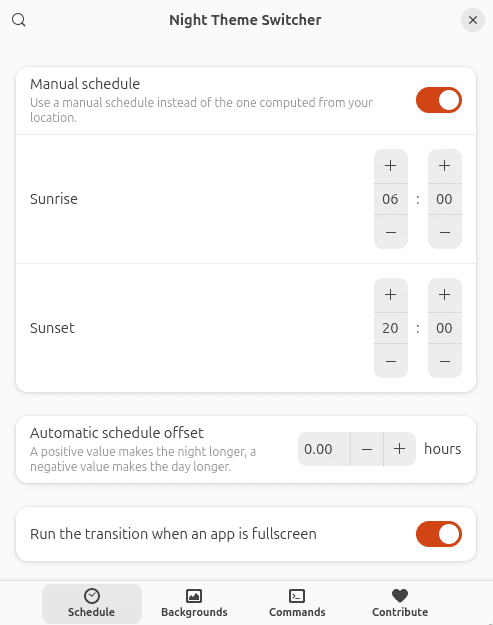
Night Theme Switcher automatically changes the desktop between light and dark appearances.
Switching can take place around sunrise and sunset, and it can alter more than the desktop colour scheme. Different backgrounds can be selected and custom commands can be executed as the theme changes.
It’s an elegant way of running a bright desktop during daylight hours and moving to a less dazzling environment in the evening without manual intervention.
Website: nightthemeswitcher.romainvigier.fr
Productivity & Everyday Utilities
30. Clipboard History
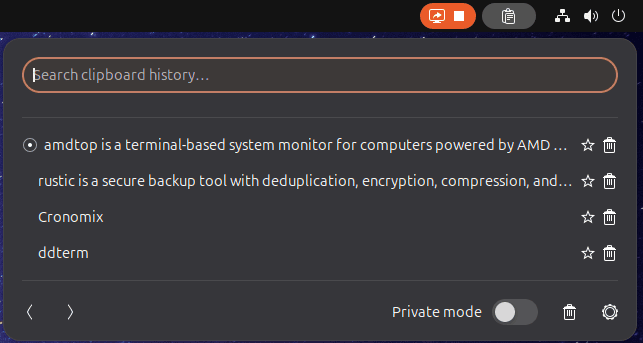
Clipboard History is an excellent productivity extension which turns the clipboard into something far more useful.
Copied items are stored in an easily accessible history, and the archive can be searched when you need to retrieve something copied earlier.
That is invaluable when repeatedly moving snippets of text between applications or when you realize that something useful has since been overwritten on the clipboard.
The interface is unobtrusive and the functionality quickly becomes difficult to live without.
Website: github.com/SUPERCILEX/gnome-clipboard-history
31. ddterm
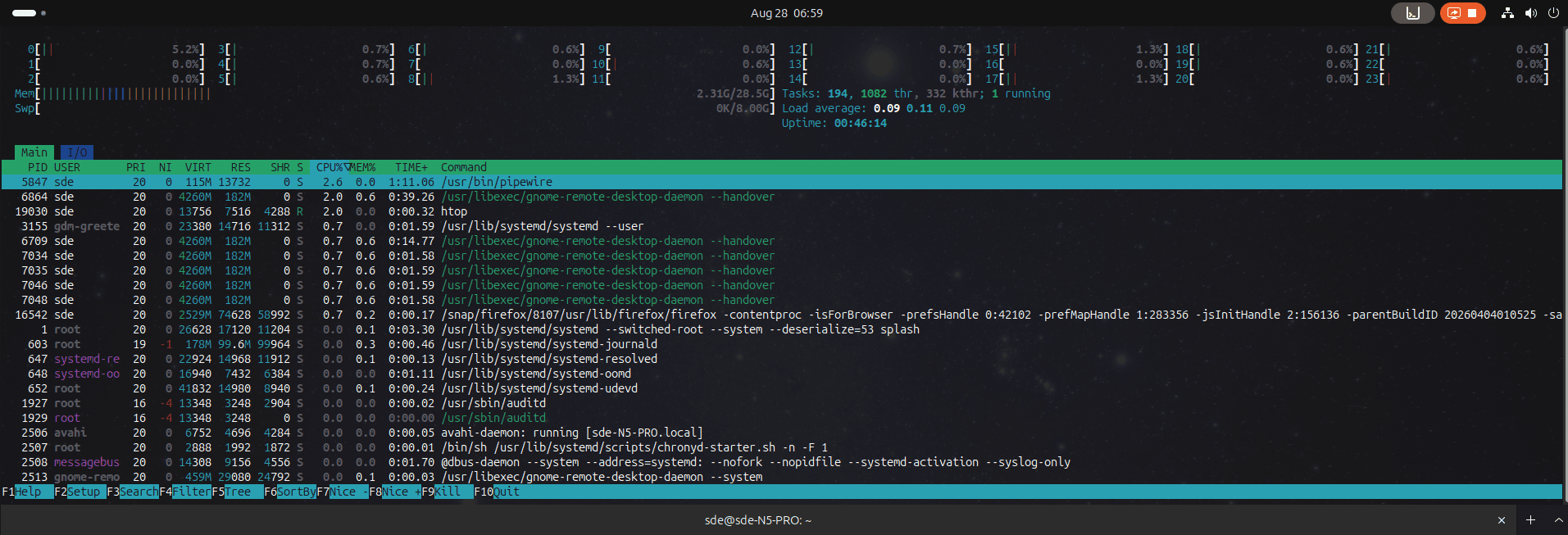
ddterm is a drop-down terminal extension.
We used Drop Down Terminal X for years, but that project was discontinued. ddterm has grown into a very capable successor.
The terminal can be summoned quickly with a keyboard shortcut and dismissed just as easily. It supports tabs, flexible resizing and extensive preferences, and runs natively on Wayland.
If you frequently open a terminal for quick commands rather than lengthy sessions, a drop-down terminal is an enormous convenience.
Website: github.com/ddterm/gnome-shell-extension-ddterm
32. Cronomix
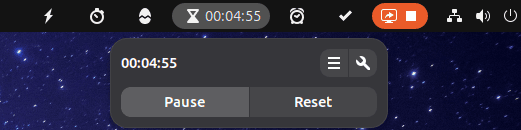
Cronomix is an impressive all-in-one productivity extension.
It combines a timer, stopwatch, Pomodoro timer, alarms, a to-do list and flashcards in a single GNOME Shell extension.
That sounds like a lot to squeeze into the panel, but bringing these related tools together works surprisingly well.
It’s particularly appealing if you’d rather not install several small applications or extensions to cover individual timing and productivity tasks.
Website: github.com/zagortenay333/cronomix
Next page: Page 9 – Picture of the day, Emoji Copy, Todoit, Caffeine
Pages in this article:
Page 1 – Dash to Dock, ArcMenu, Window List, Places Status Indicator
Page 2 – Top Panel Workspace Scroll, Extension List, Tasks in panel, Dash to Panel
Page 3 – Alphabetical App Grid, Kiwi Menu, Auto Move Windows, V-Shell
Page 4 – AATWS, Coverflow Alt-Tab, PaperWM, Tiling Assistant
Page 5 – WinTile, Tiling Shell, No overview at start-up, Space Bar
Page 6 – Custom Hot Corners – Extended, Just Perfection, Blur My Shell, Burn My Windows
Page 7 – Panel corners, Light Style, Lilypad Top Bar Manager, User Themes
Page 8 – Night Theme Switcher, Clipboard History, ddterm, Cronomix
Page 9 – Picture of the day, Emoji Copy, Todoit, Caffeine
Page 10 – Color Picker, Grand Theft Focus, Colosseum, Vitals
Page 11 – Astra Monitor, SimpleWeather, Removable Drive Menu, Quick Settings Audio Panel
Page 12 – Bluetooth Quick Connect, Battery Health Charging, Gtk4 Desktop Icons NG, GSConnect
Page 13 – Hanabi, AppIndicator and KStatusNotifierItem Support
Please read our Comment Policy before commenting.
Hey Steve. Thanks for updating your recommended GNOME Shell Extensions pages.
Hi Torin.
No worries, it was overdue!