

Mousepad is a compact text editor developed as part of the Xfce desktop. It is intended to provide quick, conventional text editing without the complexity of a full development environment.
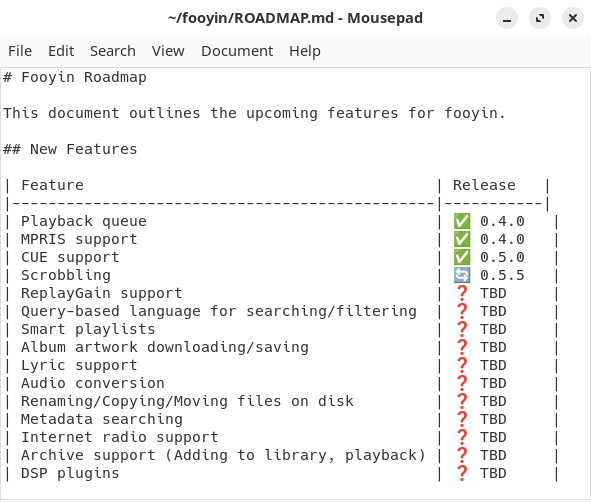
The editor uses a tabbed interface, making it convenient to work with several documents in one window. Its controls and menus are familiar and unobtrusive, which makes Mousepad suitable for notes, configuration files, scripts and general plain-text editing.
Mousepad also offers enough display and editing controls to move beyond the most basic notepad-style applications. Behaviour such as indentation, wrapping, character encoding and line endings can be adjusted without turning the application into a heavyweight programmer’s editor.
This is free and open source software.
Key Features
- Tabbed document interface.
- Syntax highlighting for source code and structured text.
- Search and replace with incremental searching.
- Unlimited undo and redo.
- Clipboard history and paste-as-column functionality.
- Automatic and multi-line indentation.
- Configurable word wrapping, tab width and file type.
- Line numbering and current-line display options.
- Support for different character encodings and line-ending styles.
- Case conversion and indentation commands.
- Drag and drop for opening files.
- Read-only viewer mode.
- Printing support.
- Customisable colour schemes and editor fonts.
Website: gitlab.xfce.org/apps/mousepad
Support:
Developer: Erik Harrison, Nick Schermer, Benedikt Meurer, Matthew Brush, Gaël Bonithon
License: GNU General Public License v2.0
Mousepad is written in C. Learn C with our recommended free books and free tutorials.
Related Software
| Simple GUI Based Text Editors | |
|---|---|
| Notepad Next | Cross-platform text and source code editor |
| Pulsar | Hyper-hackable text editor |
| Lite XL | Lightweight cross-platform text editor derived from lite |
| Kate | Multi-document editor |
| GNOME Text Editor | Default text editor for the GNOME desktop environment |
| CudaText | Replacement for the discontinued SynWrite |
| Pluma | Powerful text editor for MATE |
| Mousepad | Simple text editor for the Xfce desktop environment |
| FeatherPad | Lightweight Qt plain-text editor |
| Nota | Browse, create, and edit text files |
| CorePad | Document editor for C Suite, a minimalistic application suite |
| xed | Small and lightweight text editor |
| gedit | Small and lightweight text editor for GNOME |
| Jottr | Designed for writers, journalists and researchers |
| typobuster | Simplified text editor with transformations and automatic correction |
| Jollpi | A nimble editor with syntax highlighting, tabs and a handy minimap |
| Howl | General purpose editor |
| Parchment | Strips away the clutter to put words firmly centre stage |
| Janus | Simple native Linux notepad meant for text editing |
| Webkit Word | Text editor built with GTK4/Libadwaita |
| v2 | Local-first rich-text editor with versioning capabilities |
| Mini Text | Very small and basic text editor |
Read our verdict in the software roundup.
 LinuxLinks helps you discover the best free and open source software for Linux. Explore our extensive collection of recommended applications, including alternatives to popular proprietary software. We also publish software reviews, Linux tutorials, hardware reviews, free programming books and articles covering the wider open source community. Browse our Linux resources to discover more. Know a useful free and open source Linux application we haven't covered? Suggest a program for inclusion. Has your software been featured on LinuxLinks? Display one of our Featured on LinuxLinks badges on your website or GitHub README. |
Please read our Comment Policy before commenting.