

GTasks is a desktop task management application designed for the GNOME environment. It combines locally stored task lists with optional Google Tasks integration, providing a unified interface for organising personal activities and projects.
The application allows users to manage everyday tasks without requiring an online account. Lists stored on the computer remain accessible offline, while users with Google accounts can access their existing Google Tasks lists through GNOME Online Accounts.
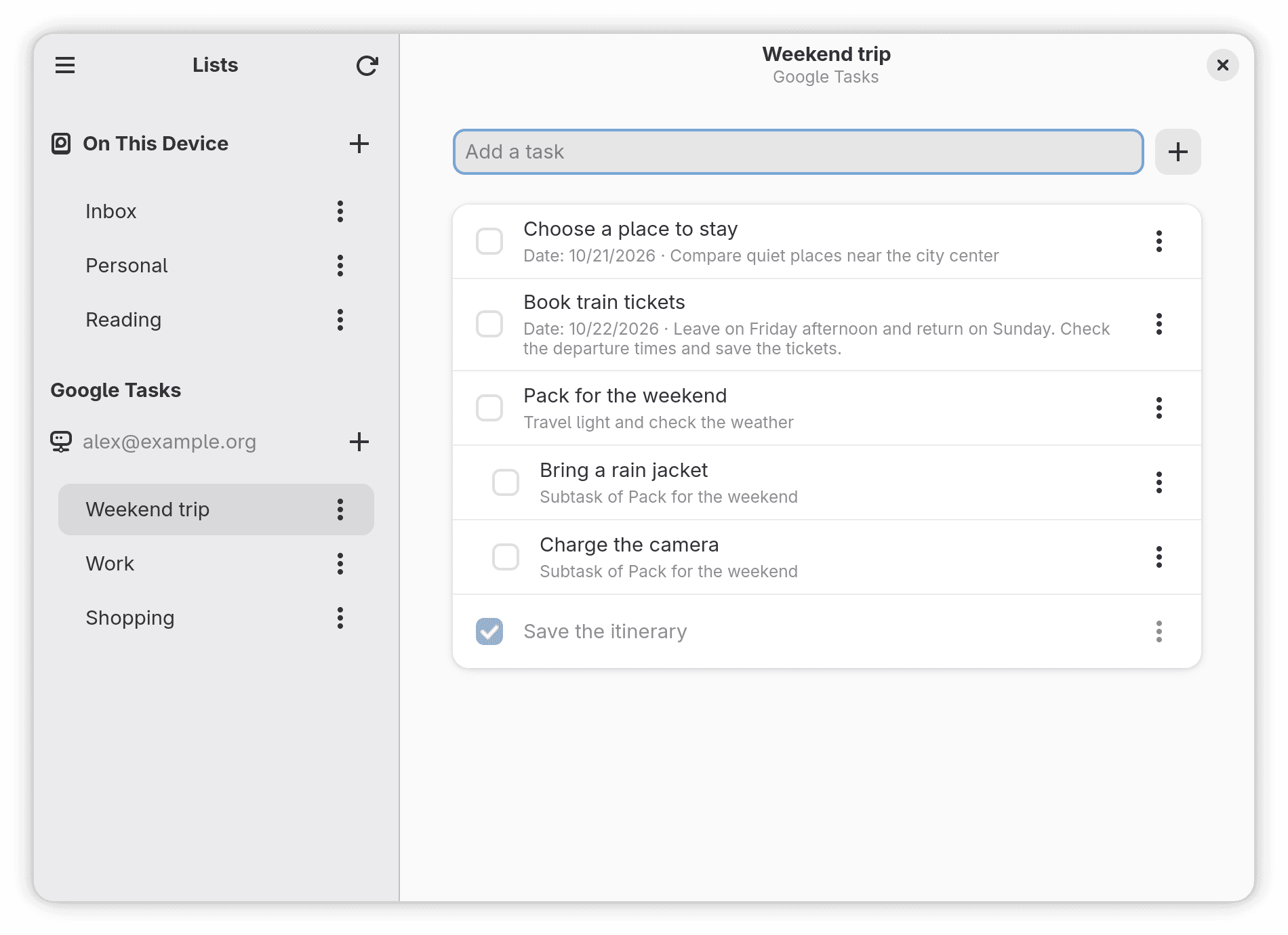
GTasks uses a native GNOME interface that adapts to different window sizes. Its straightforward layout separates task lists from their contents, making it easy to navigate between projects, review outstanding work and update individual tasks.
The application is suitable for users who prefer a conventional desktop task manager while retaining access to tasks maintained through Google’s services.
This is free and open source software.
Key Features
- Create, rename and delete task lists organised by activity or project.
- Manage local task lists using SQLite storage without requiring an internet connection.
- Access Google Tasks lists from multiple accounts configured through GNOME Online Accounts.
- Create, edit, complete, reopen and delete individual tasks.
- Add notes and additional information to tasks.
- Assign due dates using a calendar with shortcuts for today and tomorrow.
- Create subtasks to divide larger activities into smaller steps.
- Move tasks between compatible lists within the same storage source or Google account.
- Display previously synchronised Google Tasks lists and tasks while offline.
- Refresh Google Tasks manually or automatically at configurable intervals while the application is running.
- Spell checking for task descriptions, notes, list names and other text fields, with dictionary suggestions.
- Adaptive interface that switches between side-by-side and single-page layouts according to window width.
- Preferences for showing completed tasks, restoring the previously selected list and controlling automatic synchronisation.
- Keyboard shortcuts for refreshing tasks, accessing preferences and navigating the interface.
- Interface translations for English and Brazilian Portuguese.
Website: github.com/rafatosta/gtasks
Support:
Developer: rafatosta
License: GNU General Public License v3.0
GTasks is written in Python. Learn Python with our recommended free books and free tutorials.
Related Software
| Graphical Task Managers | |
|---|---|
| Super Productivity | Todo app with timeboxing & time tracking capabilities |
| Makagiga | To-do manager, RSS reader, notepad, widgets, image viewer |
| Vikunja | To-do app to organize your life |
| TreeSheets | Free form data organizer |
| Planify | Keep track of all your tasks, projects, and goals |
| Lotti | AI-powered context manager |
| Task Coach | Friendly useful todo manager with composite tasks support |
| Zanshin | KDE software to manage your day to day actions |
| sleek | todo manager based on the todo.txt syntax |
| GTG | Personal tasks and TODO list items organizer |
| Kanri | Modern offline Kanban board |
| OpenTodoList | Simple todo and task management |
| Mindwtr | Getting Things Done (GTD) productivity system |
| Endeavour | Personal task manager for GNOME |
| Errands | Manage your tasks |
| WHPH | Productivity app |
| cfait | Take control of your TODO list |
| Aion-Task | Cyclic TODO task manager |
| Progressive | Keep track of your tasks |
| Tasks | Simple COSMIC task manager with reminders, search and organised lists |
| Finitodo | Graphical task/todo list manager |
| Diurnals | Get daily Todoist notifications |
| Nottodbox | Organize notes, to-dos and diaries |
| KomoDo | Todo manager |
| Autasker | Flexible offline task manager with scheduling, habits and daily planning |
| Reminduck | Simple reminder app |
| TowDow | Tasks and process management |
| Progress | Simple Kanban board manager |
| FromScratch | Auto-saving scratchpad built with Electron |
| Done | To-do lists reimagined |
Read our verdict in the software roundup.
 LinuxLinks helps you discover the best free and open source software for Linux. Explore our extensive collection of recommended applications, including alternatives to popular proprietary software. We also publish software reviews, Linux tutorials, hardware reviews, free programming books and articles covering the wider open source community. Browse our Linux resources to discover more. Know a useful free and open source Linux application we haven't covered? Suggest a program for inclusion. Has your software been featured on LinuxLinks? Display one of our Featured on LinuxLinks badges on your website or GitHub README. |
Please read our Comment Policy before commenting.