
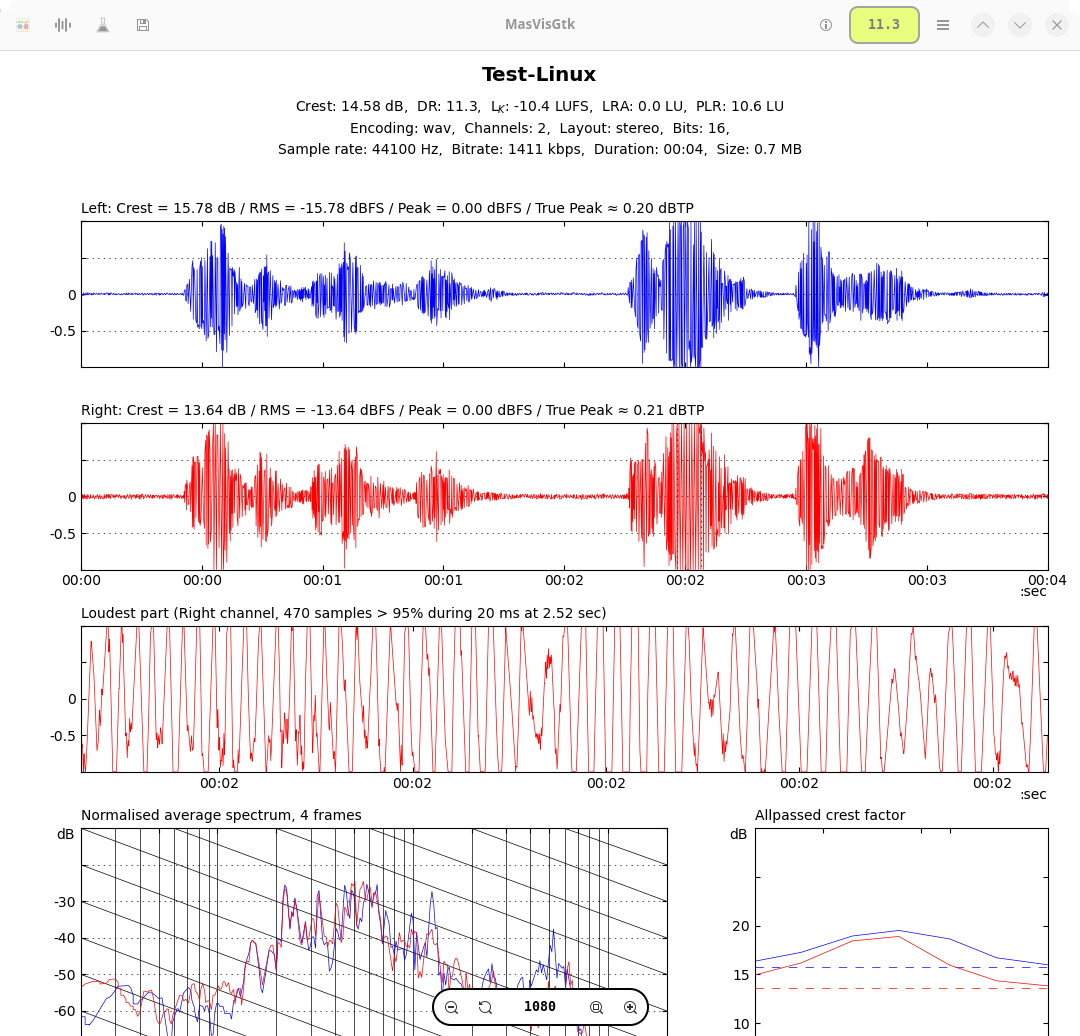
MasVisGtk is an audio analysis application designed to examine the technical characteristics of music recordings. It helps musicians, audio engineers and listeners investigate loudness, dynamic range, spectral balance and other properties that influence the sound of a recording.
The application is particularly useful for comparing different masters of the same music. Its measurements can reveal excessive compression, clipping and changes in dynamic range that might not be immediately apparent from listening alone.
MasVisGtk combines graphical analysis with facilities for processing collections of files. This makes it suitable for inspecting individual tracks as well as comparing the mastering characteristics of albums and larger music libraries.
This is free and open source software.
Key Features
- Waveform displays showing amplitude changes throughout a recording.
- Frequency spectrum analysis for examining tonal balance.
- Dynamic range estimation to assess the effects of compression.
- Peak level measurements for identifying excessive signal levels.
- Crest factor analysis comparing peak and RMS levels.
- EBU R128 loudness measurements using LUFS and loudness units.
- Histograms showing the statistical distribution of audio levels.
- Peak-versus-RMS plots illustrating signal dynamics.
- Detect heavily limited and potentially clipped recordings.
- Analyse stereo and supported multichannel audio files.
- Compare the analysis results of different recordings.
- Process multiple audio files in a batch.
- Recursive directory processing for analysing music collections.
- Switch between flat and folder-based file views.
- Export graphical results for further examination.
Website: github.com/itprojects/MasVisGtk
Support:
Developer: ITProjects
License: GNU General Public License v2.0
MasVisGtk is written in Python. Learn Python with our recommended free books and free tutorials.
Related Software
| Audio Analyzers | |
|---|---|
| Sonic Visualiser | View and analyse the contents of music audio files |
| Friture | Visualize and analyze live audio data in real-time |
| Spek | Acoustic spectrum analyser |
| projectM | Music visualizer originally based on Milkdrop |
| SongRec | Open source Shazam client |
| Cava | Cross-platform audio visualizer |
| sndpeek | Real-time audio visualization tool (animated, 3D) |
| MasVisGtk | Powerful and comprehensive audio analysis tool |
| Mousai | Simple application that can identify songs similar to Shazam |
| AudMeS | System for audio measurement through a sound card in the PC |
| Cavalier | Audio visualizer based on Cava |
| Open Sound Meter | Measurement application for tuning sound systems in real time |
| Le Biniou | Music visualization / VJing tool |
| Cavasik | Fork of Cavalier |
| GLava | OpenGL audio spectrum visualizer |
| Spek-rs | Acoustic spectrum analyser |
| Soundscope | Analyzing audio data |
| Partiels | Audio analysis tool |
| rtspeccy | Real time spectrum analyzer |
| FMIT | Graphical utility for tuning musical instruments |
| shaq | Bare-bones CLI client for Shazam |
| audioprism | Spectrogram tool for PulseAudio and WAV files |
| spectroterm | Curses based terminal spectrum analyzer |
| Music Radar | Simple application that can identify songs similar to Shazam |
| cli-visualizer | Command line visualizer for MPD, ALSA and PulseAudio |
Read our verdict in the software roundup.
 Explore our carefully curated directory of recommended free and open source software, covering every major software category. Explore our carefully curated directory of recommended free and open source software, covering every major software category.The directory forms part of our extensive collection of articles for Linux enthusiasts. It includes hundreds of detailed reviews, together with free and open source alternatives to proprietary software from companies such as Google, Microsoft, Apple, Adobe, IBM, Cisco, Oracle, and Autodesk. LinuxLinks also covers interesting projects worth exploring, Linux-compatible hardware, free programming books and tutorials, and much more. Know a useful free and open source Linux application that we haven’t covered? Tell us about it using our submission form. |
Please read our Comment Policy before commenting.