

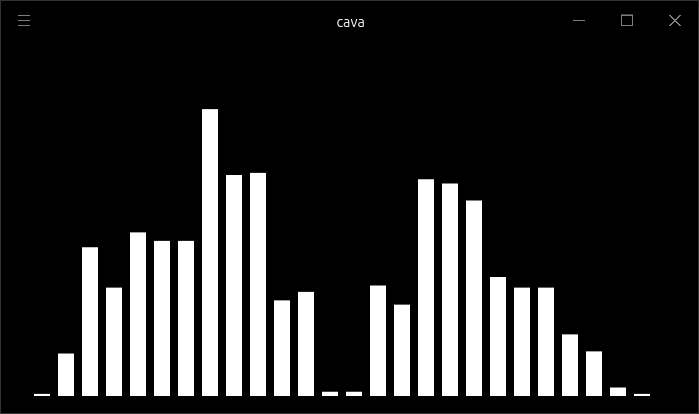
Cava is an audio spectrum visualiser that generates animated frequency bars in response to music and other sounds. It can operate within a terminal or use graphical output, making it suitable for desktop customisation and music-related visual effects.
The application focuses on producing responsive, attractive visualisations rather than performing scientific measurements. Its output reflects the frequency distribution and changing intensity of audio, providing a visual accompaniment to music playback.
Cava is highly configurable. Users can customise the number and appearance of frequency bars, select audio capture sources and integrate the visualisation into other applications or display environments.
This is free and open source software.
Key Features
- Real-time bar spectrum visualisation of music and other audio signals.
- Terminal displays using ncurses or direct terminal rendering.
- Graphical output through SDL and OpenGL shader rendering.
- Capture audio from PipeWire, PulseAudio, ALSA, JACK and other supported sources.
- Read audio data from named pipes for integration with music players.
- Configurable number of bars, bar width, spacing and sensitivity.
- Customisable frequency range and frequency distribution.
- Adjustable smoothing, gravity and noise reduction.
- Choose foreground and background colours, including gradient effects.
- Mono and stereo visualisations with different orientations.
- OpenGL shader effects including circular and spectrogram-style visualisations.
- Raw spectrum output for integration with external software and hardware displays.
- Interactive keyboard controls for adjusting the visualisation.
- Cross-platform support – runs on Linux, FreeBSD, macOS, and Windows.
Website: github.com/karlstav/cava
Support:
Developer: Karl Stavestrand and contributors
License: MIT License
cava is written in C. Learn C with our recommended free books and free tutorials.
Related Software
| Audio Analyzers | |
|---|---|
| Sonic Visualiser | View and analyse the contents of music audio files |
| Friture | Visualize and analyze live audio data in real-time |
| Spek | Acoustic spectrum analyser |
| projectM | Music visualizer originally based on Milkdrop |
| SongRec | Open source Shazam client |
| Cava | Cross-platform audio visualizer |
| sndpeek | Real-time audio visualization tool (animated, 3D) |
| MasVisGtk | Powerful and comprehensive audio analysis tool |
| Mousai | Simple application that can identify songs similar to Shazam |
| AudMeS | System for audio measurement through a sound card in the PC |
| Cavalier | Audio visualizer based on Cava |
| Open Sound Meter | Measurement application for tuning sound systems in real time |
| Le Biniou | Music visualization / VJing tool |
| Cavasik | Fork of Cavalier |
| Spek-rs | Acoustic spectrum analyser |
| Soundscope | Analyzing audio data |
| Partiels | Audio analysis tool |
| rtspeccy | Real time spectrum analyzer |
| FMIT | Graphical utility for tuning musical instruments |
| Vibe | Wayland music visualiser with audio-reactive shader effects |
| Wolf Spectrum | Real-time spectrogram analyser for audio monitoring and production |
| OpenMeters | Real-time audio metering with waveform and spectrum displays |
| Beskope | PipeWire music visualiser with waveform and spectrogram displays |
| spectroterm | Curses based terminal spectrum analyzer |
| Music Radar | Simple application that can identify songs similar to Shazam |
Read our verdict in the software roundup.
 LinuxLinks helps you discover the best free and open source software for Linux. Explore our extensive collection of recommended applications, including alternatives to popular proprietary software. We also publish software reviews, Linux tutorials, hardware reviews, free programming books and articles covering the wider open source community. Browse our Linux resources to discover more. Know a useful free and open source Linux application we haven't covered? Suggest a program for inclusion. Has your software been featured on LinuxLinks? Display one of our Featured on LinuxLinks badges on your website or GitHub README. |
Please read our Comment Policy before commenting.