

A news aggregator gathers news, blog posts, and other web content into one place, making it easier to follow updates from many different sources. Given the huge number of news sites and blogs online, these tools are invaluable for quickly spotting important developments and breaking stories.
They’re especially useful for people who follow lots of blogs, as they remove the hassle of checking each site individually. That’s particularly helpful when some blogs are updated only occasionally.
syndicationd is a terminal-first RSS and Atom feed reader. The executable is named synd and provides a keyboard-driven interface for following websites without relying on a hosted feed service. This is free and open source software.
Installation
I evaluated syndicationd with CachyOS, probably the finest Arch-based Linux distribution.
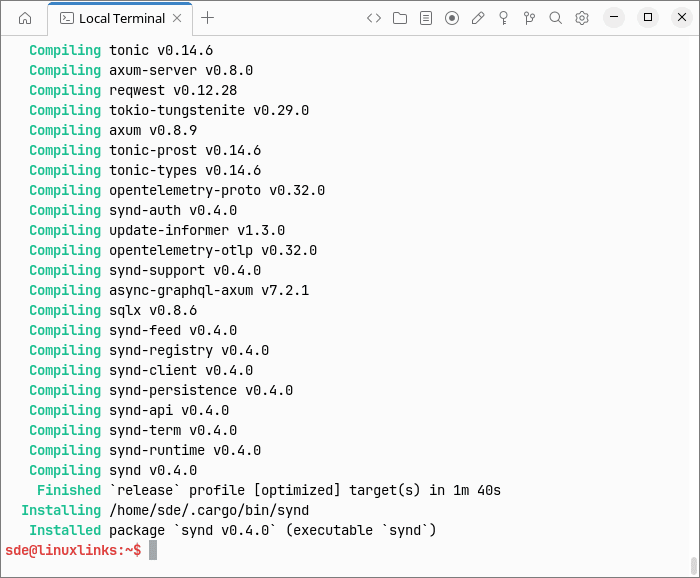
Installation is a breeze using cargo.
$ cargo install synd --version 0.4.0 --locked
In Operation
Launch the program with the command synd. Make sure ~/.cargo/bin/ is included in your PATH.
Subscriptions are organised using user-defined categories and one of three requirement levels — MUST, SHOULD, and MAY — borrowed from RFC 2119 terminology. This gives users a simple way to distinguish essential feeds from lower-priority reading.
The program stores its working data locally and is designed around straightforward, durable components rather than recommendations, curation, or behaviour analysis.
To add a feed, press Tab to switch to the Feeds tab, then press a. Your configured editor opens, where you can enter the feed using the following format:
MUST linux https://www.linuxlinks.com/feed
The first field sets the feed priority, followed by its category and URL.
To open a selected entry in your default web browser, press Enter. Press Space instead to open it using the configured text browser.
I switched to Tabby, as syndicationd doesn’t display correctly in Termora with my current configuration.
Here’s the software showing our feed.
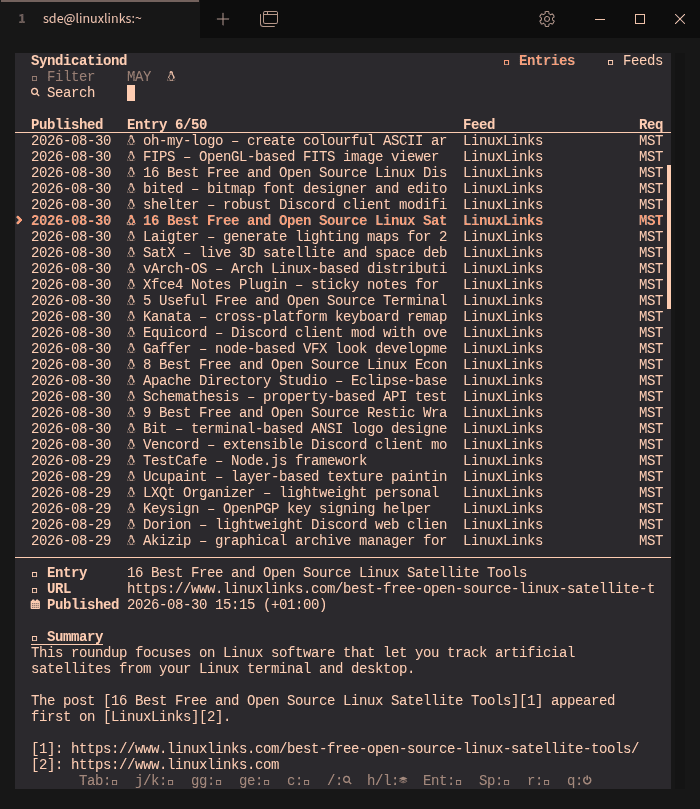
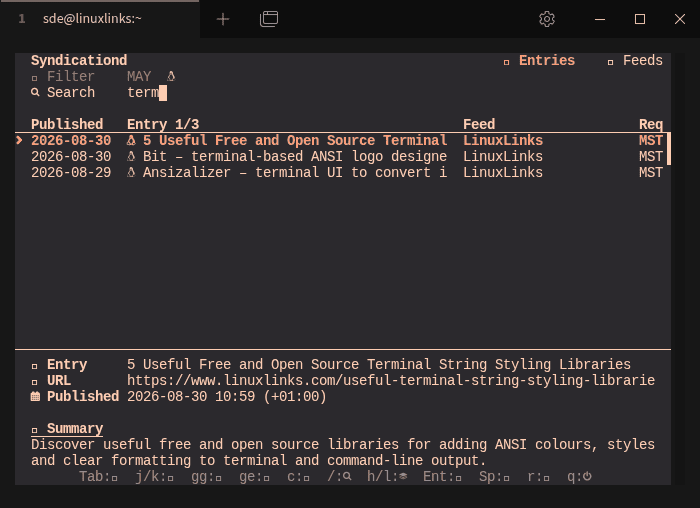
We can filter feeds and entries by requirement level and search entries by keyword from the terminal interface. syndicationd offers priority, category and keyword filtering. But it’s lacking compared to our recommended terminal-based news aggregators. Newsboat has a full filter language, killfiles and query feeds; Feedr filters by age, author, read status, starred status, category and content length; Elfeed supports regexes, dates/date ranges, tags, feed inclusion/exclusion and result limits.
Key Features
- Toggle individual categories or activate and deactivate all categories.
- Open selected entries in the system web browser.
- Use a configurable text browser command to read entries from the terminal.
- Add, edit, and remove feed subscriptions.
- Import and export subscriptions in JSON format.
- Customise keyboard bindings.
- Configure the program through command-line flags, environment variables, or a configuration file.
- Inspect the resolved configuration in human-readable or JSON output.
- Run built-in diagnostics covering configuration, cache, logs, SQLite paths, and daemon status.
- Clean known cache files and logs without removing the local database.
- Store subscriptions, entries, and reading state in SQLite by default.
Summary
syndicationd is a good-looking feed browser/triage tool rather than a fully fledged terminal news reader at this stage. Its MUST/SHOULD/MAY priority system is interesting, but the absence of inline article reading, OPML support and starring/bookmarking are three notable omissions.
syndicationd essentially browses the entry list and hands the article off to a web browser or configured text browser. Newsboat has its own HTML renderer, Feedr has an article detail/preview view, and Elfeed renders entries inside Emacs.
syndicationd currently imports/exports its own JSON format. Newsboat, Feedr and Elfeed can all import OPML, which is much more useful when migrating from another feed reader.
Website: github.com/ymgyt/syndicationd
Support:
Developer: ymgyt
License: Apache License 2.0 OR MIT License
syndicationd is written in Rust. Learn Rust with our recommended free books and free tutorials.
Linux has lots of terminal-based news aggregators. If izrss doesn’t meet your requirements, try one of these.
| Terminal-Based News Aggregators | |
|---|---|
| Newsboat | Snazzy RSS feed reader |
| Feedr | Polished Linux terminal-based RSS/Atom feed reader |
| Elfeed | Extensible web feed reader for Emacs, supporting both Atom and RSS |
| goread | Go-based news feed reader |
| gorss | Simple RSS/Atom reader written in Golang |
| Snownews | Text mode reader for RSS and Atom feeds written in C |
| tuifeed | News feed reader with a fancy terminal user interface |
| nom | RSS reader for the terminal written in Go |
| eilmeldung | Based on the awesome news-flash library |
| Newsraft | Greatly inspired by Newsboat and tries to be its lightweight counterpart |
| syndicationd | Keyboard-driven RSS and Atom reader with a clean interface |
| moccasin | TUI feed reader for RSS, Atom, and (eventually) Podcasts |
| izrss | Lightweight RSS reader focused on simplicity and speed |
| bulletty | Fast RSS and Atom reader with an uncluttered interface |
| CAST-text | Full-text RSS terminal reader |
| hys | RSS reader for digital minimalists |
| Feedln | Simple interface to view, update, and categorize feed |
| srss | Simple command-line news feed reader |
| newsroom | Modern CLI to get your favorite news |
| blogtato | RSS and Atom feed reader |
| Rivulet | Focuses on usability for users who prefer keyboard-driven tools |
| NewsGoat | Written in Go using the Bubble Tea TUI framework |
| Canto | Crank through feeds using a minimal, yet information packed interface |
Read our verdict in the software roundup.
Please read our Comment Policy before commenting.