

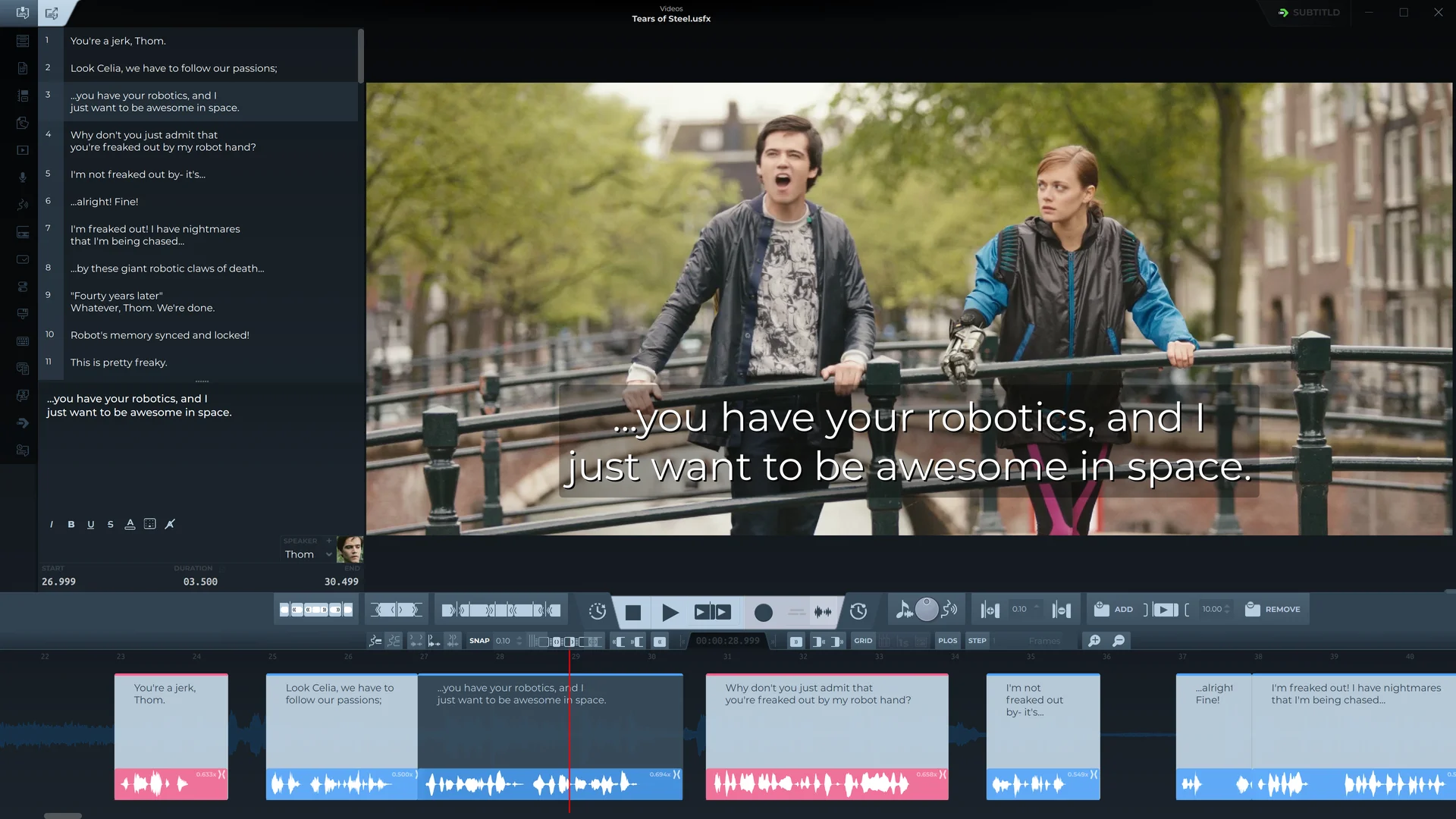
Subtitld is a subtitle editor for creating, editing, transcribing, translating and dubbing video subtitles. It combines video playback, text editing and a waveform timeline in a single desktop application.
The software is designed for people preparing captions, translating dialogue or producing dubbed versions of videos. It offers conventional manual subtitle editing alongside speech recognition, machine translation and synthetic voices. Many of these capabilities can operate offline using models installed on the local computer.
Subtitld also supports an extensive range of subtitle formats, including those used in broadcasting and online video. Its integrated audio tools allow users to produce dubbed soundtracks without relying entirely on separate audio editing applications.
This is free and open source software.
Key Features
- Waveform-based timeline with subtitle retiming, splitting, merging, snapping, zooming and frame-accurate adjustments.
- Vertical timeline for working through subtitles sequentially.
- Speaker management with face detection, colour-coded timeline lanes and speaking time statistics.
- Video preview with subtitle overlays, safe-area guides, variable playback speed, looping and frame stepping.
- Automatic generation of lightweight proxy videos for editing 4K and 8K footage, using GPU acceleration where available.
- Automatic speech transcription using add-ons such as whisper.cpp and Vosk.
- Transcribe an entire video, a specified time range or selected subtitles.
- Record mode converts spoken microphone input into timed subtitles.
- Offline subtitle translation using downloadable language models, with translations kept alongside the original text.
- Assign synthetic voices to individual speakers, with optional dubbing fitted to subtitle durations.
- Record your own voice as an alternative to synthetic dubbing.
- Speech synthesis add-ons include Piper, Kokoro, Coqui XTTS and F5-TTS.
- Voice cloning using audio samples taken from the source video.
- Export complete dubbed audio mixes, individual speaker tracks, separate subtitle clips or background audio in WAV, FLAC or MP3 formats.
- Audio mixer with equalisation, compression and noise gating for voice, music and individual speakers.
- Audio separation to isolate dialogue from music and sound effects.
- Subtitle quality checks covering reading speed, duration, line count and line length.
- Plain-text editing of subtitles in SRT, Markdown or JSON formats.
- Import transcripts from plain text and Microsoft Word documents.
- Supports SRT, WebVTT, ASS/SSA, TTML, SCC, EBU STL, MacCaption MCC, CEA-708, YouTube srv3 and Bilibili BCC formats, among others.
- Import transcription data from services including Whisper, WhisperX, Deepgram, AWS and Azure.
- Extract subtitle tracks and closed captions directly from video files.
- Configurable keyboard shortcuts, autosave, undo and find-and-replace functionality.
- Integrated subtitld.cc community hub for finding, rating, publishing and deleting subtitles, with video fingerprint matching.
- Interface available in 17 languages.
- Cross-platform support – runs on Linux, macOS, Windows, and Haiku.
Website: github.com/Subtitld/subtitld
Support:
Developer: Jonatã Bolzan Loss
License: GNU General Public License v3.0
Subtitld is written in Python. Learn Python with our recommended free books and free tutorials.
Related Software
| Subtitle Editors | |
|---|---|
| Subtitle Edit | Versatile and feature-laden editor for video subtitles |
| Gaupol | Editor for text-based subtitle files |
| Aegisub | Highly customizable tool for creating and modifying subtitles |
| AutoSubs | Subtitles made simple |
| Subtitle Composer | Editor that supports basic and advanced operations |
| Jubler | Author new subtitles - convert, transform, correct and refine |
| Gnome Subtitles | Video subtitling for the GNOME desktop |
| Tero Subtitler | Feature-rich subtitle creation, translation and validation tool |
| YTSubConverter | Create styled YouTube subtitles |
| Subtitle Forge | Desktop application for working with subtitles across the full workflow |
| Sub Editor | Visual, keyboard-driven subtitle editor with waveform timing |
| Subtitle Editor | GTK+3 tool to edit subtitles |
| Subtitld | Edit, transcribe and create subtitles |
| subedit | Command-line editor written in Bash |
Read our verdict in the software roundup.
 LinuxLinks helps you discover the best free and open source software for Linux. Explore our extensive collection of recommended applications, including alternatives to popular proprietary software. We also publish software reviews, Linux tutorials, hardware reviews, free programming books and articles covering the wider open source community. Browse our Linux resources to discover more. Know a useful free and open source Linux application we haven't covered? Suggest a program for inclusion. Has your software been featured on LinuxLinks? Display one of our Featured on LinuxLinks badges on your website or GitHub README. |
Please read our Comment Policy before commenting.