

The ATK Blazing Sky F1 V3 Ultimate+ is a lightweight wireless gaming mouse weighing just 37g. It uses PixArt’s PAW3955 Master sensor, supports an 8,000Hz polling rate and has a 300mAh battery.
This review examines its build quality, Linux compatibility, responsiveness and overall usability.
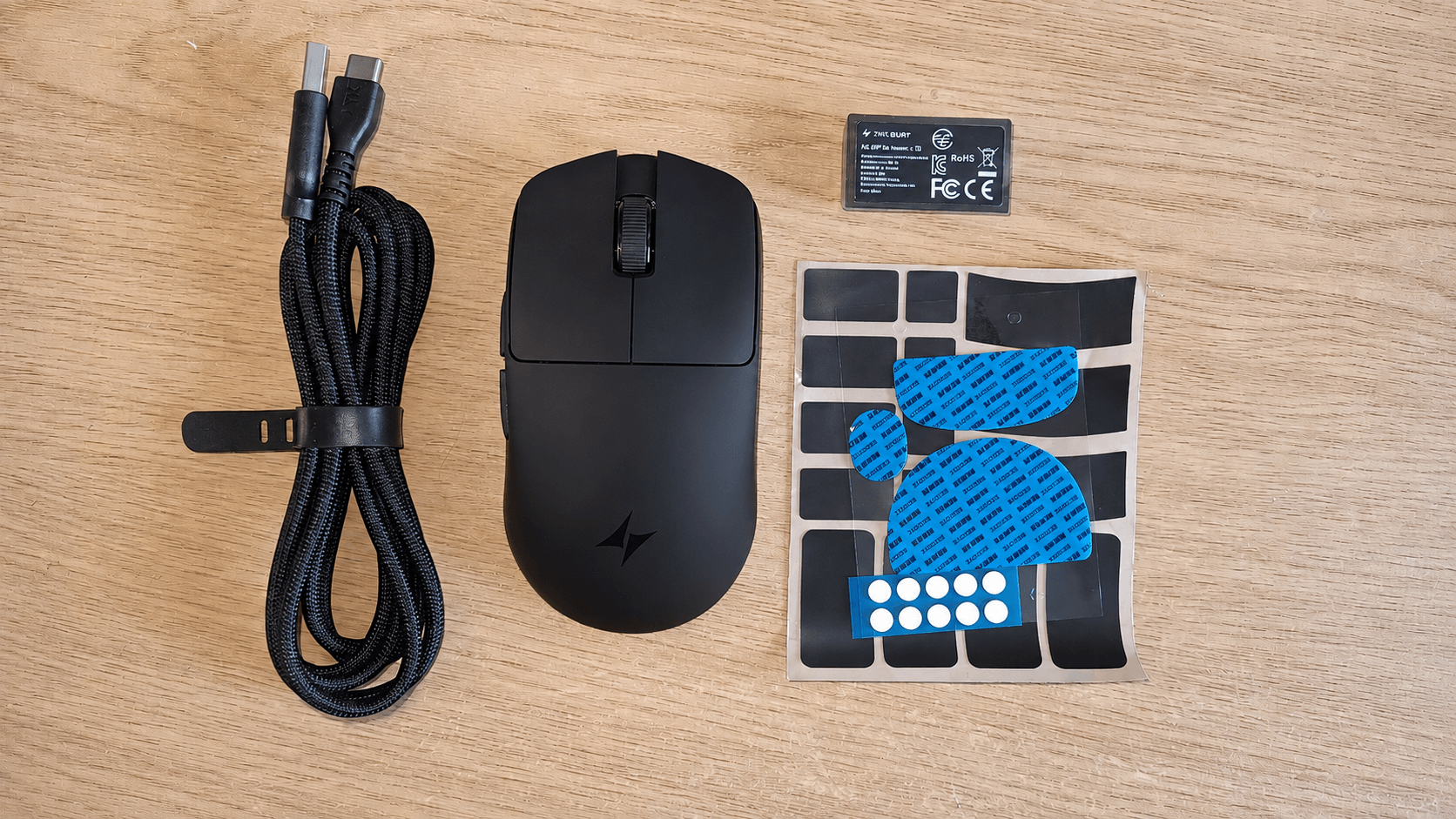
What’s in the Box
- Black gaming mouse with two main buttons, scroll wheel and side buttons
- Braided USB-A to USB-C charging/data cable
- Product warranty certificate and user guide
- Clear packet containing pre-cut textured pads for the mouse
- Receiver
Mouse Specifications
- Model: ATK Blazing Sky F1 V3 Ultimate+
- Dimensions: 118.2 x 62.4 x 38.8mm
- Weight: 37g ±3g
- Sensor: PixArt PAW3955 Master
- MCU: Nordic 54LM20
- DPI range: 10-50,000 DPI
- Maximum polling rate: 8,000Hz
- Main switches: ATK custom optical
- Scroll wheel encoder: TTC Gold
- Battery: 300mAh
- Connectivity: 2.4GHz wireless and USB wired
The PAW3955 Master is a high-end optical sensor. ATK specifies tracking speeds of up to 850 IPS and acceleration of up to 75G. Lift-off distance can be adjusted between 0.7mm and 1.7mm.
The maximum 50,000 DPI setting has little practical value for normal desktop use, but the wide adjustment range makes it easy to select a sensitivity that suits your preferences.
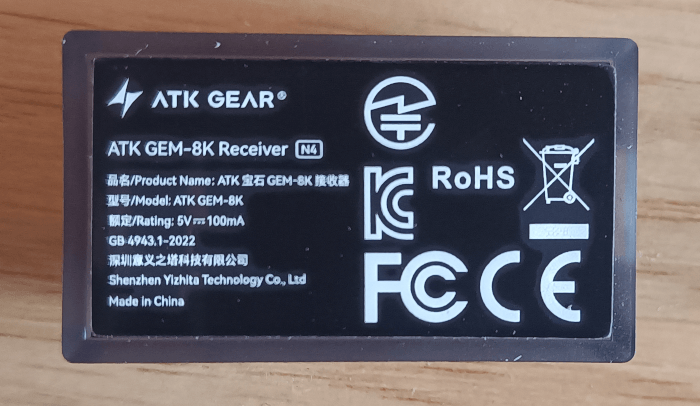
The supplied GEM 8K receiver supports wireless polling rates of up to 8,000Hz. The same maximum polling rate is also available in wired mode.
Build Quality
At only 37g, the F1 V3 Ultimate+ is one of the lightest mice I’ve used. Despite this, the shell feels reasonably substantial and avoids the hollow feel that can affect some ultra-lightweight designs.
There is little flex when pressure is applied to the sides and I haven’t noticed any creaking or rattling during normal use. ATK has also avoided using a perforated shell to reduce the weight.
The body has a compact, symmetrical shape, with slightly recessed sides and a modest hump towards the rear. ATK says the shape is intended for small to medium-sized hands. It works particularly well with a claw grip, although this is very much a matter of personal preference.
ATK uses what it calls a Nano coating on the F1 V3 series. The matte finish provides a decent amount of grip without feeling rubberised. Textured grip pads are also supplied if you prefer a more secure surface.
The scroll wheel is firmly mounted and the two side buttons are easy to reach. Overall, the mouse feels well assembled given its extremely low weight.
Linux Compatibility
The F1 V3 Ultimate+ works as a standard USB HID mouse and does not need a dedicated Linux driver for normal operation. Pointer movement, the main buttons, scroll wheel, middle click and side buttons all work in both wired and 2.4GHz wireless modes.
ATK also provides its browser-based HUB for configuring the mouse. This provides access to DPI settings, polling rate, lift-off distance, button assignments, performance options and onboard profiles.
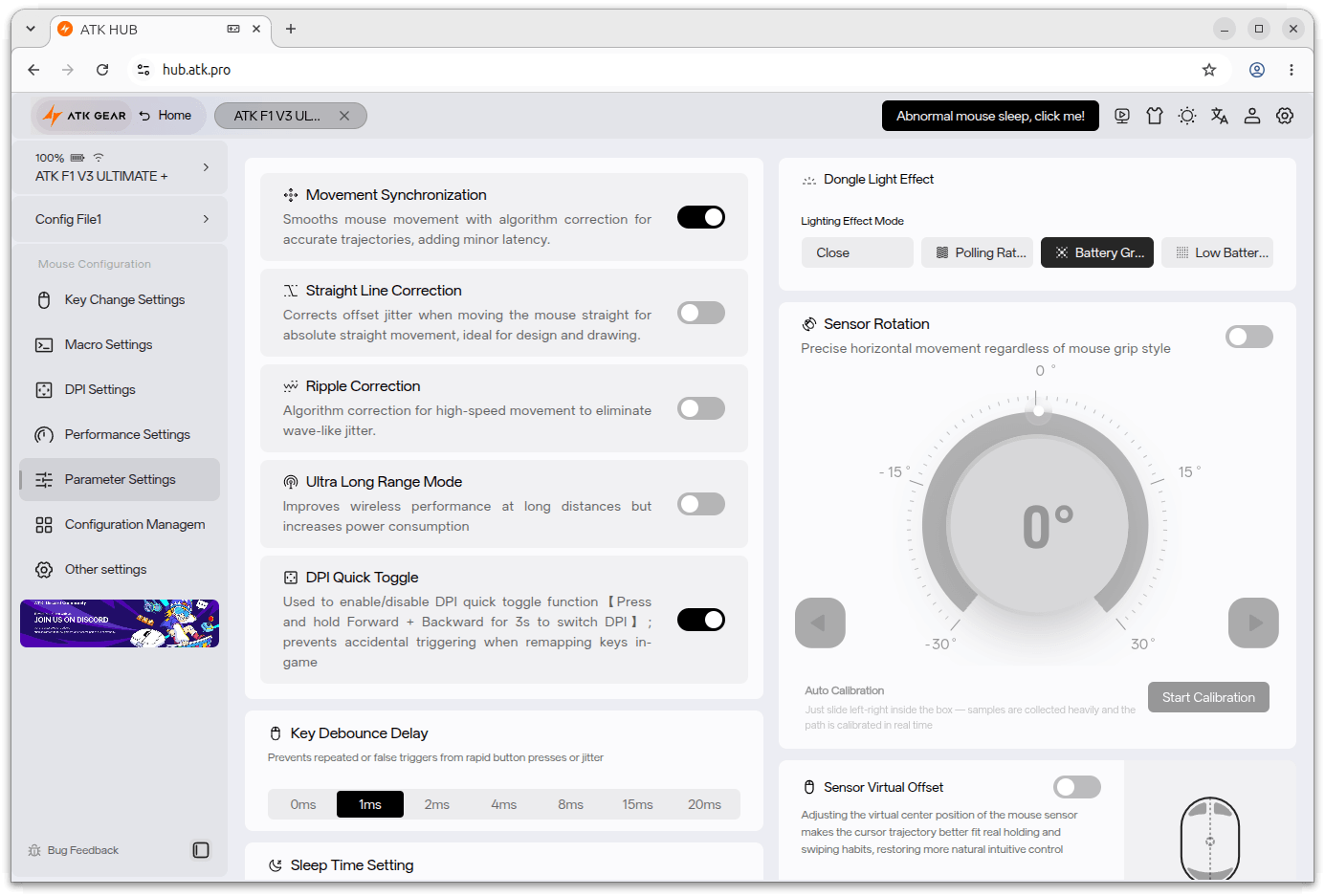
ATK HUB uses WebHID and therefore needs a Chromium-based browser. Firefox does not currently provide the WebHID support required by the site.
With the Linux distributions I tested, ATK HUB could detect the F1 V3 but was initially unable to communicate with it. I fixed this by creating a udev rule giving applications access to the mouse’s raw HID interface.
$ echo 'SUBSYSTEM=="hidraw", ATTRS{idVendor}=="373b", MODE="0666"' | sudo tee /etc/udev/rules.d/99-atk-webhid.rules >/dev/null
Reload the udev rules:
$ sudo udevadm control --reload-rules
Then reprocess the connected devices:
$ sudo udevadm trigger
Disconnecting and reconnecting the receiver may also be necessary, although it wasn’t required on my systems.
Once the settings have been saved to the mouse, ATK HUB does not need to remain open.
Overall, Linux compatibility is good. Normal operation works without additional software, while the browser-based HUB provides access to most of the mouse’s configuration options.
In Use
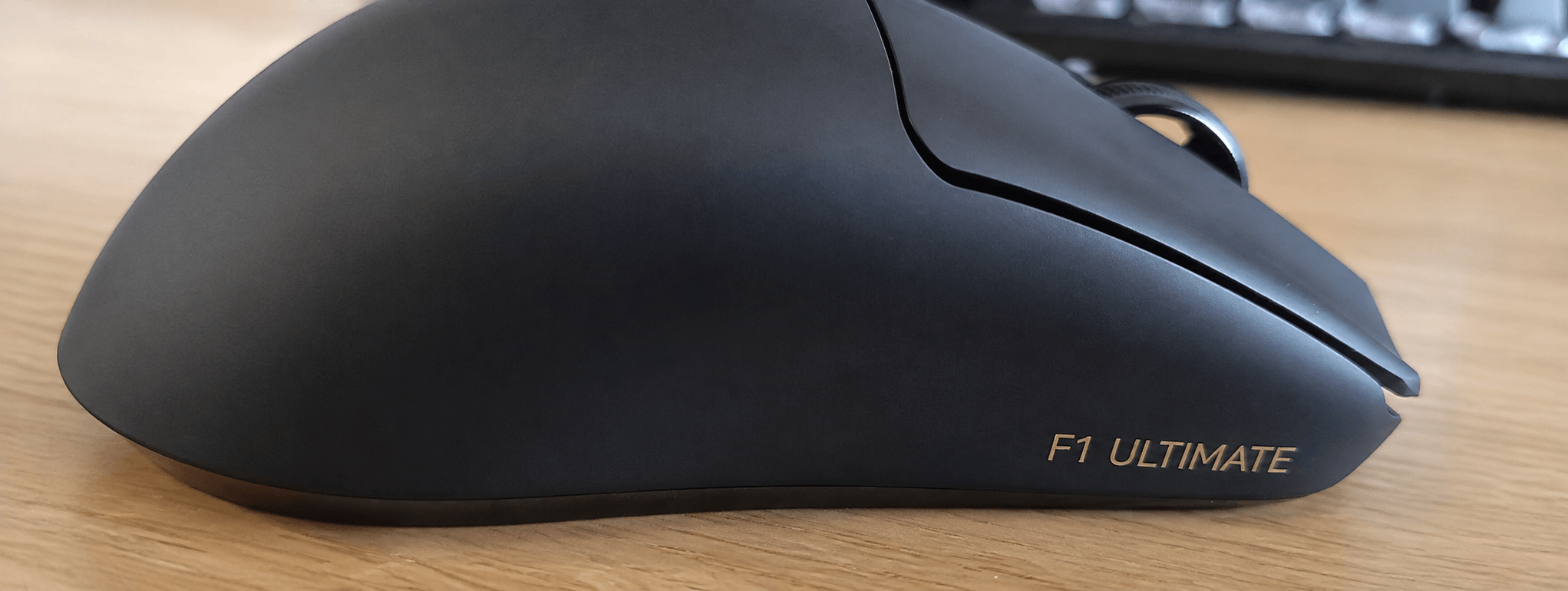
The most noticeable characteristic of the F1 V3 Ultimate+ is its weight. At around 37g, it feels extremely light in the hand and requires very little effort to move across the mouse mat. Rapid changes of direction are easy, and a conventional heavier mouse feels noticeably more cumbersome after using the F1 V3 for a while.
Tracking from the PAW3955 Master sensor is smooth and accurate. Pointer movement remains consistent across the sensitivity settings I tested, with no obvious unwanted acceleration or erratic behaviour. The skates provide a smooth glide on a cloth mouse mat, with little initial resistance. Combined with the 37g weight, this makes small adjustments and rapid movements particularly easy.
The custom optical switches beneath the main buttons produce crisp clicks with little pre-travel. The buttons return quickly after activation and work well for repeated clicking. The two side buttons are also easy to locate by touch.
The TTC Gold scroll wheel has well-defined steps without feeling excessively stiff. The middle click is firm enough that it isn’t easily activated by accident.
The F1 V3 Ultimate+ supports polling rates up to 8,000Hz. At this setting the mouse can report its position to the computer up to eight times as frequently as a conventional 1,000Hz mouse.
The benefit of 8,000Hz is most apparent with very high refresh rate displays and games where input latency matters. For normal desktop use the difference over 1,000Hz is much less noticeable.
There are also disadvantages. Higher polling rates increase CPU activity and have a significant effect on battery life. I therefore prefer 1,000Hz or 2,000Hz for everyday desktop use, with 8,000Hz available when required.
The Ultimate+ has a 300mAh battery. ATK claims up to 300 hours of operation at a 1,000Hz polling rate, although actual battery life will depend on usage and configuration. Running at higher polling rates will reduce this considerably.
Charging is handled through the supplied USB cable, and the mouse can continue to be used in wired mode while charging.
Verdict
The ATK Blazing Sky F1 V3 Ultimate+ combines an extremely low weight with excellent tracking, an 8,000Hz polling rate and a 300mAh battery.
Build quality is good. Despite weighing only around 37g, the shell feels rigid and there is little flex or unwanted movement. The PAW3955 Master sensor tracks accurately, while the optical switches and TTC Gold scroll wheel work well.
The 8,000Hz polling rate is unlikely to offer much benefit for ordinary desktop use and has a significant impact on battery life. Fortunately, lower polling rates can be selected through ATK HUB, and 1,000Hz or 2,000Hz makes more sense for general use.
Linux support is also good. The mouse works without additional drivers, and ATK HUB can be used from a Chromium-based browser once the required hidraw permissions have been configured.
There is no dedicated DPI switch on the base, so DPI changes need to be made through ATK HUB. This is a minor inconvenience if you frequently switch sensitivity settings.
Overall, the F1 V3 Ultimate+ is an impressive lightweight mouse. Its 37g weight, accurate sensor, solid construction and extensive configuration options make it an excellent performer for gaming while remaining perfectly practical for everyday desktop use.
The mouse is available from ATK’s website, where the Ultimate+ is currently priced at $64.98.
Please read our Comment Policy before commenting.