

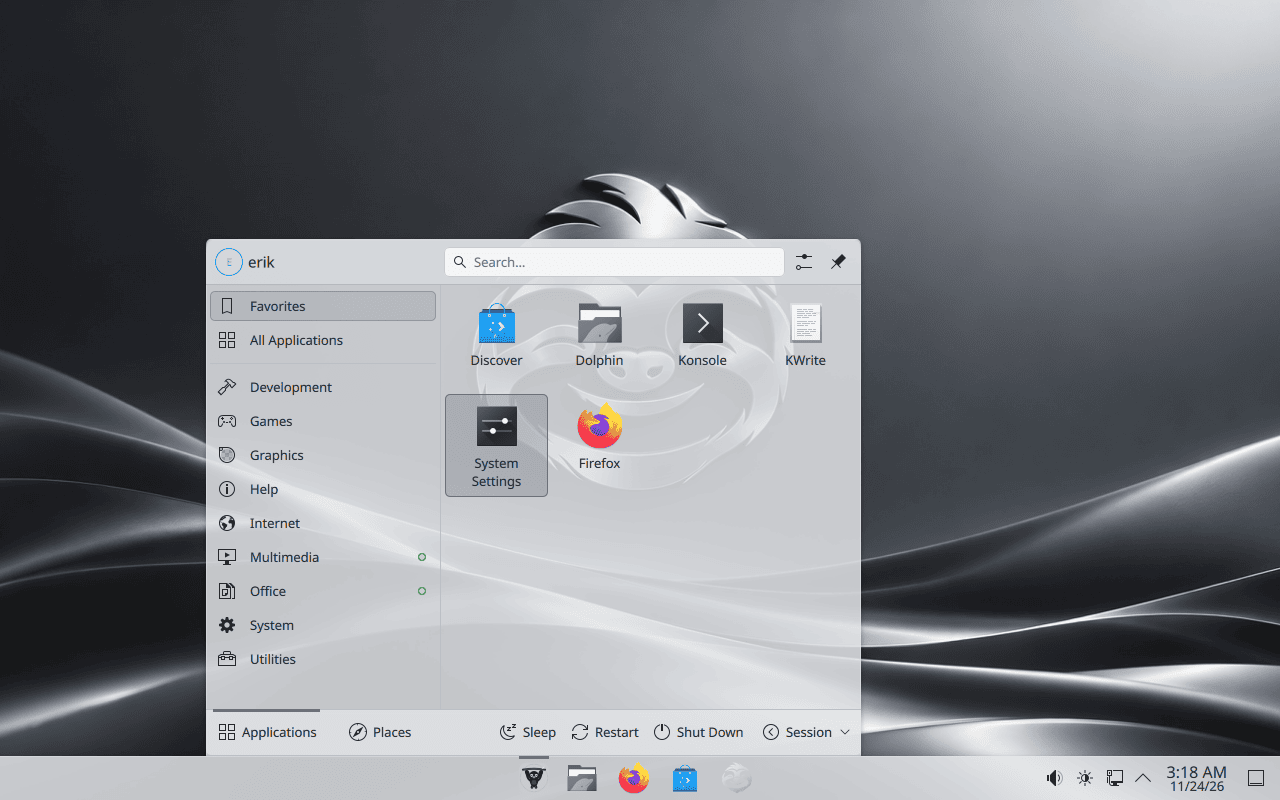
Sloth OS is a Linux distribution designed primarily for users migrating from Microsoft Windows. It is based on Fedora Atomic, using Universal Blue’s Kinoite images as its foundation. The distribution combines KDE Plasma with a customised desktop layout, graphical administration utilities and facilities for running Windows applications and games. Its developer aims to eliminate the need for command-line interaction when performing everyday computing tasks.
The distribution uses an image-based approach to system maintenance, applying updates atomically and retaining a previous system deployment for rollback. Desktop applications are primarily distributed through Flatpak, with a welcome wizard allowing users to select the software they want installed. Sloth Center provides a centralised interface for system configuration, hardware management, backups, networking and troubleshooting.
Key Features
- Customised KDE Plasma desktop with layouts inspired by Windows, macOS, Ubuntu and ChromeOS.
- Atomic system updates with cryptographically signed images, background downloads and rollback facilities.
- Sloth Welcome wizard for desktop customisation and application selection.
- Sloth Center provides graphical system administration and configuration.
- Gaming support incorporating Steam, Proton, GameMode and gamescope.
- Game compatibility database incorporating community reports and anti-cheat information.
- Experimental Windows application compatibility using Proton, umu-launcher and Wine.
- Automatic NVIDIA driver configuration for supported graphics hardware.
- Migration tools for transferring personal files, browser bookmarks and Steam games from Windows.
- Automatic home directory snapshots and external backup facilities.
- SMB network share discovery and configuration.
- Parental controls, guest accounts and application permission management.
- Fingerprint authentication and PIN-based login.
- Optional disk encryption.
- Graphical installer supporting dedicated installations and dual-boot configurations.
- Optional compatibility reporting with no compulsory telemetry.
- Support for 50 languages.
| Working state: | Active |
| Desktop: | KDE Plasma |
| Init Software: | systemd |
| Package Management: | rpm-ostree |
| Release Model: | Fixed |
| Platforms: | x86_64 |
| Home Page: | sloth-os-linux.github.io |
| Developer: | Sloth OS project |
| This article is part of our Big List of Active Linux Distributions and Open Source Operating Systems. |
What's a Linux distribution ("distro")? |
| A distro provides the user with a desktop environment, preloaded applications, and ways to update and maintain the system. Each distro makes different choices, deciding which open source projects to install and provides custom written programs. They can have different philosophies. Some distros are intended for desktop computers, some for servers without a graphical interface, and others for special uses. Because Linux is an open source operating system, combinations of software vary between Linux distros. |
Please read our Comment Policy before commenting.