

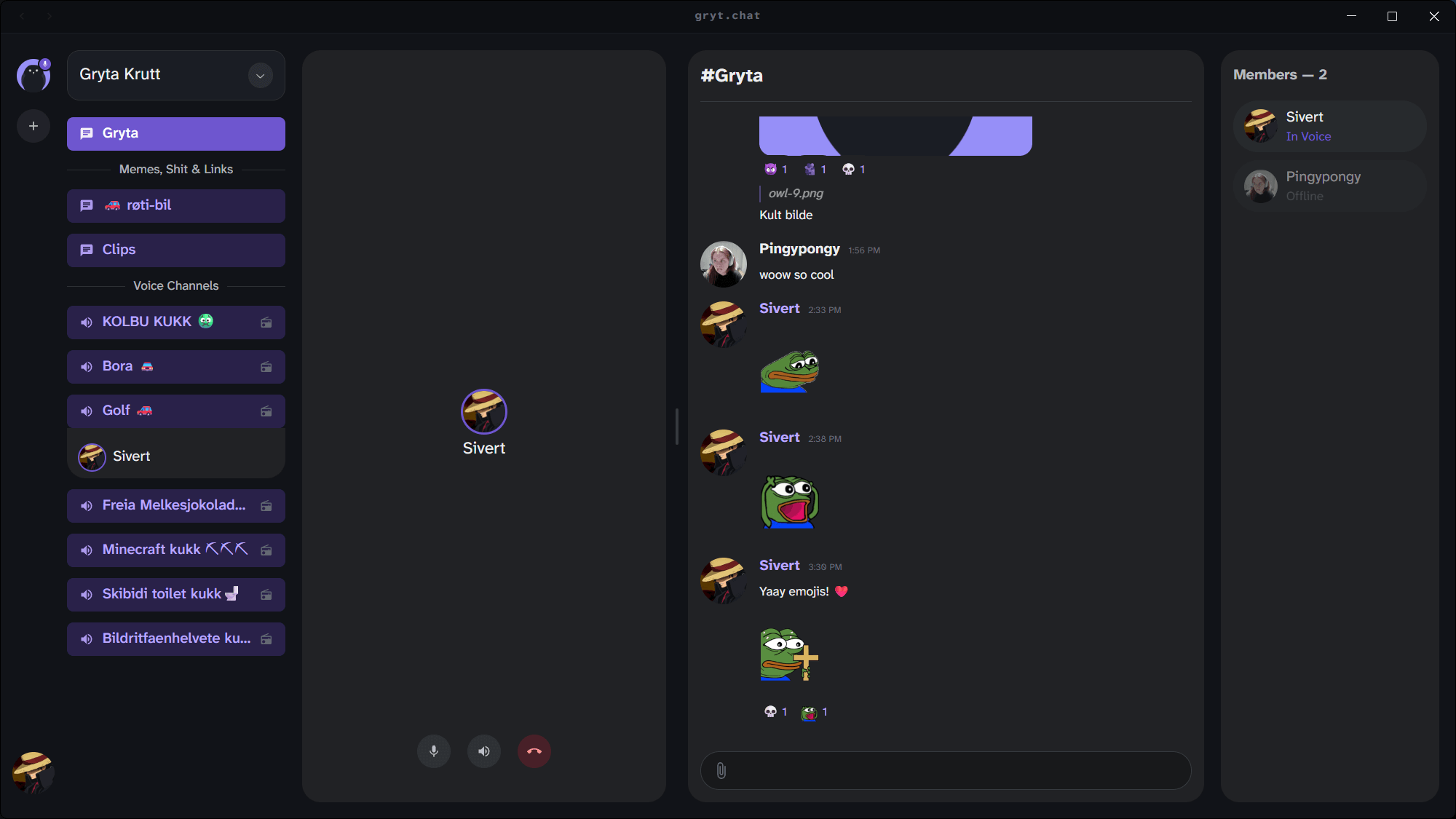
Gryt is a self-hosted platform for real-time voice, video and text communication. It combines a desktop and web client with its own signalling server and Selective Forwarding Unit, giving users an alternative to centrally hosted communication services.
Voice, camera video and screen sharing use WebRTC. The media server is built with Go and Pion and forwards streams between participants without transcoding. The client adds features such as push-to-talk, noise suppression, voice activity detection and screen sharing with audio. Text conversations support Markdown, mentions, uploads and persistent message history.
Servers can be deployed with Docker Compose, while larger installations can use Helm. Accounts are optional: a server can admit guests without requiring them to create an account with the Gryt service. The desktop application is available for Linux as AppImage and DEB packages, with Snap and Arch Linux options also available. There is also a browser client, and the desktop client can host a server itself.
Gryt remains under active development, so administrators should expect changes as the platform matures.
This is free and open source software.
Key Features
- Voice communication over WebRTC using the Opus codec.
- Camera video and screen sharing with audio.
- Go-based SFU built on Pion WebRTC.
- Text chat with Markdown, mentions and file sharing.
- Persistent messages backed by SQLite.
- Client-side noise suppression and voice activity detection.
- Global push-to-talk with configurable key bindings.
- Self-hosting with Docker Compose or Helm.
- Optional user accounts, with guest access supported by individual servers.
- Desktop and browser clients.
Website: github.com/Gryt-chat/gryt
Support:
Developer: Gryt Chat
License: GNU Affero General Public License v3.0
Gryt is written in TypeScript and Go. Learn TypeScript with our recommended free books and free tutorials. Learn Go with our recommended free books and free tutorials.
Related Software
| WebRTC Tools | |
|---|---|
| mediasoup | Server-side WebRTC library, specifically a Selective Forwarding Unit (SFU |
| Pion | Modern stack for web real-time communication |
| Neko | Self-hosted virtual browser for collaborative browsing and remote access |
| MediaMTX | Live media server and proxy supporting multiple streaming protocols |
| Jitsi | Innovative voice and video conferencing |
| LiveKit | End-to-end stack for WebRTC |
| SRS | Real-time media server |
| OpenVidu | Platform to develop WebRTC real-time applications |
| Janus | Gneral purpose WebRTC server |
| BigBlueButton | Virtual classroom platform |
| aiortc | Library for WebRTC and ORTC |
| MiroTalk SFU | Self-hosted WebRTC videoconferencing platform |
| MiroTalk P2P | Self-hosted WebRTC video conferencing application |
| coturn | Implementation of TURN and STUN Server |
| Galene | Easy to deploy videoconference server |
| Nextcloud Talk | Chat, video and audio calls for Nextcloud |
| Broadcast Box | Low-latency WebRTC broadcasting and screen sharing |
| Selkies | Remote desktop and application streaming platform |
| libpeer | Portable WebRTC library for IoT/embedded devices |
| libdatachannel | WebRTC network library |
| Kurento | WebRTC media server |
| str0m | Sans I/O WebRTC implementation |
| Elixir WebRTC | Elixir implementation of the W3C WebRTC API |
| Gryt | Self-hostable, WebRTC-based voice communication app |
| PairUX | Collaborative screen sharing with simultaneous remote control |
Read our verdict in the software roundup.
 LinuxLinks helps you discover the best free and open source software for Linux. Explore our extensive collection of recommended applications, including alternatives to popular proprietary software. LinuxLinks helps you discover the best free and open source software for Linux. Explore our extensive collection of recommended applications, including alternatives to popular proprietary software.We also publish software reviews, Linux tutorials, hardware reviews, free programming books and articles covering the wider open source community. Browse our Linux resources to discover more. Know a useful free and open source Linux application we haven't covered? Suggest a program for inclusion. Has your software been featured on LinuxLinks? Display one of our Featured on LinuxLinks badges on your website or GitHub README. |
Please read our Comment Policy before commenting.