
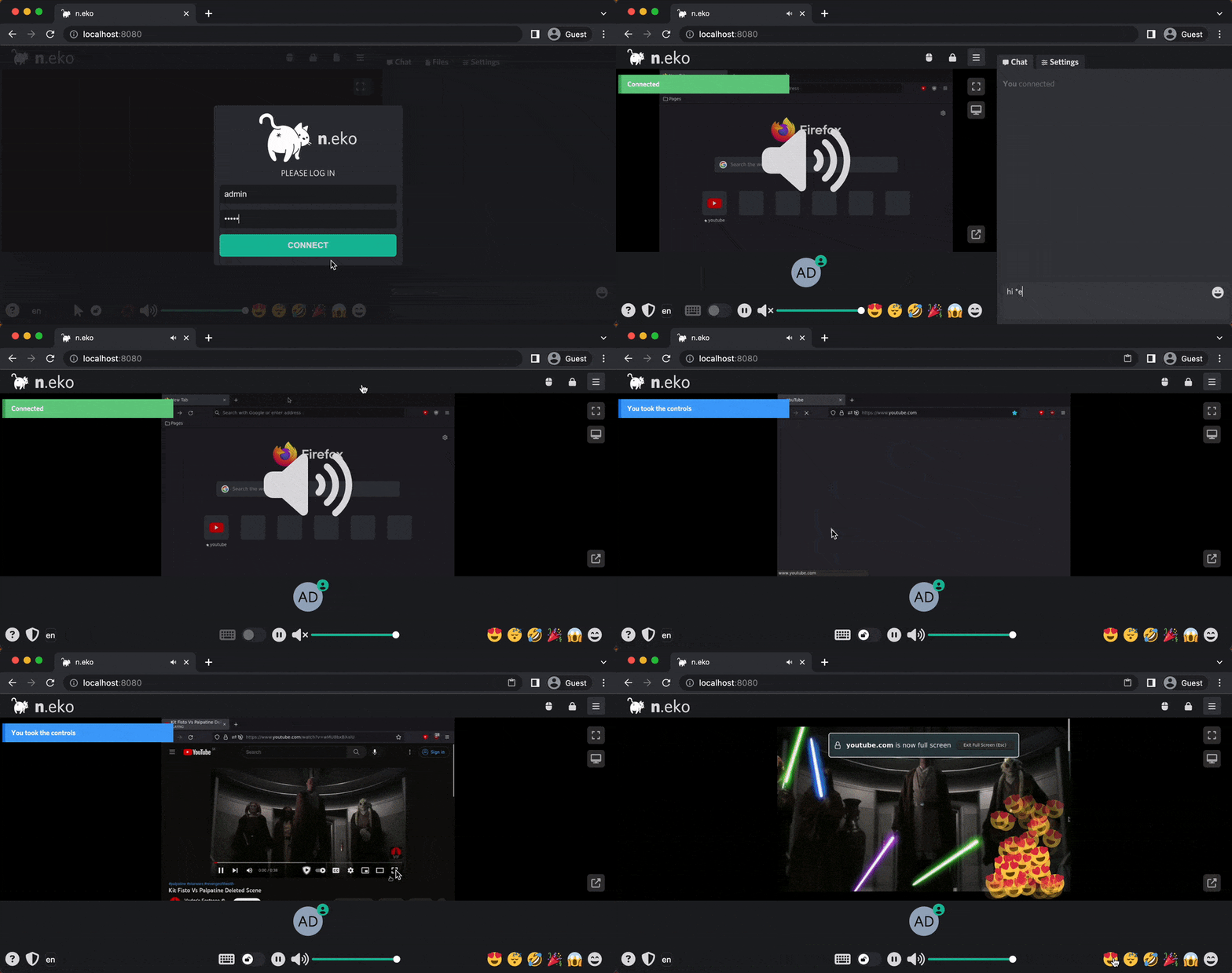
Neko is a self-hosted virtual browser and remote desktop system that streams a Linux graphical environment through WebRTC.
Instead of transferring browser state or individual application data to participants, Neko runs the graphical session remotely and delivers synchronized audio and video to connected users. Multiple participants can enter the same environment and interact with it, making the software useful for collaborative browsing, demonstrations, teaching, watch parties, support sessions and controlled remote access to applications.
This is free and open source software.
Key Features
- Supports multiple simultaneous participants within the same shared session.
- Streams the graphical environment using WebRTC for smooth video and integrated audio.
- Can run browsers, individual Linux applications or complete desktop environments.
- Provides browser environments for Firefox, Chromium-family browsers, Tor Browser and others.
- Can provide XFCE and KDE desktop environments.
- Supports remotely accessed applications including Remmina and VLC.
- Allows participants to share control of the remote keyboard and mouse.
- Can be used for synchronized watch parties and interactive presentations.
- Supports collaborative debugging, teaching and guided support sessions.
- Can provide persistent browser environments whose state remains on the remote system.
- Can also provide disposable browser environments for temporary sessions.
- Keeps cookies and other browser state inside the remote environment rather than the viewer’s browser.
- Can broadcast a session through RTMP for external streaming workflows.
- Can be combined with recording software to capture clean remote sessions.
- Can be embedded in another web application as a remotely controlled browser.
- Can act as a browser-based jump host for access to internal applications.
- Supports separate room-management software for deployments requiring multiple rooms.
- Uses a Go backend with a TypeScript and Vue.js frontend.
Website: github.com/m1k1o/neko
Support:
Developer: Miroslav Šedivý
License: Apache License 2.0
Neko is written in Go and TypeScript. Learn Go with our recommended free books and free tutorials. Learn TypeScript with our recommended free books and free tutorials.
Related Software
| WebRTC Tools | |
|---|---|
| mediasoup | Server-side WebRTC library, specifically a Selective Forwarding Unit (SFU |
| Pion | Modern stack for web real-time communication |
| Jitsi | Innovative voice and video conferencing |
| LiveKit | End-to-end stack for WebRTC |
| SRS | Real-time media server |
| OpenVidu | Platform to develop WebRTC real-time applications |
| Janus | Gneral purpose WebRTC server |
| BigBlueButton | Virtual classroom platform |
| aiortc | Library for WebRTC and ORTC |
| MiroTalk SFU | Self-hosted WebRTC videoconferencing platform |
| MiroTalk P2P | Self-hosted WebRTC video conferencing application |
| coturn | Implementation of TURN and STUN Server |
| Galene | Easy to deploy videoconference server |
| Nextcloud Talk | Chat, video and audio calls for Nextcloud |
| Selkies | Remote desktop and application streaming platform |
| libpeer | Portable WebRTC library for IoT/embedded devices |
| libdatachannel | WebRTC network library |
| Kurento | WebRTC media server |
| str0m | Sans I/O WebRTC implementation |
| Elixir WebRTC | Elixir implementation of the W3C WebRTC API |
| Gryt | Self-hostable, WebRTC-based voice communication app |
| PairUX | Collaborative screen sharing with simultaneous remote control |
Read our verdict in the software roundup.
 Explore our carefully curated directory of recommended free and open source software, covering every major software category. Explore our carefully curated directory of recommended free and open source software, covering every major software category.The directory forms part of our extensive collection of articles for Linux enthusiasts. It includes hundreds of detailed reviews, together with free and open source alternatives to proprietary software from companies such as Google, Microsoft, Apple, Adobe, IBM, Cisco, Oracle, and Autodesk. LinuxLinks also covers interesting projects worth exploring, Linux-compatible hardware, free programming books and tutorials, and much more. Know a useful free and open source Linux application that we haven’t covered? Tell us about it using our submission form. |
Please read our Comment Policy before commenting.